Apollo Transparency Film for Inkjet Printers, for Hewlett-Packard, 50 Sheets/Pack (VCG7031S)


Key features
- •TRANSPARENT SHEETS – Create eye-catching results with exceptionally clear film. This premium film has a removable sensing stipe and can be used with a printer.
- •COATED SURFACE – Each sheet is specially coated to produce brilliant details. Great for making image reproductions.
- •FAST-DRYING – Special fast-drying formula helps ink dry more quickly than standard films. Perfect for last-minute meetings or presentations.
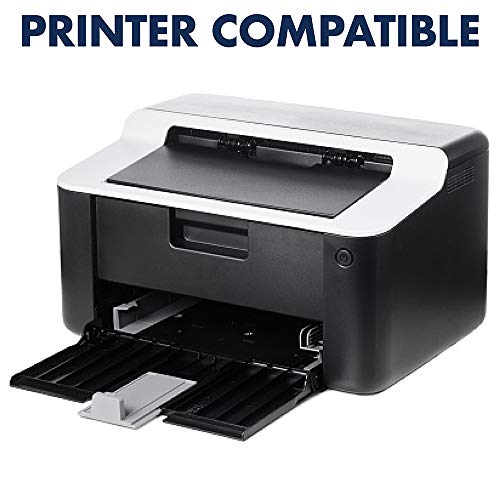
- •PRINTER COMPATIBLE – Print images directly on the film. Film is intended for use with Hewlett Packard (HP) ink jet printers.
- •VALUE PACK – Each box contains 50 sheets, allowing you to make several copies of one document or a variety of different projects. Perfect for teachers and presenters.
Apollo Transparency Film for Inkjet Printers, for Hewlett-Packard, 50 Sheets/Pack (VCG7031S)
List Price: $87.39$78.65DEALYou Save: $8.74 (10%)
Free shippingFree Returns – 30 daysFree Order CancellationSecure Payment2–3 Days DeliveryGet It October 25, 2026In Stock (21)No marketing spamNo account requiredFulfilment by FedEx / Amazon / UPS / ShipwirePayPal / Card Buyer Protection
Customer Reviews
Reviews sourced from verified Amazon purchasers4.7
out of 5
Based on 10 reviews
5★
80%
4★
20%
3★
0%
2★
0%
1★
0%
Fine for the price.
Michele deCesare✓ Verified Purchase•January 12, 2024
I did have some issues with this paper, but I'm convinced it is a printer problem. The first print was acceptable but not dark enough to use for burning a screen for screen printing. I changed my printer settings to print "high quality" instead of "standard" which brought the ink level up, and produced a nice dark print. However, it didn't print everything on the page. Long story short, I determined that either my Epson XP-420 printer or my Corel software (or the combo of both) does not like anything but plain paper at standard settings (not everything on the page was printing). I worked around this by publishing my Corel doc to a PDF file, and printed from that. So...if you're using this paper for screen printing positives, try that little trick. The ink dried quickly. My only complaint would be that the paper strips do not come off cleanly -- and for the price I think that's a minor issue.
Worked in my all-in-on Canon inkjet.
Sherry✓ Verified Purchase•January 5, 2024
It's working for me! I wanted to copy a transparency with hand drawn material (not using the computer) for a class I'm planning. I cranked up the "contrast" on my canon all-in-one printer and it really helped. Since I didn't think it looked quite dark enough (for a photo exposure technique), I followed suggestions elsewhere and made two and stacked them (perfect!)
My major problem when I got it was that there wasn't an insert on how to use these correctly. There a very rough side and a smooth side. I assumed that I should use the rough side, but since the first try looked way too light, I tried the shiny side. Don't bother, it wiped off with a paper towel, so clean that I can use it again!
Only bad thing: at the very end of the printing was a smudgy looking edge. It's not a problem for me, but could be if actually using these for a presentation. It does not have the texture there (shiny material gathered ink), so it can be wiped off.
My major problem when I got it was that there wasn't an insert on how to use these correctly. There a very rough side and a smooth side. I assumed that I should use the rough side, but since the first try looked way too light, I tried the shiny side. Don't bother, it wiped off with a paper towel, so clean that I can use it again!
Only bad thing: at the very end of the printing was a smudgy looking edge. It's not a problem for me, but could be if actually using these for a presentation. It does not have the texture there (shiny material gathered ink), so it can be wiped off.
I use these transparency sheets for my silk screening hobby ...
Nashoba✓ Verified Purchase•December 3, 2023
This is at least my fifth purchase of the Apollo CG7031S Transparency Film for inkjet devices, clear, 50 per box; I use these transparencies for my silk screening hobby. For the silk screening that I do, the design needs to be printed in black ink only. I am currently using a Kodak esp 3.2 inkjet printer and had a difficult time finding transparencies that could be used that did not cost a lot of money. After finding Apollo brand and deciding to try this brand about 2 years ago "“it has been my go to brand. Now I do have to print at least 2 (sometimes 3) transparencies with the design and tape them together to get it dark enough for my silk screening but that does not have to do with the transparency but with the type of silk screening and printer that I use. Each transparencies prints out wonderfully and there is no need to wait for them to dry before taping them together. They each come out of the printer ready to stack on top of each other without worries of the ink smearing. At some point I will upgrade my printer to one designed more for silk screening, until that time I will continue to use this brand for all my transparencies. I do only put one transparency on the print at a time otherwise I have found the printer will pull multiple sheets. Each sheet has a about ¼ white strip for the print to read the sheet in the feed.
Does the job
shakeya burkhalter✓ Verified Purchase•November 7, 2023
Works very well in a inkjet only. But not comparable with a eco tank printer. You can print on it but the ink never dries with the eco tank.
Best Transparency Film I've tried
Life in NE WA State✓ Verified Purchase•November 5, 2023
I have been using Apollo Quick Dry Inkjet transparencies for many years with 0 issues. Best brand I have tried. They are 100% clear. (Hate the milky ones . :P ) Has the sensing strip so your printer grabs each one easily. Ink does not bleed over time, which is a big PLUS for me since I use them over and over for years. **The Highland brand in particular was terrible for ink bleed. I use black ink only and a yellowing halo started to appear around the black ink just days after printing.
I read review comments here that actually made me laugh.
#1 - If the 1/4" sensing strip is getting in the way of your prints..... YOU ARE PRINTING ON THE WRONG SIDE.
#2 - If your ink is NOT drying..... YOU ARE PRINTING ON THE WRONG SIDE.
It's not rocket science people LOL
I read review comments here that actually made me laugh.
#1 - If the 1/4" sensing strip is getting in the way of your prints..... YOU ARE PRINTING ON THE WRONG SIDE.
#2 - If your ink is NOT drying..... YOU ARE PRINTING ON THE WRONG SIDE.
It's not rocket science people LOL
Page 1 of 2


