Kensington Wired SlimBlade Trackball Mouse (K72327U), Black




Key features
- •Low-profile shape and silver metallic finish deliver ergonomic comfort and beautiful aesthetics
- •Requires less arm and wrist movement (for better comfort) and takes up less desk space than a traditional mouse
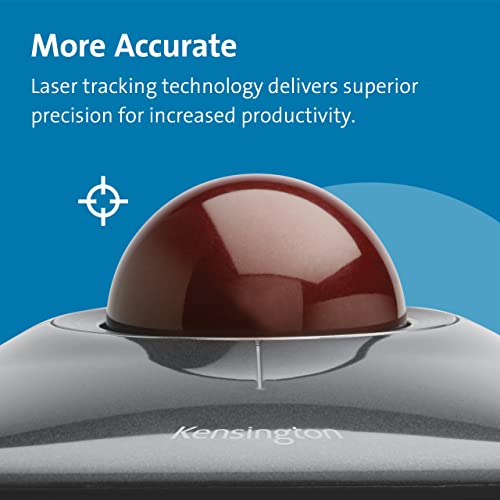
- •Laser tracking delivers precision cursor control
- •Ambidextrous design
- •Free downloadable KensingtonWorks software provides button customization
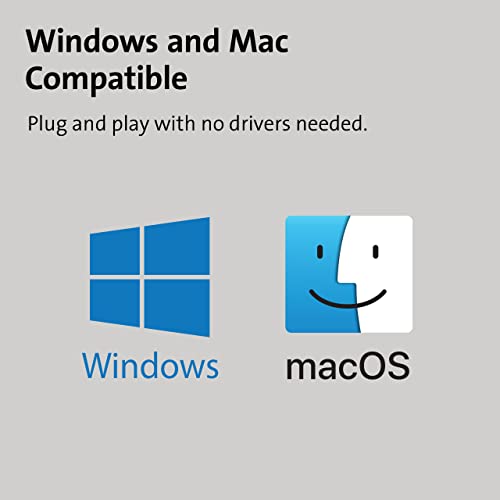
- •Compatible with Windows (including Windows 8) and macOS
BrandKensington
CategoryTrackballs
SizeOne Pack
ColorBlack
Warranty2 year warranty (Only valid if purchased through Kensington Authorized Resellers)
Kensington Wired SlimBlade Trackball Mouse (K72327U), Black
List Price: $120.16$108.14DEALYou Save: $12.02 (10%)
Free shippingFree Returns – 30 daysFree Order CancellationSecure Payment2–3 Days DeliveryGet It October 24, 2026In Stock (20)No marketing spamNo account requiredFulfilment by FedEx / Amazon / UPS / ShipwirePayPal / Card Buyer Protection
Customer Reviews
Reviews sourced from verified Amazon purchasers4.1
out of 5
Based on 10 reviews
5★
70%
4★
10%
3★
20%
2★
0%
1★
0%
An improvement over the Expert model
Bigh•March 21, 2018
I've used Kensington trackballs for 30 years now, since the old ADB days. Kensington makes the heaviest ball, which is essential for spinning and moving the mouse quickly. Like many others, I've been a bit dismayed at the general decline in quality and smoothness over the years, but they're still the best I can find.
My last two Expert trackballs were getting glitchy... one had a sticky scroll ring (even after cleaning and lubricating with graphite), and the other had electrical problems that made it 'drop' items sporadically. I decided to combine the two to get one last good one, and decided to try the SlimBlade to replace the one that was lost.
Needless to say, I'm extremely picky about these things "“Â I need to move fast and intuitively on my desktop, and if the trackball is glitchy at all it aggravates me continuously. I was pleasantly surprised to see the design of the SlimBlade "“Â they've eliminated a lot of problems the old Expert model had and reduced the moving parts. Instead of captive jewel bearings, the bearings are now fixed. But the ball moves perfectly smoothly all the same "“Â it still has good size and heft. The buttons are part of the surface, but still move easily and predictably. They've put a hole in the bottom so the dust falls through and doesn't collect "“Â very nice!
I was a bit thrown off at first regarding the 'ring' "“Â I thought it must be some sort of touch-sensitive part (no, I don't read directions much). but instead, it detects when the two sensors are moving in the same direction and translates that to a scroll movement... very clever! And it eliminates one more moving piece that always seemed to gum up. It's took me 10 minutes to get used to, but I can already flick the ball horizontally and get the same or better speed I got with the Expert models (which were rarely fast or smooth). What's more, this action is nearly silent**, unlike the gritty rubbing noise of the Expert model. I record my screen and do voiceovers while I record, so having a quiet movement is a definite plus.
All in all, I think this is a definite improvement over the Expert model... it immediately felt smoother, more predictable and more intuitive. I just hope it lasts (the Expert balls were pretty durable)
** by default, there's a synthetic clicking noise when you scroll. It's not annoying for daily use at all, but it definitely is for recording. In order to make it completely silent, you have to remove 7 screws from the bottom (one under each rubber foot and then three arranged in a triangle under the rubber ring). Once apart, the noisemaker is at the top of the circuit board... it's a short cylinder with a hole in the top. You can carefully pry off the top of the noisemaker and remove the disk inside. I just left the top off and put the rest back together... now it's silent and perfect for recording.
My last two Expert trackballs were getting glitchy... one had a sticky scroll ring (even after cleaning and lubricating with graphite), and the other had electrical problems that made it 'drop' items sporadically. I decided to combine the two to get one last good one, and decided to try the SlimBlade to replace the one that was lost.
Needless to say, I'm extremely picky about these things "“Â I need to move fast and intuitively on my desktop, and if the trackball is glitchy at all it aggravates me continuously. I was pleasantly surprised to see the design of the SlimBlade "“Â they've eliminated a lot of problems the old Expert model had and reduced the moving parts. Instead of captive jewel bearings, the bearings are now fixed. But the ball moves perfectly smoothly all the same "“Â it still has good size and heft. The buttons are part of the surface, but still move easily and predictably. They've put a hole in the bottom so the dust falls through and doesn't collect "“Â very nice!
I was a bit thrown off at first regarding the 'ring' "“Â I thought it must be some sort of touch-sensitive part (no, I don't read directions much). but instead, it detects when the two sensors are moving in the same direction and translates that to a scroll movement... very clever! And it eliminates one more moving piece that always seemed to gum up. It's took me 10 minutes to get used to, but I can already flick the ball horizontally and get the same or better speed I got with the Expert models (which were rarely fast or smooth). What's more, this action is nearly silent**, unlike the gritty rubbing noise of the Expert model. I record my screen and do voiceovers while I record, so having a quiet movement is a definite plus.
All in all, I think this is a definite improvement over the Expert model... it immediately felt smoother, more predictable and more intuitive. I just hope it lasts (the Expert balls were pretty durable)
** by default, there's a synthetic clicking noise when you scroll. It's not annoying for daily use at all, but it definitely is for recording. In order to make it completely silent, you have to remove 7 screws from the bottom (one under each rubber foot and then three arranged in a triangle under the rubber ring). Once apart, the noisemaker is at the top of the circuit board... it's a short cylinder with a hole in the top. You can carefully pry off the top of the noisemaker and remove the disk inside. I just left the top off and put the rest back together... now it's silent and perfect for recording.
Computer glitch
4EverOnline•February 25, 2018
Oops...this WAS my review, but....Loved this mouse until it all of a sudden quit working. The return window has expired by a month. It is now a brick. I only had it for a couple of months. WTF??? I got on my computer this morning and the pointer didn't show up. I rebooted the computer. Still no pointer. I went onto the installed software to see if it was something in the settings and when I hit the software shortcut a square came up saying no mouse was plugged in. In WAS plugged in. I tried different ports...nada. The thing is as dead as a "doornail" and now it goes into the trash can.
UPDATE 3/1 Lucky I didn't throw it in the trash can. Computer technician determined it's a Windows 10 update glitch. My Logitech trackman doesn't work in any USB port now either and the tech and I are both scratching our heads...since my other backup "bluetooth" mice both work. Seems the latest Windows 10 update doesn't like USB connected wired mice anymore. The tech worked for an hour and a half and reset the system to before the update and that didn't work either. Long story short....I just ordered a bluetooth Kensington Expert ball mouse and hopefully that will work. A thousand pardons about the SlimBlade wired trackball mouse. I love it (but I'll have to give it to someone whose computer likes it. Beware, if you use a wired mouse on Windows 10, an update could send you to look for a bluetooth. Is this an evil plot?
UPDATE 3/1 Lucky I didn't throw it in the trash can. Computer technician determined it's a Windows 10 update glitch. My Logitech trackman doesn't work in any USB port now either and the tech and I are both scratching our heads...since my other backup "bluetooth" mice both work. Seems the latest Windows 10 update doesn't like USB connected wired mice anymore. The tech worked for an hour and a half and reset the system to before the update and that didn't work either. Long story short....I just ordered a bluetooth Kensington Expert ball mouse and hopefully that will work. A thousand pardons about the SlimBlade wired trackball mouse. I love it (but I'll have to give it to someone whose computer likes it. Beware, if you use a wired mouse on Windows 10, an update could send you to look for a bluetooth. Is this an evil plot?
Crushing superiority to mice (?) or trackpads.
WayMeister•December 19, 2017
Discovered trackballs in 1990. The split second I saw one, their utter superority to mouses (mice?) was obvious. And for basic cursor movement, they are way better than track-pads, too. My first trackball was a Kensington Turbo, which I loved.
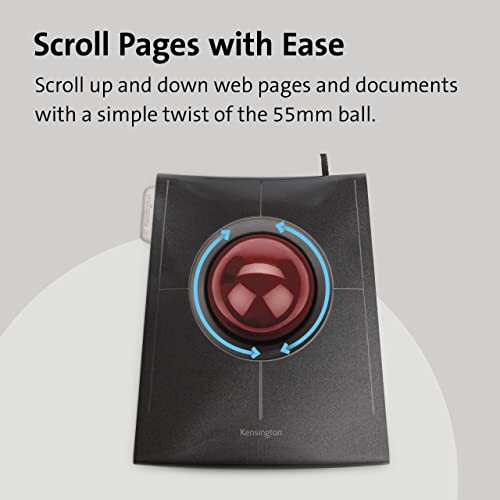
For the last 5 years I traveled so much, there was no point in owning a trackball, as I used phone or tablet most of the time. But now that I am back to a desk arrangement, I had to get one. I absolutely love this Slimblade, especially the scrolling feature"”you rotate the ball to scroll up and down. It's takes a little tweaking in setting to get the feel right, but then it's all good.
Assigning actions to the buttons makes you frequent tasks magical. One button shows whole desktop, another control center. Push 2 at once to do something else.
I use it on my MacBook, and just go to the trackpad for the multi-touch actions. Otherwise, I have my hand on the SlimBlade.
For the last 5 years I traveled so much, there was no point in owning a trackball, as I used phone or tablet most of the time. But now that I am back to a desk arrangement, I had to get one. I absolutely love this Slimblade, especially the scrolling feature"”you rotate the ball to scroll up and down. It's takes a little tweaking in setting to get the feel right, but then it's all good.
Assigning actions to the buttons makes you frequent tasks magical. One button shows whole desktop, another control center. Push 2 at once to do something else.
I use it on my MacBook, and just go to the trackpad for the multi-touch actions. Otherwise, I have my hand on the SlimBlade.
The SlimBlade works the best of any Trackball device I have ever had
Imageon•November 30, 2016
I use this device with the Apple Track Pad 2. Between the two of them I have completely eliminated the use of the mouse. The SlimBlade works the best of any Trackball device I have ever had. It is much more responsive than the Turbo Mouse I used to use. And stuff that I didn't use on the Turbo Mouse. There are certain things that the SlimBlade doesn't seem to do. One is scroll when my IMac is in calendar mode. I have to use the track pad to get scrolling in that application. On the other hand it is far better to use the SlimBlade for click and drag functions. The track pad is to whistle and bell laden to do this simple function smoothly without putting too much pressure on it or something and screwing it up. Also the SlimBlade has to be the coolest looking device on my desk. It is truly beauty and function personified. The SlimBlade in concert with the Apple Track Pad 2 are really useful in Photo Shop Giving the curser a full range of speed and precise motion. At first I was a little disillusioned that it was a corded device. But very soon started to appreciate the fact. There is just less to go wrong with it hardwired to the computer and I think it makes it a bit more responsive.
As new, the buttons "stick", dis-assembly and cleaning fixes.
Jason Doege•September 3, 2016
I bought this a month ago hoping to love it. I've loved my Kensington Expert Trackball Mouse for a very long time, barring that it quickly becomes dirty. I hoped that this trackball would be self cleaning due to the hole on the bottom under the ball. So far so good on that front.
This trackball had a major flaw, though, that drove me to distraction. Every time I would press one of the buttons it had a little "catch" before engaging the microswitch in the usual clicky way. It was like there was a little flash of plastic that hadn't been cleaned up before assembly that was rubbing on the button (but that was not the problem.) I call this major, because, when you are working, being distracted by an annoyance is the last thing you want.
Today I had enough of this and disassembled the trackball to determine what the problem was. Inside, I found that there is a tab to prevent the button flaps from being pulled back which makes sense because that would destroy the unit. What didn't make sense is that there was a spot of sticky matter on the tabs where they engaged the button flaps. What I was feeling was that sticky matter letting go before the button depressed to engage the underlying switch. I cleaned the goop off with a cotton swab and rubbing alcohol and reassembled the mouse and now the "catch" is gone and the switches feel just like you would expect them to.
If the trackball had arrive in the condition it now is in, it would receive a 5/5 from me. I should not have to dis-assemble and fix a brand new device to make it work properly. I can not image a reason why they would want that bit of goo to be in that location in the assembly.
This trackball had a major flaw, though, that drove me to distraction. Every time I would press one of the buttons it had a little "catch" before engaging the microswitch in the usual clicky way. It was like there was a little flash of plastic that hadn't been cleaned up before assembly that was rubbing on the button (but that was not the problem.) I call this major, because, when you are working, being distracted by an annoyance is the last thing you want.
Today I had enough of this and disassembled the trackball to determine what the problem was. Inside, I found that there is a tab to prevent the button flaps from being pulled back which makes sense because that would destroy the unit. What didn't make sense is that there was a spot of sticky matter on the tabs where they engaged the button flaps. What I was feeling was that sticky matter letting go before the button depressed to engage the underlying switch. I cleaned the goop off with a cotton swab and rubbing alcohol and reassembled the mouse and now the "catch" is gone and the switches feel just like you would expect them to.
If the trackball had arrive in the condition it now is in, it would receive a 5/5 from me. I should not have to dis-assemble and fix a brand new device to make it work properly. I can not image a reason why they would want that bit of goo to be in that location in the assembly.
Page 1 of 2


