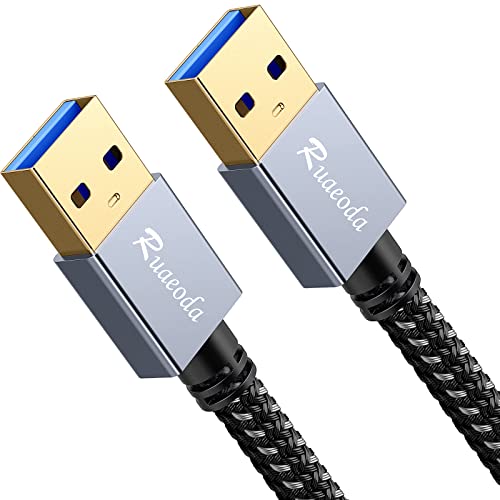
Plugable USB Transfer Cable, Unlimited Use, Transfer Data Between 2 Windows PC's, Compatible with Windows 11, 10, 7, XP, Bravura Easy Computer Sync Software Included




Key features
- •Works great for transferring files and folders when upgrading from an older Windows 10, 8.1, 8, 7, Vista, or XP computer to a newer one. 32- and 64-bit versions are supported. Mac not supported. Not compatible with Windows 10 S Mode.
- •Includes a license for Bravura Easy Computer Sync software is attached to the cable ($19.95 value). This software automates the transfer process of user data like documents, pictures, music, favorites and the like
- •Easier than network transfers, no size limits, and simpler than transfers by disk. Both PCs involved in the transfer must be functional and have attached displays
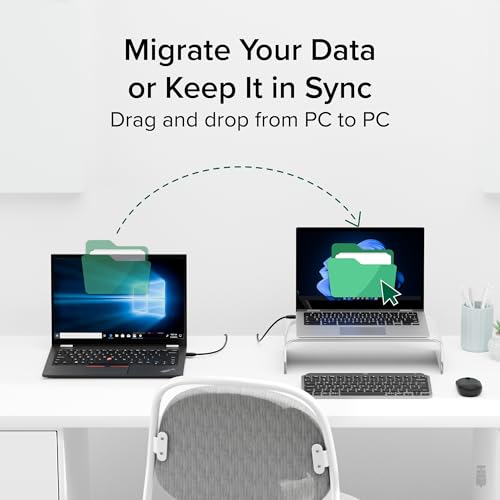
- •The Bravura Easy Computer Sync software supports custom file and folder syncing between two supported Windows computers, including drag and drop transfers. Does not transfer programs; they must be reinstalled from the original disks or downloaded files
- •2 YEAR WARRANTY - We love our Plugable products, and hope you will too. All of our products are backed with a 2 year limited parts and labor warranty as well as Seattle-based email support
Plugable USB Transfer Cable, Unlimited Use, Transfer Data Between 2 Windows PC's, Compatible with Windows 11, 10, 7, XP, Bravura Easy Computer Sync Software Included
List Price: $69.75$62.78DEALYou Save: $6.97 (10%)
Free shippingFree Returns – 30 daysFree Order CancellationSecure Payment2–3 Days DeliveryGet It October 24, 2026In Stock (4)No marketing spamNo account requiredFulfilment by FedEx / Amazon / UPS / ShipwirePayPal / Card Buyer Protection
Customer Reviews
Reviews sourced from verified Amazon purchasers4.3
out of 5
Based on 10 reviews
5★
70%
4★
30%
3★
0%
2★
0%
1★
0%
Super Fast
Mary's Man✓ Verified Purchase•July 20, 2023
This one cable is all you need to transfer ALL your files quickly. Very simple to use. If you have a lot of files it takes a little bit but A LOT faster than we expected! Well worth the money!
Gets the job done
Katrice Davis✓ Verified Purchase•July 19, 2023
I purchase the USB Transfer cable to assist with transferring user data from her old laptop to the new one. This device works great and saved my life. Highly Recommend
Worked great for me
Amazon Customer✓ Verified Purchase•June 22, 2023
I have no idea why I haven't bought one of these before now. I usually just transfer a few crucial files via email from old computers and leave the rest. But my laptop had A LOT of files that I was still using so I needed an efficient way to transfer them. I thought that I could just upload everything to OneDrive on the old laptop and then simply download the files to the new laptop. That worked for files but it didn't work for folders (and I have a ton of them). For example, the pictures on the old laptop were tiles of the pictures so I knew what it was. When I tried to download a folder, it only showed the file number (not the pic). I couldn't live with that so looked around and found this product.
Some people complained that this product doesn't work right. There are a lot of steps so that could be due to user error but can't say for certain as I wasn't there. I watched the video with Kevin before starting. I also shut down all files & programs and restarted each computer before beginning the transfer process. Then, I pulled up the how-to video on my phone and followed each step along with Kevin. Everything ran smoothly for me. I bought USB 2.0 (vs 3.0) and it took about 2 hours to transfer all of my files. They look just like the files from the old laptop so I couldn't be happier. I just wish that I hadn't wasted so much time trying to do all of the uploading and downloading from OneDrive before buying this nifty device. OneDrive is great for backing up files, not transferring them from one device to another.
Some people complained that this product doesn't work right. There are a lot of steps so that could be due to user error but can't say for certain as I wasn't there. I watched the video with Kevin before starting. I also shut down all files & programs and restarted each computer before beginning the transfer process. Then, I pulled up the how-to video on my phone and followed each step along with Kevin. Everything ran smoothly for me. I bought USB 2.0 (vs 3.0) and it took about 2 hours to transfer all of my files. They look just like the files from the old laptop so I couldn't be happier. I just wish that I hadn't wasted so much time trying to do all of the uploading and downloading from OneDrive before buying this nifty device. OneDrive is great for backing up files, not transferring them from one device to another.
Good product
S. Paratus✓ Verified Purchase•June 17, 2023
Easy to use, I have limited tech experience.
Worked perfectly even for computer dummy
TNC✓ Verified Purchase•May 29, 2023
I'm sure there are some computer experts much worse than me, but I'm hardly very computer savvy. I followed the directions, loaded the CD software on both computers and followed the simple instructions. I downloaded the stuff off my old Windows XP computer on to my Windows 10 computer with no issue. I mainly did this to get my itunes library moved from the antique to the present. All was accomplished with no drama.
Page 1 of 2