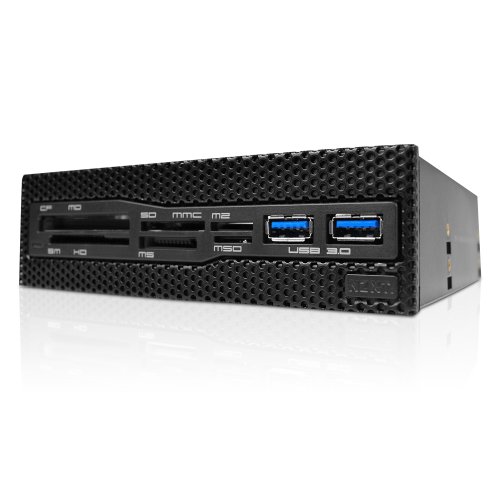
NZXT Aperture M Internal 5.25-Inch Mesh Card Reader with 2x USB 3.0 (AA-APMU3-B1)


Key features
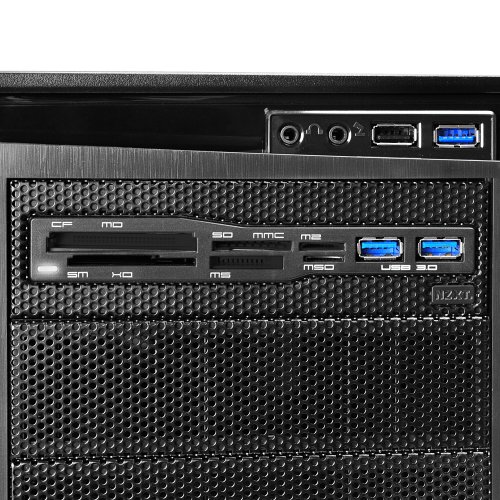
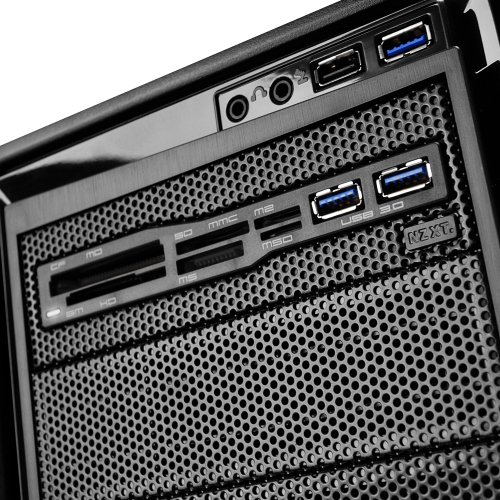
- •Unique design that blends well with any chassis that has a front mesh panel
- •Media hub supports: CF, MD, SM, XD, SD, SDHC, SDXC, MMC, MS, M2, and MicroSD
- •Ante up your ports with dual USB 3.0
- •Supports: CF, MD, SM, XD, SDHC, SDXC, MMC, MS, M2, Micro SD
NZXT Aperture M Internal 5.25-Inch Mesh Card Reader with 2x USB 3.0 (AA-APMU3-B1)
List Price: $70.77$63.69DEALYou Save: $7.08 (10%)
Free shippingFree Returns – 30 daysFree Order CancellationSecure Payment2–3 Days DeliveryGet It October 25, 2026In Stock (1)No marketing spamNo account requiredFulfilment by FedEx / Amazon / UPS / ShipwirePayPal / Card Buyer Protection
Customer Reviews
Reviews sourced from verified Amazon purchasers3.9
out of 5
Based on 10 reviews
5★
80%
4★
0%
3★
10%
2★
0%
1★
10%
Puts the SD slot and the USB ports in easy reach.
R. Ault•January 9, 2017
At last, I can find the blasted SD slot without having to get a flashlight and lean way down to see it. Many PC cases still have a spot for a floppy drive about halfway down the front, but it's often recessed in from the front of the case; the typical CD-drive slot, however, is right at the top and flush with the front. That makes it a LOT easier to see just which of the many card reader slots is the one for the SD. I really wish they would make one of these that's like a typical laptop, and ONLY has the SD slot (and USB ports), since the number of devices that use any of the other memory card formats keeps shrinking. Until they do, this is an acceptable alternative.
Don't bother
Matt D•December 16, 2016
After trying every connection available on my motherboard I never did get the card reader to work. I got it because it matched my case perfectly with the black metal mesh. The USB 2.0 ports work fine and it looks good which is why it got one star. Don't bother with this one. I see a lot of 5 star and 1 star reviews which to me means you have 1 50/50 chance of getting a great product or a piece or junk. I got a piece of junk. Good luck!
Nice look and feel
David J Carter Jr•September 10, 2016
This exceeded expectations. I did expect it to be a little more cheaply made based on some of the other reviews but overall it seems fairly solid. yes the bottom card slots are inverted and you have to insert the cards contacts up but that is of little concern to me (others have complained about it though). It looks great and matches my Antec case giving it a much more finished built in look. I ran through all the card types it supports with the exception of CF and it seems to work great. Transferred some significant files very quickly and error free. I actually like the fact that, unlike nearly all other media readers, it does not have audio jacks. Nearly every case out there has them now and redundant/non-functional plugs and jacks drive me a little crazy. This has just what I need and is executed in a very finished way.
Works as advertised
Eric Karlson•July 5, 2016
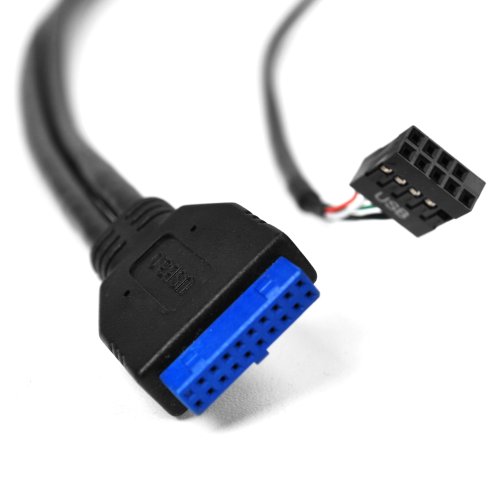
I've tested this with XD, XDHC and SDXC cards so far and they have all worked perfectly. The USB 3.0 ports also work as expected. The internal IDC connector for the USB 2.0 port (the one that supports the card readers) is a full 5x2 (10-pin) connector with only 4 of the pins wired up (which is to be expected for a single USB 2.0 device). One could plug this into any standard motherboard IDC connector, but one would only get a single USB port from it instead of the normal two. What I did was buy a 5-pin male IDC to male USB A cable to wire the card readers to a single USB port on the back of my computer. This allowed me to connect the card readers through to a single USB 2,0 port on the back of the computer, thereby not wasting one of my on-board USB ports. Given that the device consumes only a single USB 2.0 port, it would have been nice to either have such a cable included with the device, or have an optional cable for the device that had a male USB A connector, but I'm not going to ding them too badly for that.
Black Mesh design looks great. Works well on different types of Memory Cards
EV Guy•April 28, 2016
I use different types of memory cards (cameras, smartphones, etc.). This is a great addition to an empty or extra 5.25 bay on a desktop computer. Make sure that you have a USB 3.0 with 20-pin connector (usu. blue) on the motherboard. Otherwise, you need to an available PCIe 1x slot and purchase a 2-port PCIe 1x USB 3.0 adapter card.
Page 1 of 2