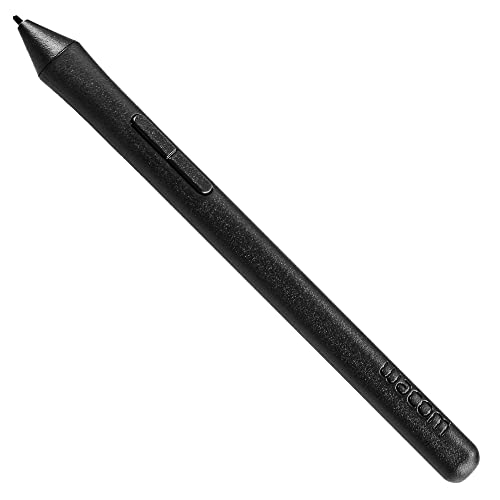
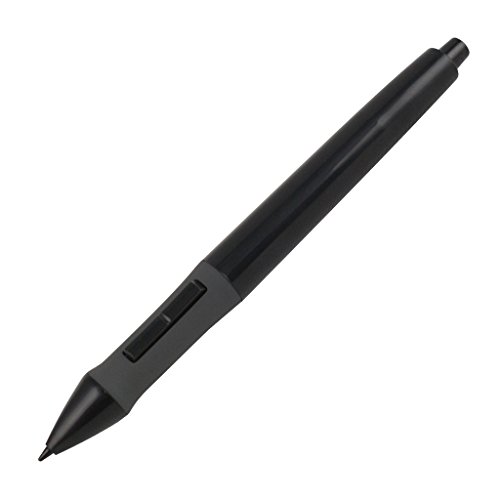
HUION Battery Pen P68 Digital Pen Stylus for Huion Graphics Drawing Tablet




Key features
- •1 AAA Battery Needed before using. On/Off Button Design on the top of the pen. Two Pen Buttons can be customizable.
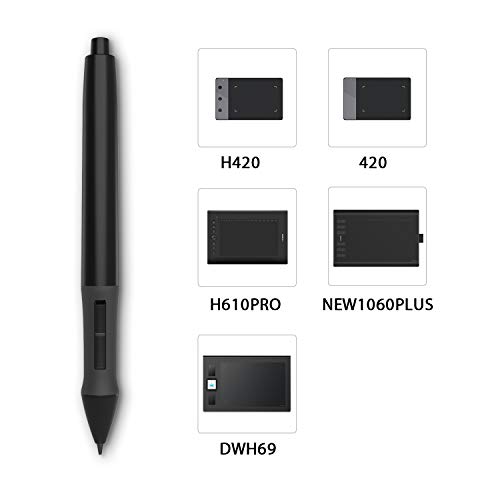
- •P68 Pen Only Suitable for those Huion products: 420, H420, H58L, 680S, K58, 680TF, NEW 1060PLUS, W58, DWH69, WH1409(2048)
- •DOES NOT work with INSPIRPOY-SERIES (Q11K, Q620M, G10T, H950P, H640P, H430P, H1060P ) and HS-Series(HS64, HS610, HS611, H320M), and GT-SERIES (GT-156HD V2, GT-185, GT-190, GT-191, GT-1901, GT-2201, GT-220 V2, GT-221), and Kamvas-series(Kamvas 12/13/16/22 Plus), Not work with All Huion Pen Display Monitor.
- •Can not work on Phone/PC/Computer/Screen/iPad/Wacom tabletsor any other touch screen tablets.
- •Technology: Huion Electromagnetic Digitizer
HUION Battery Pen P68 Digital Pen Stylus for Huion Graphics Drawing Tablet
List Price: $38.78$34.90DEALYou Save: $3.88 (10%)
Free shippingFree Returns – 30 daysFree Order CancellationSecure Payment2–3 Days DeliveryGet It October 24, 2026In Stock (1)No marketing spamNo account requiredFulfilment by FedEx / Amazon / UPS / ShipwirePayPal / Card Buyer Protection
Customer Reviews
Reviews sourced from verified Amazon purchasers4.0
out of 5
Based on 10 reviews
5★
60%
4★
20%
3★
10%
2★
10%
1★
0%
Worked for genius tablet
ashlee•August 11, 2017
Works great for my genius tablet but did not work for my bamboo. All good though at least it worked for one.
Great tablet pen
Elizabeth•June 26, 2017
I bought this pen to replace my old broken tablet pen, and it works much better than the default that came with the Monoprice tablet I use, the MP1290-A1. It has good pressure and sensitivity, and the right click and scroll buttons work well. The option to turn it off helps save a lot of battery, and the battery is easily accessible with sturdy, well built parts inside. It's also incredibly comfortable to hold, and fits just fine in the pen stand that came with the tablet. Since they're so cheap, it's worth getting more than one to have a spare in case something happens. On a whole, it's definitely one of the better tablet pens on the market that work with Monoprice and similar tablets, especially for the great price, and far exceeded the standards I had for something so cheap and affordable.
Good Replacement for Original Pen
William A. Parmley•June 14, 2017
I have the 680S tablet and the alkaline battery leaked in my pen. (No fault of the pen or Huion!) I cleaned it up as best I could but I could not get it working again. I ordered this as a replacement and as soon as I received it a popped in a new, fresh AAA battery, clicked the "ON" button, and it worked. Very glad to have my Huion tablet back in operation again.
Compatible with Monoprice 9x12. GET THIS PEN IF YOU HAVE ONE! TL;DR at end.
Amazon Customer•May 25, 2017
I bought this as a replacement pen for my Monoprice 9x12 Graphics Tablet. For those of you that have one of these, you probably know how cheap the pen that it comes with is. After about a year and a half of use, the button for right/middle click kept popping off in the middle of work. Finally, the tiny little thing popped off and was lost to Oblivion. Great. Now it's much harder to navigate ZBrush.
I checked online to see if there was a replacement pen for this tablet on Monoprice's site and on Amazon. No luck. But then I came across something better: Huion Digital Pen P68. I saw the Monoprice tablets listed on here as being compatible. Seeing as those ones also have the same pen as mine did, I thought I'd give this one a shot.
I just received it and placed a new battery in it. I touch it to the tablet and no response. Baffled, I thought it might have been incompatible or maybe even a dud. Then I took a look inside the pen where the negative end of a battery goes. I saw the spring that would move up and down depending on if you have the button clicked or not. It seemed like when it was on the 'on' state, the spring barely made enough passage to make any sort of contact with the battery. So I put it back together, held in the button (since this pushes the spring a bit further) and it was working! After letting go, however, the spring lost contact. Something else I noticed was if you screwed it too tight, the spring would sort of snag or something at the edge of the cavity. I didn't screw it in as tight the next time and now it works perfectly! So if you get this pen and for some reason it doesn't work, try not screwing it in too tight; atleast to where you don't feel the spring snagging on whatever it is.
So about the pen...
I'm going to do a bit of a comparison with the Monoprice pen in this review since I feel like this is something any owner of one should replace ASAP before you possibly go days without a working pen. It's definitely an upgrade over the previous pen I had. I like that it screws in to hold things together. In comparison to the previous pen, this is a pretty big deal since the last one had issues with bending or even coming a bit undone.
A tad lighter. If you're looking at this pen and haven't used one with a battery in it before, do keep in mind it does have a bit more weight than a Wacom pen does; hardly an issue for me, and if you keep the thing off when not in use, these things last a long time. On that note, I'm not sure I like having to manually turn on and off the pen as much as it doing so automatically. I can definitely see myself forgetting to do so at some point in time and wonder why the pen stopped working. Doi!
The right/middle click button is quite good. I don't feel at all worried about it coming off that easily. It's clicky. I don't think I'll lose this one at all. Nothing bad to say here.
Something I like over the previous pen quite a bit is how much more prominent the nib is. I always thought the nibs on the Monoprice pens were a bit to small for my liking. These, on the other hand, feel quite lovely. Feels smoooooth. I quite like them. It also comes with 4 nibs and a ring to remove them! I hardly change my nibs out but this is a nice feature indeed.
Durability seems good. I was always quite worried about my last pen breaking in some way, particularly with the flimsy battery contact that would bend a lot. I will say I'm not so sure if this thing is prone to cracking from, say, falling 100 feet onto a hard wood floor (thankfully, I have carpet flooring); or a MLB fastball toss at the nearest wall. I'm looking at it right now and it seems strong enough, the only caveat I see is it's quite stiff with it's build in comparison the last pen I had. Now this is a good thing, yes! I did get a crack on the previous pen just from putting it back together again but that was due to poor design issues, not so much the plastic. But with everything being put together so tightly, I'm not entirely sure if this might be more susceptible to damage from accidents or not. I don't think it is, but I'm only speculating at this point.
Pen pressure feels nice. I'm sculpting away at Zbrush with this thing as if nothing ever happened. Nothing feels out of place.
All in all, I'm impressed! And very very happy! This pen seems quite good overall minus the little mishap mentioned at the beginning. Shipping was on time, product was described, and all this just made a very happy customer... happier. Thumb up, Huion!
TL;DR - Good pen. Durability is good. Build is good. Pressure is good. Buttons are good. Contact issues with spring to battery might be caused by over-tightening the pen. If you own a Monoprice graphics tablet and haven't gotten one of these, what are you doing? Get this now before yours breaks! And it will! Believe me.
I checked online to see if there was a replacement pen for this tablet on Monoprice's site and on Amazon. No luck. But then I came across something better: Huion Digital Pen P68. I saw the Monoprice tablets listed on here as being compatible. Seeing as those ones also have the same pen as mine did, I thought I'd give this one a shot.
I just received it and placed a new battery in it. I touch it to the tablet and no response. Baffled, I thought it might have been incompatible or maybe even a dud. Then I took a look inside the pen where the negative end of a battery goes. I saw the spring that would move up and down depending on if you have the button clicked or not. It seemed like when it was on the 'on' state, the spring barely made enough passage to make any sort of contact with the battery. So I put it back together, held in the button (since this pushes the spring a bit further) and it was working! After letting go, however, the spring lost contact. Something else I noticed was if you screwed it too tight, the spring would sort of snag or something at the edge of the cavity. I didn't screw it in as tight the next time and now it works perfectly! So if you get this pen and for some reason it doesn't work, try not screwing it in too tight; atleast to where you don't feel the spring snagging on whatever it is.
So about the pen...
I'm going to do a bit of a comparison with the Monoprice pen in this review since I feel like this is something any owner of one should replace ASAP before you possibly go days without a working pen. It's definitely an upgrade over the previous pen I had. I like that it screws in to hold things together. In comparison to the previous pen, this is a pretty big deal since the last one had issues with bending or even coming a bit undone.
A tad lighter. If you're looking at this pen and haven't used one with a battery in it before, do keep in mind it does have a bit more weight than a Wacom pen does; hardly an issue for me, and if you keep the thing off when not in use, these things last a long time. On that note, I'm not sure I like having to manually turn on and off the pen as much as it doing so automatically. I can definitely see myself forgetting to do so at some point in time and wonder why the pen stopped working. Doi!
The right/middle click button is quite good. I don't feel at all worried about it coming off that easily. It's clicky. I don't think I'll lose this one at all. Nothing bad to say here.
Something I like over the previous pen quite a bit is how much more prominent the nib is. I always thought the nibs on the Monoprice pens were a bit to small for my liking. These, on the other hand, feel quite lovely. Feels smoooooth. I quite like them. It also comes with 4 nibs and a ring to remove them! I hardly change my nibs out but this is a nice feature indeed.
Durability seems good. I was always quite worried about my last pen breaking in some way, particularly with the flimsy battery contact that would bend a lot. I will say I'm not so sure if this thing is prone to cracking from, say, falling 100 feet onto a hard wood floor (thankfully, I have carpet flooring); or a MLB fastball toss at the nearest wall. I'm looking at it right now and it seems strong enough, the only caveat I see is it's quite stiff with it's build in comparison the last pen I had. Now this is a good thing, yes! I did get a crack on the previous pen just from putting it back together again but that was due to poor design issues, not so much the plastic. But with everything being put together so tightly, I'm not entirely sure if this might be more susceptible to damage from accidents or not. I don't think it is, but I'm only speculating at this point.
Pen pressure feels nice. I'm sculpting away at Zbrush with this thing as if nothing ever happened. Nothing feels out of place.
All in all, I'm impressed! And very very happy! This pen seems quite good overall minus the little mishap mentioned at the beginning. Shipping was on time, product was described, and all this just made a very happy customer... happier. Thumb up, Huion!
TL;DR - Good pen. Durability is good. Build is good. Pressure is good. Buttons are good. Contact issues with spring to battery might be caused by over-tightening the pen. If you own a Monoprice graphics tablet and haven't gotten one of these, what are you doing? Get this now before yours breaks! And it will! Believe me.
Great find!!!
TheBigMan•November 29, 2016
It works with my Genius tablet!!! Glad to have a replacement/ back-up. Feels slightly large in the hands, but nice design and I like the on-off button on top.
Page 1 of 2