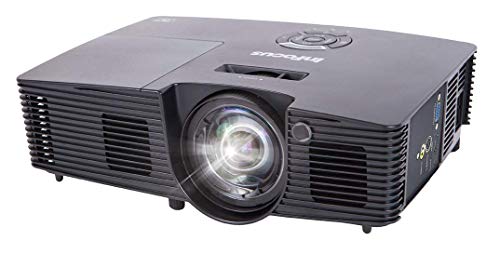
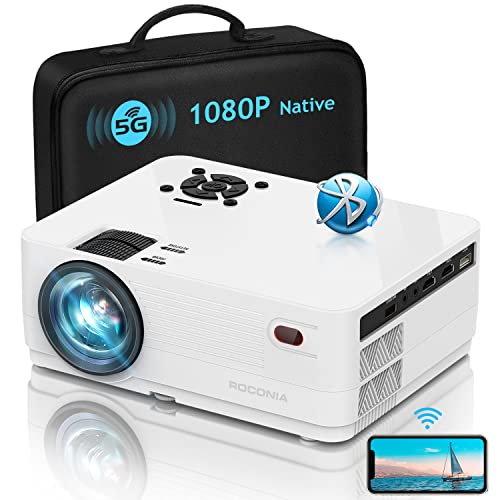
Epson Home Cinema 730HD, HDMI, 3LCD, 3000 Lumens Color and White Brightness, Home Entertainment Projector


Key features
- •Up to 3x Brighter Colors with Epson
- •Color Brightness: 3000 lumens
- •White Brightness: 3000 lumens
- •Widescreen home cinema experience
- •Up to 300" on virtually any wall or screen
Epson Home Cinema 730HD, HDMI, 3LCD, 3000 Lumens Color and White Brightness, Home Entertainment Projector
List Price: $726.05$653.45DEALYou Save: $72.60 (10%)
Free shippingFree Returns – 30 daysFree Order CancellationSecure Payment2–3 Days DeliveryGet It October 26, 2026In Stock (1)No marketing spamNo account requiredFulfilment by FedEx / Amazon / UPS / ShipwirePayPal / Card Buyer Protection
Customer Reviews
Reviews sourced from verified Amazon purchasers4.4
out of 5
Based on 10 reviews
5★
80%
4★
20%
3★
0%
2★
0%
1★
0%
Wow, Worth Every Penny!!!
Andre Phillip✓ Verified Purchase•July 28, 2023
The media could not be loaded. Best bang for your buck!!! @ 8'4" away and a bare white wall, I was able to produce a crisp picture with vivid colors and a projected screen size of 48"H x 76"L.
My plan was to put this projector in our bedroom, but I may put it in the living room! I'm actually upset that I didn't grab a second one at the sale price!!
This thing is great!! and worth every single cent!!! Very easy to set up, took all of about 10min.
Word of advise, make sure the unit is sitting level, or you will get a trapezoid shape on the bottom, keystone correction works great though.
Update: 3-16-15 If you plan on using or try to use a surround sound with this projector and your connecting your source via HDMI, your going to need the following device to extract sound from the HDMI connection. Panlong HDMI Audio Extractor Splitter De-embedder - HDMI to HDMI and Optical SPDIF Toslink / RCA Audio Converter Adapter The HDMI connection on the projector basically trumps the RCA out on the Epson 725HD rendering the RCA out useless if your connecting your projector via HDMI.
My advise is to also invest in a screen, with dot gain, I also purchased the following item. Elite Screens 100 Inch 16:9 Manual Pull Down Projector Screen (49"Hx87"W) which has also been a great investment, the picture quality is sharper and brighter than just throwing an image on the wall.
My current setup since my first review is my bedroom, the projector is ceiling mounted and I have an approximate throw distance of 11' which produces a 100" diagonal screen. I connected 2 sources via HDMI with a switch so I can toggle the source, which currently consists of my Fire TV and My Comcast HD DVR. Switch used was PORTTA PET0301S 3x1 Port HDMI Switch/Switcher 1080P Supports 3D with IR Wireless Remote Ultra High...
My plan was to put this projector in our bedroom, but I may put it in the living room! I'm actually upset that I didn't grab a second one at the sale price!!
This thing is great!! and worth every single cent!!! Very easy to set up, took all of about 10min.
Word of advise, make sure the unit is sitting level, or you will get a trapezoid shape on the bottom, keystone correction works great though.
Update: 3-16-15 If you plan on using or try to use a surround sound with this projector and your connecting your source via HDMI, your going to need the following device to extract sound from the HDMI connection. Panlong HDMI Audio Extractor Splitter De-embedder - HDMI to HDMI and Optical SPDIF Toslink / RCA Audio Converter Adapter The HDMI connection on the projector basically trumps the RCA out on the Epson 725HD rendering the RCA out useless if your connecting your projector via HDMI.
My advise is to also invest in a screen, with dot gain, I also purchased the following item. Elite Screens 100 Inch 16:9 Manual Pull Down Projector Screen (49"Hx87"W) which has also been a great investment, the picture quality is sharper and brighter than just throwing an image on the wall.
My current setup since my first review is my bedroom, the projector is ceiling mounted and I have an approximate throw distance of 11' which produces a 100" diagonal screen. I connected 2 sources via HDMI with a switch so I can toggle the source, which currently consists of my Fire TV and My Comcast HD DVR. Switch used was PORTTA PET0301S 3x1 Port HDMI Switch/Switcher 1080P Supports 3D with IR Wireless Remote Ultra High...
It's Showtime Folks!..
Junk Rocker✓ Verified Purchase•July 15, 2023
I've had previous experience with projectors both high end and low end models. So for $449-I wasn't expecting much. This unit by far exceeded my expectations. Big,bright and clear image. It's not a 1080P projector,but none the less,still an incredible HD image. The 720P resolution still looks amazing (1080i progressively scanned) which is the resolution for HDTV broadcast at a minimum. I'm getting an incredible- high detailed Widescreen picture with projector currently at about 14 feet from screen. The image is approximately 12'X 6'. This is based on the size of room as the entire 12 foot wide wall is taken up by image. Blu ray discs look amazing. The thing that impressed me was how good standard DVDs translated by the projector. I expected the DVD image to look dull and a bit pixelated compared to a Blu Ray image,but that was not the case at all. Video games just envelope the player and the refresh rate is very good.This is an entry level home cinema projector,but that does not mean you will be disappointed. I'm very impressed with the image quality and the feature set of this projector. Replacement lamps are less than $100 too. You WILL have a great home theater experience and not break the bank to make it happen. Contrary to comments I've read here. It runs quiet. Does not run HOT. It cools down very quickly. The built in speaker does an adequate job-not horrible. For GREAT sound,you will need an external source. Does not have a carry case. Comes with power cord and a full function remote control. This is my first EPSON brand projector. I've used others.. I'm sticking with EPSON. The 3LCD chip set has a longer shelf life than DLP projectors do as well. I would very much recomend this projector to anyone.. Quality of image,build quality of projector and feature set. This is probably the best sub $600 unit available. You will feel like you are at "the movies" and isn't that why we want a projector?..
just what we wanted
Ashlieirene✓ Verified Purchase•July 1, 2023
we were looking for a second tv and thought a projector would be a better way to go. Well, my HUSBAND thought that, but I had my reservations. Heres everything broken down:
What we wanted:
*A projector that can handle a bright room (as our loft has two bright windows)
* A projector that can have a lot of different inputs.
- our main viewing sources are a smart bluray player, a cable box, and occasionally a USB with movies on it
*Something that is good quality with a good picture, but wont break the bank
My reservations about getting a projector:
*The bulbs go out and are expensive
*they put out a lot of heat... and we live in Texas (aka HOT!)
*The picture cant be near as good as a TV
*it sounded like a pain in the butt to get set up
*you have to buy a screen and ceiling mount, and.. and.. and..
We've only had it for a day, but I will edit my review if need be.
* VISIBILITY:
We have it set up in a loft with two windows. When the shades are drawn its still really bright in there and I can still see the screen without problem, its obviously better at night but during the day it works just fine.
* PICTURE QUALITY:
The quality of the picture is great. We only pay for SD cable but it is very clear and looks good. We have a 51" plasma tv which has a better picture but that is to be expected. That is not to say the quality is poor! it set up about 15' away from the wall and makes around an 8' picture and looks great. When you walk right up to the wall you can see what i assume people call the "screen door effect" but you have to be close to see that. From 10' or so feet away where we sit you cant see it at all. We didnt buy a screen, we're projecting straight onto a textured off-white wall and I dont think we will need to buy a screen, it doesnt seem necessary unless we do movie night outside. It does leave bars on the sides that you can kind of see, but im not sure if thats due to the format of our cable box (it does it on our other tv too) so when I hook up the Bluray player this weekend i'll be watching for that. even if it is still there its not that big of a deal, its not overly noticable.
*SOUND
I've heard a lot of bad reviews about the sound on projectors. We are set up in a loft that is about 15'x30' and with it turned up all the way the sound is a tiny bit distorted, but you can hear it. The fan is pretty loud but it doesnt keep you from hearing the sound. I sit right next to the thing on the side of the fan and I hear fine. I will be hooking up a sound system to it. There isn't an audio-out but thats no biggie because when you plug in a blueray, cable box etc they all have an audio-out and you just plug speakers into that. No problem.
*SET UP
setting it up was SUPER easy. Plug it into the wall, HDMI from cable box to projector and turn them both on. done. The leveling and setting the screen size took me a few minutes to figure out but its easy to do. Once you get it dialed in (took me 5-10 min to get it perfect) your good to go.
DOWNSIDES:
*The fan puts out a lot of heat
*the picture brightens the whole room at night. This is not necessarily a bad thing but I didnt expect it to be so bright. I can mess with the brightness settings which helps though.
*the replacement bulbs are $150
All in all this is a great product for the money (it was on sale for $588 at the time I purchased it) and I'm glad we got it. Over the weekend I'll be setting up the rest of the stuff and testing it out with our bluray player, watching both blurays, and streaming our movies on netflix and vudu. I will update my review after we've had it a little longer. I would rather give it 4.5 stars because its not perfect, but by all means its worth the money and I dont feel like we need to jump up to the next one thats over $800. I'm very happy with it and would definitely recommend it to friends.
Be aware: it does not come with any cables other than the power cord. You will need your HDMI/S-video/Component etc my cable box came with one so that wasnt a problem for us.
What we wanted:
*A projector that can handle a bright room (as our loft has two bright windows)
* A projector that can have a lot of different inputs.
- our main viewing sources are a smart bluray player, a cable box, and occasionally a USB with movies on it
*Something that is good quality with a good picture, but wont break the bank
My reservations about getting a projector:
*The bulbs go out and are expensive
*they put out a lot of heat... and we live in Texas (aka HOT!)
*The picture cant be near as good as a TV
*it sounded like a pain in the butt to get set up
*you have to buy a screen and ceiling mount, and.. and.. and..
We've only had it for a day, but I will edit my review if need be.
* VISIBILITY:
We have it set up in a loft with two windows. When the shades are drawn its still really bright in there and I can still see the screen without problem, its obviously better at night but during the day it works just fine.
* PICTURE QUALITY:
The quality of the picture is great. We only pay for SD cable but it is very clear and looks good. We have a 51" plasma tv which has a better picture but that is to be expected. That is not to say the quality is poor! it set up about 15' away from the wall and makes around an 8' picture and looks great. When you walk right up to the wall you can see what i assume people call the "screen door effect" but you have to be close to see that. From 10' or so feet away where we sit you cant see it at all. We didnt buy a screen, we're projecting straight onto a textured off-white wall and I dont think we will need to buy a screen, it doesnt seem necessary unless we do movie night outside. It does leave bars on the sides that you can kind of see, but im not sure if thats due to the format of our cable box (it does it on our other tv too) so when I hook up the Bluray player this weekend i'll be watching for that. even if it is still there its not that big of a deal, its not overly noticable.
*SOUND
I've heard a lot of bad reviews about the sound on projectors. We are set up in a loft that is about 15'x30' and with it turned up all the way the sound is a tiny bit distorted, but you can hear it. The fan is pretty loud but it doesnt keep you from hearing the sound. I sit right next to the thing on the side of the fan and I hear fine. I will be hooking up a sound system to it. There isn't an audio-out but thats no biggie because when you plug in a blueray, cable box etc they all have an audio-out and you just plug speakers into that. No problem.
*SET UP
setting it up was SUPER easy. Plug it into the wall, HDMI from cable box to projector and turn them both on. done. The leveling and setting the screen size took me a few minutes to figure out but its easy to do. Once you get it dialed in (took me 5-10 min to get it perfect) your good to go.
DOWNSIDES:
*The fan puts out a lot of heat
*the picture brightens the whole room at night. This is not necessarily a bad thing but I didnt expect it to be so bright. I can mess with the brightness settings which helps though.
*the replacement bulbs are $150
All in all this is a great product for the money (it was on sale for $588 at the time I purchased it) and I'm glad we got it. Over the weekend I'll be setting up the rest of the stuff and testing it out with our bluray player, watching both blurays, and streaming our movies on netflix and vudu. I will update my review after we've had it a little longer. I would rather give it 4.5 stars because its not perfect, but by all means its worth the money and I dont feel like we need to jump up to the next one thats over $800. I'm very happy with it and would definitely recommend it to friends.
Be aware: it does not come with any cables other than the power cord. You will need your HDMI/S-video/Component etc my cable box came with one so that wasnt a problem for us.
NO AUDIO OUT
Amazon Customer✓ Verified Purchase•June 1, 2023
Before I begin, I would like to say if this had audio out, it's the best budget projector on the planet. I know it's advertised as not having audo out, but under the Q&A, the very first question is asked, "Does this have audio out?"
And the very first answer is, "Yes."
Except it doesn't.... as every hidden answer below that one points this fact out. But no can see the hidden answers without additional clicks. This misleading, and flat out incorrect answer, should be deleted.
Now, on to the projector.
Very simple set-up, the picture is OUTSTANDING. No one but the truly discerning videophile can tell it's 720p and not 1080i. If you put the projector far enough back, the picture scales incredibly large (over 15-20feet wide) and loses none of it's bright, even, and sharp details. I was concerned the blacks wouldn't be black enough, but they're terrific. Light from other sources won't interfere from a great outdoor movie experience, and inside a dark room, any light leakage will have virtually no effect. Dark scenes are difficult to make out if you're using it in a lit room, but bright scenes maintain all their sharp details. Epson has a great calculator for every model regarding distance to the screen, and image size. I suggest using it when planning screen size and where to put the projector.
The speaker is fine inside, but outside, in a larger area, you might need another solution. This is where an audio out jack would be great.
The fan is not noticeable. The fan fires up when you turn the unit on, and runs quietly. During movies, you won't notice it.
Very satisfied customer, but upset that a flat out wrong answer is provided on the first page of the Q&A regarding audio out.
And the very first answer is, "Yes."
Except it doesn't.... as every hidden answer below that one points this fact out. But no can see the hidden answers without additional clicks. This misleading, and flat out incorrect answer, should be deleted.
Now, on to the projector.
Very simple set-up, the picture is OUTSTANDING. No one but the truly discerning videophile can tell it's 720p and not 1080i. If you put the projector far enough back, the picture scales incredibly large (over 15-20feet wide) and loses none of it's bright, even, and sharp details. I was concerned the blacks wouldn't be black enough, but they're terrific. Light from other sources won't interfere from a great outdoor movie experience, and inside a dark room, any light leakage will have virtually no effect. Dark scenes are difficult to make out if you're using it in a lit room, but bright scenes maintain all their sharp details. Epson has a great calculator for every model regarding distance to the screen, and image size. I suggest using it when planning screen size and where to put the projector.
The speaker is fine inside, but outside, in a larger area, you might need another solution. This is where an audio out jack would be great.
The fan is not noticeable. The fan fires up when you turn the unit on, and runs quietly. During movies, you won't notice it.
Very satisfied customer, but upset that a flat out wrong answer is provided on the first page of the Q&A regarding audio out.
Epson projector for home theater
Videotechman✓ Verified Purchase•May 27, 2023
I like Epson projectors because of the reviews I read, the Epson 720 P projector is perfect for my application, so that's the direction I went. I had a chance to borrow and install an Epson PowerLite X 15. It featured a 3000 lumen bulb which I thought was best to have a brighter output at the time, but after some research and personal visual, I found that that's not the case. For those of you that are looking to install a projector home theater system, I found that the Epson V11 H556020 home projector with 2800 lumen bulb is just perfect. I have it connected to my ATTuniverse system via HDMI and also my smart Blu-ray DVD player. For you techies, I broke out the audio and ran into a Sony 1000 W surround sound system (muting the sound of the projector) and using a quad HDMI switcher for the other digital devices and then I ran HDMI to Cat6 cable through an extender to the projector, which was fairly easy to do. Watching Blu-ray DVDs is astounding, the colors are brilliant and true. There's no washout like I was getting with the 3000 lumen projector even after attempting to adjust the white balance. I also watch Netflix and HD and they are also beautiful. I have my new projector mounted on the back wall at about a 13 foot throw, which produces a 96 inch diagonal 16 x 9 HD picture. When in 800 x 600 mode the pictures are just as bright and clean. I also have it connected to my PC which I use flight simulators. The cockpit images are perfect and Crystal clean and I don't get that latency burn because of this unit is very fast.
I would definitely recommend the Epson 720 P projector for home theater. Buying a 1080 P projector is much more expensive and you can't tell the difference unless you're going really big with the image. Best purchase ever!
I would definitely recommend the Epson 720 P projector for home theater. Buying a 1080 P projector is much more expensive and you can't tell the difference unless you're going really big with the image. Best purchase ever!
Page 1 of 2