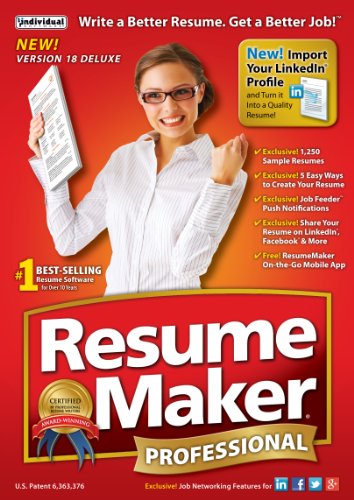
ResumeMaker Professional Deluxe 18

Key features
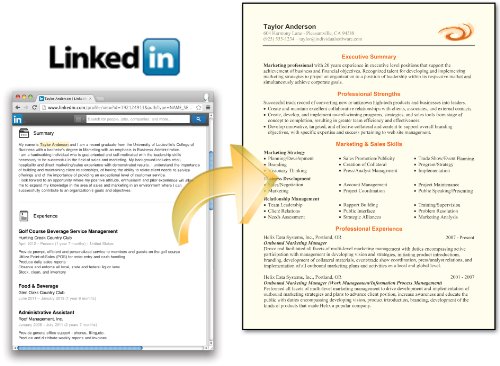
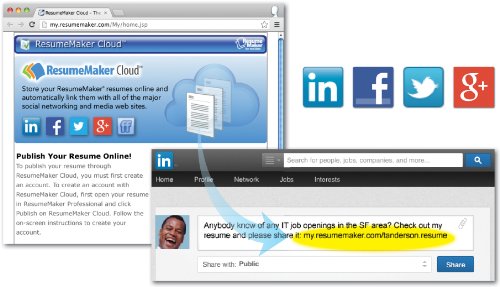
- •ResumeMaker Cloud - FREE: Publish your resume at your own private web address in the cloud. Send a URL of your resume to hiring managers and recruiters.
- •Get the advantage with Twitter"s Job Search! Also search all major job sites and 50,000 corporate sites to locate millions of job openings in your search area.
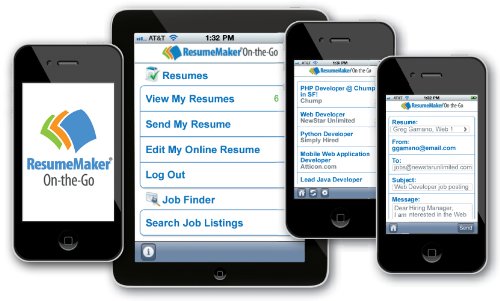
- •Receive Up-to-Date Notifications on Your Desktop or Tablet of the jobs that fit your search criteria.
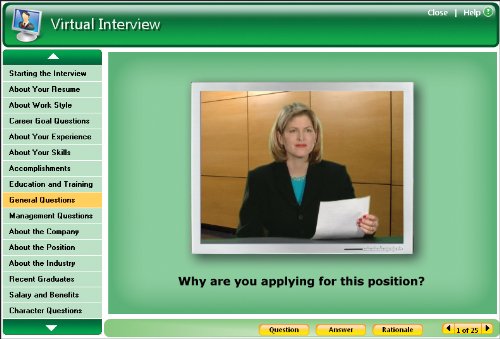
- •ResumeMaker has every financial tool you need to be Interview-Ready! Practice your responses to challenging questions hiring managers ask. Get up-to-date salary information about the jobs you apply for, by title and region, and land the job
BrandIndividual Software
CategoryResumes
ResumeMaker Professional Deluxe 18
List Price: $34.90$31.41DEALYou Save: $3.49 (10%)
Free shippingFree Returns – 30 daysFree Order CancellationSecure Payment2–3 Days DeliveryGet It October 25, 2026In Stock (15)No marketing spamNo account requiredFulfilment by FedEx / Amazon / UPS / ShipwirePayPal / Card Buyer Protection
Customer Reviews
Reviews sourced from verified Amazon purchasers2.8
out of 5
Based on 10 reviews
5★
0%
4★
0%
3★
30%
2★
20%
1★
50%
ABSOLUTELY TERRIBLE!!
Bob S.✓ Verified Purchase•November 20, 2017
ABSOLUTELY TERRIBLE!!! I was anxious enough updating my resume for the first time in 20 years, and this software made it 100 times worse. It runs like it was written for windows 98, and likes to crash right after you've entered a TON of information, and just before you have a chance to save. I'm going to be asking for a refund. DO NOT PURCHASE THIS CRAP!!!
Crashes on Windows 10 Anniversary Edition. Not updated. Too bad I cant get a refund!
Shannon Dunn✓ Verified Purchase•August 21, 2016
This product crashes every time I try and run a Guided Resume. First it loads horribly slow and I am running the latest Windows on a top of the line PC. I shouldn't be surprised since it looks like it hasn't changed in years. So after selecting "Start a New Resume" and getting to the window where the creepy announcer voice guy tells me about everything I can read on the screen, I selected "Guided Resume". Then it asked if I wanted pop-text guidance and/or voice help. No matter what you select, it crashes on clicking "Next". Run as administrator, or not it always crashes.
*** Trouble Activating?*** Please Read.
Cris✓ Verified Purchase•November 14, 2015
ResumeMaker is okay and did what I needed to do once I was able to activate it. I initially had trouble activating the product " Cannot Connect to Server" message. Had to contact technical support and finally was able to activate. My Operating system is Windows 7 (x64). So for all of you who are having trouble Activating this product, here is what I was told to do:
- Make sure Resume program is Closed
-Click on the START button
-Click on COMPUTER
-double-click on the C:drive
-double-click on the Program Files (x86) Folder
- double-click on the ResumeMaker folder
-double-click on the 4TS folder
- Copy the Application file within this folder
- Go back One Folder back in the ResumeMaker folder
- Paste the Application file you just copied
- Select YES to overwrite the existing file
- Once the file has been overwritten Right Click on the file
- Move your Mouse over Send to
- then Left-Click on Desktop (Create Shortcut)
-then Delete the Existing ResumeMaker desktop icon
- Use the Newer icon you have just created.
- Make sure Resume program is Closed
-Click on the START button
-Click on COMPUTER
-double-click on the C:drive
-double-click on the Program Files (x86) Folder
- double-click on the ResumeMaker folder
-double-click on the 4TS folder
- Copy the Application file within this folder
- Go back One Folder back in the ResumeMaker folder
- Paste the Application file you just copied
- Select YES to overwrite the existing file
- Once the file has been overwritten Right Click on the file
- Move your Mouse over Send to
- then Left-Click on Desktop (Create Shortcut)
-then Delete the Existing ResumeMaker desktop icon
- Use the Newer icon you have just created.
Difficult to make format modifications and won't export to and recent version of Word.
R. Messier✓ Verified Purchase•September 19, 2015
I'm being generous with giving this 2 stars. It generally works on my Windows-7 64 bit system but with occasional freezes. Doesn't seem to be able to export of any recent version of Word (I'm running Word 2013). My workaround is to export to PDF, then in export from Acrobat to Word.
It has plenty of resume styles to pick from but once you pick a style, there is no way to know what style you are currently using. You can easily change styles at any time. It is difficult if not impossible to customize any style to to your preferences. For example, I wanted to create a blank line after Section name headings but was not able to figure how to do this. Had to manually edit the .rmr file within notepad to make specific personal changes.
This software seems very old and outdated. I do not recommend it.
It has plenty of resume styles to pick from but once you pick a style, there is no way to know what style you are currently using. You can easily change styles at any time. It is difficult if not impossible to customize any style to to your preferences. For example, I wanted to create a blank line after Section name headings but was not able to figure how to do this. Had to manually edit the .rmr file within notepad to make specific personal changes.
This software seems very old and outdated. I do not recommend it.
I was able to write a resume with this and ...
M Ashley✓ Verified Purchase•July 24, 2015
I was able to write a resume with this and it was helpful there. It's not difficult to navigate. There are lots of templates and styles. Problem is it the default format it saves in can't be opened by the prospective employer unless they have the same software. You have to remember to hit the export as a PDF or Export a Word doc button to save in a universally accepted format. Also the software attaches cover letters when you send from within the program and you can't view the resume and letter as one file. I also can't figure out a way to export just a letter as a PDF or Word doc so that I can send it or review it separate from a particular resume.
Page 1 of 2


![ResumeMaker Professional Deluxe 20 [PC Download]](https://m.media-amazon.com/images/I/51JjLPl3JQL._SL500_.jpg)
![ResumeMaker Professional Deluxe 20 [Download]](https://images-na.ssl-images-amazon.com/images/I/81yQm13qEUL.jpg)


