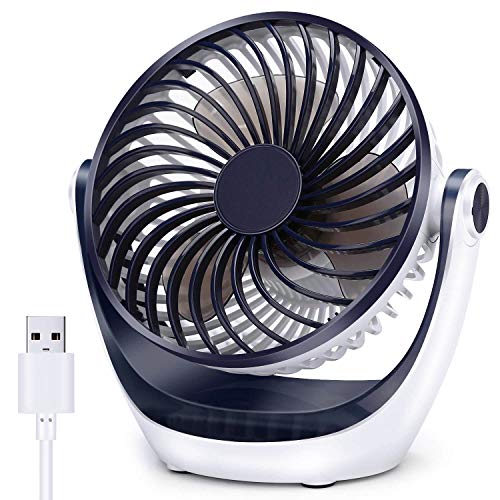
AC Infinity MULTIFAN S7, Quiet Dual 120mm USB Fan, UL-Certified for Receiver DVR PlayStation Xbox Computer Cabinet Cooling



Key features
- •Can be positioned to lie flat or stand upright to cool various electronics.
- •Able to be powered by wall outlet or USB port, a plug adapter is included.
- •Power cord is 6 feet long; plus 2.5 feet cord length between the two fans.
- •Features long-life dual ball bearings and anti-vibration rubber mounts.
- •Fans: 2 | Fan Dimensions: 4.7 x 4.7 x 1 in | Airflow: 104 CFM | Noise: 26 dBA
AC Infinity MULTIFAN S7, Quiet Dual 120mm USB Fan, UL-Certified for Receiver DVR PlayStation Xbox Computer Cabinet Cooling
List Price: $38.39$34.55DEALYou Save: $3.84 (10%)
Free shippingFree Returns – 30 daysFree Order CancellationSecure Payment2–3 Days DeliveryGet It October 26, 2026In Stock (1)No marketing spamNo account requiredFulfilment by FedEx / Amazon / UPS / ShipwirePayPal / Card Buyer Protection
Customer Reviews
Reviews sourced from verified Amazon purchasers4.6
out of 5
Based on 10 reviews
5★
70%
4★
20%
3★
0%
2★
0%
1★
10%
Perfect for computer desks that require tower inside a cabinet. . . .
Alexander The Great•August 28, 2017
Purchased a Sauder Computer Desk in Brushed Maple Finish (https://www.amazon.com/gp/product/B004G7RN1C/ref=oh_aui_detailpage_o07_s00?ie=UTF8&psc=1) which houses the tower inside a cabinet. Within minutes I could hear the fans on blast. I opened the door and immediately noticed the heat that was trapped inside from lack of air and circulation. So I purchased these fans to fix the issues. I made two holes about the size of the protective metal cover with my dremel. I also purchase 8 machine screws 2' long, washers, and nuts to hold everything together. (Got them from lowes) So after cutting the holes and prepping everything, I installed the first fan on the bottom to blow air toward the perforated part of my tower so it can cool down the mother board. The other fan I mounted on top to work as an exhaust fan to suck out all of the hot air. Worked perfect. Uses USB to Power them. Has 3 speeds for the fans L/M/H. I only need it on low for it the PC to run nice and cool. The possibilities are endless depending on your imagination. This is how I installed mine which work great for my application. Fans are high quality and operate quietly. Overall a great buy.
i give 4 starts because id like some type of way to leave them on and ...
Jacob Gattis•July 23, 2017
I was having issues with my ps4 over heating.. i plugged these in the back of the ps4 i have 1 blowing in and 1 blowing out... i leave it on high it turns on and off with the system since i plugged them in i haven't had my ps4 turn itself off at all so problem solved!!!
I have a 2nd one on my radio receiver....
i give 4 starts because id like some type of way to leave them on and they only turn on when needed but unless you put a thermometer in it i dont see any other way to do this...
Time will tell how well they hold up over time..
I have a 2nd one on my radio receiver....
i give 4 starts because id like some type of way to leave them on and they only turn on when needed but unless you put a thermometer in it i dont see any other way to do this...
Time will tell how well they hold up over time..
Effective cooling for network cabinet
M. Fischer•July 21, 2017
I was looking for a pair of quiet USB powered fans to cool a 9U Tripplite network cabinet. It looks like with these fans I have found a solution. These fans are quiet and are powered from a standard USB port.
For installation, I removed one of the grills since my cabinet provides grills for one side. I have a slotted cantilever mounted shelf that vertically holds a Ubiquiti router/gateway and switch, cable modem and 3 Raspberry Pi 3 computers. The air flow keeps the components nicely cooled while running fairly quiet even at the high setting.
These fans promise to deliver the cooling I need for the network equipment. Suggestions for future potential improvements include allowing for temperature sensitive control and higher fan speeds for increased air flow. One other minor nit is that a small arrow indicating direction of air flow would be helpful.
For installation, I removed one of the grills since my cabinet provides grills for one side. I have a slotted cantilever mounted shelf that vertically holds a Ubiquiti router/gateway and switch, cable modem and 3 Raspberry Pi 3 computers. The air flow keeps the components nicely cooled while running fairly quiet even at the high setting.
These fans promise to deliver the cooling I need for the network equipment. Suggestions for future potential improvements include allowing for temperature sensitive control and higher fan speeds for increased air flow. One other minor nit is that a small arrow indicating direction of air flow would be helpful.
a great deal and very, very good at what it is supposed to do!
ezyErnie•July 4, 2017
AC Infinity MULTIFAN S7 is a great deal and very, very good at what it is supposed to do! I sat it on top of my tower PC and it cools it better than the internal fans. I'm sorry I waited so long to get it but I felt the need to be exhaustive in my research before purchasing. I got the AC-USB plug also as I have found that heat builds up from the fan and I almost melted an earlier USB connected fan. THERE IS CERTAINLY MORE CURRENT DRAWN THAN A PC IS SUPPOSED TO PROVIDE, so I'd recommend getting the plug (AC Infinity Turbo Fan Power Adapter, for MULTIFAN series USB fans).
Great product that will extend the life and performance of heat generating electronic devices.
Michael Schumacher•June 11, 2017
I use them now on all my my audio amplified devices that create heat. I also use them on my new powerful wireless router that seems to generate more heat than ever imagined. These fans are so quiet and effective, and reasonably priced, that they are a must have to prolong the life and performance of electronic devices.
The only time I heard the fans was in my bedroom at night. where I have a TV and a multi-media amplifier. Most people probably wouldn't hear them or mind the faint ambient noise. I did. My solution was to plug the fans into a switched power outlet of the amplifier. Hence when I turn on my system, the fans turn on. And when I turn the amplifier off, so do the fans. I do this now with all my amplifiers. Probably extends the lifetime of the fans and saves a few pennies in power. However I keep the fans on all the time for my modem and router.
The only time I heard the fans was in my bedroom at night. where I have a TV and a multi-media amplifier. Most people probably wouldn't hear them or mind the faint ambient noise. I did. My solution was to plug the fans into a switched power outlet of the amplifier. Hence when I turn on my system, the fans turn on. And when I turn the amplifier off, so do the fans. I do this now with all my amplifiers. Probably extends the lifetime of the fans and saves a few pennies in power. However I keep the fans on all the time for my modem and router.
Page 1 of 2