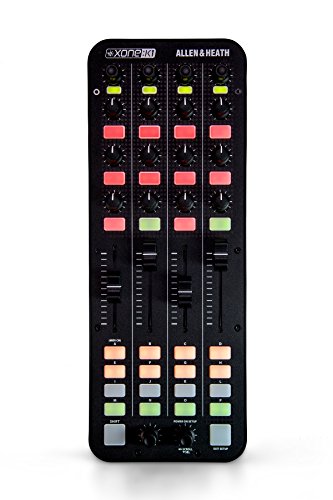
Allen & Heath Xone:K1 Professional USB DJ MIDI Controller
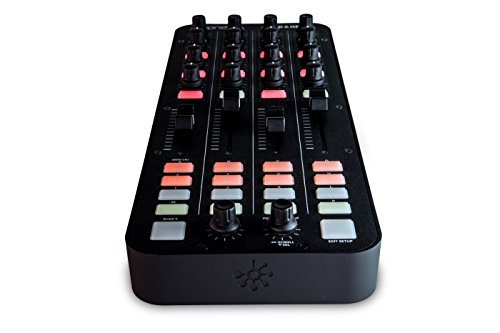
Key features
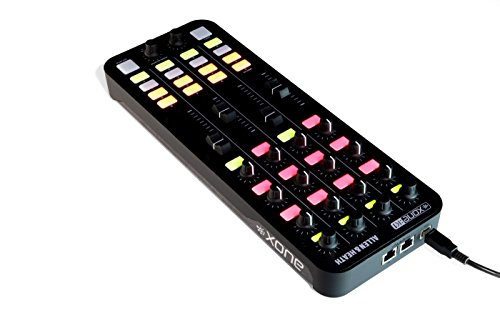
- •Compact, slim line DJ MIDI controller that lets you customize your workflow and mixing experience
- •52 assignable controls for mapping to Traktor Pro, Ableton, Virtual DJ, MixVibes and more
- •Powered via USB, so there's no need for a separate power cable
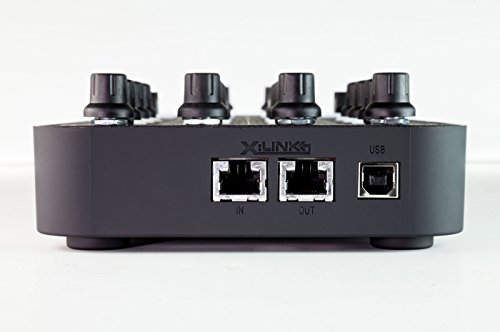
- •Can be daisy-chained with other :K1s and Xone: K2s over X:LINK
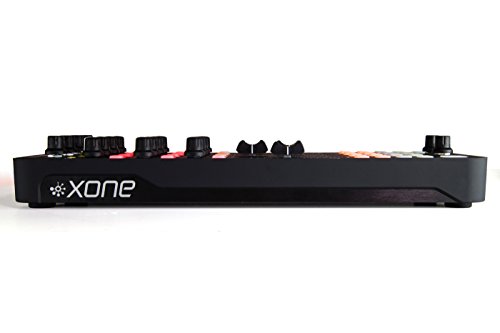
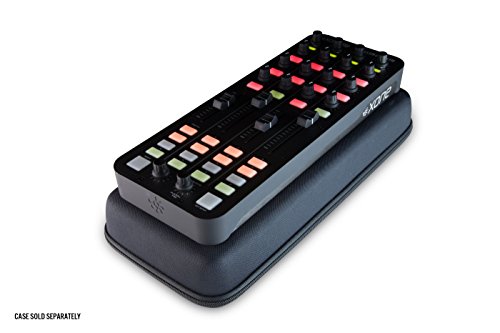
- •Lightweight and durable
Allen & Heath Xone:K1 Professional USB DJ MIDI Controller
List Price: $397.20$357.48DEALYou Save: $39.72 (10%)
Free shippingFree Returns – 30 daysFree Order CancellationSecure Payment2–3 Days DeliveryGet It October 25, 2026In Stock (1)No marketing spamNo account requiredFulfilment by FedEx / Amazon / UPS / ShipwirePayPal / Card Buyer Protection
Customer Reviews
Reviews sourced from verified Amazon purchasers4.4
out of 5
Based on 2 reviews
5★
50%
4★
50%
3★
0%
2★
0%
1★
0%
Four Stars
zero•September 29, 2016
pretty great for live bt thinking of Xone:K2 because that one will be little bit ableton friendly.
Allen & Heath..... A dj's story
Haiger•October 26, 2015
. It turns out the for another $399 you can get the K2 which has the sound card needed to run dj software. Well if only they mentioned that. Anyhoo since I've already taken the time to map what seems like 200+ buttons an knobs. I feel that the commitment might have been a little much. But on the bright side. They say you can map the sliders in Serato. Which is a no by the way. 1.8 at least won't let you. Even when you have your K1 Xlinked to a Xone 23C. Also you have to have plugged in via a separate USB. To get Serato to let you push the "Midi" button. On a if you have a thing for midi's..... This midi has a good construction, the knobs are fairly sized. The instruction book really needs work. It's more like a one page brochure with directions that really leave a lot to be imagined seeing as the number of buttons. The advertising of being able to custom map really pertains to software non of Serato like VDJ7 not so much VDJ8. The sound that comes from being able to route sound (once your actually able too....) is as clear as the speaker system your connected to. The knobs on the K1 function like a dj mixer hi/mid/lo with the top knobs being your loop functions. The knobs also function in an echo/flanger/phaser lo pass filter/ lo pass filter flange...with the top knob still being as mentioned before. The knobs do these functions at the same time depending on the direction your turning the knobs. The EQ functions I'm also referring to come from Serato. On Vdj customization is different. By different I mean longer. You have to input every button & knob into midi learn. Then test & by test I mean good luck cause if it didn't take you have to re- map whatever didn't map. So map slowly so you map completely. Tracktor & NI are pre mapped and can be downloaded at their respective sites along with a selection of other sites. but stick to the Manufacturers site. I shot a video of me mixing using the K1 & XONE 23C. More info in the video of all the equipment that I'm running at the time of the video.
https://www.youtube.com/watch?v=h5IhI5rd7wk
If anyone has any questions feel free to ask me @ Earthen Religion on Facebook,Soundcloud, PromoDJ and at Clowdy.. ;)
https://www.facebook.com/EarthenReligion/
https://www.youtube.com/watch?v=h5IhI5rd7wk
If anyone has any questions feel free to ask me @ Earthen Religion on Facebook,Soundcloud, PromoDJ and at Clowdy.. ;)
https://www.facebook.com/EarthenReligion/