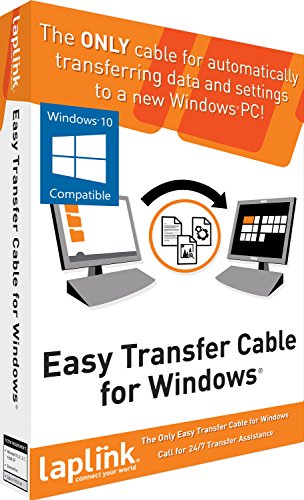
Laplink Easy Transfer Cable for Windows - Ethernet


Key features
- •Easy-to-Use - Just connect both computers and follow the easy-to-use wizard to configure your transfer. Everything you select will be automatically transferred to your new Windows PC.
- •24/7 Free Transfer Assistance - Quickly set up your new PC with the help of a certified PC migration expert over the phone, or remotely. Free, 24 hours a day, 7 days a week.
- •Complete Selectivity for data and Windows settings - Automatically transfer all selected data and settings to your new PC. Nothing is changed on your old PC.
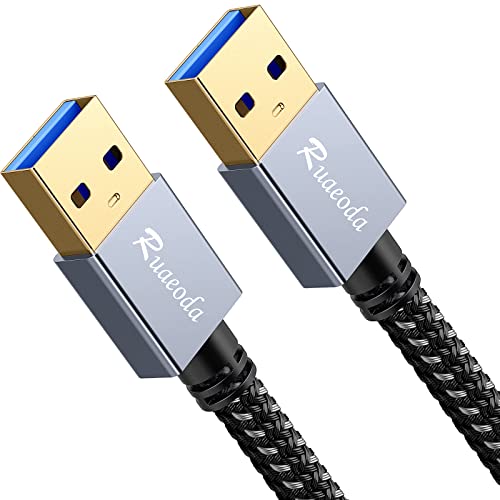
- •Cable type: 7-foot Ethernet Cat-5e cable with RJ45 male-connector to RJ45 male-connector.
- •Enjoy high-speed data transfer rate at 100+ Mbps (network interface card dependent).
BrandLaplink Software
CategoryUSB Cables
Laplink Easy Transfer Cable for Windows - Ethernet
List Price: $38.32$34.49DEALYou Save: $3.83 (10%)
Free shippingFree Returns – 30 daysFree Order CancellationSecure Payment2–3 Days DeliveryGet It October 25, 2026In Stock (2)No marketing spamNo account requiredFulfilment by FedEx / Amazon / UPS / ShipwirePayPal / Card Buyer Protection
Customer Reviews
Reviews sourced from verified Amazon purchasers3.2
out of 5
Based on 10 reviews
5★
20%
4★
10%
3★
20%
2★
0%
1★
50%
Upgrade from LapLink required to ensure transfer of both files and applications to Windows 10.
Neil OCONNOR•April 1, 2017
Product worked OK, but I needed to buy an upgrade from LapLink to ensure a transfer of both files and applications to Windows 10.
If it's that critical, hire a professional. This system is worthless.
Kate•April 30, 2016
I bought the online system to transfer files. It did not work. Then I found out that I needed to get online at Amazon and buy this special cable to get the system to work. It did not work either. Online help was useless. Telephone help was useless. I run a website and know coding, so it's not "problem in chair" as tech types like to say. The PC Mover product was awful and this cable did not help. I'm out $75 and many, many hours of frustration.
Monumental Fail
Amazon Customer•April 20, 2016
Not happy with this at all. Called the helpline - to be told I would need to pay an additional 199.00.....then after much assistance (2 hours) the technician had me hook up my external hard drive to move everything to that , then we'd move it
To my new computer... After 10 hours of pushing the ok button every 5-8 minutes the data was all transferred to the hard drive . I call back to the service number ---after 90 minutes of help I am told that the software isn't designed to move the data to the D drive --- only the C drive ---.....The tech who helped me
Initially did an awful job of assisting --- took my 199$ and basically wasted a day and half of
My time .... Monumental Fail ... Do not
Buy this product..
To my new computer... After 10 hours of pushing the ok button every 5-8 minutes the data was all transferred to the hard drive . I call back to the service number ---after 90 minutes of help I am told that the software isn't designed to move the data to the D drive --- only the C drive ---.....The tech who helped me
Initially did an awful job of assisting --- took my 199$ and basically wasted a day and half of
My time .... Monumental Fail ... Do not
Buy this product..
Don't waste your time on this product or this seller
gspacecat•February 23, 2016
This product does not perform as advertised. I went through at least 10 tries at transferring my files, and each time, the process stopped before the entire transfer was complete. It was a pain in the neck to figure out which files had transferred and which didn't. When I tried to undo transfers, that didn't work either. Don't waste your money on this product or dealing with this seller! They eventually agreed to refund my money, but then did not even give a full refund. Such aggravation for an inferior product.
I was very disappointed with this product
Kindle Customer•February 18, 2016
I was very disappointed with this product. Even though the label stated it was compatible with Windows Vista, that apparently is not the case. And when I tried to reach out to their 24/7 transfer support, the phone number was always busy. So we were reduced to using email, the responses were slow and not adequate in answering our concerns. Major waste of money. We ended up using Carbonite instead, which was like the difference between night and day. Go Carbonite!ðŸ˜
Page 1 of 2