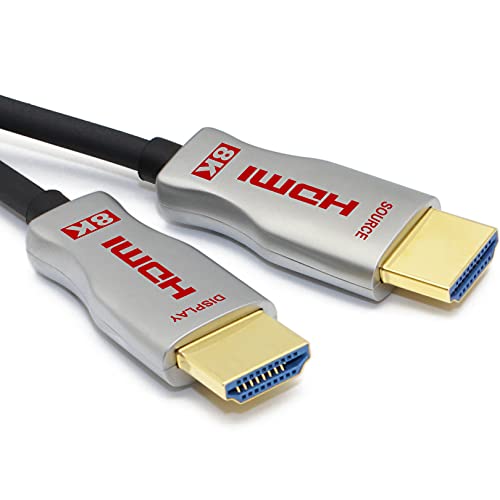
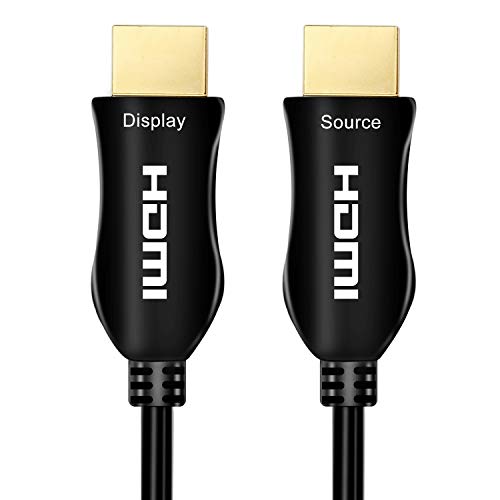
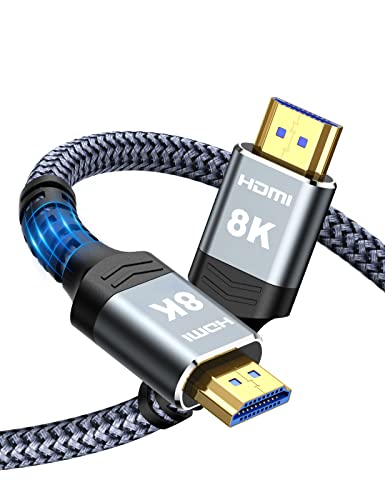
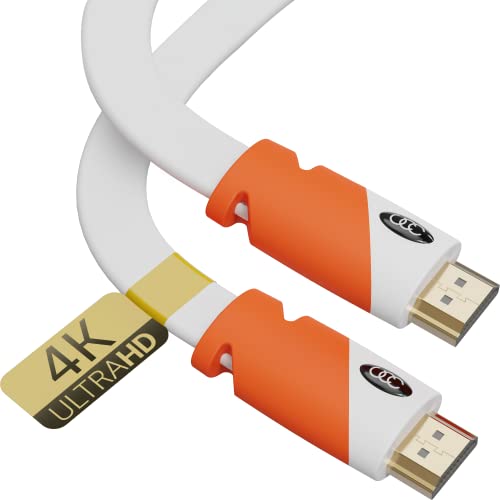
HDMI Cable 6 ft - 2 Pack - High Speed 4k - Supports Ethernet, Ultra HD, HDR Video Bandwidth 18Gbps - Audio Return Channel - HDCP 2.2 Compliant - 6 Feet (1.8 Meters) hdmi Cord 6ft



Key features
- •HDMI cables 2.0 - Dynamic synchronization of video and audio streams with clear signals & minimal interference, physical strain.
- •2.0 HDMI cable 4k ultra-high speed - significantly increases bandwidth to 18Gbps and 48-Bit Deep Color
- •Supports resolutions - @ 4096x2160, 3840x2160, 2560x1600, 2560x1440, 1920x1200, 1080p and etc.
- •28 AWG, Triple Shielding, and Gold-Plated Connectors Available in multibale Lengths, 1.5ft, 3ft, 10ft, 15ft, 25ft, 35ft, 50ft, 75ft, 100ft
- •HDMI Cable - Compatible with Blu-ray players, Xbox 360, PS3 and any device with a standard HDMI port
HDMI Cable 6 ft - 2 Pack - High Speed 4k - Supports Ethernet, Ultra HD, HDR Video Bandwidth 18Gbps - Audio Return Channel - HDCP 2.2 Compliant - 6 Feet (1.8 Meters) hdmi Cord 6ft
List Price: $25.20$22.68DEALYou Save: $2.52 (10%)
Free shippingFree Returns – 30 daysFree Order CancellationSecure Payment2–3 Days DeliveryGet It June 26, 2026In Stock (1)No marketing spamNo account requiredFulfilment by FedEx / Amazon / UPS / ShipwirePayPal / Card Buyer Protection
Customer Reviews
Reviews sourced from verified Amazon purchasers4.6
out of 5
Based on 10 reviews
5★
80%
4★
20%
3★
0%
2★
0%
1★
0%
Buy
Brandon W.✓ Verified Purchase•July 15, 2023
We have bought several before for our DJ Entertainment business. They have worked well.
I did have one go bad after many months but that was on me. Stepped on end and the pins didn't connect as needed. Go figure. Haste makes waste even in the Entertainment industry.
I did have one go bad after many months but that was on me. Stepped on end and the pins didn't connect as needed. Go figure. Haste makes waste even in the Entertainment industry.
Unstable audio at 4k60
Chad Myers✓ Verified Purchase•July 15, 2023
I ordered the 2-pack of these and put them between an Xbox One X, Roku Ultra, and the receiver. Everything seemed fine, no video issue, but I did start getting random audio problems. On the Xbox, audio would just drop out for a few seconds before resuming. With the Roku though, when audio dropped out it typically stayed gone until I forced an HDMI renegotiation. That meant either unplugging/replugging the cable, resetting the Roku, or resetting the receiver (unplugging/replugging power). Sometimes, but very rarely, I was able to change to a different input on the receiver, and then back. The really weird thing though was if I rewound the Roku stream several seconds to a point where audio was working and restarted, the audio would be working but would promptly drop out at the same spot again.
It was getting to the point that there were several dropouts every time I played the Xbox, and watching Roku was becoming extremely annoying. Sometimes I could watch an entire show without a problem, but often I would get about 30 minutes in and audio would drop. Or maybe 15 minutes.
I was initially thinking it was the receiver, but remember that I'd had both system working through the exact same receiver without a problem at some point. That's when I looked at the cables and found that I had I had swapped out both the Roku & Xbox HDMI cables from known good ones to these. After I swapped the cables back I haven't had a single problem with audio.
So, these seem to work better than some of the cables I've tested, but they definitely are not perfect.
It was getting to the point that there were several dropouts every time I played the Xbox, and watching Roku was becoming extremely annoying. Sometimes I could watch an entire show without a problem, but often I would get about 30 minutes in and audio would drop. Or maybe 15 minutes.
I was initially thinking it was the receiver, but remember that I'd had both system working through the exact same receiver without a problem at some point. That's when I looked at the cables and found that I had I had swapped out both the Roku & Xbox HDMI cables from known good ones to these. After I swapped the cables back I haven't had a single problem with audio.
So, these seem to work better than some of the cables I've tested, but they definitely are not perfect.
Great cables
Caraudio702✓ Verified Purchase•July 1, 2023
Always work out of the package!
Solved/Resolved TV Flicker issue after replacing ROKU 2 with ROKU 4 by using newer HDMI 2.0 cables
Copper C.✓ Verified Purchase•June 21, 2023
When I replaced my ROKU 2 with a ROKU 4, the new box caused my TV to flicker sporadically but consistent. Sometimes it would only flicker for an hour or so, then play normally for several hours, but later on or the next day, would always start up again. The Flicker (black screen with no sound) would last about 1-2 seconds before the resuming.
One thing I noticed immediately is how much faster the ROKU 4 is... about 5 to 10 times faster even using the same 2.4 Ghz WIFY router and connection. The speed of the new ROKU 4 no doubt plays a role in the TV flicker.
We have a 46" Samsung LED 1080p that we bought about a year ago. The TV has only 2 HDMI ports, so we have Cable Box/DVR go through HDMI port 1 and an HDMI switch box connected to the TV's HDMI port 2. Note the HDMI switch box supports 1080p and has connections allowing up to 4 additional devices to be connected to TV HDMI port 2.
At first I reverted back to the ROKU 2 to confirm the TV Flicker disappeared.
One thing I noticed initially is the ROKU 4 supports newer HDMI 2.0 standard along with 4K resolution. The Samsung TV is only a 1080p TV, but I'm sure it supports HDMI > 1.2. Given this I suspected our Flicker issue was one of the following:
[ 1 ] I was using older HDMI cables between the TV and HDMI switch as well as between the HDMI switch and ROKU 4.
[ 2 ] The switch box did not support the newer HDMI specification that the ROKU 4 was requiring.
[ 3 ] Replace ROKU 4 - perhaps I had dumb luck and had a faulty one.
[ 4 ] Was hoping I would not get here.
I am happy to say, that after #1 replacing the old HDMI cable from 2008 with these new HDMI 2.0 cables, voila, no more flicker. I even reverted back to the both old cables to confirm it once again would flicker. I did not test whether it was only one of the cables or both...
I am hoping this review will help others, because as of 2 months ago, I could not find anybody that suggested this... I'm not saying no one did or the suggestion does not exist, but my "limited" googling capabilities provided no insight.
David
One thing I noticed immediately is how much faster the ROKU 4 is... about 5 to 10 times faster even using the same 2.4 Ghz WIFY router and connection. The speed of the new ROKU 4 no doubt plays a role in the TV flicker.
We have a 46" Samsung LED 1080p that we bought about a year ago. The TV has only 2 HDMI ports, so we have Cable Box/DVR go through HDMI port 1 and an HDMI switch box connected to the TV's HDMI port 2. Note the HDMI switch box supports 1080p and has connections allowing up to 4 additional devices to be connected to TV HDMI port 2.
At first I reverted back to the ROKU 2 to confirm the TV Flicker disappeared.
One thing I noticed initially is the ROKU 4 supports newer HDMI 2.0 standard along with 4K resolution. The Samsung TV is only a 1080p TV, but I'm sure it supports HDMI > 1.2. Given this I suspected our Flicker issue was one of the following:
[ 1 ] I was using older HDMI cables between the TV and HDMI switch as well as between the HDMI switch and ROKU 4.
[ 2 ] The switch box did not support the newer HDMI specification that the ROKU 4 was requiring.
[ 3 ] Replace ROKU 4 - perhaps I had dumb luck and had a faulty one.
[ 4 ] Was hoping I would not get here.
I am happy to say, that after #1 replacing the old HDMI cable from 2008 with these new HDMI 2.0 cables, voila, no more flicker. I even reverted back to the both old cables to confirm it once again would flicker. I did not test whether it was only one of the cables or both...
I am hoping this review will help others, because as of 2 months ago, I could not find anybody that suggested this... I'm not saying no one did or the suggestion does not exist, but my "limited" googling capabilities provided no insight.
David
Tried 9 other HDMI cables, this was the best.
ashley✓ Verified Purchase•May 31, 2023
We've got a home theater with a projector I recently built in our basement. We've had a really really hard time getting the right cable. All the others have given everything from 0 picture transmitted to video that cuts out. This one works the best of them all. Here's our setup:
https://www.amazon.com/Yamaha-RX-V683BL-7-2-Channel-MusicCast-Bluetooth/dp/B06XY1YTMJ/ref=sr_1_3?ie=UTF8&qid=1549123854&sr=8-3&keywords=yamaha+receiver
https://www.amazon.com/Optoma-UHD50-Definition-Theater-Projector/dp/B078SVRP61/ref=pd_sbs_504_2/147-9613569-0067927?_encoding=UTF8&pd_rd_i=B078SVRP61&pd_rd_r=429a51ab-2705-11e9-a6ca-87394bc783d5&pd_rd_w=mB6vT&pd_rd_wg=7MU4q&pf_rd_p=588939de-d3f8-42f1-a3d8-d556eae5797d&pf_rd_r=YJ4ASBXNFVGH9VFPK26W&psc=1&refRID=YJ4ASBXNFVGH9VFPK26W
So a 4k Optoma projector, with a higher end Yamaha receiver, we use an Xbox one S to play 4k blu ray movies from. We're using a 120 inch screen. I will say it's mind alteringly amazing. It's an experience to enjoy which is what we were shooting for but I didn't expect it to be this good. Getting to the HDMI point.
This cable is running from the receiver to the projector. We've got the standard 6 foot cable that comes with the xbox running into the reciever as well as a 45 foot hdmi cable from my desktop in the next room. So 2 inputs with 1 output. The one we've had the most trouble with is the cable to the projector. I tried active, passive and even a fiber optic HDMI cable, and this one, the lowest priced cable; all give a very different viewing experience. It's honestly shocking how different it is. Once the picture is displayed, they all look good (with one exception that gave a crackling signal) but the problem is in things like video delays, video cutting out entirely, and we also had a problem with some of them cutting out half way, meaning it would show only 50% of the image on the left side with the other side being black. The most consistent issue is that when we would turn everything on, it would take forever for us to get a picture, I actually clocked it at 8 minutes one time. Different cables made everything fire up much faster, strangely, the most expensive fiber optic hdmi cable was the slowest and seemed to have the most problems. A projector is always going to be slower than a TV in this department but now with this cable, it's pretty close, and the image is about a million bajillion times better than any TV I've seen. Even 80 inch 4k tv's don't even come close to holding a candle to how amazing this is.
So the biggest stress test, meaning the part that fails the most often, is streaming 4k HDR video at 60hz from amazon prime video app running on our xbox. It's pushing the most data so it breaks the 4k image most often. That and 4k blu rays too. This cable handles it all really well with no image drop outs, no crackling, great image, and it boots up really fast.
Scratch that, the biggest stress test is running 4k HDR streaming content at 60hz from my desktop because that's running a 45 foot cable to the receiver, then another 20 feet to the projector. This did not work without the use of an HDMI signal booster. So I run the 45 feet from my desktop with a GTX 1080 video card also displaying 4k signals to two other 4k cpu monitors (that card is amazing), to the hdmi signal booster/repeater, to a .5 foot hdmi cable, into the receiver, then this 20 foot hdmi cable to the projector, a total of 65+ feet with 5 cable connecting points and the signal is flawless.
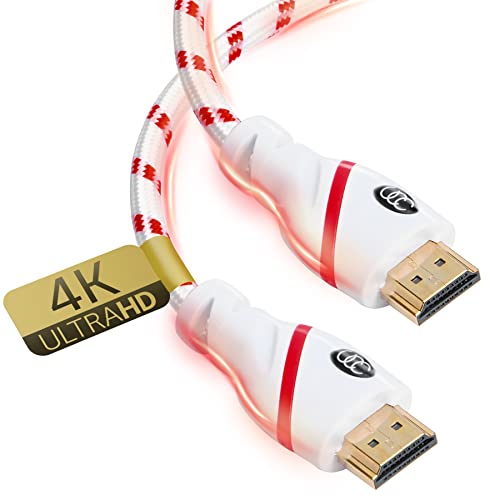
I hope this helps, long story short, I wanted this cable to be bad because it's so so so so ugly, white with red stripe, we call it the candy cane cable. But even though it's the cheapest one we bought, it's the best one performance wise.
I will give one last disclaimer to play devils advocate for the other cables, this is the first 20 foot cable I bought, I didn't think it would be long enough but it was, barely. All the other versions I tested were 25 feet. It's possible that the 25 foot length was too far. Strangely though I did try using the hdmi signal booster on the other side of the receiver, meaning xbox to reciever, to hdmi booster, to 25 foot cable, to projector and I got no signal at all. I thought this would be nice and boost the signal to the projector for all inputs but it only seems to work when boosting the signal right before going into the receiver. I also had much better luck signal wise going straight from the xbox to the projector and wiring an optical cable for sound to the receiver. But this is really only a patch and not the way you want to do it because it won't work with multiple inputs. Point being, running long lengths of hdmi from at least this particular receiver is a challenge.
We also went through 2 different projectors and 2 different receivers trying to trouble shoot the issues, both were the same model, thinking they may have been deffective. At the end, it was the cable and this cable again, is the best we've used. It's hilarious to us that the cheapest option solved the issues.
https://www.amazon.com/Yamaha-RX-V683BL-7-2-Channel-MusicCast-Bluetooth/dp/B06XY1YTMJ/ref=sr_1_3?ie=UTF8&qid=1549123854&sr=8-3&keywords=yamaha+receiver
https://www.amazon.com/Optoma-UHD50-Definition-Theater-Projector/dp/B078SVRP61/ref=pd_sbs_504_2/147-9613569-0067927?_encoding=UTF8&pd_rd_i=B078SVRP61&pd_rd_r=429a51ab-2705-11e9-a6ca-87394bc783d5&pd_rd_w=mB6vT&pd_rd_wg=7MU4q&pf_rd_p=588939de-d3f8-42f1-a3d8-d556eae5797d&pf_rd_r=YJ4ASBXNFVGH9VFPK26W&psc=1&refRID=YJ4ASBXNFVGH9VFPK26W
So a 4k Optoma projector, with a higher end Yamaha receiver, we use an Xbox one S to play 4k blu ray movies from. We're using a 120 inch screen. I will say it's mind alteringly amazing. It's an experience to enjoy which is what we were shooting for but I didn't expect it to be this good. Getting to the HDMI point.
This cable is running from the receiver to the projector. We've got the standard 6 foot cable that comes with the xbox running into the reciever as well as a 45 foot hdmi cable from my desktop in the next room. So 2 inputs with 1 output. The one we've had the most trouble with is the cable to the projector. I tried active, passive and even a fiber optic HDMI cable, and this one, the lowest priced cable; all give a very different viewing experience. It's honestly shocking how different it is. Once the picture is displayed, they all look good (with one exception that gave a crackling signal) but the problem is in things like video delays, video cutting out entirely, and we also had a problem with some of them cutting out half way, meaning it would show only 50% of the image on the left side with the other side being black. The most consistent issue is that when we would turn everything on, it would take forever for us to get a picture, I actually clocked it at 8 minutes one time. Different cables made everything fire up much faster, strangely, the most expensive fiber optic hdmi cable was the slowest and seemed to have the most problems. A projector is always going to be slower than a TV in this department but now with this cable, it's pretty close, and the image is about a million bajillion times better than any TV I've seen. Even 80 inch 4k tv's don't even come close to holding a candle to how amazing this is.
So the biggest stress test, meaning the part that fails the most often, is streaming 4k HDR video at 60hz from amazon prime video app running on our xbox. It's pushing the most data so it breaks the 4k image most often. That and 4k blu rays too. This cable handles it all really well with no image drop outs, no crackling, great image, and it boots up really fast.
Scratch that, the biggest stress test is running 4k HDR streaming content at 60hz from my desktop because that's running a 45 foot cable to the receiver, then another 20 feet to the projector. This did not work without the use of an HDMI signal booster. So I run the 45 feet from my desktop with a GTX 1080 video card also displaying 4k signals to two other 4k cpu monitors (that card is amazing), to the hdmi signal booster/repeater, to a .5 foot hdmi cable, into the receiver, then this 20 foot hdmi cable to the projector, a total of 65+ feet with 5 cable connecting points and the signal is flawless.
I hope this helps, long story short, I wanted this cable to be bad because it's so so so so ugly, white with red stripe, we call it the candy cane cable. But even though it's the cheapest one we bought, it's the best one performance wise.
I will give one last disclaimer to play devils advocate for the other cables, this is the first 20 foot cable I bought, I didn't think it would be long enough but it was, barely. All the other versions I tested were 25 feet. It's possible that the 25 foot length was too far. Strangely though I did try using the hdmi signal booster on the other side of the receiver, meaning xbox to reciever, to hdmi booster, to 25 foot cable, to projector and I got no signal at all. I thought this would be nice and boost the signal to the projector for all inputs but it only seems to work when boosting the signal right before going into the receiver. I also had much better luck signal wise going straight from the xbox to the projector and wiring an optical cable for sound to the receiver. But this is really only a patch and not the way you want to do it because it won't work with multiple inputs. Point being, running long lengths of hdmi from at least this particular receiver is a challenge.
We also went through 2 different projectors and 2 different receivers trying to trouble shoot the issues, both were the same model, thinking they may have been deffective. At the end, it was the cable and this cable again, is the best we've used. It's hilarious to us that the cheapest option solved the issues.
Page 1 of 2