eSUN 3D 1.75mm PETG Black Filament 1kg (2.2lb), PETG 3D Printer Filament, Dimensional Accuracy +/- 0.03 mm, 1.75mm Solid Opaque Black


Key features
- •1KG net (approximately 2.2 lbs) Filament with Clear Spool
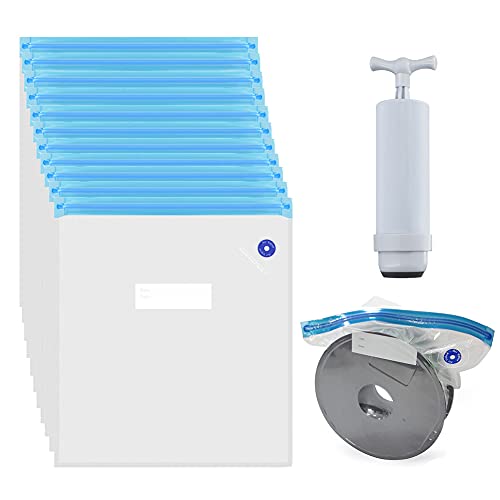
- •eSUN PETG 3D Printer Filament Vacuumed Sealed With Desiccant
- •1.75mm Filament Diameter (Dimensional Accuracy +/- 0.05mm)
- •Recommended Extrusion/Nozzle Temperature 240C - 255C
- •Spool Diameter: 8" - Spool Width: 2.50" - Spool Hub Hole Diameter: 2.05" - Inner Circle Diameter: 3.5"
eSUN 3D 1.75mm PETG Black Filament 1kg (2.2lb), PETG 3D Printer Filament, Dimensional Accuracy +/- 0.03 mm, 1.75mm Solid Opaque Black
List Price: $45.38$40.84DEALYou Save: $4.54 (10%)
Free shippingFree Returns – 30 daysFree Order CancellationSecure Payment2–3 Days DeliveryGet It October 26, 2026In Stock (1)No marketing spamNo account requiredFulfilment by FedEx / Amazon / UPS / ShipwirePayPal / Card Buyer Protection
Customer Reviews
Reviews sourced from verified Amazon purchasers4.5
out of 5
Based on 10 reviews
5★
70%
4★
30%
3★
0%
2★
0%
1★
0%
Replaces PLA and ABS in one fell swoop.
Matt✓ Verified Purchase•July 27, 2023
My first PETG filament, It was a struggle at first, but now I won't be going back. If you found yourself looking at PETG, you probably understand the road ahead of you. The color is a glossy black under normal operation. if you can get 100% fan coverage and drop the temp about 5C then you can achieve a more satin finish. This filament is still going to string like other PETG plastics, some even say more, but you need to dial in your machine to get the finish you desire. PETG shrinks about 0.4% so you don't need to worry so much about curling. I print on bare glass at 100C and have only had 1 bad surface adhesion, and it was because my Z-Offset was poorly set.
Strength and repeat-ability or PLA and the temperature resilience of ABS without the smell. Natural PETG is pretty much food safe (look for FDA approval anyways) but the colored variants might not be because of the dyes used, so don't go printing hot pink sippy cups for your 4 year-old.
Calibration:
Get your multiplier, and drop it a percentage point. I found my multi to be 1.05, so i lowered it to 1.04. Multipliers seem to be very system dependent and some people run their PETG multi's down as far as 0.8, don't be afraid. It shouldn't be higher than 1.10, however, so check your filament diameter again. Running a bit thin on filament helps to keep from a filament buildup on the hotend.
Get your Z-offset, then raise it a bit. I print at about 0.025mm higher than dead 0. Similar to running the multi low, this helps keep from stray filament buildup on your hotend with the first layer. Anyone coming from ABS will want to smoosh their filament onto the build plate, resist this urge. any squeezing of the filament will just scrape it up onto your hotend, and you will pay for it later.
Retraction you will need a decently agressive retraction profile; on my MakerGear, I run 1.2mm at 50mm/s. any long travels will ooze still so you want to keep shorter travels in mind. Wipe and Coast are good settings to use as well. Consult your machines forums on what others are doing there. Z-hop is unnecessary because there should be little to no curling, but a fragile print *might* benefit from Z-hop.
Slow down. literally, take your speeds that you're comfortable with and cut them in half. PETG does great at slower speeds, the more the hotend dwells in an area, you get better adhesion and the stronger this stuff is. you may want to use infill patterns that let your nozzle dwell in the area more, like honeycomb.
avoid trying to push out too much filament. My extrusion widths are the same across the board with perimeters, infill, top, bottom you name it. Some people have reported success with as much as 150% extrusion widths, but you're playing with fire, or strings and blobs really.
If you are having trouble, comment below and I can try to help, but consulting your specific machine's community might be best.
Strength and repeat-ability or PLA and the temperature resilience of ABS without the smell. Natural PETG is pretty much food safe (look for FDA approval anyways) but the colored variants might not be because of the dyes used, so don't go printing hot pink sippy cups for your 4 year-old.
Calibration:
Get your multiplier, and drop it a percentage point. I found my multi to be 1.05, so i lowered it to 1.04. Multipliers seem to be very system dependent and some people run their PETG multi's down as far as 0.8, don't be afraid. It shouldn't be higher than 1.10, however, so check your filament diameter again. Running a bit thin on filament helps to keep from a filament buildup on the hotend.
Get your Z-offset, then raise it a bit. I print at about 0.025mm higher than dead 0. Similar to running the multi low, this helps keep from stray filament buildup on your hotend with the first layer. Anyone coming from ABS will want to smoosh their filament onto the build plate, resist this urge. any squeezing of the filament will just scrape it up onto your hotend, and you will pay for it later.
Retraction you will need a decently agressive retraction profile; on my MakerGear, I run 1.2mm at 50mm/s. any long travels will ooze still so you want to keep shorter travels in mind. Wipe and Coast are good settings to use as well. Consult your machines forums on what others are doing there. Z-hop is unnecessary because there should be little to no curling, but a fragile print *might* benefit from Z-hop.
Slow down. literally, take your speeds that you're comfortable with and cut them in half. PETG does great at slower speeds, the more the hotend dwells in an area, you get better adhesion and the stronger this stuff is. you may want to use infill patterns that let your nozzle dwell in the area more, like honeycomb.
avoid trying to push out too much filament. My extrusion widths are the same across the board with perimeters, infill, top, bottom you name it. Some people have reported success with as much as 150% extrusion widths, but you're playing with fire, or strings and blobs really.
If you are having trouble, comment below and I can try to help, but consulting your specific machine's community might be best.
So much better than expected
Chad DePugh✓ Verified Purchase•June 16, 2023
Prints very well! Minimal hassle so far.
The Good:
-SUPER strong compared to the Hatchbox ABS filaments I had been using, as well as a random spool of MakerBot ABS.
-Zero smell.
-Sticks every single time to a heated aluminum bed with kapton tape covering the surface, with a tiny bit of hairspray. (as a note, people have been saying it sticks perfectly well to glass as well as aluminum without the need of tape or hairspray. I just use the tape because it helps protect the aluminum from scratching when the printer decides to derp out. the hairspray is just as a precaution because of paranoia gained from printing in ABS for so long lol)
The Bad:
-Has a tendency to be stringy even with the most generous of retraction settings.
-Has to be printed slower than ABS or it wont adhere too well to itself, specially with infill or around the outer shell.
-Tends to be abit 'melty' when printing too slow or too small of an object/layer. I've heard all sorts of mixed things about 'oh you should always use a cooling fan!' and 'oh no you should never use a fan!!'... I personally have never used a cooling fan when working with ABS and my prints would come out just fine. But with this PETG, I figured I'd give it a shot. When I'm able to get a print to be successful with a fan, parts come out decently well when compared to no fan. So I'd suggest using a fan!
All in all:
I'll definitely be buying more. I personally love Hatchbox filament, and was so discouraged when they were all sold out of PETG when I FINALLY wanted to get it a shot... So I had to "settle" with eSUN, which left me rather surprised at what it could accomplish! I previously had always seen eSUN as being a cheapo Chinese knockoff brand that couldn't be trusted with quality... But it appears all forums who've commented about how iffy they can be are now obsolete, as eSUN really pulled it outa their hats to improve quality!
The Good:
-SUPER strong compared to the Hatchbox ABS filaments I had been using, as well as a random spool of MakerBot ABS.
-Zero smell.
-Sticks every single time to a heated aluminum bed with kapton tape covering the surface, with a tiny bit of hairspray. (as a note, people have been saying it sticks perfectly well to glass as well as aluminum without the need of tape or hairspray. I just use the tape because it helps protect the aluminum from scratching when the printer decides to derp out. the hairspray is just as a precaution because of paranoia gained from printing in ABS for so long lol)
The Bad:
-Has a tendency to be stringy even with the most generous of retraction settings.
-Has to be printed slower than ABS or it wont adhere too well to itself, specially with infill or around the outer shell.
-Tends to be abit 'melty' when printing too slow or too small of an object/layer. I've heard all sorts of mixed things about 'oh you should always use a cooling fan!' and 'oh no you should never use a fan!!'... I personally have never used a cooling fan when working with ABS and my prints would come out just fine. But with this PETG, I figured I'd give it a shot. When I'm able to get a print to be successful with a fan, parts come out decently well when compared to no fan. So I'd suggest using a fan!
All in all:
I'll definitely be buying more. I personally love Hatchbox filament, and was so discouraged when they were all sold out of PETG when I FINALLY wanted to get it a shot... So I had to "settle" with eSUN, which left me rather surprised at what it could accomplish! I previously had always seen eSUN as being a cheapo Chinese knockoff brand that couldn't be trusted with quality... But it appears all forums who've commented about how iffy they can be are now obsolete, as eSUN really pulled it outa their hats to improve quality!
Troubleshoot before claiming it is awful. Wonderful filament after correct settings!
Ron Rose✓ Verified Purchase•May 31, 2023
Many reviews on here are stating that the filament is very hard to deal with, and they blame the filament for not having adhesion and awful prints.
After 3 days of troubleshooting I finally was able to get this filament to stick, however it was not the filaments fault (Though I was ready to return because everything I tried was not working.)
Things to troubleshoot
1. What slicer program are you using?
I had a terrible time with Simplify3D. I recently purchased the program, thinking it would make my prints look beautiful. It did the opposite. After many hours of tweaking, I found the the slicer was spotting the filament and not producing any good results with this filament. I changed to Cura, and Eureka! Was beautiful. However on the 2nd layer the adhesion was awful, ultimately failing the print.
2. WATCH YOUR TEMPERATURE
This is huge, I cannot stress this enough that this filament is extremely vulnerable to temperature. A 20 degrees drop in temp, with result in failure, even when the filament says it is ok at that temp. Case and example, I was running 245 - 250 degrees and getting beautiful results. However due to settings in both slicer programs I was using, the temp would drop dramatically to 225-230 degrees. Normally with PLA this would be not a huge deal, however with petg and this filament, it will result is awful adhesion and a print failing. After adjusting the programs to have a stable 250 during prints, a stable adhesive print.
3. Research good adhesion
Do not try to simply use the buildplate! Your print will not stick, and it will fail. I order a printinz.com buildplate, and it works wonderfully. However I researched many other options including glass, buildtak, painters tape, etc all will work. Find what is best for you!
4. STRINGY
This filament is extremely stringy. In most PLA, you can adjust settings and almost eliminate stringing. With this filament, you will have some stringing. However the trade off, is you have a print that is much more flexible, and durable. I can attest to this, as I not only was rough with the print, I drilled through aggressively. There was very little give, and it took time to drill that hole, this is wonderful! PLA would easily cracked, and broke, but this filament holds up! Make your mod parts with this filament, especially if you have an Anet A8 like myself.
5. Cooling
I ultimately fixed my issue. What had happened for me, is that the nozzle was being cooled drastically. Both slicer programs, were running my nozzle fan at 100% after the first layer. Because I had awesome cooling (due to a mod air duct) the nozzle would drop 20 degrees, destroying adhesion. This threw me off, because after I had fixed the printer to have a stable 245 - 250 degrees, it was still dropping. Please watch your cooling.
6. Bed Level
This is pretty much a given, but you want to make sure your bed is level. Glass, or a buildplate designed to be level, will help extremely. PLA can be ok with out a level bed for the most part, this filament however is a little bit more picky.
7. Heated Bed
I recommend a bed temperature of 80 - 87 degrees. Having an Anet A8, I encountered immediately a wire melting on my heated bed. Because the printer came with a poorly insulated wire, and a loose connector, the bed lost its power. If you have an Anet A8, I recommend buying 14 AWG silicone wires, and soldering them to your heated bed directly. Replace the wires it came with. The temp control wires should be just fine, however soldering them will also help. If you do not have an Anet A8, please just watch your heated plate temp. Again research is your best friend.
I love this filament! Once I finally troubleshooted it and figured out how to get it to work. It was beautiful, better than PLA by far. I ordered a second roll, and also a magenta color.
Be sure to troubleshoot everything before chalking it up, that the filament is bad. Yes it is very picky to temp, and how it is put down. However the trade off is a much stronger and flexible plastic.
After 3 days of troubleshooting I finally was able to get this filament to stick, however it was not the filaments fault (Though I was ready to return because everything I tried was not working.)
Things to troubleshoot
1. What slicer program are you using?
I had a terrible time with Simplify3D. I recently purchased the program, thinking it would make my prints look beautiful. It did the opposite. After many hours of tweaking, I found the the slicer was spotting the filament and not producing any good results with this filament. I changed to Cura, and Eureka! Was beautiful. However on the 2nd layer the adhesion was awful, ultimately failing the print.
2. WATCH YOUR TEMPERATURE
This is huge, I cannot stress this enough that this filament is extremely vulnerable to temperature. A 20 degrees drop in temp, with result in failure, even when the filament says it is ok at that temp. Case and example, I was running 245 - 250 degrees and getting beautiful results. However due to settings in both slicer programs I was using, the temp would drop dramatically to 225-230 degrees. Normally with PLA this would be not a huge deal, however with petg and this filament, it will result is awful adhesion and a print failing. After adjusting the programs to have a stable 250 during prints, a stable adhesive print.
3. Research good adhesion
Do not try to simply use the buildplate! Your print will not stick, and it will fail. I order a printinz.com buildplate, and it works wonderfully. However I researched many other options including glass, buildtak, painters tape, etc all will work. Find what is best for you!
4. STRINGY
This filament is extremely stringy. In most PLA, you can adjust settings and almost eliminate stringing. With this filament, you will have some stringing. However the trade off, is you have a print that is much more flexible, and durable. I can attest to this, as I not only was rough with the print, I drilled through aggressively. There was very little give, and it took time to drill that hole, this is wonderful! PLA would easily cracked, and broke, but this filament holds up! Make your mod parts with this filament, especially if you have an Anet A8 like myself.
5. Cooling
I ultimately fixed my issue. What had happened for me, is that the nozzle was being cooled drastically. Both slicer programs, were running my nozzle fan at 100% after the first layer. Because I had awesome cooling (due to a mod air duct) the nozzle would drop 20 degrees, destroying adhesion. This threw me off, because after I had fixed the printer to have a stable 245 - 250 degrees, it was still dropping. Please watch your cooling.
6. Bed Level
This is pretty much a given, but you want to make sure your bed is level. Glass, or a buildplate designed to be level, will help extremely. PLA can be ok with out a level bed for the most part, this filament however is a little bit more picky.
7. Heated Bed
I recommend a bed temperature of 80 - 87 degrees. Having an Anet A8, I encountered immediately a wire melting on my heated bed. Because the printer came with a poorly insulated wire, and a loose connector, the bed lost its power. If you have an Anet A8, I recommend buying 14 AWG silicone wires, and soldering them to your heated bed directly. Replace the wires it came with. The temp control wires should be just fine, however soldering them will also help. If you do not have an Anet A8, please just watch your heated plate temp. Again research is your best friend.
I love this filament! Once I finally troubleshooted it and figured out how to get it to work. It was beautiful, better than PLA by far. I ordered a second roll, and also a magenta color.
Be sure to troubleshoot everything before chalking it up, that the filament is bad. Yes it is very picky to temp, and how it is put down. However the trade off is a much stronger and flexible plastic.
Not very much silver, it's just grey
Amazon Customer✓ Verified Purchase•May 11, 2023
I love eSUN brand filaments, but I did have to re-dry my roll. It didn't print well right out of the sealed bag. It definitely still had moisture in it. After dehydrating it, it worked pretty well. The other complaint I have is that it wasn't very "Silver" in color. It's literally just a plain grey. I hope eSUN support team relays this to their material engineering team. Make a silver that's way more shiny. Maybe even use a clear petg and add silver to that.
Prints easy and BEAUTIFUL finish!!
knos✓ Verified Purchase•April 27, 2023
Absolutely love this filament! eSun has been a go to for me many times. First let's get to my settings since I know that is the thing everyone wants to know if they get a new filament, then I'll give my review:
Nozzle Temp: 238C
Bed Temp: 65C
Speed: 40mm/sec
Retraction: 1.5mm (DirectDrive and All Metal)
Surface/Prep: Carbon Borosilicate glass w/Glue Stick
So I love printing PETG. It is actually my favorite material and I know many have issues with it but the more you practice the better you get. My PETG work nowadays comes out as nice as my PLA if not better but it is MUCH more durable and heat resistant. I use PETG for anything structural or functional. I would use it for figurines too if I could but small details are just much more restricted due to PETG "stickiness".
This filament is for a filament storage system I am making. I had purchased a roll of Inland white PETG because I live local to a MC and could get it fast. However I have not been able to find more in well ovr a month and needed to finish this project so wanted something that would match. I had seen before eSun was the manufacturer that made Inland and I had used eSun before so I assumed it would be the same so I bought Solid Opaque White. I WAS NOT DISAPPOINTED!! This filament got dropped at my door and was on my printer within 5 mins. Knocked out a holder in 7.5 hrs. It prints smooth, almost ZERO stringing, fantastic layer adhesion, and has a sheen finish that is AMAZING!! I do not print fast, I print for best appearance and don't rush. The eSun paperwork said 245C and 85C on the bed for best results. I ignored this and started at my Inland settings. I had to up the temp 3 degrees to get the smoothest print but that is all. If you want to go faster, you'll prolly need more heat but slower = smoother so I'm sticking to it. I print on glue stick and had ZERO issues getting this to stick at 65C and 15 mind after the print finished you start hearing popping and it eventually releases itself. If your right by the printer you will smell the filament a tiny bit but if your weird like me you'll like it!!
In conclusion I just have nothing negative to say about this filament. A truely great PETG, strong, smooth, and just what I had hoped for. It matched the Inland I have been using for the first 1/3 of this project but just prints a little nicer, so it is getting me out of a bind!! I have another roll of eSun "Glass Purple" PETG coming in 4 days for another project (Making custom spools). Hope this helps a few of you and Happy Printing.
Nozzle Temp: 238C
Bed Temp: 65C
Speed: 40mm/sec
Retraction: 1.5mm (DirectDrive and All Metal)
Surface/Prep: Carbon Borosilicate glass w/Glue Stick
So I love printing PETG. It is actually my favorite material and I know many have issues with it but the more you practice the better you get. My PETG work nowadays comes out as nice as my PLA if not better but it is MUCH more durable and heat resistant. I use PETG for anything structural or functional. I would use it for figurines too if I could but small details are just much more restricted due to PETG "stickiness".
This filament is for a filament storage system I am making. I had purchased a roll of Inland white PETG because I live local to a MC and could get it fast. However I have not been able to find more in well ovr a month and needed to finish this project so wanted something that would match. I had seen before eSun was the manufacturer that made Inland and I had used eSun before so I assumed it would be the same so I bought Solid Opaque White. I WAS NOT DISAPPOINTED!! This filament got dropped at my door and was on my printer within 5 mins. Knocked out a holder in 7.5 hrs. It prints smooth, almost ZERO stringing, fantastic layer adhesion, and has a sheen finish that is AMAZING!! I do not print fast, I print for best appearance and don't rush. The eSun paperwork said 245C and 85C on the bed for best results. I ignored this and started at my Inland settings. I had to up the temp 3 degrees to get the smoothest print but that is all. If you want to go faster, you'll prolly need more heat but slower = smoother so I'm sticking to it. I print on glue stick and had ZERO issues getting this to stick at 65C and 15 mind after the print finished you start hearing popping and it eventually releases itself. If your right by the printer you will smell the filament a tiny bit but if your weird like me you'll like it!!
In conclusion I just have nothing negative to say about this filament. A truely great PETG, strong, smooth, and just what I had hoped for. It matched the Inland I have been using for the first 1/3 of this project but just prints a little nicer, so it is getting me out of a bind!! I have another roll of eSun "Glass Purple" PETG coming in 4 days for another project (Making custom spools). Hope this helps a few of you and Happy Printing.
Page 1 of 2