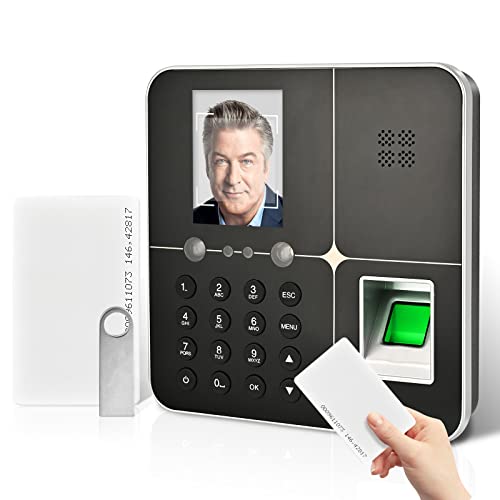
Computer Exposure Employee Time Tracking Software | Single PC, 100 Employees | Windows 7-11 | No Monthly Fees | Free Support


Key features
- •Employee Time Clock Software for up to 100 Employees, Free Unlimited Support!
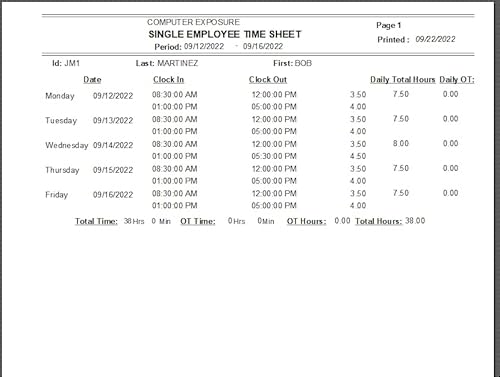
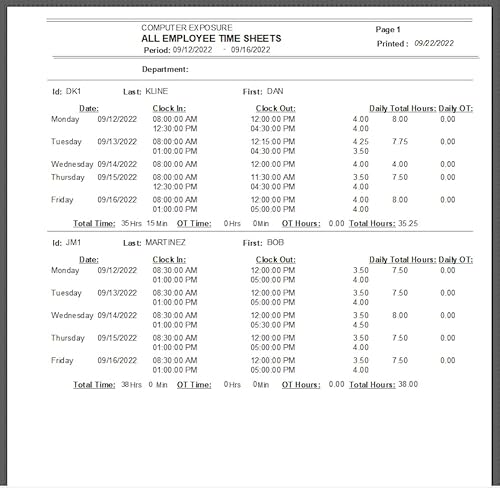
- •Automatically Calculates Hour Totals and has a Unique Overtime Monitor Feature Helps Control Overtime!
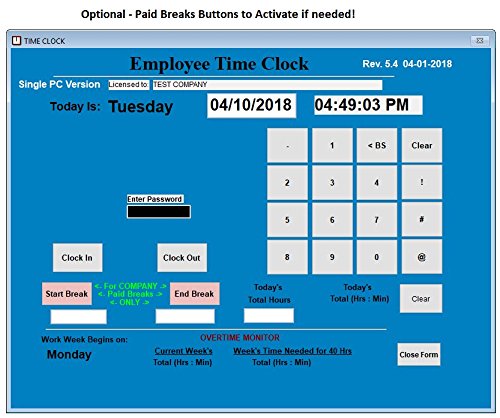
- •Touch Screen Ready, No Time Cards, Ink Ribbons to buy or Punch Clock maintenance fees.
- •Quickly view or print employee time sheets and No Errors! For Windows XP,Vista,7,8 & 10
- •One time Purchase, No Monthly Fees! 90 DAY RETURN GUARANTEE! Made in the USA
BrandComputer Exposure
CategoryTime Clocks
Computer Exposure Employee Time Tracking Software | Single PC, 100 Employees | Windows 7-11 | No Monthly Fees | Free Support
List Price: $105.91$95.32DEALYou Save: $10.59 (10%)
Free shippingFree Returns – 30 daysFree Order CancellationSecure Payment2–3 Days DeliveryGet It October 25, 2026In Stock (10)No marketing spamNo account requiredFulfilment by FedEx / Amazon / UPS / ShipwirePayPal / Card Buyer Protection
Customer Reviews
Reviews sourced from verified Amazon purchasers2.9
out of 5
Based on 9 reviews
5★
22%
4★
11%
3★
11%
2★
33%
1★
22%
... you are just wanting something basic then this is fine. I have to double check my employees times ...
Kate•August 12, 2017
If you are just wanting something basic then this is fine. I have to double check my employees times constantly because it will not add their hours correctly and I end up under and over paying hrs
Not worth the money.
Amazon Customer•June 11, 2017
This is a very buggy system. Keeps giving error messages when employees attempt to clock in or out and will not cancel when prompt says cancel, will not give help when help prompt is selected. We have tried installing this product twice and it still comes up with a variety of error messages.
we are looking for another product and returning this one.
we are looking for another product and returning this one.
Three Stars
John•March 2, 2017
Simple to use.
Great for the price if you need simplicity
AmazonAddict•February 23, 2017
PROS:
- Affordable
- Relatively easy setup
- You can add a 'manager' user which has administrative rights (contrary to a prior reviewer's comments). I contacted support and they responded within 24 hours
- Excellent support
CONS:
- Cannot view passwords while typing them
- Only provides reports in pdf format, no other, such as an export to csv. So it's not possible to integrate this with payroll software.
- Affordable
- Relatively easy setup
- You can add a 'manager' user which has administrative rights (contrary to a prior reviewer's comments). I contacted support and they responded within 24 hours
- Excellent support
CONS:
- Cannot view passwords while typing them
- Only provides reports in pdf format, no other, such as an export to csv. So it's not possible to integrate this with payroll software.
Don't waste your money
A Hughes•November 14, 2016
I needed a simple cost effective way to track my salary employee's hours. I had hoped to install the program on my server and allow employees to access it from their desktops and I would be able to pull all my time reports from my desktop. But this program wont work that way, in fact I cant get it to work at all. None of my employees had even been able to clock in. Every time I try to open something the files are missing. Don't waste your money on this either.
Page 1 of 2