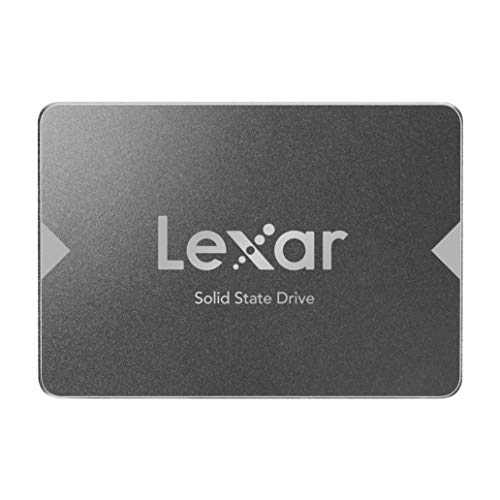
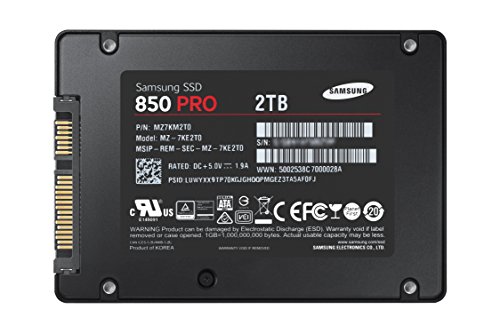
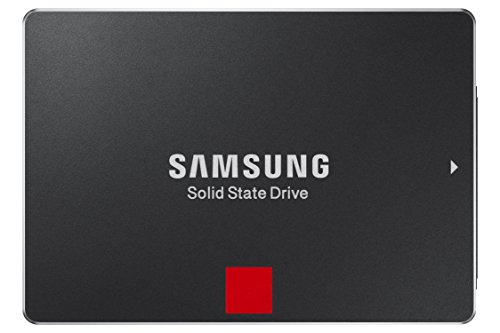
Samsung 850 PRO - 2TB - 2.5-Inch SATA III Internal SSD (MZ-7KE2T0BW)


Key features
- •World's First 2TB SSD for Consumer PC
- •The World's First Consumer 3D V-NAND SSD
- •Ultimate Read/Write Performance
- •Enhanced Endurance and Reliability
- •Efficient Power Management
Samsung 850 PRO - 2TB - 2.5-Inch SATA III Internal SSD (MZ-7KE2T0BW)
List Price: $429.23$386.31DEALYou Save: $42.92 (10%)
Free shippingFree Returns – 30 daysFree Order CancellationSecure Payment2–3 Days DeliveryGet It October 26, 2026In Stock (13)No marketing spamNo account requiredFulfilment by FedEx / Amazon / UPS / ShipwirePayPal / Card Buyer Protection
Customer Reviews
Reviews sourced from verified Amazon purchasers4.7
out of 5
Based on 10 reviews
5★
90%
4★
10%
3★
0%
2★
0%
1★
0%
Good speed boost - but some serious gotchas
The Headhunter✓ Verified Purchase•June 23, 2023
I've never used an SSD before so had no idea what to expect. All in all, I like my 850 Pro, but there are some very serious gotchas. I hope my review helps out some other users before they encounter the gotchas I did.
Some of the reviews are a bit over the top about how much this will speed up your computer -- but it does speed it up very significantly. However, it's not as dramatic as some suggest. I set up my new 850 Pro on a beefy Windows tower that has a separate HD for the operating system (Win7 Ultimate) and programs. I cloned the C drive to the SSD using the Samsung software included with the SSD, using an Anker SATA3-to-USB 3.0 cable and adapter. There is no need to format the SSD before you clone with this software -- it just works.
My pc boots faster and Windows 7 comes up very quickly. So do all my applications that run off my C drive. What's most noticeable is how fast my browser (Firefox) loads.
What's troubling, however, is that the Samsung migration software runs under Windows, so it doesn't really clone your HD (if what you're cloning is your OS drive) -- lots of files are omitted because Windows is running. And that's where I wound up with a huge problem that did not surface for several days.
1. The migration process did not copy my Restore Points, and -- worse -- it turned System Restore OFF without any notification. I should have checked this but didn't. So for days my automated daily System Restore never happened. Lesson: If you substitute this SSD for your C drive, after you clone and install the SSD as your C, go to System Restore and make sure you've got it turned on.
FAR WORSE: The cloning process DELETED all my saved Restore Points. Not a good thing.
2. I use Acronis True Image to back up my drives. (Some people hate Acronis. I survive it. The interface leaves a lot to be desired, but it works. I've never really had a problem with it, and I don't think the problems I'm about to describe are due to Acronis.) Just like the Samsung cloning process messed up my System Restore settings (and lost my Restore Points), it totally gummed up my C drive backup settings.
For days, the C backup process just wasn't happening. My fault again for not checking this after installing the SSD. One evening, Acronis tried to back up my C drive -- as apparently it had been trying all week-- but this time I noticed that it failed. So I tried to run the backup manually. This crashed my system and apparently corrupted the SSD. I could no longer boot from the SSD. Having saved my original HD with Win7 and my applications on it, I merely swapped and was back up and running -- though I'd lost some changes that I'd made to my C drive in the meantime. This failure wasted hours of my time.
After some research on the Acronis site, I learned that an OS drive is assigned a hex ID -- and the Samsung migration software does not clone that. (Sorry - I'm not up on all the details about this. My description of the problem is lightweight.) The net is, Acronis couldn't "find" one of the SSD's partitions so the backup kept failing. Technically, this was not Samsung's fault -- I reconfigured the Acronis backup settings for the C drive and now the SSD is running fine and C backups are done as they should be.
BUT, this problem killed my SSD in action and I had to start again from scratch.
I'm going into all this detail because I think Samsung is not up front about the cloning process. You don't get a clone of your C drive. Samsung's migration utility does warn that any "open" files will not be migrated -- but let's face it, one of the most common uses for an SSD has got to be the C drive. And we all know that when you clone a C drive, it's best done outside Windows -- not with Windows running. Not being told something as obvious as that my Restore Points and settings will be deleted is a serious failure. Not being warned that any pre-set backups for the C drive need to be re-configured is a serious failure. When we use the word "clone" we expect an exact copy. You don't get an exact, working copy of your C drive. So, heads up.
Bottom line: I really like the performance boost I get with the 850 Pro. I didn't like having to go through the hassle of learning about the cloning problem after the SSD was corrupted. We'll see if any other unexpected and undocumented problems crop up. In the meantime, I'm saving my original C hard drive in case the SSD goes south for some other unexpected reason.
If anyone has advice or insights about any of this, I'd love to hear it. Like I said -- I'm not an IT pro. But I'm not stupid. I learn as I go, and I think Samsung owes its customers a more detailed, thoughtful caution about how the cloning process works and doesn't work.
I have not yet used the "Magician" optimizing software Samsung includes. Frankly, I'm worried about how it works -- and about what else Samsung doesn't tell us. Would love any input on that as well, as I'd like to optimize the SSD if it's not risky.
Would I buy this SSD again and recommend it? Yes. But beware of these gotchas.
Some of the reviews are a bit over the top about how much this will speed up your computer -- but it does speed it up very significantly. However, it's not as dramatic as some suggest. I set up my new 850 Pro on a beefy Windows tower that has a separate HD for the operating system (Win7 Ultimate) and programs. I cloned the C drive to the SSD using the Samsung software included with the SSD, using an Anker SATA3-to-USB 3.0 cable and adapter. There is no need to format the SSD before you clone with this software -- it just works.
My pc boots faster and Windows 7 comes up very quickly. So do all my applications that run off my C drive. What's most noticeable is how fast my browser (Firefox) loads.
What's troubling, however, is that the Samsung migration software runs under Windows, so it doesn't really clone your HD (if what you're cloning is your OS drive) -- lots of files are omitted because Windows is running. And that's where I wound up with a huge problem that did not surface for several days.
1. The migration process did not copy my Restore Points, and -- worse -- it turned System Restore OFF without any notification. I should have checked this but didn't. So for days my automated daily System Restore never happened. Lesson: If you substitute this SSD for your C drive, after you clone and install the SSD as your C, go to System Restore and make sure you've got it turned on.
FAR WORSE: The cloning process DELETED all my saved Restore Points. Not a good thing.
2. I use Acronis True Image to back up my drives. (Some people hate Acronis. I survive it. The interface leaves a lot to be desired, but it works. I've never really had a problem with it, and I don't think the problems I'm about to describe are due to Acronis.) Just like the Samsung cloning process messed up my System Restore settings (and lost my Restore Points), it totally gummed up my C drive backup settings.
For days, the C backup process just wasn't happening. My fault again for not checking this after installing the SSD. One evening, Acronis tried to back up my C drive -- as apparently it had been trying all week-- but this time I noticed that it failed. So I tried to run the backup manually. This crashed my system and apparently corrupted the SSD. I could no longer boot from the SSD. Having saved my original HD with Win7 and my applications on it, I merely swapped and was back up and running -- though I'd lost some changes that I'd made to my C drive in the meantime. This failure wasted hours of my time.
After some research on the Acronis site, I learned that an OS drive is assigned a hex ID -- and the Samsung migration software does not clone that. (Sorry - I'm not up on all the details about this. My description of the problem is lightweight.) The net is, Acronis couldn't "find" one of the SSD's partitions so the backup kept failing. Technically, this was not Samsung's fault -- I reconfigured the Acronis backup settings for the C drive and now the SSD is running fine and C backups are done as they should be.
BUT, this problem killed my SSD in action and I had to start again from scratch.
I'm going into all this detail because I think Samsung is not up front about the cloning process. You don't get a clone of your C drive. Samsung's migration utility does warn that any "open" files will not be migrated -- but let's face it, one of the most common uses for an SSD has got to be the C drive. And we all know that when you clone a C drive, it's best done outside Windows -- not with Windows running. Not being told something as obvious as that my Restore Points and settings will be deleted is a serious failure. Not being warned that any pre-set backups for the C drive need to be re-configured is a serious failure. When we use the word "clone" we expect an exact copy. You don't get an exact, working copy of your C drive. So, heads up.
Bottom line: I really like the performance boost I get with the 850 Pro. I didn't like having to go through the hassle of learning about the cloning problem after the SSD was corrupted. We'll see if any other unexpected and undocumented problems crop up. In the meantime, I'm saving my original C hard drive in case the SSD goes south for some other unexpected reason.
If anyone has advice or insights about any of this, I'd love to hear it. Like I said -- I'm not an IT pro. But I'm not stupid. I learn as I go, and I think Samsung owes its customers a more detailed, thoughtful caution about how the cloning process works and doesn't work.
I have not yet used the "Magician" optimizing software Samsung includes. Frankly, I'm worried about how it works -- and about what else Samsung doesn't tell us. Would love any input on that as well, as I'd like to optimize the SSD if it's not risky.
Would I buy this SSD again and recommend it? Yes. But beware of these gotchas.
Great for RAID 0, Nice drive for USB 3.0/UAS
Charles Hurley✓ Verified Purchase•June 17, 2023
Update: Bought 2x additional 512GB SSDs for RAID 0 in my new X99/2011-V3 system and the tested speeds were 1 million MB/sec+ both read and write crazy fast. System specs:
Intel Core i7-5960X Haswell-E 8-Core 3.0GHz LGA 2011-v3 140W Desktop Processor BX80648I75960X
ASUS X99-E WS (Currently ASUS X99-A waiting on RMA)
2x EVGA 04G-P4-2988-KR GeForce GTX 980 Classified 4GB SLI
2x Corsair DOMINATOR® Platinum Series 32GB (4 x 8GB) DDR4 2666 (PC4-21300) 2666MHz C15 memory kit for DDR4 Systems (CMD32GX4M4A2666C15)
2x Samsung 850 Pro 512GB 2.5-Inch SATA III Internal SSD (MZ-7KE512BW) RAID 0
ASUS PB287Q 28-Inch Screen LED-Lit 4K Monitor
Cooler Master Nepton 280L - PC CPU Liquid Water Cooling System, All-In-One Kit with 280mm Radiator and 2 JetFlo Fans
Antec TPQ-1200 1200W Continuous Power with PowerCache Technology SLI Ready CrossFire Certified 80 PLUS SILVER Certified Modular Active PFC Power Supply
IC Diamond TIM
Accell UltraAV B142C-007B-2 DisplayPort to DisplayPort 1.2 Cable with Locking Latches (6.6ft /2m)
Mad Catz R.A.T.9 Gaming Mouse
Razer BlackWidow Ultimate Mechanical PC Gaming Keyboard
Using this 1TB SDD in a Inateck USB 3.0/UAS enclosure. I wanted something mobile for when I am on the road and at home. I have stuck with Intel SSDs and have been extremely satisfied because I use them in RAID 0 and they perform and are very reliable long term I have yet have one fail knock on wood. But now my needs are different and this new V-NAND technology interested me so I bought it. If it goes well my future SSDs will be Samsung due to the "better" tech.
Pros
- excellent packaging
- lightweight
- fast, I only get best read speed of ~312MB/sec, and write speed of 168 MB/sec using the ATTO bench tool in the USB 3.0/UAS enclosure. A real file copy of a large file stayed consistent at 144 MB/sec the whole time. I am sure this drive would get better speeds in a computer with ACHI just didn't try it, I would like to try RAID 0 too but not until my existing drives need replaced or fail. I wish Samsung would make an USB 3.0/UAS enclosure that handled the drives capabilities.
-the Magician Software is nice, I used it to create a SecureErase bootable USB because Win 8 doesn't let you do that via the OS and in the past I have had to do that manually with my Intel drives so this was very nice. I would say some of the optimizations I saw I would have to research more before I would trust them but there were many good ones I saw too like turning off prefetch/superfetch etc.
Cons
-software doesn't recognize SSD on USB 3.0/UAS so if you want to use it for lets say secure erase you have to take it out of the enclosure and install it in a computer. Also if you want to use the Magician features at all except for the performance measurement piece same deal.
Overall my experience has been excellent with the drive it had the latest firmware woot (In the past I had to update these)! I will have to live with the drive like my Intels for some time before I know the real deal but I am heading towards Samsung from Intel as it stands.
Intel Core i7-5960X Haswell-E 8-Core 3.0GHz LGA 2011-v3 140W Desktop Processor BX80648I75960X
ASUS X99-E WS (Currently ASUS X99-A waiting on RMA)
2x EVGA 04G-P4-2988-KR GeForce GTX 980 Classified 4GB SLI
2x Corsair DOMINATOR® Platinum Series 32GB (4 x 8GB) DDR4 2666 (PC4-21300) 2666MHz C15 memory kit for DDR4 Systems (CMD32GX4M4A2666C15)
2x Samsung 850 Pro 512GB 2.5-Inch SATA III Internal SSD (MZ-7KE512BW) RAID 0
ASUS PB287Q 28-Inch Screen LED-Lit 4K Monitor
Cooler Master Nepton 280L - PC CPU Liquid Water Cooling System, All-In-One Kit with 280mm Radiator and 2 JetFlo Fans
Antec TPQ-1200 1200W Continuous Power with PowerCache Technology SLI Ready CrossFire Certified 80 PLUS SILVER Certified Modular Active PFC Power Supply
IC Diamond TIM
Accell UltraAV B142C-007B-2 DisplayPort to DisplayPort 1.2 Cable with Locking Latches (6.6ft /2m)
Mad Catz R.A.T.9 Gaming Mouse
Razer BlackWidow Ultimate Mechanical PC Gaming Keyboard
Using this 1TB SDD in a Inateck USB 3.0/UAS enclosure. I wanted something mobile for when I am on the road and at home. I have stuck with Intel SSDs and have been extremely satisfied because I use them in RAID 0 and they perform and are very reliable long term I have yet have one fail knock on wood. But now my needs are different and this new V-NAND technology interested me so I bought it. If it goes well my future SSDs will be Samsung due to the "better" tech.
Pros
- excellent packaging
- lightweight
- fast, I only get best read speed of ~312MB/sec, and write speed of 168 MB/sec using the ATTO bench tool in the USB 3.0/UAS enclosure. A real file copy of a large file stayed consistent at 144 MB/sec the whole time. I am sure this drive would get better speeds in a computer with ACHI just didn't try it, I would like to try RAID 0 too but not until my existing drives need replaced or fail. I wish Samsung would make an USB 3.0/UAS enclosure that handled the drives capabilities.
-the Magician Software is nice, I used it to create a SecureErase bootable USB because Win 8 doesn't let you do that via the OS and in the past I have had to do that manually with my Intel drives so this was very nice. I would say some of the optimizations I saw I would have to research more before I would trust them but there were many good ones I saw too like turning off prefetch/superfetch etc.
Cons
-software doesn't recognize SSD on USB 3.0/UAS so if you want to use it for lets say secure erase you have to take it out of the enclosure and install it in a computer. Also if you want to use the Magician features at all except for the performance measurement piece same deal.
Overall my experience has been excellent with the drive it had the latest firmware woot (In the past I had to update these)! I will have to live with the drive like my Intels for some time before I know the real deal but I am heading towards Samsung from Intel as it stands.
The fastest hard drive ive ever looked upon.
Ron✓ Verified Purchase•June 13, 2023
I bought this hard drive to replace a Western Digital Black for extreme gaming. I play old games and new games, so this review will be detailed. My system setup consists of an i7 4770k CPU, Asus Sabertooth z87 MB, 32 GB G.Skill RAM @ 2400mhz, and of course, the Samsung 850 Pro. My tests will include games, system and programs, music and video, and a benchmark tool.
1. Games - When it comes to gaming, having an SSD dramatically decreased load times for most newer games. Old games are not really affected due to how little data most of them need to load from the hard drive in today's standards. The biggest improvement came with Star Citizen. SC is still in super alpha, so nothing is optimized and load times are outrageous. Were outrageous. It used to take me nearly 2 minutes to load into hangar, now with the 850 pro, its less than 30 seconds. Other games such as Planetside 2, Mad Max, Homeworld etc have also vastly improved loading times. And its not just load times that are improved. In some games such as GTA San Andreas you can move into a new area faster than the hard drive can load things like building textures and pedestrians. The SSD solves this, no more do things just pop into existence beside you. Skyrim also has a bit of this problem too if you use a mod to give you a fast ride. Overall in the gaming department, this is really where the SSD shines to me.
2. System and Software - Windows startup time is also another area that shines brightly with an SSD. Traditional hard drive takes 1 minute or more to boot, sometimes 45 seconds if you got a good drive and a fresh install of windows. With the 850 pro, my fully loaded Windows 10 Pro OS can boot up in 22 seconds. That's with no password and such. 22 seconds from power button to mouse moving on desktop. The system tray icons at the bottom right of the desktop used to take 2 or 3 minutes for all of them to load up after arriving to the desktop, now with the 850 pro they all pop up simultaneously and instantly. My web browser, Firefox, used to take about 2 or 3 seconds to load up after clicking, now before my ear can even register the second click of the mouse, the browser is fully loaded and ready to go. I have also noticed greatly increased performance in Microsoft office programs, especially excel and power point. Then came the real software test. WinRar. As a winrar test i packed up 10 GB of music to test speeds. It took less than a minute to package up (compress) the 10 GB using the Best compression method, where as on a traditional hard drive your looking at 30 to 45 minutes of waiting maybe even more since i used the best method. Unpackaging (decompression) was instantaneous at the click of the mouse. Every thing i do is like a flash of light.
3. Music and Movies - Not much to say here other than transfer speeds are high, but i wouldn't keep music or movies on an SSD, they don't play better or sound better, but they do take up limited space and put wear and tear on the drive. Best to leave them on the traditional hard drive.
4. Benchmark - I have included a screenshot of the benchmarking program i used to test this hard drive. As you can see all test results exceed the specifications of this hard drive. I could to many different tests using many different settings but i stuck with the default and most used one.
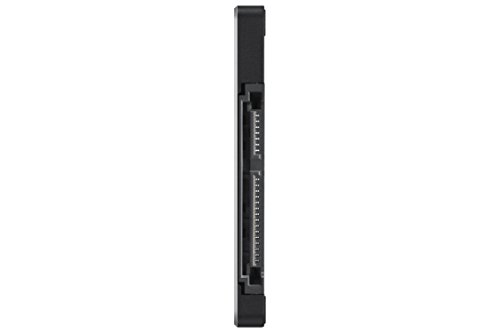
Construction - The SSD's construction is very nice. It is very strong and solid, but also very light almost like paper. It is very smooth and slim and should fit nearly anywhere you want to put it. Also the sata and power connectors are stiff and strong.
Software - The samsung magician software that is paired with the hard drive is also very nice. It shows the health and total data written to the hard drive, can change windows options to better suit the SSD and its needs, encryption, the works. The only thing is that Rapid Mode does not work for windows 10 yet but Samsung says they are working hard on it, it has something to do with the new way windows 10 manages memory.
Conclusion - Overall, this is the greatest hard drive Ive ever seen. Its super fast, super strong, has great software, and is backed up by a monster 10 year warranty. I looked forward to many years of extreme gaming with this SSD. I would highly haft to recommend this SSD to everyone. It is a truly great product made by a great company from a great nation. You wont be disappointed with this SSD.
If you found this review helpful, please like it!
1. Games - When it comes to gaming, having an SSD dramatically decreased load times for most newer games. Old games are not really affected due to how little data most of them need to load from the hard drive in today's standards. The biggest improvement came with Star Citizen. SC is still in super alpha, so nothing is optimized and load times are outrageous. Were outrageous. It used to take me nearly 2 minutes to load into hangar, now with the 850 pro, its less than 30 seconds. Other games such as Planetside 2, Mad Max, Homeworld etc have also vastly improved loading times. And its not just load times that are improved. In some games such as GTA San Andreas you can move into a new area faster than the hard drive can load things like building textures and pedestrians. The SSD solves this, no more do things just pop into existence beside you. Skyrim also has a bit of this problem too if you use a mod to give you a fast ride. Overall in the gaming department, this is really where the SSD shines to me.
2. System and Software - Windows startup time is also another area that shines brightly with an SSD. Traditional hard drive takes 1 minute or more to boot, sometimes 45 seconds if you got a good drive and a fresh install of windows. With the 850 pro, my fully loaded Windows 10 Pro OS can boot up in 22 seconds. That's with no password and such. 22 seconds from power button to mouse moving on desktop. The system tray icons at the bottom right of the desktop used to take 2 or 3 minutes for all of them to load up after arriving to the desktop, now with the 850 pro they all pop up simultaneously and instantly. My web browser, Firefox, used to take about 2 or 3 seconds to load up after clicking, now before my ear can even register the second click of the mouse, the browser is fully loaded and ready to go. I have also noticed greatly increased performance in Microsoft office programs, especially excel and power point. Then came the real software test. WinRar. As a winrar test i packed up 10 GB of music to test speeds. It took less than a minute to package up (compress) the 10 GB using the Best compression method, where as on a traditional hard drive your looking at 30 to 45 minutes of waiting maybe even more since i used the best method. Unpackaging (decompression) was instantaneous at the click of the mouse. Every thing i do is like a flash of light.
3. Music and Movies - Not much to say here other than transfer speeds are high, but i wouldn't keep music or movies on an SSD, they don't play better or sound better, but they do take up limited space and put wear and tear on the drive. Best to leave them on the traditional hard drive.
4. Benchmark - I have included a screenshot of the benchmarking program i used to test this hard drive. As you can see all test results exceed the specifications of this hard drive. I could to many different tests using many different settings but i stuck with the default and most used one.
Construction - The SSD's construction is very nice. It is very strong and solid, but also very light almost like paper. It is very smooth and slim and should fit nearly anywhere you want to put it. Also the sata and power connectors are stiff and strong.
Software - The samsung magician software that is paired with the hard drive is also very nice. It shows the health and total data written to the hard drive, can change windows options to better suit the SSD and its needs, encryption, the works. The only thing is that Rapid Mode does not work for windows 10 yet but Samsung says they are working hard on it, it has something to do with the new way windows 10 manages memory.
Conclusion - Overall, this is the greatest hard drive Ive ever seen. Its super fast, super strong, has great software, and is backed up by a monster 10 year warranty. I looked forward to many years of extreme gaming with this SSD. I would highly haft to recommend this SSD to everyone. It is a truly great product made by a great company from a great nation. You wont be disappointed with this SSD.
If you found this review helpful, please like it!
Awesome - Combined Desktop bootup and Video Project losd time cut from 30 minutes to 4 minutes :-)
Ti C.✓ Verified Purchase•June 10, 2023
I LOVE THIS Samsung 850 Pro! I already had a great computer... An ASUS Desktop i7, Windows 8.1, 32Gb Ram, 3Tb hard drive, Nvidia 660 something video card, and it worked great for almost everything... But I'm working on a long (over 2 hour) video project in Camtasia and Camtasia is only a 32-bit program and isn't generally designed for long videos, but my project about my www.FutureVisioning.com Hypnotherapy and Healing work grew over time way beyond what I thought it would be, so there was no way to switch to another program, and when Camtasia would have a problem and freeze or crash, it would take 3 to 4 minutes to reboot my computer, 3 minutes to reboot Camtasia and 20 minutes to load my project with my hard drive being used 100% of the time for the full 20 minutes... So every problem, crash or reboot wasted a frustrating half hour. I could see that the bottleneck was my hard drive loading into memory so I researched a lot about SSD's and the Samsung seems to be consistently the fastest and most reliable, especially with their new stacked technology it seemed the best performance and price wise, and I decided to get this Samsung 850 Pro 256 to speed up the project loading time, and I hoped that it would help with my boot up and program loading time as well.
AND"¦ OMG! :-) This is the face of a happy camper :-).
The Samsung 850 came in 2 days with Prime, it was easy to install and took only about a half hour, (I got the cradle and the cable separately). The cloning software worked perfectly! I was thrilled"¦ and now my desktop comes up in about 45 seconds and the background processes are finished about 15 seconds later.( I have read of some people booting in 15 to 20 seconds and i can't figure out how they do that but i am so happy now I really don't care! My Camtasia program opens in about 10 seconds, and my 2 hour 40 minute project with hundreds of edits opens to begin work in 2 minutes and has fully loaded all sound and video files on the timeline in 3 minutes! and rendering my project out to an mp4 seems faster as well. I expect that when Camtasia gets around to making a 64 bit version everything will take another leap in loading and processing time. I am using Adobe Premier Pro now to color correct my videos and I may use it for editing next time because it is 64 bit and has far more bells and whistles, like comlete color correction capabilities and in it I can scroll through at high speed and see every high speed frame and hear high speed audio. I don't know if I could have done this without the Samsung but it is bery cool to do that now.
I don't even mind if Camtasia crashes now (which it doesn't seem to do as often) because it saves the last version reliably and it is so fun to use the stopwatch in my phone to see how fast everything comes back to life. Outlook opens faster, maybe 20 seconds, Word is almost instant, Firefox is also almost instant, I can have many programs open at once, and play many videos all at the same time. (I am not sure what the practical value playing many videos at once is because I can't follow them all, but it is still fun to do!) This is one of the most fun and satisfying purchases I have ever made! Thank you Amazon and Samsung!
AND"¦ OMG! :-) This is the face of a happy camper :-).
The Samsung 850 came in 2 days with Prime, it was easy to install and took only about a half hour, (I got the cradle and the cable separately). The cloning software worked perfectly! I was thrilled"¦ and now my desktop comes up in about 45 seconds and the background processes are finished about 15 seconds later.( I have read of some people booting in 15 to 20 seconds and i can't figure out how they do that but i am so happy now I really don't care! My Camtasia program opens in about 10 seconds, and my 2 hour 40 minute project with hundreds of edits opens to begin work in 2 minutes and has fully loaded all sound and video files on the timeline in 3 minutes! and rendering my project out to an mp4 seems faster as well. I expect that when Camtasia gets around to making a 64 bit version everything will take another leap in loading and processing time. I am using Adobe Premier Pro now to color correct my videos and I may use it for editing next time because it is 64 bit and has far more bells and whistles, like comlete color correction capabilities and in it I can scroll through at high speed and see every high speed frame and hear high speed audio. I don't know if I could have done this without the Samsung but it is bery cool to do that now.
I don't even mind if Camtasia crashes now (which it doesn't seem to do as often) because it saves the last version reliably and it is so fun to use the stopwatch in my phone to see how fast everything comes back to life. Outlook opens faster, maybe 20 seconds, Word is almost instant, Firefox is also almost instant, I can have many programs open at once, and play many videos all at the same time. (I am not sure what the practical value playing many videos at once is because I can't follow them all, but it is still fun to do!) This is one of the most fun and satisfying purchases I have ever made! Thank you Amazon and Samsung!
The Fastest Samsung Drive I've Yet Used
Ray✓ Verified Purchase•June 6, 2023
What you want to know is this: is this SSD faster than the 850 EVO? When dealing with SSD's, does any appreciable difference in speed occur, since they are all so fast, anyway? The fact is this: I've been using Samsung SSD's of varying varieties for years, and when I recently replaced my Samsung 840EVO with this one (on my boot drive), the speed notice WAS undeniably different. Yes, I still has those couple of seconds of booting time after the POST routine finished, but instead of programs loading, they almost felt like they were POPPING, this thing is so fast. For example, when I log into Windows 10, I would get that slight lag time as the desktop loaded. Now, admittedly, we are dealing with very small time differences here, because my 840 IS fast. But when I put this thing in, when I logged in, the screen just POPPED open, almost like there was no load time. None of this is a scientific description, but it is the absolute experience I've had with this new type of memory that Samsung is using in the 850 PRO. It is still pretty pricey, so I've gone with the 250Gb version for my boot disk, and then run my other, larger Samsung 840's and traditional drives as secondary drives. And it is true that I am using this in a system that I built myself with only superior parts (motherboard, RAM, video, etc.), but there is absolutely no question to the answer you are looking for if you are investigating this drive: YES, it IS faster than the previous drives that Samsung put out (and still sells).
Is it worth the price? Hard to say. First, is what type of computer user are you? What types of programs do you typically run? And what type of system do you have? For example, if the bottleneck is in another part of the system, you may not get the most bang for your buck by spending the extra on this PRO version. But if you have a modern, well-specified computer, you will notice a speed difference. I certainly did. And now comes the wait until the 850 PRO prices come down, because what you really want is something like this, but in 4Tb or larger. It will be a few years before we see such storage, and at reasonable prices, but this drive clearly shows it is coming. For now, if you are dealing with a desktop, consider my strategy of using it as the boot disk with all your programs installed, and other, less expensive drives for storage. If this is for a laptop, you have to ask yourself if your laptop is new enough and powerful enough (RAM, processor, video system, etc.) to warrant the extra expense. All SSD drives are fast, and generally, scream past the traditional spin platter drives we all grew up with. But there IS a difference in how the memory in an SSD is constructed (read the Samsung material here on Amazon to understand the difference in this particular type of configuration), and then, of course, there is the often-overlooked factor of the controller attached to the disk, which also has an impact on speed.
Of all the Samsung drives I've purchased, this is the best, and fastest. Its a superb drive that is a window into the future of SSD drives. The holidays are coming soon, so you might watch it for temporary price drops. I cannot justify (or afford) the price of these in their largest size, but for a boot drive of 250Gb, I get most all the benefits for just a little over $100. This is a five-star product.
Is it worth the price? Hard to say. First, is what type of computer user are you? What types of programs do you typically run? And what type of system do you have? For example, if the bottleneck is in another part of the system, you may not get the most bang for your buck by spending the extra on this PRO version. But if you have a modern, well-specified computer, you will notice a speed difference. I certainly did. And now comes the wait until the 850 PRO prices come down, because what you really want is something like this, but in 4Tb or larger. It will be a few years before we see such storage, and at reasonable prices, but this drive clearly shows it is coming. For now, if you are dealing with a desktop, consider my strategy of using it as the boot disk with all your programs installed, and other, less expensive drives for storage. If this is for a laptop, you have to ask yourself if your laptop is new enough and powerful enough (RAM, processor, video system, etc.) to warrant the extra expense. All SSD drives are fast, and generally, scream past the traditional spin platter drives we all grew up with. But there IS a difference in how the memory in an SSD is constructed (read the Samsung material here on Amazon to understand the difference in this particular type of configuration), and then, of course, there is the often-overlooked factor of the controller attached to the disk, which also has an impact on speed.
Of all the Samsung drives I've purchased, this is the best, and fastest. Its a superb drive that is a window into the future of SSD drives. The holidays are coming soon, so you might watch it for temporary price drops. I cannot justify (or afford) the price of these in their largest size, but for a boot drive of 250Gb, I get most all the benefits for just a little over $100. This is a five-star product.
Page 1 of 2