Fixcracked Touch Screen Replacement Parts Digitizer Glass Assembly for Ipad 2 + WIFI Antenna Cable(Black)


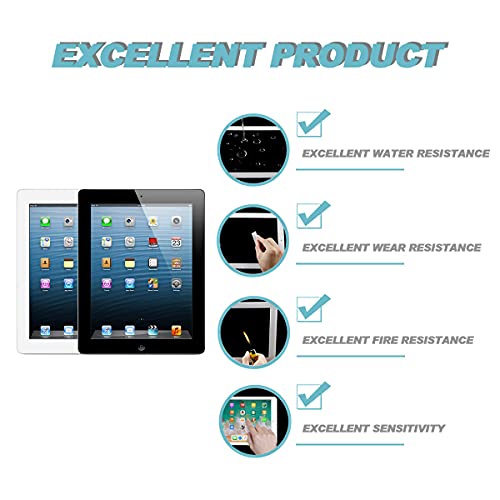
Key features
- •Replacement part for any shattered iPad 2 GSM/CDMA Front Panel.Compatibe with Model:A1397,A1395,A1396
- •Free Middle bezel offered,When you remove your old screen it is easy damage the bezel but no worry we have a replacment for it.
- •This part makes installing a front panel assembly easier with the adhesive, front facing camera bracket, and blank home button already installed.
- •Come with back up Wi-Fi Antenna in case you damage your original Antenna.
- •This is FixCracked brand Replacement.
BrandFixCracked
CategoryTablet Accessories
Fixcracked Touch Screen Replacement Parts Digitizer Glass Assembly for Ipad 2 + WIFI Antenna Cable(Black)
List Price: $32.96$29.66DEALYou Save: $3.30 (10%)
Free shippingFree Returns – 30 daysFree Order CancellationSecure Payment2–3 Days DeliveryGet It October 25, 2026In Stock (1)No marketing spamNo account requiredFulfilment by FedEx / Amazon / UPS / ShipwirePayPal / Card Buyer Protection
Customer Reviews
Reviews sourced from verified Amazon purchasers3.9
out of 5
Based on 10 reviews
5★
70%
4★
0%
3★
0%
2★
10%
1★
20%
Screen Digitizer issues - poor instructions, do not recommend
M. Carranza•March 13, 2018
My install with this product was not successful. The instructions were poorly written, in very tiny font, and even tinier pictures, so were not much help. I searched YouTube and found a few helpful videos, though none from fixcracked.
The repairs took me about 3 hours, as my screen was badly cracked and removal was tedious, and the original WiFi antena was damaged during screen removal. WiFi antena install added at least 30 minutes and required additional you tube videos for instructions.
I hooked everything up, screwed in the lcd panel and Before pulling the adhesive strips and sealing the digitizer screen I powered up my device for a test. It looked good and worked, but the digitizer was malfunctioning badly. Without touching the screen, apps were opening by them selves, search would open and a few letters would type in the search box. The screen looked good and I was able to enter my passcode, login, drag app icons around my homepage, but the device was totally unusable with the constant screen malfunction and apps opening and closing.
The home button,and camera bracket, and adhesive come preinstalled which saves some work, and I ended up needing the included WiFi antenna, but the small unhelpful instructions and my device not functioning correctly after hours of careful install lead me to be unhappy with the purchase. I could not recommend this product.
The repairs took me about 3 hours, as my screen was badly cracked and removal was tedious, and the original WiFi antena was damaged during screen removal. WiFi antena install added at least 30 minutes and required additional you tube videos for instructions.
I hooked everything up, screwed in the lcd panel and Before pulling the adhesive strips and sealing the digitizer screen I powered up my device for a test. It looked good and worked, but the digitizer was malfunctioning badly. Without touching the screen, apps were opening by them selves, search would open and a few letters would type in the search box. The screen looked good and I was able to enter my passcode, login, drag app icons around my homepage, but the device was totally unusable with the constant screen malfunction and apps opening and closing.
The home button,and camera bracket, and adhesive come preinstalled which saves some work, and I ended up needing the included WiFi antenna, but the small unhelpful instructions and my device not functioning correctly after hours of careful install lead me to be unhappy with the purchase. I could not recommend this product.
Look no further
Michael Stanford•December 15, 2017
This is the one you want. It has a replacement for the plastic bezel that you will mangle when you get the old screen off, and a replacement for the Wi-Fi antenna whose cable you will accidentally slice through. Everything fits perfectly. All the adhesive is pre-applied with peel-off backing. The only tools included in the kit are a couple of guitar picks to help get the old screen off, but if you already have the right screwdrivers that's not an issue.
Everything you need - EVERYTHING!!
R. A. James•July 15, 2017
OMGoodness - I will buy this for every replacement I have in the future... since I have 4 iPad 2's and kids who still don't appreciate the need to take care of their tablets, I repair frequently.
Perfectly applied adhesive. Inclusion of wireless antenna a huge plus. Inclusion of the frame makes this a one-purchase fix everytime!
Perfectly applied adhesive. Inclusion of wireless antenna a huge plus. Inclusion of the frame makes this a one-purchase fix everytime!
The instructions provided were good and the kit itself worked very well
prsfan•July 15, 2017
The instructions provided were good and the kit itself worked very well. I did the repair about a month ago and my iPad2 is still holding up very well. Good as new actually. As a piece of advise to others, I would like also add that in addition to the instructions provided I look up 2 or 3 videos on YouTube to actually watch someone else doing the repair and that helped a lot. They provided a few tips and tricks of the trade to make the repair go really well.
Winner!
PJM•March 24, 2017
I cracked an old iPad 2 screen. No big deal, it was time for an upgrade right?! Nope, apple is due to release a new iPad shortly so even the latest pad is not priced all that great if you can find one (AT&T had no store stock). Anyway, I want the latest but in the interim, my old iPad needed repair. Story over.
This kit went in like a dream, in and out in about an hour. My old screen came out in pieces which really was all the work. Following removal, Installing new screen is simple. Be sure to remove protective plastic film from rear of new screen before pressing in place, I missed it at first glance and didn't read the instruction card warning of such. A major point; there is a small hold down clip holding down the ribbon clip connection to the screen. I was able to remove the ribbon cable and install new cable well enough, wrong. I installed the new screen and the touch did not work. I removed the new screen without issue and targeted the connection following a helpful tip from another customer. Long and short, read the instruction card that came with the new screen, watch youtube for pointers and it is actually a breeze to replace. A repair store would charge Approx. $150. Because of the vintage of my iPad, it made no sense to spend that kind of money. I also contacted the seller directly when I was having the touch issue and they got right back to me a few hours later for assistance, but I already figured it out. Last words; this wasn't hard to do with the proper tools and some mechanical ability. I do have both. The iPad can become damaged durning the screen removal process and will render the unit useless through no fault of this seller if care isn't taken.
This kit went in like a dream, in and out in about an hour. My old screen came out in pieces which really was all the work. Following removal, Installing new screen is simple. Be sure to remove protective plastic film from rear of new screen before pressing in place, I missed it at first glance and didn't read the instruction card warning of such. A major point; there is a small hold down clip holding down the ribbon clip connection to the screen. I was able to remove the ribbon cable and install new cable well enough, wrong. I installed the new screen and the touch did not work. I removed the new screen without issue and targeted the connection following a helpful tip from another customer. Long and short, read the instruction card that came with the new screen, watch youtube for pointers and it is actually a breeze to replace. A repair store would charge Approx. $150. Because of the vintage of my iPad, it made no sense to spend that kind of money. I also contacted the seller directly when I was having the touch issue and they got right back to me a few hours later for assistance, but I already figured it out. Last words; this wasn't hard to do with the proper tools and some mechanical ability. I do have both. The iPad can become damaged durning the screen removal process and will render the unit useless through no fault of this seller if care isn't taken.
Page 1 of 2


