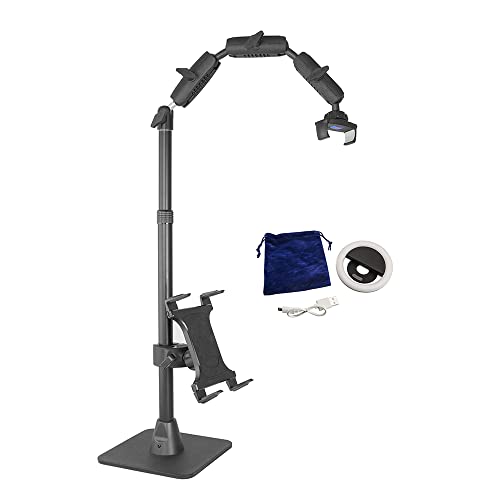
Artisul Freestyle Stand - Drawing Tablet Stand for Artisul D13, D10, iPad Pro and Wacom Cintiq

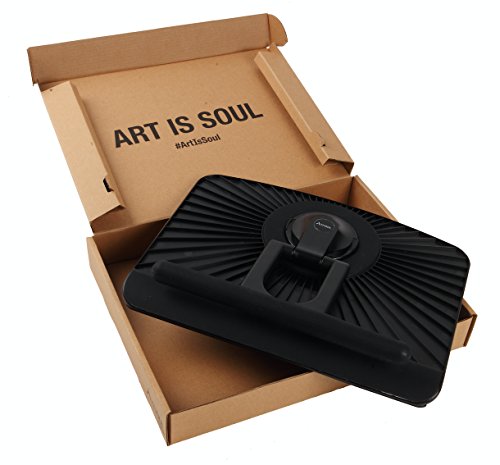

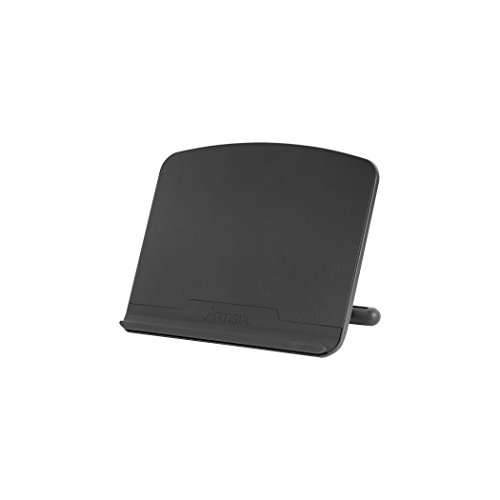
Key features
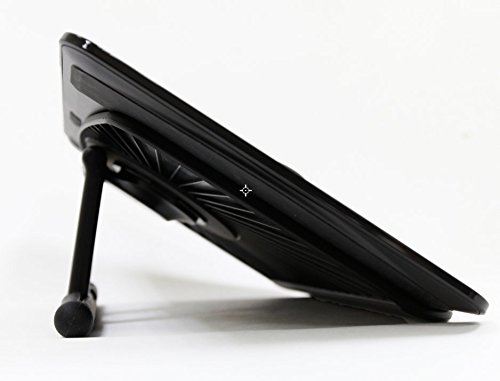
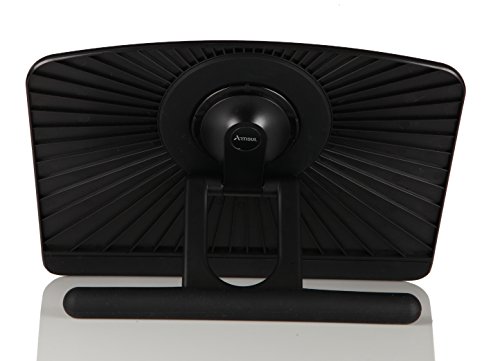
- •Ergonomically designed and with multi angle degrees.
- •Light weight for portability.
- •Anti-Slip rubber coating.
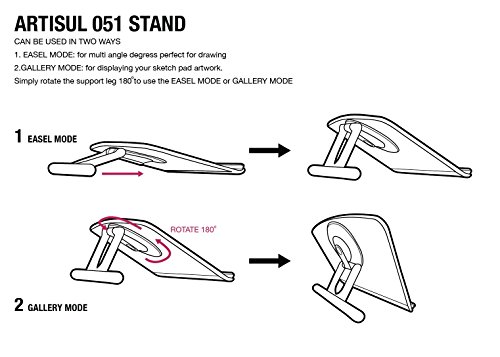
- •2 modes - Drawing and Easel Mode for optimal angles.
- •Compatible with Artisul D13, Ipad Pro, Ipad, Wacom Intuos, Intuos Pro and Cintiq.
Artisul Freestyle Stand - Drawing Tablet Stand for Artisul D13, D10, iPad Pro and Wacom Cintiq
List Price: $96.60$86.94DEALYou Save: $9.66 (10%)
Free shippingFree Returns – 30 daysFree Order CancellationSecure Payment2–3 Days DeliveryGet It October 26, 2026In Stock (2)No marketing spamNo account requiredFulfilment by FedEx / Amazon / UPS / ShipwirePayPal / Card Buyer Protection
Customer Reviews
Reviews sourced from verified Amazon purchasers4.3
out of 5
Based on 10 reviews
5★
60%
4★
20%
3★
10%
2★
10%
1★
0%
Good for tablets
Jonathan W. Ewell•January 23, 2018
This stand is nice. A little pricey at $50. It's true, like others have mentioned, that it only holds a lightweight device. I bought it to hold several of my tablets (Surface Pro, Ipad) that I use for digital illustration and it works great for those. I also wanted it to hold my Wacom Companion Hybrid and my Maschine MK3. It works well for the Wacom but I'm worried that it will start to give after some time. It didn't support the weight of the Maschine MK3 (4.85lbs) but when it collapses all the way it still holds the Maschine at about 3" off the surface so it works well as a stand for that device too.
I would suggest a hand-tightened nut for better fasting on the hinge in a future design. Then it would be even better. I'm definitely happy with it though, and I would recommend it.
I would suggest a hand-tightened nut for better fasting on the hinge in a future design. Then it would be even better. I'm definitely happy with it though, and I would recommend it.
Started off well, but won't hold position with a MSP16
rkusa•November 6, 2017
I bought this for the MSP16, and it worked pretty well initially. I would've given it 5 stars then. I use the tablet at a pretty shallow angle, but after a while, it won't support working on the tablet if I raise it up just a little above the bottom. It just slides back down to the bottom height. Luckily, all I need is a slight angle, so it's not a huge issue. It would be, though, if I needed the tablet up a little higher. I've tried it in all sorts of rotations to see if it would hold any better, but it doesn't.
Other than that, it seems well made. One of the things I really like about it is that it doesn't have a front bumper that's intrusive for drawing. It's only a slight drop to the tablet. Many laptop stands have high bumpers at the front to keep the laptops in position, but are too high and interfere with drawing. I would prefer that it fold completely flat for traveling, but that's a minor issue.
Other than that, it seems well made. One of the things I really like about it is that it doesn't have a front bumper that's intrusive for drawing. It's only a slight drop to the tablet. Many laptop stands have high bumpers at the front to keep the laptops in position, but are too high and interfere with drawing. I would prefer that it fold completely flat for traveling, but that's a minor issue.
... an exaggeration when I say that this is the best tablet stand I've ever used
Earlton•October 7, 2017
It's not an exaggeration when I say that this is the best tablet stand I've ever used.
It has weight to it, despite not feeling all too heavy. So carrying this around won't be too much of a problem (that is if you are lugging a drawing tablet around anyway, this shouldn't be too much to handle for your backpack).
The stand is sturdy and swivels around in many different angles so you can hit that sweet spot that suits you.
that's one thing i really love about this product. when i'm not drawing, the stand can stand your drawing tablet almost at a 90 degree angle so you can easily use it as a monitor without having to hunch over.
and for the price, this thing easily beats out the more expensive stands made for iPad pros and the like.
highly recommended.
It has weight to it, despite not feeling all too heavy. So carrying this around won't be too much of a problem (that is if you are lugging a drawing tablet around anyway, this shouldn't be too much to handle for your backpack).
The stand is sturdy and swivels around in many different angles so you can hit that sweet spot that suits you.
that's one thing i really love about this product. when i'm not drawing, the stand can stand your drawing tablet almost at a 90 degree angle so you can easily use it as a monitor without having to hunch over.
and for the price, this thing easily beats out the more expensive stands made for iPad pros and the like.
highly recommended.
IMPORTANT NOTES FOR Wacom Mobile Studio Pro users!!!
daniel beebe•July 9, 2017
id like to jump on the "this stand is great" bandwagon, but i have 2 very important notes to make first.
1:
the top of the stand rests directly on the 3d scanner. this hasnt seemed to be a problem yet, i dont any scratches on the optic, but its something to keep in mind. keep it clean or you may be grinding into your world facing camera.
2:
most importantly! this stand is awesome at holding this hefty tablet, however it is very important to note that when sitting in the stand ALL VENTILATION ports on the bottom are completely covered. this may not be too scary under light use, but if your running intense 3d applications, you may want to take it off the stand every now and then and let it breath. these tablets are crazy expensive, keeping them cool is the key to making sure they last you a long time, as well as preform better.
overall 10/10 would buy again, i still think its the best option currently available, just keep these two things in mind to protect your hardware.
1:
the top of the stand rests directly on the 3d scanner. this hasnt seemed to be a problem yet, i dont any scratches on the optic, but its something to keep in mind. keep it clean or you may be grinding into your world facing camera.
2:
most importantly! this stand is awesome at holding this hefty tablet, however it is very important to note that when sitting in the stand ALL VENTILATION ports on the bottom are completely covered. this may not be too scary under light use, but if your running intense 3d applications, you may want to take it off the stand every now and then and let it breath. these tablets are crazy expensive, keeping them cool is the key to making sure they last you a long time, as well as preform better.
overall 10/10 would buy again, i still think its the best option currently available, just keep these two things in mind to protect your hardware.
Nice while it lasted
Adam•May 3, 2017
After about a year of use with my Wacom Companion 2, the back of the stand has started to break on both sides of the adjustable leg, making it hard to unfold it without further damaging it. It'll probably only survive another month or so. I gave it 2 stars because it was nice while it lasted, but for $50 I was hoping it would be more durable.
Page 1 of 2