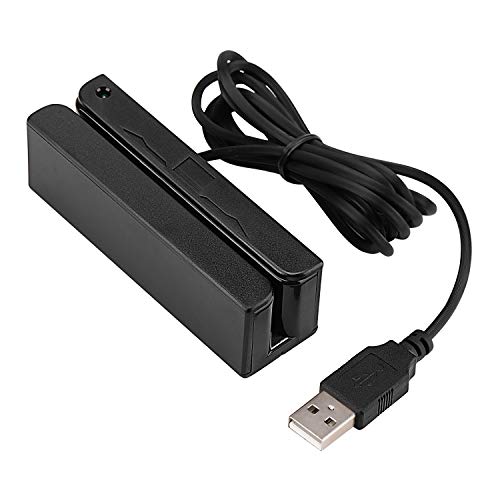
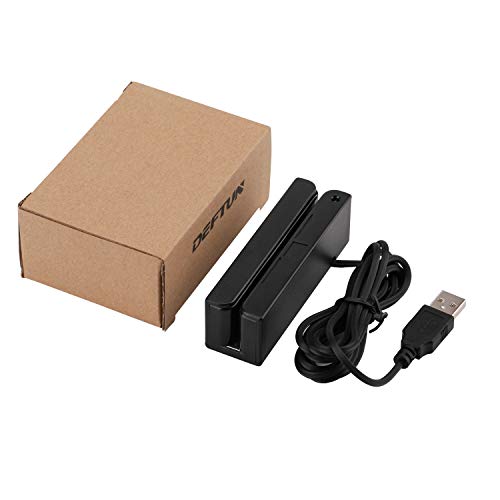
MSR90 USB Swipe Magnetic Credit Card Reader 3 Tracks Mini Smart Card Reader MSR605 MSR606 Deftun



Key features
- •MSR90 is a USB emulation keyboard interface that not need any driver or software,USB simply plug and play
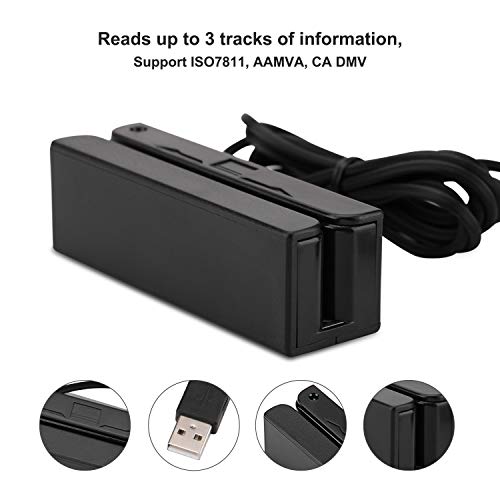
- •Reads up to 3 tracks of information,can reads ISO7811, AAMVA, CA DMV and most other card data formats
- •Threaded inserts for mounting. LED indicator, green light is on when connecting,green light blinks when cards swiped
- •Bi-directional swipe reading, superior reading of high jitter, scratched, and worn magstripe cards, reliable for over 1,000,000 card swipes
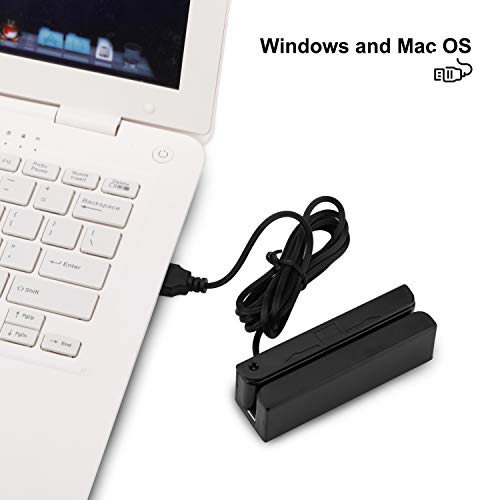
- •Configuration software makes configuration changes easy,works with: Windows OS and Mac OS, or many other USB capable operating systems
MSR90 USB Swipe Magnetic Credit Card Reader 3 Tracks Mini Smart Card Reader MSR605 MSR606 Deftun
List Price: $34.90$31.41DEALYou Save: $3.49 (10%)
Free shippingFree Returns – 30 daysFree Order CancellationSecure Payment2–3 Days DeliveryGet It October 25, 2026In Stock (1)No marketing spamNo account requiredFulfilment by FedEx / Amazon / UPS / ShipwirePayPal / Card Buyer Protection
Customer Reviews
Reviews sourced from verified Amazon purchasers4.0
out of 5
Based on 10 reviews
5★
90%
4★
10%
3★
0%
2★
0%
1★
0%
Five Stars
Gabriel•May 31, 2017
I have used many of these for swiping ID cards. Inexpensive and works perfectly. They are programmable as well.
We tried these on 3 different occasions and have never ...
Gun Sam Kim•April 28, 2017
We tried these on 3 different occasions and have never failed. It's very inexpensive but reliable and capable. Just be sure to swipe the correct side of the card as the magnetic reader is only on one side.
great value
Quinn Mckenna•April 19, 2017
Item works as promised, and in fact turns out to be very highly recommended as I researched how to use it. Many different instructions reference it as being a great value and reliable. My limited testing shows the same.
Good swiper, but for private people using for site-checkout, get cheaper one
Joe2•January 7, 2017
THE SWIPER ITSELF WORKS PERFECT; THE QUESTION IS WHAT IT IS BEING USED FOR.
In the Q&A's, people were asking if can be used to checkout on sites. I tried it, and it does so somewhat, but it is not so simple. On some sight; (like bhphoto.com), when you click in the CC# box and swipe, it puts the number in there neatly. However, in other sites, (such as amazon and others), it throws in all the info that there is on the card - which is your name and a lot more numbers than just the account #. Also, it doesn't work anywhere for the date and code. On UPS.com it put in the account number with just a couple of symbols (likewise on paypal). Sometimes it's helpful to be able to swipe when you are entering a number; especially for those sites that if you leave out some info on the page, it refreshes and you have to enter the CC# again after entering that info, (I guess because they're afraid you'll get up from the computer or becasue perhaps they're not allowed to save the number until the final transaction). So it could be helpful to be able to swipe; especially when you have to redo it a few times until you get everything right. (Of course you can just copy the number and paste it back - and for CCs you use regularly, you usually save in browser's mem). In any case, since this reader is not as magical as it might seem (for private people), it seems there's no point to get this '3-track' one when there are 1-track ones that will certainly get the account # - and cost 1/3 the price.
In the Q&A's, people were asking if can be used to checkout on sites. I tried it, and it does so somewhat, but it is not so simple. On some sight; (like bhphoto.com), when you click in the CC# box and swipe, it puts the number in there neatly. However, in other sites, (such as amazon and others), it throws in all the info that there is on the card - which is your name and a lot more numbers than just the account #. Also, it doesn't work anywhere for the date and code. On UPS.com it put in the account number with just a couple of symbols (likewise on paypal). Sometimes it's helpful to be able to swipe when you are entering a number; especially for those sites that if you leave out some info on the page, it refreshes and you have to enter the CC# again after entering that info, (I guess because they're afraid you'll get up from the computer or becasue perhaps they're not allowed to save the number until the final transaction). So it could be helpful to be able to swipe; especially when you have to redo it a few times until you get everything right. (Of course you can just copy the number and paste it back - and for CCs you use regularly, you usually save in browser's mem). In any case, since this reader is not as magical as it might seem (for private people), it seems there's no point to get this '3-track' one when there are 1-track ones that will certainly get the account # - and cost 1/3 the price.
Excellent Value
Melissa Schneider•January 4, 2017
Works perfectly as designed for credit cards. Card must be swiped with stripe on opposite side of the green light (different from the reader I was using). As some may not know you need to place the cursor in the credit card field on your computer in order for the reader to be able to work. This may be why some reviewers complain that their readers don't work.
Page 1 of 2


