GREENSKY Compatible Drum Unit Replacement for Brother DR420 DR450 Work with Brother HL-2270DW MFC-7360 MFC-7360N MFC-7860DW Printer 1 Pack
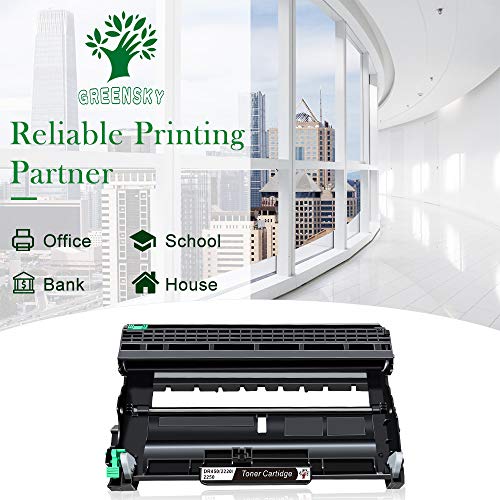

Key features
- •Package Contents: 1 Pack Compatible Dr420 Dr450 Drum Unit
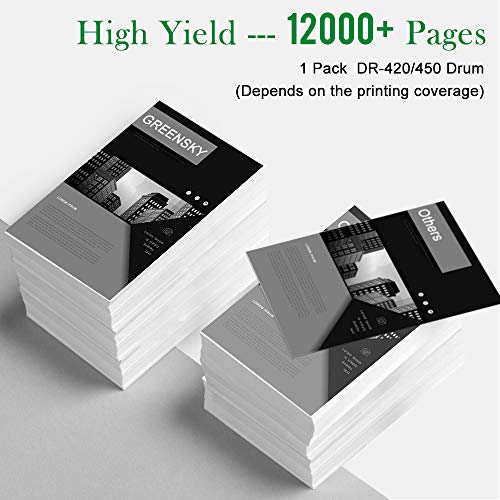
- •Page Yield: based on 5 percent coverage with 12,000 pages
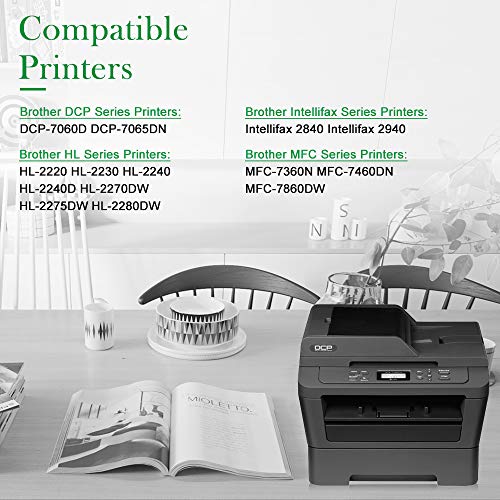
- •Compatible With Brother HL-2130, HL-2230, HL-2240, HL-2242D, HL-2250, HL-2270DW, HL-2280DW, MFC-7240, MFC-7360, MFC-7360N, MFC-7460DN, MFC-7470D, MFC-7860DW, DCP-7055, DCP-7060D, DCP-7065DN, DCP-7070DW, Intellifax 2840, Intellifax 2940 Printers
- •Printing Quality: Create clear and crisp text, meet your high-quality printing needs
- •Quality Control: All of our products have passed the industry test. No harm to your printer
GREENSKY Compatible Drum Unit Replacement for Brother DR420 DR450 Work with Brother HL-2270DW MFC-7360 MFC-7360N MFC-7860DW Printer 1 Pack
List Price: $44.65$40.19DEALYou Save: $4.46 (10%)
Free shippingFree Returns – 30 daysFree Order CancellationSecure Payment2–3 Days DeliveryGet It October 26, 2026In Stock (2)No marketing spamNo account requiredFulfilment by FedEx / Amazon / UPS / ShipwirePayPal / Card Buyer Protection
Customer Reviews
Reviews sourced from verified Amazon purchasers4.4
out of 5
Based on 10 reviews
5★
90%
4★
10%
3★
0%
2★
0%
1★
0%
Good value for a drum replacement.
Chouch✓ Verified Purchase•July 22, 2023
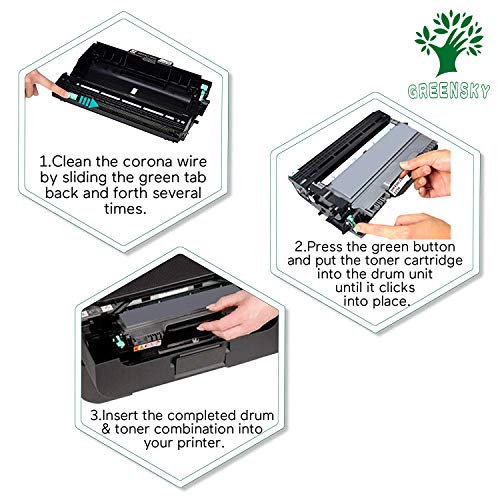
I have a Brother HL-2270DW for several years and the drum light came on for the first time, showing almost 0%. I bought this as a much cheaper alternative to the genuine Brother brand (About 1/3 the price) and based on the several good reviews. I am not disappointed. The included instruction sheet is sort of worthless. Installation is straight forward. The only issue was the drum light never went away, but the fix is easy to reset. It is from the Brother website:
1. Open the front cover (with printer turned on).
2. Take out the drum unit and toner cartridge assembly and reinstall it into the machine. DO NOT close the front cover.
3. Press and hold down the GO button for about 4 seconds until all of the LEDs light up. Once all four LEDs are lit, release the GO button.
4. Close the front cover.
5. Confirm the drum LED is now off.
To confirm the status, press the GO button 3 times: It prints the printer status (3 pages) and the last page shows the toner and drum (Drum will be at 100%).
Hopefully this drum will last (States about 12,000 pages).
Recommend. Thank you.
1. Open the front cover (with printer turned on).
2. Take out the drum unit and toner cartridge assembly and reinstall it into the machine. DO NOT close the front cover.
3. Press and hold down the GO button for about 4 seconds until all of the LEDs light up. Once all four LEDs are lit, release the GO button.
4. Close the front cover.
5. Confirm the drum LED is now off.
To confirm the status, press the GO button 3 times: It prints the printer status (3 pages) and the last page shows the toner and drum (Drum will be at 100%).
Hopefully this drum will last (States about 12,000 pages).
Recommend. Thank you.
Works and no chip problems.
IanH✓ Verified Purchase•July 20, 2023
First one I installed was black. Did not print well at all.
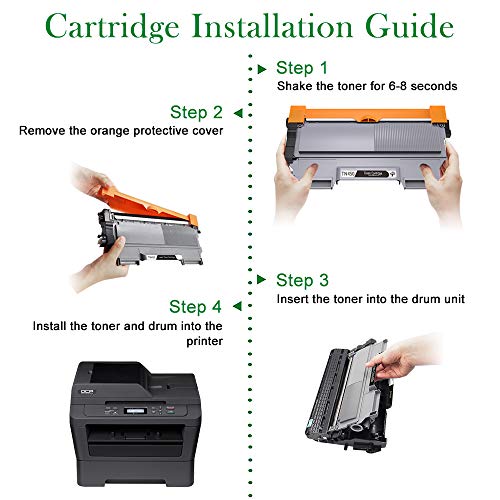
Took out and shook some more no change.
About third try really went to town and now prints great. Nice and black.
Compatible with Samsung laser printer (now HP) with no chip interface problems.
Took out and shook some more no change.
About third try really went to town and now prints great. Nice and black.
Compatible with Samsung laser printer (now HP) with no chip interface problems.
Excellent Product
Anne Simmons✓ Verified Purchase•July 4, 2023
I use a lot of toner with my business, I am always looking for quality toner and a way to save money because I am a small business, this toner meets all of the thing important to me. I have ordered this product several times and have never had any problems, I have also experienced good communication with the seller for questions I had regarding this product I would defiantly recommend.
Works Great!
J. Morton✓ Verified Purchase•June 17, 2023
Works perfectly and way cheaper than the name brand.
Seems to work as well as original Brother Drum
bmoag✓ Verified Purchase•June 4, 2023
This unit replaces the drum in an old Brother printer (they still sell what looks like the same printer by a different model number). It installs identically to the original and improves print quality if your drum has reached end of life. Sadly, not this device's fault, the arcane procedure for resetting the drum warning on the printer is more hit than miss. That does not affect printing, you just see the flashing light when you print--I bought this printer at half price probably ten years ago so that it still works at all is amazing.
Page 1 of 2