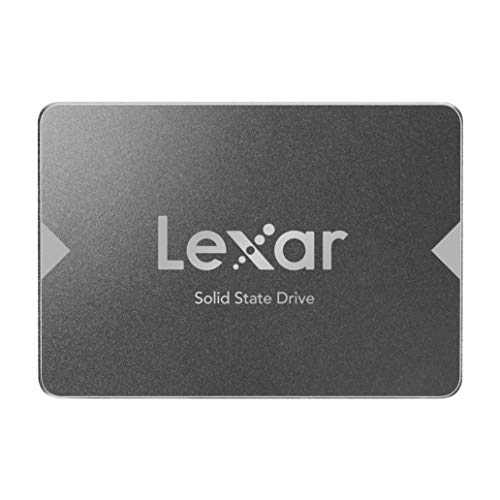
SANDISK SSD PLUS 240GB Internal SSD - SATA III 6 Gb/s, 2.5"/7mm, Up to 530 MB/s - SDSSDA-240G-G26


Key features
- •Easy upgrade for faster boot-up, shutdown, application load and response (As compared to 5400 RPM SATA 2.5" hard drive. Based on published specifications and internal benchmarking tests using PCMark Vantage scores.)
- •Boosts burst write performance, making it ideal for typical PC workloads
- •The perfect balance of performance and reliability
- •Read/write speeds of up to 530MB/s/440MB/s (Based on internal testing; performance may vary depending upon drive capacity, host device, OS and application.)
- •Shock-resistant for proven durability —even if you drop your computer (Shock resistant (up to 1500G) and vibration resistant (5gRMS, 10-2000 HZ/4.9 gRMS, 7-800 HZ), Temperature (from 0 degrees Celcius to 70 degrees Celcius))
- •Order with your Alexa enabled device. Just ask "Alexa, order SanDisk Internal SSD."
SANDISK SSD PLUS 240GB Internal SSD - SATA III 6 Gb/s, 2.5"/7mm, Up to 530 MB/s - SDSSDA-240G-G26
List Price: $143.74$129.37DEALYou Save: $14.37 (10%)
Free shippingFree Returns – 30 daysFree Order CancellationSecure Payment2–3 Days DeliveryGet It October 26, 2026In Stock (1)No marketing spamNo account requiredFulfilment by FedEx / Amazon / UPS / ShipwirePayPal / Card Buyer Protection
Customer Reviews
Reviews sourced from verified Amazon purchasers4.5
out of 5
Based on 10 reviews
5★
70%
4★
0%
3★
0%
2★
0%
1★
30%
Blazing fast, TYJ!
Big Mama✓ Verified Purchase•February 23, 2018
I have an older laptop, first Gen i7. I used it to run SolidWorks, office suite, internet about 5 years ago till about 2 years ago. I had windows 7 and it was doing ok but upgraded to windows 10, not by choice. I was not using it daily at the time but wow, it took 2 days to start up once after an update. I retired it but never replaced it, just used my work desktop to do what I needed to and occasionally used my wife's laptop, which is a chore because she wants me to ask for permission and is anal about settings or programs! (whatever) Before my engineering days, I was in IT, got my A+ certification (NT) and went to work while trying to go to school. Long story short - I purchased this SolidState Hard Drive to put in my old retired laptop and couldn't be happier! I ditched the windows route and put Linux mint on here. this SOB blazes facebook like a boss! takes 16 seconds to boot up. I wish I could use the software to monitor the health of my drive but SanDisk offers NO support for Linux and there isn't a Wine out for Mint edition yet. This is my first Linux install in ten years or more, so I don't know If I am going to keep it or not. Its so minimal and fast, the hard drive has no reason to kill itself! In the even this pc or the HDD or SSD (lol caught my self) dies after my one year SanDisk warranty expires, I will probably put 3 or so bullets in it! I don't game but I might purchase AutoCad to install on here. So its not in vain...
SanDisk is a good SSD brand and this is my second SSD for upgrading an older boot disk
Vance Jochim✓ Verified Purchase•January 13, 2018
I already have one of these that was used as a Windows 7 boot disk in an older HP tower desktop system where the motherboard died.
I bought this to replace the 460gb mechanical hard drive in a used Windows 10 HP i7 3rd generation laptop to provide faster booting like the other desktop. The increased boot speed using these SSD's is astounding compared to the old mechanical drives.
I am right in the install process, so I will return and update this when done.
Newer systems like my new Intel i7-8700K build have ability to use even faster NVME m.2 SSD drives, but this type of SSD works well for most older systems that don't have M.2 capability, and they are CHEAPER! I plan to use my older one as a video editing scratch disk in the 8700K system because it still works great.
SanDisk is a good name in memory and SSD's, so you can't go wrong for the price.
The biggest issue with installing these in an older desktop computer is that it may not have mounting brackets or holes and screws to fit in the older style 5.25" drive bays, or even the 3.5" bays. Another issue is older PC's may have four pin power cables, when this SSD uses a more modern connector, thus you need an adapter. So plan accordingly and either research the cable and mounting issues early, or allow time to deal with them when you install the drive. Another issue is the drive does not come formatted, or with a CD with user guide, drivers or info on formatting, so you have to find and download the manual, and know how to format the drive (called initialization). As soon as you get the drive running, I suggest you find a way to make a backup, and ALSO a clone using Acronix software. If this drive replaces an existing one, you will need to first clone your existing drive to this one AFTER formatting this new drive. That will require a cable or external device to run the drive while cloning it, then you remove the old drive and insert this one as the boot drive (I assume).
I will post an update once the drive is running. My old laptop seems to have a slot for a second drive, so I can move the original mechanical boot drive to that slot (using a cable and kit I had to find and order) and use it for data only. Then setup an automated backup system using Acronix (the one I standardized on).
I bought this to replace the 460gb mechanical hard drive in a used Windows 10 HP i7 3rd generation laptop to provide faster booting like the other desktop. The increased boot speed using these SSD's is astounding compared to the old mechanical drives.
I am right in the install process, so I will return and update this when done.
Newer systems like my new Intel i7-8700K build have ability to use even faster NVME m.2 SSD drives, but this type of SSD works well for most older systems that don't have M.2 capability, and they are CHEAPER! I plan to use my older one as a video editing scratch disk in the 8700K system because it still works great.
SanDisk is a good name in memory and SSD's, so you can't go wrong for the price.
The biggest issue with installing these in an older desktop computer is that it may not have mounting brackets or holes and screws to fit in the older style 5.25" drive bays, or even the 3.5" bays. Another issue is older PC's may have four pin power cables, when this SSD uses a more modern connector, thus you need an adapter. So plan accordingly and either research the cable and mounting issues early, or allow time to deal with them when you install the drive. Another issue is the drive does not come formatted, or with a CD with user guide, drivers or info on formatting, so you have to find and download the manual, and know how to format the drive (called initialization). As soon as you get the drive running, I suggest you find a way to make a backup, and ALSO a clone using Acronix software. If this drive replaces an existing one, you will need to first clone your existing drive to this one AFTER formatting this new drive. That will require a cable or external device to run the drive while cloning it, then you remove the old drive and insert this one as the boot drive (I assume).
I will post an update once the drive is running. My old laptop seems to have a slot for a second drive, so I can move the original mechanical boot drive to that slot (using a cable and kit I had to find and order) and use it for data only. Then setup an automated backup system using Acronix (the one I standardized on).
Solid and reliable performance
Joshua Marius, LeThe✓ Verified Purchase•September 23, 2017
I have purchased dozens of these drives in several sizes (120 GB, 240 GB, etc) - These are solid performers and I have never had one fail on any of the applications I have used them fore which includes Linux Desktops, Windows Desktops, Phone Systems and a lot others.
When transitioning from regular hard drives, the performance is very noticeable. Operating Systems go from half a minute to just booting up in seconds. Power consumption goes down, and the drives has no moving parts which means no sound.
These drives also fit in many newer cases that have a spot for 2.5", all laptops have accommodated them well with no additional accessories, and in certain cases I have purchased the Caddies/cages to install in 3.5" spaces.
When transitioning from regular hard drives, the performance is very noticeable. Operating Systems go from half a minute to just booting up in seconds. Power consumption goes down, and the drives has no moving parts which means no sound.
These drives also fit in many newer cases that have a spot for 2.5", all laptops have accommodated them well with no additional accessories, and in certain cases I have purchased the Caddies/cages to install in 3.5" spaces.
Very disappointed in Sandisk
Brain✓ Verified Purchase•July 16, 2017
I purchased this drive around the middle of May, as of this writing, I've had it for about two months. When I first purchased it, I was getting read/write speeds of around 500 MB/s. Now, the read speed is still high, but when writing I'm lucky to get 50MB/s. I've hardly used it in those two months, especially compared to other SSD's that I'm constantly recording video on. I'm worried this is indicative of an impending failure, so I'm backing up and going back to a slower HDD. Very disappointed in Sandisk.
Avoid. Lasted only 11 Months like other reviewers mentioned.
Chong✓ Verified Purchase•July 10, 2017
Disappointed it only lasted around 11 months. Purchased this around Aug 2016, and recently been experiencing slow performance and freezing on my Windows 10 Computer. Windows take about 30 mins or longer to boot up, restart or shutdown. The Sandisk SSD Dashboard show drive was healthy and normal. Also prior to these issues, I sometimes i get an error during startup "bootmgr is missing press ctrl alt delete to retart"... I look in the BIOS and the SSD was missing. I'd to re-seat the data and power cable several times in order for it to show up.
I'd try a system restore/recovery and used different Sata Ports and Cable with no result. Decided to do a clean install of Windows 10 with an USB key. Installation froze during copying of files. I've the latest BIOS and everything was set at default, no issue with the ram since my motherboard has EZ Debug LED... i removed the ram and try different slot on the motherboard anyway but the installation still doesn't work.
I'd to contact a friend for a regular spare mechanical hdd, inserted the same Win 10 USB key and installation only took only about 15mins.
My computer was up and running.
Right now I'm not sure if i should purchase a different brand of SSD or just stick to regular hdd.
I'd try a system restore/recovery and used different Sata Ports and Cable with no result. Decided to do a clean install of Windows 10 with an USB key. Installation froze during copying of files. I've the latest BIOS and everything was set at default, no issue with the ram since my motherboard has EZ Debug LED... i removed the ram and try different slot on the motherboard anyway but the installation still doesn't work.
I'd to contact a friend for a regular spare mechanical hdd, inserted the same Win 10 USB key and installation only took only about 15mins.
My computer was up and running.
Right now I'm not sure if i should purchase a different brand of SSD or just stick to regular hdd.
Page 1 of 2