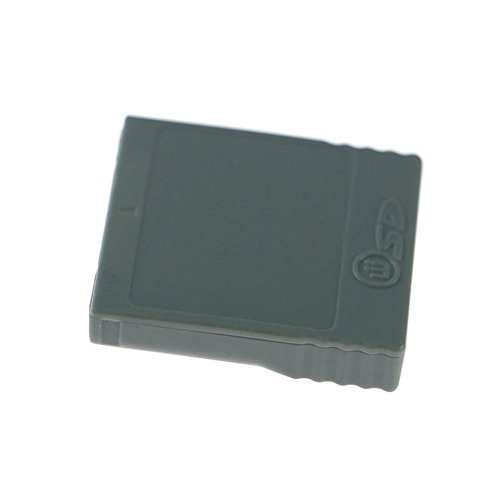
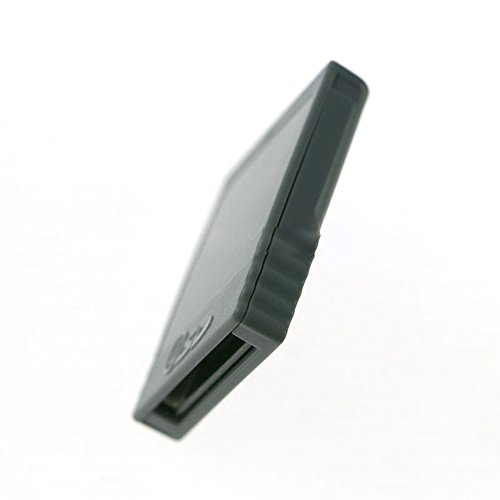
Ambertown SD Memory Card Stick Card Reader Converter Adapter for Wii NGC Gamecube Console


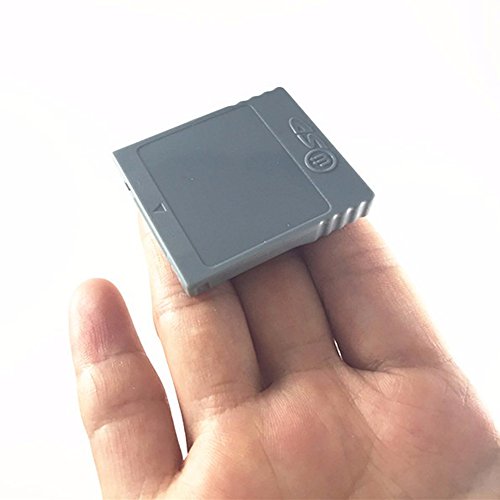
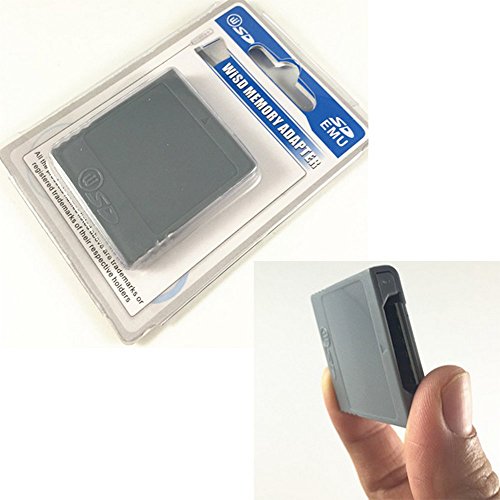

Key features
- •100% Brand new and quality assurance.
- •Help to store your game saves in secure digital memory card for Nintendo.
- •Light weight and practical design.
- •Easy to insert card into the adapter and plug it into the game console.
- •Package Includes: 1 X Card Adapter.
Ambertown SD Memory Card Stick Card Reader Converter Adapter for Wii NGC Gamecube Console
List Price: $18.92$17.03DEALYou Save: $1.89 (10%)
Free shippingFree Returns – 30 daysFree Order CancellationSecure Payment2–3 Days DeliveryGet It October 25, 2026In Stock (2)No marketing spamNo account requiredFulfilment by FedEx / Amazon / UPS / ShipwirePayPal / Card Buyer Protection
Customer Reviews
Reviews sourced from verified Amazon purchasers4.6
out of 5
Based on 10 reviews
5★
100%
4★
0%
3★
0%
2★
0%
1★
0%
Know what you're buying!
Joseph McKenzie✓ Verified Purchase•August 29, 2023
This memory card adapter DOES NOT use an SD card as a normal GameCube memory card. You CANNOT save your games onto an SD card. Games and the memory card manager will just tell you that the object in the memory card slot cannot be used. You still need a normal memory card to save games to (or use a virtual memory card by playing your GameCube game on Wii or Wii U using Nintendont).
What it is good for is running homebrew on your Gamecube. To do this, you will also need a GameCube Action Replay disc and a 2 GB SD card (not larger!). Download some homebrew in .dol format and put it on your SD card. Put the SD card in this WiiKey adapter and plug that into your GameCube. Boot up the Action Replay and instead of the regular cheats menu, you'll get a list of files on the SD card. Select your homebrew and hit A. It'll go to a black screen for some seconds and then appear.
I can recommend the "GCMM" homebrew app. It can backup game saves from a regular memory card to your SD card, and later restore them to any memory card. You can use it to copy even "protected" saves that disallow copying. (The copy of the save on the SD card cannot be used directly in games. You have to put it back on a regular memory card to use it.)
What it is good for is running homebrew on your Gamecube. To do this, you will also need a GameCube Action Replay disc and a 2 GB SD card (not larger!). Download some homebrew in .dol format and put it on your SD card. Put the SD card in this WiiKey adapter and plug that into your GameCube. Boot up the Action Replay and instead of the regular cheats menu, you'll get a list of files on the SD card. Select your homebrew and hit A. It'll go to a black screen for some seconds and then appear.
I can recommend the "GCMM" homebrew app. It can backup game saves from a regular memory card to your SD card, and later restore them to any memory card. You can use it to copy even "protected" saves that disallow copying. (The copy of the save on the SD card cannot be used directly in games. You have to put it back on a regular memory card to use it.)
Works as intended
KC✓ Verified Purchase•August 18, 2023
It works and looks good. It looks like a normal GameCube memory card which is a huge plus.
Does what it needs to
Amazon Customer✓ Verified Purchase•August 16, 2023
For the people in here that tried to use this as a memory card with SD storage I have no idea how you get through your day to day lives. This is only usable if you have a modded gamecube or wii and you know what you are doing, and it does this task very well.
Does exactly what it was made for!
Amazon Customer✓ Verified Purchase•July 31, 2023
It serves its purpose perfectly (for GameCube/Wii homebrew), so only buy this if you know what you're doing. This is not a memory card for regular use.
Worked well
Gilbert ✓ Verified Purchase•July 8, 2023
I cannot complain. This product worked exactly as expected.
Page 1 of 2


![Mr.Shield [3-Pack] Screen Protector For NEW ANBERNIC WIN600 Premium Clear Screen Protector (PET Material)](https://m.media-amazon.com/images/I/41fJvp9pAYL._SL500_.jpg)