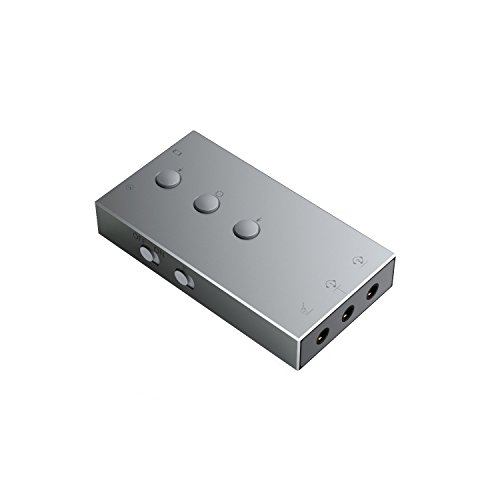
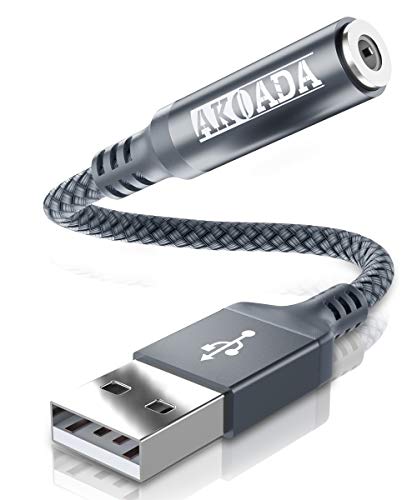
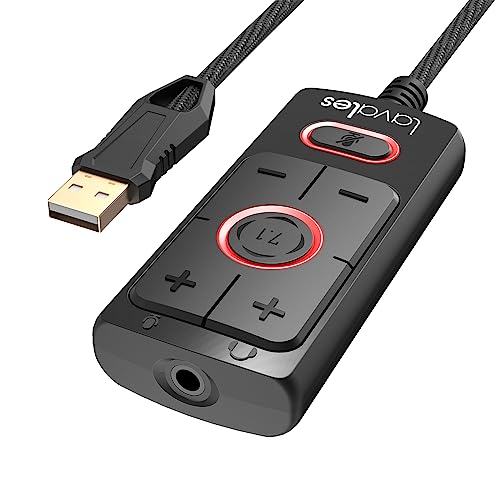
SABRENT USB Type C External Stereo Sound Adapter for Windows and Mac. Plug and Play No Drivers Needed. (AU-MMSC)


Key features
- •Connectors: USB Type-C, Stereo output jack, Mono microphone-input jack.
- •Driverless for Windows XP/Server 2003/Vista/7/8/8.1/10/Linux/Mac OSX.
- •USB Type-C bus-powered, no external power required.
SABRENT USB Type C External Stereo Sound Adapter for Windows and Mac. Plug and Play No Drivers Needed. (AU-MMSC)
List Price: $17.44$15.70DEALYou Save: $1.74 (10%)
Free shippingFree Returns – 30 daysFree Order CancellationSecure Payment2–3 Days DeliveryGet It October 24, 2026In Stock (3)No marketing spamNo account requiredFulfilment by FedEx / Amazon / UPS / ShipwirePayPal / Card Buyer Protection
Customer Reviews
Reviews sourced from verified Amazon purchasers4.3
out of 5
Based on 10 reviews
5★
90%
4★
10%
3★
0%
2★
0%
1★
0%
Works well
Amazon Buyer✓ Verified Purchase•January 10, 2024
It works very well! My motherboard has a crackling sound whenever I use my speakers. When I contacted the company who made it they wouldn't do anything for me so I just bought this. It fixed my issue and if anything this sounds better than the built-in one. Morale of the story, don't buy from Gigabyte. I'll leave an update if this starts to fall apart, stop working, or something else.
Does what it claims. Greatly reduced pre-existing noise from on-board sound with some fine-tuning
James Collier✓ Verified Purchase•December 4, 2023
I bought this after a junk Cudy Bluetooth/WiFi card (also reviewed - would not buy THAT again) caused serious noise and feedback issues between wifi and audio on my gaming PC. Troubleshooting had revealed that the RealTek driver required for certain functions was also exacerbating the issue, for those with the same problem. This item installed in seconds with no drivers required, though I recommend a USB extension cable to prevent the pull of gravity from excessively heavy audio cables damaging your USB ports or motherboard.
NOTE: My audio runs through the GPU HDMI out to a TV, then from a TV back to the sound card. Output is split to a home theater system and a Bluetooth transmitter box (also reviewed here, couldn't be happier with it) for my headset. I had huge issues with a buzzing noise that came and went with varying intensity that is now gone on my headset, and all but gone on the home theater system.
One difference here is that while I used Line In on the onboard sound, this has only a Mic input, which requires a bit of finesse to properly set levels without distortion. And the Mic input does indeed work, I am not sure what others are complaining about. I have noticed that with my usage, I don't need the gain up as much for what I am doing with it. AND I am running Win10, so it's clearly not a Win10 issue.
Right out of the box, I was fairly impressed. The noise was all but gone, and after adjusting the more obvious sound levels and enabling some enhancements, it wasn't even noticeable anymore for the most part. Then I discovered that I could separately adjust sound levels and enhancements for the HDMI out the same way, and voila -- the noise is all but gone, and almost seems to have better sound than the factory onboard audio embedded in my Bazooka B450M Gaming motherboard. The fine-tuning, by the way, can be accessed by right-clicking the taskbar sound icon, clicking Open Volume Mixer, then select your HDMI monitor speakers or Speakers (this item will show up simply as "Speakers (USB Audio Device)"). You can then double-click its icon in the Volume Mixer, which will open another dialog box with tabs for Enhancements, Levels, etc.
What I found to work best is as follows:
For monitor pass-through back to this item, I set monitor volume to 100% and enabled Loudness equalization ONLY. I then switched to the USB audio mixer settings, setting mic input gain to 30% and enabling Bass Boost and Virtual Surround ONLY.
After the above adjustments and fine-tuning, the aforementioned noise is still VERY faintly there in games, but it is now unnoticeable in other functions. I want to be clear that the noise is NOT a fault of this product, it is an annoying pre-existing issue that I bought this to solve, and it has helped greatly in minimizing it. It's not perfect, but has made huge improvements in noise reduction, which is, of course, the whole reason I bought it -- and there has been no noticeable sacrifice in sound quality.
Side note here -- I believe an old friend used this exact item to run karaoke shows from his laptop, which speaks volumes for the quality. I couldn't tell the difference between the CD+Gs when he ran entirely from disc and the MP3+G files he played through this item.
It's been less than six hours since install, but I am blown away by how good this thing sounds, considering it is truly plug and play and fits in the palm of your hand. You really can't beat this thing for the price, and if you're experiencing noise and feedback from your wifi with onboard audio - this will indeed solve the problem with a few adjustments. Order with confidence - this thing does what it claims to do and more.
NOTE: My audio runs through the GPU HDMI out to a TV, then from a TV back to the sound card. Output is split to a home theater system and a Bluetooth transmitter box (also reviewed here, couldn't be happier with it) for my headset. I had huge issues with a buzzing noise that came and went with varying intensity that is now gone on my headset, and all but gone on the home theater system.
One difference here is that while I used Line In on the onboard sound, this has only a Mic input, which requires a bit of finesse to properly set levels without distortion. And the Mic input does indeed work, I am not sure what others are complaining about. I have noticed that with my usage, I don't need the gain up as much for what I am doing with it. AND I am running Win10, so it's clearly not a Win10 issue.
Right out of the box, I was fairly impressed. The noise was all but gone, and after adjusting the more obvious sound levels and enabling some enhancements, it wasn't even noticeable anymore for the most part. Then I discovered that I could separately adjust sound levels and enhancements for the HDMI out the same way, and voila -- the noise is all but gone, and almost seems to have better sound than the factory onboard audio embedded in my Bazooka B450M Gaming motherboard. The fine-tuning, by the way, can be accessed by right-clicking the taskbar sound icon, clicking Open Volume Mixer, then select your HDMI monitor speakers or Speakers (this item will show up simply as "Speakers (USB Audio Device)"). You can then double-click its icon in the Volume Mixer, which will open another dialog box with tabs for Enhancements, Levels, etc.
What I found to work best is as follows:
For monitor pass-through back to this item, I set monitor volume to 100% and enabled Loudness equalization ONLY. I then switched to the USB audio mixer settings, setting mic input gain to 30% and enabling Bass Boost and Virtual Surround ONLY.
After the above adjustments and fine-tuning, the aforementioned noise is still VERY faintly there in games, but it is now unnoticeable in other functions. I want to be clear that the noise is NOT a fault of this product, it is an annoying pre-existing issue that I bought this to solve, and it has helped greatly in minimizing it. It's not perfect, but has made huge improvements in noise reduction, which is, of course, the whole reason I bought it -- and there has been no noticeable sacrifice in sound quality.
Side note here -- I believe an old friend used this exact item to run karaoke shows from his laptop, which speaks volumes for the quality. I couldn't tell the difference between the CD+Gs when he ran entirely from disc and the MP3+G files he played through this item.
It's been less than six hours since install, but I am blown away by how good this thing sounds, considering it is truly plug and play and fits in the palm of your hand. You really can't beat this thing for the price, and if you're experiencing noise and feedback from your wifi with onboard audio - this will indeed solve the problem with a few adjustments. Order with confidence - this thing does what it claims to do and more.
Simple, Affordable, Easy
N. Ebig✓ Verified Purchase•December 4, 2023
This is a great product and does exactly what you need. It's simple and straightforward, works flawlessly, and is among the more affordable options available on Amazon. 10/10
No setup required, works well on Linux
Kevin G.✓ Verified Purchase•November 17, 2023
use this with my IEMs that have a mic on the cable, sound quality is great, mic quality is great, plug and play on both arch linux and steamos, and I suspect most other distros. would recommend.
Solved a problem on FT8
Robert Kunzman✓ Verified Purchase•November 16, 2023
I use this for FT8. By using this it creates a secondary set of audio ports that are easily identifiable in my FT8 program.
Page 1 of 2
![SABRENT Aluminum USB External Stereo Sound Adapter for Windows and Mac. Plug and Play No Drivers Needed. [Silver] (AU-EMAC)](https://m.media-amazon.com/images/I/31AMeldfP7L._SL500_.jpg)