VFAN USB GPS Receiver Antenna Gmouse for Laptop PC Car Marine Navigation Magnetic Base


Key features
- •U-BLOX 7 Chipset inside, USB Port, Magnetic base, High sensitivity and Strong Singal
- •Compatible: Win 10/ Win 8/ Win 7/Vista/XP/98/CE. Free GNSS Evaluation Software. 56-Channel All-IN-VIEW Tracking
- •Protocol: NMEA 0183/ Japan QZSS/ India Gagan/ WAAS/ EGNOS/ MSAS Support. High Tracking Sensitivity
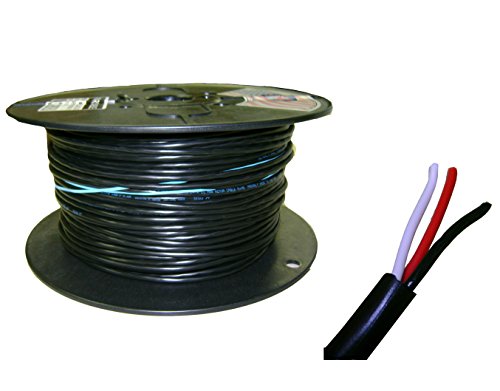
- •Cable Length 6.5 Ft / 2M , IPX4 Water Resistance / Dust-tight.
- •Support OpenCPN, Google Earth Pro and maps. 1 Year Warranty
VFAN USB GPS Receiver Antenna Gmouse for Laptop PC Car Marine Navigation Magnetic Base
List Price: $38.78$34.90DEALYou Save: $3.88 (10%)
Free shippingFree Returns – 30 daysFree Order CancellationSecure Payment2–3 Days DeliveryGet It October 25, 2026In Stock (50)No marketing spamNo account requiredFulfilment by FedEx / Amazon / UPS / ShipwirePayPal / Card Buyer Protection
Customer Reviews
Reviews sourced from verified Amazon purchasers4.3
out of 5
Based on 10 reviews
5★
70%
4★
30%
3★
0%
2★
0%
1★
0%
Impressive!
CDawg✓ Verified Purchase•February 22, 2024
I'm really impressed with this GPS receiver. It was plug and play on two of my Windows10 computers. I tested it indoors about a foot away from a window. It took about a minute for it to obtain a lock. It's been working great eith GPS2Time and Winlink Express. I like having the cable, as it provides more flexibility positioning the receiver.
Great value
David✓ Verified Purchase•February 2, 2024
I got this for 20 bucks, which is a steal for a pretty decent chipset. At first use, it locked on to 6 sats in less than a minute, while indoors near a window. And it works fine on my Mac using the $7 GPS Dashboard software, thanks to standard NMEA output. Nice to have a long cord to be able to position the GPS away from my big monitors too.
It lasted a year
JohnnyG✓ Verified Purchase•January 1, 2024
Used perhaps 30-40 times, it worked great until it was no longer recognized. I can't completely rule out the PC, but I think this just died. I'm still happy with having purchased it.
How to attach to Win 10/11
Beav✓ Verified Purchase•December 5, 2023
It seems some of us have issue with finding how to use this with Windows. I'll post a page that tells how and is very easy, step-by-step. Should only take 5 - 10 minutes. Now, as to whether google maps will access it I have no idea, I haven't the time yet to see. Should just be able to turn off the wifi in Windows, drive around a bit and see fairly quickly. My only Win laptop has to run XP and I don't want to pull a NUC just yet to find out. However, Windows Maps will employ this device so at worst that can be a fall back option if you lose google maps. Win Maps is free, just type 'Maps' in your Win Search box on the Start Menu page and if it isn't installed it will install. If it is already installed a it will do a quick update and you're set. It has some features I like - 3d cities, speed warning, traffic, etc. The only thing I see is not all of the 3d cities pictures are up to date even though the streets and highways all seem to be very current. My sister's home, on the other side of the country is current but mine is around ten years old. Another feature is being able to display home addresses - no more trying to read mailboxes from the pictures!
Anyway, here's where to find the information: gpswebshop.com/blogs/tech-support-by-platform-windows/how-to-connect-an-external-gps-gnss-receiver-for-windows-10-maps If the link gets erased just go to GPSWEBSSHOP and search "Connect a GPS/GNSS Receiver for Windows Maps". And once you have it installed and working the same site can tell you how to use it with Google Earth for Windows in their 'Tech Support by OS - Windows' page.
Anyway, here's where to find the information: gpswebshop.com/blogs/tech-support-by-platform-windows/how-to-connect-an-external-gps-gnss-receiver-for-windows-10-maps If the link gets erased just go to GPSWEBSSHOP and search "Connect a GPS/GNSS Receiver for Windows Maps". And once you have it installed and working the same site can tell you how to use it with Google Earth for Windows in their 'Tech Support by OS - Windows' page.
It works as advertized
Rick K. Pittsburgh✓ Verified Purchase•November 28, 2023
I use this to synchronize my computer clock when I'm away from infrastructure. I installed the U-Center software and it works.
Page 1 of 2