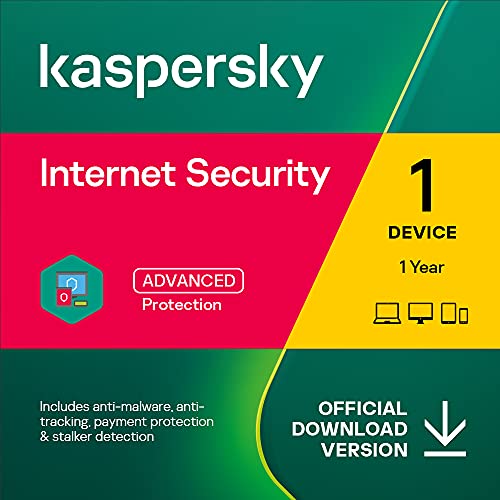
Kaspersky Plus Internet Security 2024 | 3 Devices | 1 Year | Anti-Phishing and Firewall | Unlimited VPN | Password Manager | Online Banking Protection | PC/Mac/Mobile | Online Code


Key features
- •WINS MORE AWARDS THAN ANYONE: Kaspersky Lab placed first in 55 independent tests and reviews, making it the world's most tested and awarded security.
- •GETS RAVE REVIEWS FROM EXPERTS: Choose protection that's praised by experts, including PCMag.com ("Editors' Choice"), Tom's Guide ("Very Good") and Top Ten Reviews ("8 out of 10").
- •LETS YOUR DEVICES MINGLE: Mix-and-match protection on your PC, Mac, Android and iOS devices with a single license.
- •FIGHTS EVERY TYPE OF THREAT: Stop ransomware, viruses, phishing and all types of dangerous online threats.
- •KEEPS YOUR MONEY SAFE: Shop, bank and pay securely online with extra layers of financial protection.
- •Supported OS: Windows 10 Windows 8.1 Windows 8 Windows 7 Mac OS X (All)
- •Processor Format: 32 bit
- •RAM: 2 GB
- •Hard Disk: 1 GB
- •Additional Requirements: IE 9 or higher; .Net Framework 4 or higher
Kaspersky Plus Internet Security 2024 | 3 Devices | 1 Year | Anti-Phishing and Firewall | Unlimited VPN | Password Manager | Online Banking Protection | PC/Mac/Mobile | Online Code
List Price: $62.84$56.56DEALYou Save: $6.28 (10%)
Free shippingFree Returns – 30 daysFree Order CancellationSecure Payment2–3 Days DeliveryGet It October 24, 2026In Stock (1)No marketing spamNo account requiredFulfilment by FedEx / Amazon / UPS / ShipwirePayPal / Card Buyer Protection
Customer Reviews
Reviews sourced from verified Amazon purchasers4.6
out of 5
Based on 10 reviews
5★
80%
4★
20%
3★
0%
2★
0%
1★
0%
Kaspersky internet protector
Victor Peralta✓ Verified Purchase•December 6, 2023
I liked always, I almost ran out protection time,so I had to renew it.
Good Anti-virus
HomeUser✓ Verified Purchase•November 17, 2023
I wish they had the option to select less computers and have more year options. I would love to see 1 or 2 PC's installs with 5 to 7 years options. Overall it is a great product.
FANTASTIC! License for 366 days (3 computers)! - UPDATED Feb 10, 2018
Adam Zebra✓ Verified Purchase•November 15, 2023
FANTASTIC! The activation of the Kaspersky Internet Security has worked flawlessly on my Windows 10 laptop.
After completing the purchase ($29.70) I did receive ONLY the activation code in Your Account > Your Games and Software Library.
Then I went to my.kaspersky.com and successfully added that activation code. Since my KIS 2017 is still valid until 11:59 pm tonight (Feb. 8) therefore the NEW license was listed as 'not in use'. (It would automatically be made ACTIVE, at 12:00 am or 12:01 am, Feb 9 (early in the morning). However, I did not want to wait until midnight. I wanted to be sure that the NEW license gets activated right away.
So, following the instructions in
"Current license (subscription) shows as expired, although it was renewed automatically and payment completed successfully"
FAQ: Protection for Windows (my.kaspersky.com) I made it "in use" right away.
Simply, I opened my Kaspersky Internet Security application, and invoked the 'license' pop-up window and clicked on the 'delete', i.e. x,
next to the (still valid until midnight) Key. Then, another window popped up with two options 'Activate' and 'Delete'. I clicked on the 'Activate' and everything went smoothly. My new license is valid for 366 days (for 3 computers).
I have been a very happy user of the Kaspersky Internet Security software/application for 5 years now.
P.S. I will report on the activation of the Kaspersky Internet Security on my other laptop (Windows 10, as well) within a few days. If everything goes smoothly I should be able to activate KIS on my second device using the SAME activation code.
UPDATE - Feb. 10, 2018
I just successfully activated the KIS on another device (Windows 10 laptop). My old 2017 license is still valid for another 9 days.
Therefore the newly activated license is 'queued' and will take effect after the old license expires, i.e. in 10 days.
After completing the purchase ($29.70) I did receive ONLY the activation code in Your Account > Your Games and Software Library.
Then I went to my.kaspersky.com and successfully added that activation code. Since my KIS 2017 is still valid until 11:59 pm tonight (Feb. 8) therefore the NEW license was listed as 'not in use'. (It would automatically be made ACTIVE, at 12:00 am or 12:01 am, Feb 9 (early in the morning). However, I did not want to wait until midnight. I wanted to be sure that the NEW license gets activated right away.
So, following the instructions in
"Current license (subscription) shows as expired, although it was renewed automatically and payment completed successfully"
FAQ: Protection for Windows (my.kaspersky.com) I made it "in use" right away.
Simply, I opened my Kaspersky Internet Security application, and invoked the 'license' pop-up window and clicked on the 'delete', i.e. x,
next to the (still valid until midnight) Key. Then, another window popped up with two options 'Activate' and 'Delete'. I clicked on the 'Activate' and everything went smoothly. My new license is valid for 366 days (for 3 computers).
I have been a very happy user of the Kaspersky Internet Security software/application for 5 years now.
P.S. I will report on the activation of the Kaspersky Internet Security on my other laptop (Windows 10, as well) within a few days. If everything goes smoothly I should be able to activate KIS on my second device using the SAME activation code.
UPDATE - Feb. 10, 2018
I just successfully activated the KIS on another device (Windows 10 laptop). My old 2017 license is still valid for another 9 days.
Therefore the newly activated license is 'queued' and will take effect after the old license expires, i.e. in 10 days.
it works
Riomhaire1✓ Verified Purchase•October 19, 2023
It works - it actually works - and they support it too
Kaspersky Internet Security
attic✓ Verified Purchase•September 22, 2023
I am Mac user and IT professional. I do not use any Windows products at home since 2004 and for the same reason I stopped using antivirus software. I did try though free antivirus software on my iMac and MacBook Pro such as Sophos and Avast.(my spouse and kids are not computer savvy) The Sophos I uninstalled after two months of use. It did slow down my iMac to the point where you really cannot watch video or listen an Internet radio without interruptions. The Avast antivirus software last much longer before I replaced it with Kaspersky Internet Security 2018 two months ago. The installation went smooth and the KIS works fine on all of my Mac machines. I added the KIS extension to Safari and Chrome without issues. The only hiccup happened with Firefox browser but it was resolved fairly easy. I think I will continue with Kaspersky Internet Security in the future, since the price is reasonable and protective features of the KIS are very solid.
Page 1 of 2
![Max Secure Software Antivirus Plus for PC 2019 | 3 Device | 1 Year [PC Online code]](https://m.media-amazon.com/images/I/519sBo9O-nL._SL500_.jpg)
![Avast Premium Security 2022 | Antivirus Protection Software | 1 PC, 1 Year [Download]](https://m.media-amazon.com/images/I/41uCZKAF0CL._SL500_.jpg)


![AVG Internet Security 2022 | Antivirus Protection Software | 1 PC, 2 Years [Download]](https://m.media-amazon.com/images/I/51wiCrbO5WL._SL500_.jpg)