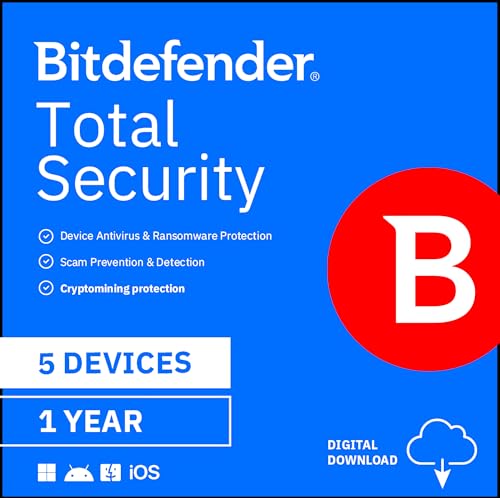
Bitdefender Total Security - 5 Devices | 1 year Subscription | PC/Mac | Activation Code by email



Key features
- •Speed-optimized, cross-platform protection for Windows, Mac OS, iOS and Android
- •NEW: Microphone Monitor - know when apps have access; Anti-tracker - keep browsing data private, view and manage which sites can collect your data
- •IMPROVED: Parental Controls - filter content, limit screen time, and track location; Safe Online Banking - a unique, dedicated browser secures your transactions; Advanced Threat Defense - uses smart behavioral detection to monitor apps in real-time; Wi-Fi Security Advisor - access the security of your Wi-Fi network and router from anywhere
- •Also includes: Real-Time Data Protection, Network Threat Prevention, Multi-Layer Ransomware Protection, Social Network Protection, Webcam Protection, Game/Movie/Work Modes, Anti-Phishing, Anti-Fraud, Anti-Spam, Rescue Mode, Bitdefender VPN (200 MB/day), File Encryption, Password Manager, File Shredder, Vulnerability Assessment, Security Autopilot, and much more
- •Complete protection for Windows, Mac OS, iOS and Android
- •Unbeatable malware detection
- •Better privacy with Webcam Protection - NEW
- •Multi-layer ransomware protection to keep your files safe
- •Optimized speed and cross-platform performance
- •No unauthorized applications can access your webcam
- •Secure online transactions, anti-theft & anti-loss tools
- •Supported OS: Windows 10 10.12 Sierra
- •Processor Format: 32 bit
- •RAM: 1 GB
- •Hard Disk: 1.5 GB free space
- •Additional Requirements: Software requirements Internet Explorer version 10 or higher Integrates with: Google Chrome version 34 and higher Mozilla Firefox version 30 and higher Thunderbird version 14 and higher Outlook 2007, 2010, 2013 Recommended Processor: Intel CORE 2 Duo (2 GHz) or equivalent processor
BrandBitdefender
CategoryAntivirus
Bitdefender Total Security - 5 Devices | 1 year Subscription | PC/Mac | Activation Code by email
List Price: $59.35$53.42DEALYou Save: $5.93 (10%)
Free shippingFree Returns – 30 daysFree Order CancellationSecure Payment2–3 Days DeliveryGet It October 25, 2026In Stock (2)No marketing spamNo account requiredFulfilment by FedEx / Amazon / UPS / ShipwirePayPal / Card Buyer Protection
Customer Reviews
Reviews sourced from verified Amazon purchasers4.3
out of 5
Based on 10 reviews
5★
70%
4★
30%
3★
0%
2★
0%
1★
0%
Works Great!
Oscar✓ Verified Purchase•October 14, 2023
It's all in the title!
BITDEFENDER 2022 - KEEPING BITDEFENDER (DROPPING KASPERSKY)
DAVID STRONG✓ Verified Purchase•October 6, 2023
I'VE DECIDED SWITCH TO BITDEFENDER and DROP KASPERSKY (soon after the Russian Invasion of Ukraine). Kaspersky is also a threat and NOT allowed on government computers in the US, Europe, NATO etc -- All things being equal, it's not worth the risk of having a back door put in place by Russian Kaspersky (FYI the wife who co-ran the company is a big supporter of Putin and the invasion, let alone adding Mr Kaspersky to the list of heads of Russian companies falling off of balconies or being otherwise murdered for not cooperating with Russia).
2021 COMPARISON - MY INITIAL REVIEW (below)
Before this check of current users, I had a basically favorable view of Bitdefender. Unlike half of the Amazon users, I HAD NO PROBLEMS DOWNLOADING, INSTALLING OR TRANSFERRING TO MULTIPLE COMPUTERS. (I'm assuming those people made a mistake that they missed)
BITDEFENDER FEATURES compared to my KASPERSKY, considering most technical reviewers have the two packages in a close tie for First place.
I'm comparing this Bitdefender 2021 TOTAL SECURITY to my (Home User) Kaspersky 2021
This BITDEFENDER TOTAL SECURITY is installed on my both of my computers, my Primary Desktop (self build windows - with several years of additional software installed) and my backup computer which is six months old and relatively clean of software: Lenovo Think Station SFF Half Tower Desktop (with 2 drives).
Both companies have three packages: AntiVirus, Internet or Total (with the most features)
Multiple Device Licenses cover Computer, Tablet, Phone, for both Windows and Apple.
Both Bitdefender and Kaspersky have an online Dashboard at their website that lists your Devices by their Computer Name.
BD (BITDEFENDER) also has a PDF User Guide that you can download. Kaspersky has an online User Guide.
COMPARING THE PACKAGES PRO and CON
* PRO * BITDEFENDER HAS ADDITIONAL FEATURES that Kaspersky does not have (NA for Kaspersky).
* PRO BITDEFENDER ONLY * COMPUTER VULNERABILITY SCAN = (Kaspersky NA)
BD has POTENTIAL VULNERABILITY SCAN AND FIX of your computer will fix any or all issues that you choose.
Fixes include Security Network settings and Operating System Updates. Several suggested security settings were made for my newer computer and I went ahead and had BD make the changes for me. It also downloaded and (approve) installed two critical windows updates.
* PRO BITDEFENDER ONLY * RESCUE ENVIRONMENT = (Kaspersky NA)
BD When we detect sophisticated threats, like rootkits, we reboot the computer in Rescue Mode for clean-up and restoration to keep your system safe.
* PRO BITDEFENDER ONLY * PROFILES to make system adjustments (Work,Movie,Game,Public Wi-Fi,Battery Mode) = (Kaspersky NA)
* PRO * WI-FI SECURITY ADVISOR (Bitdefender is more User Friendly)
* PRO * PUBLIC WI-FI PROFILE for additional security (Kaspersky also)
* PRO * SAFE PAY BROWSER (Kaspersky also)
This protected browser screen can be used for Banking, Credit Card, Financial, Taxes and Medical / Govt ID transactions. Most Antivirus or Firewall software also include their own Internet Browser.
Personally, I NEVER use my PHONE for Bank, Cards or Financial.
I already have a SEPARATE PASSWORD MANAGER and VPN PROVIDER for all of my computers and phone. Check the latest internet reviews of the computer technical websites for the last two years for this alternate software.
* ALTERNATE * BETTER PASSWORD Manager (examples) Bitwarden, Keeper, LastPass, Roboform, Dashlane -- Check the internet reviews for the BEST Password Managers. For me. it's better to buy a better and separate Password Manager, so you're not locked into an AntiVirus Internet package for life just for your old password list. THIS IS WHY I USE A SEPARATE PASSWORD MANAGER that is NOT part of my Antivirus Security package.
PASSWORD MANAGER (Kaspersky also)
Included, free Password Manager is limited to a small number of passwords
SEPARATE PURCHASE (BD and Kaspersky)
If you're sure you're staying with Bitdefender for life, then go ahead and use their Password Manager, especially if you're creating new, complex, strong (generated) passwords. The Import and export Bitdefender Wallet uses only the Bitdefender database format. Later on, you probably will NOT be able to transfer your Bitdefender Passwords to other Password Managers.
* ALTERNATE * BETTER VPN (examples) Nord VPN, Express VPN
VPN LIMITED DAILY MAXIMUM (Kaspersky also)
SEPARATE PURCHASE OF REGULAR UNLIMITED VPN (BD and Kaspersky)
Kaspersky Free Limited Daily VPN MAX OF 300 MB total (100 more than BD)
BD's Free Limited Daily VPN MAX OF 200 MB total runs out too fast.
SEPARATE VPN PROVIDER with unlimited use is better for me, as I save download online pages as PDF as CYA proof of all transactions. Any Daily Limit VPN like this would be used up immediately.
For PUBLIC WI-FI, I turn on my VPN for my phone or computer and VERIFY that the VPN IP address is now being used (like a Chicago or some other close location). Look for VPN website page "What is my IP Address?"
* PRO * RANSOMWARE PROTECTION (Kaspersky also) is a recent addition the last few years.
* PRO * RANSOMWARE PROTECTION (for both BUSINESS NETWORKS and HOME users) SEE TECHRADAR 2019 TEST ARTICLE = Bitdefender Ransomware Protection review
* ALTERNATE * RANSOMWARE (for HOME users) SETUP YOUR OWN BACKUP SYSTEM. For my home Windows computer, I've used STORAGECRAFT SHADOW PROTECT DESKTOP for several years. It will make a disk image of your entire drive that is hardware independent and can be restored to any other hardware computer, as long as the receiving hard drive is large enough. This complete restore includes your operating system, data and all other software installed. You just need an extra internal hard drive that is large enough. Storagecraft is for both home and business users.
* PRO * PARENTAL CONTROL (Kaspersky also)
* PRO * PHONE APP (Kaspersky also)
Bitdefender has some BAD reviews for their PHONE APP at Google Play Store for Android. Until now, I've been using Avast Free Antivirus just for my phone. Since my BD license for Total Security is 5 devices, I'm installing it on my phone.
* CON * REMOTE LOCATE - ONLY WORKS IF THE LAPTOP OR COMPUTER IS WI-FI CONNECTED TO THE INTERNET.
If your computer is hard-wired to the internet or is using a VPN, the IP Address is WORTHLESS in locating your computer.
Your computer's IP address from your internet service provider is a temporary IP each time you logon. Your IP address is supplied from a pool of internet addresses for general public customers. The only permanent, fixed IP addresses are special paid for businesses.
When I tested BD's REMOTE LOCATE for my IP, it showed my hard-wired computer as FIVE MILES AWAY from my location ... and when I turned on my computer's VPN (to use the VPN's IP instead) then BD said my computer was located 400 MILES AWAY in ANOTHER STATE.
** FOR AMAZON PURCHASE = your Activation Email is your email from Amazon
EMAIL = YOUR AMAZON.COM ORDER OF "BITDEFENDER
EMAIL between the ORDER DETAILS and the HOW TO REDEEM THIS ITEM -- Look for the words PRODUCT KEY (with a number after it)
This Product Key number is actually the number that you paste into Bitdefender's Activation (follow the How to Redeem INSTRUCTIONS)
_
** FYI AFTER INSTALL **
RIGHT CLICK on any file(s) or folder(s) shows Bitdefender actions for Scan (or) File Shredder
DASHBOARD (TOP ROW) = AUTO PILOT Suggestions (Click to check further)
_
** CHANGES TO MAKE AFTER INSTALL **
PROTECTION / RANSOMWARE REMEDIATION = TURN ON
VPN = Don't Turn On or Install if you ALREADY HAVE A SEPARATE ONE on your computer = PRIVACY / VPN
PASSWORD MANAGER = Don't Turn On or Install if you ALREADY HAVE A SEPARATE ONE on your computer = PRIVACY / PASSWORD MANAGER
PASSWORD WALLET (for Password Manager) = Don't install as Browser extension --- if you are NOT using BD's Password Manager and are already using another separate Password Manager
OPTIONAL = COMPLAINTS BY USERS for ANTI-TRACKER = Don't install as Browser extension = PRIVACY / ANTI-TRACKER Turn Off
OPTIONAL = SCHEDULE SCANS = PROTECTION / AntiVirus / Scans / Manage Scans = schedule WEEKLY Full Scan, etc
UTILITIES = PROFILES DEFAULT = LEAVE TURNED OFF
OPTIONAL = SETTINGS / GENERAL = SECURITY WIDGET = DEFAULT TURNED OFF
OPTIONAL = SETTINGS / GENERAL = SPECIAL OFFER notifications MAY BE TURNED OFF or LEFT ON
OPTIONAL = SETTINGS / GENERAL = RECOMMENDATION notifications = DEFAULT TURNED ON
_
** PERSONALLY FOR MYSELF **
SKIP UTILITIES = ONE CLICK OPTIMIZER (SKIP IGNORE) = PERSONALLY, I WOULD NOT USE THE COMPUTER OPTIMIZER
SKIP UTILITIES = PROFILES (TEST these out or LEAVE TURNED OFF)
If you decide to not use Profiles, a default profile called Standard is enabled and it brings no optimization to your system.
PROFILES for Bitdefender:
Work, Movie, Game, Public Wi-Fi, Battery Mode
_
* FYI * SCAN DEFAULT ACTION = PROTECTION / AntiVirus / Advanced / Threat Actions = TAKE PROPER ACTION
WHERE Infected Files are Disinfected / then Quarantined
WHERE Suspicious files are Quarantined
WHERE Malicious files are Deleted
** OR INSTEAD of Take Proper Action, you can select either Move to Quarantine (or) Deny Access
_
* FYI * PROTECTION / VULNERABILITY scan of your computer
Scanning your system for vulnerabilities requires an active internet connection.
Operating System Security
Critical Windows updates
Weak Windows accounts
Browser Security
Application updates
Network and Credentials
Wi-Fi networks and routers
_
2021 COMPARISON - MY INITIAL REVIEW (below)
Before this check of current users, I had a basically favorable view of Bitdefender. Unlike half of the Amazon users, I HAD NO PROBLEMS DOWNLOADING, INSTALLING OR TRANSFERRING TO MULTIPLE COMPUTERS. (I'm assuming those people made a mistake that they missed)
BITDEFENDER FEATURES compared to my KASPERSKY, considering most technical reviewers have the two packages in a close tie for First place.
I'm comparing this Bitdefender 2021 TOTAL SECURITY to my (Home User) Kaspersky 2021
This BITDEFENDER TOTAL SECURITY is installed on my both of my computers, my Primary Desktop (self build windows - with several years of additional software installed) and my backup computer which is six months old and relatively clean of software: Lenovo Think Station SFF Half Tower Desktop (with 2 drives).
Both companies have three packages: AntiVirus, Internet or Total (with the most features)
Multiple Device Licenses cover Computer, Tablet, Phone, for both Windows and Apple.
Both Bitdefender and Kaspersky have an online Dashboard at their website that lists your Devices by their Computer Name.
BD (BITDEFENDER) also has a PDF User Guide that you can download. Kaspersky has an online User Guide.
COMPARING THE PACKAGES PRO and CON
* PRO * BITDEFENDER HAS ADDITIONAL FEATURES that Kaspersky does not have (NA for Kaspersky).
* PRO BITDEFENDER ONLY * COMPUTER VULNERABILITY SCAN = (Kaspersky NA)
BD has POTENTIAL VULNERABILITY SCAN AND FIX of your computer will fix any or all issues that you choose.
Fixes include Security Network settings and Operating System Updates. Several suggested security settings were made for my newer computer and I went ahead and had BD make the changes for me. It also downloaded and (approve) installed two critical windows updates.
* PRO BITDEFENDER ONLY * RESCUE ENVIRONMENT = (Kaspersky NA)
BD When we detect sophisticated threats, like rootkits, we reboot the computer in Rescue Mode for clean-up and restoration to keep your system safe.
* PRO BITDEFENDER ONLY * PROFILES to make system adjustments (Work,Movie,Game,Public Wi-Fi,Battery Mode) = (Kaspersky NA)
* PRO * WI-FI SECURITY ADVISOR (Bitdefender is more User Friendly)
* PRO * PUBLIC WI-FI PROFILE for additional security (Kaspersky also)
* PRO * SAFE PAY BROWSER (Kaspersky also)
This protected browser screen can be used for Banking, Credit Card, Financial, Taxes and Medical / Govt ID transactions. Most Antivirus or Firewall software also include their own Internet Browser.
Personally, I NEVER use my PHONE for Bank, Cards or Financial.
I already have a SEPARATE PASSWORD MANAGER and VPN PROVIDER for all of my computers and phone. Check the latest internet reviews of the computer technical websites for the last two years for this alternate software.
* ALTERNATE * BETTER PASSWORD Manager (examples) Bitwarden, Keeper, LastPass, Roboform, Dashlane -- Check the internet reviews for the BEST Password Managers. For me. it's better to buy a better and separate Password Manager, so you're not locked into an AntiVirus Internet package for life just for your old password list. THIS IS WHY I USE A SEPARATE PASSWORD MANAGER that is NOT part of my Antivirus Security package.
PASSWORD MANAGER (Kaspersky also)
Included, free Password Manager is limited to a small number of passwords
SEPARATE PURCHASE (BD and Kaspersky)
If you're sure you're staying with Bitdefender for life, then go ahead and use their Password Manager, especially if you're creating new, complex, strong (generated) passwords. The Import and export Bitdefender Wallet uses only the Bitdefender database format. Later on, you probably will NOT be able to transfer your Bitdefender Passwords to other Password Managers.
* ALTERNATE * BETTER VPN (examples) Nord VPN, Express VPN
VPN LIMITED DAILY MAXIMUM (Kaspersky also)
SEPARATE PURCHASE OF REGULAR UNLIMITED VPN (BD and Kaspersky)
Kaspersky Free Limited Daily VPN MAX OF 300 MB total (100 more than BD)
BD's Free Limited Daily VPN MAX OF 200 MB total runs out too fast.
SEPARATE VPN PROVIDER with unlimited use is better for me, as I save download online pages as PDF as CYA proof of all transactions. Any Daily Limit VPN like this would be used up immediately.
For PUBLIC WI-FI, I turn on my VPN for my phone or computer and VERIFY that the VPN IP address is now being used (like a Chicago or some other close location). Look for VPN website page "What is my IP Address?"
* PRO * RANSOMWARE PROTECTION (Kaspersky also) is a recent addition the last few years.
* PRO * RANSOMWARE PROTECTION (for both BUSINESS NETWORKS and HOME users) SEE TECHRADAR 2019 TEST ARTICLE = Bitdefender Ransomware Protection review
* ALTERNATE * RANSOMWARE (for HOME users) SETUP YOUR OWN BACKUP SYSTEM. For my home Windows computer, I've used STORAGECRAFT SHADOW PROTECT DESKTOP for several years. It will make a disk image of your entire drive that is hardware independent and can be restored to any other hardware computer, as long as the receiving hard drive is large enough. This complete restore includes your operating system, data and all other software installed. You just need an extra internal hard drive that is large enough. Storagecraft is for both home and business users.
* PRO * PARENTAL CONTROL (Kaspersky also)
* PRO * PHONE APP (Kaspersky also)
Bitdefender has some BAD reviews for their PHONE APP at Google Play Store for Android. Until now, I've been using Avast Free Antivirus just for my phone. Since my BD license for Total Security is 5 devices, I'm installing it on my phone.
* CON * REMOTE LOCATE - ONLY WORKS IF THE LAPTOP OR COMPUTER IS WI-FI CONNECTED TO THE INTERNET.
If your computer is hard-wired to the internet or is using a VPN, the IP Address is WORTHLESS in locating your computer.
Your computer's IP address from your internet service provider is a temporary IP each time you logon. Your IP address is supplied from a pool of internet addresses for general public customers. The only permanent, fixed IP addresses are special paid for businesses.
When I tested BD's REMOTE LOCATE for my IP, it showed my hard-wired computer as FIVE MILES AWAY from my location ... and when I turned on my computer's VPN (to use the VPN's IP instead) then BD said my computer was located 400 MILES AWAY in ANOTHER STATE.
** FOR AMAZON PURCHASE = your Activation Email is your email from Amazon
EMAIL = YOUR AMAZON.COM ORDER OF "BITDEFENDER
EMAIL between the ORDER DETAILS and the HOW TO REDEEM THIS ITEM -- Look for the words PRODUCT KEY (with a number after it)
This Product Key number is actually the number that you paste into Bitdefender's Activation (follow the How to Redeem INSTRUCTIONS)
_
** FYI AFTER INSTALL **
RIGHT CLICK on any file(s) or folder(s) shows Bitdefender actions for Scan (or) File Shredder
DASHBOARD (TOP ROW) = AUTO PILOT Suggestions (Click to check further)
_
** CHANGES TO MAKE AFTER INSTALL **
PROTECTION / RANSOMWARE REMEDIATION = TURN ON
VPN = Don't Turn On or Install if you ALREADY HAVE A SEPARATE ONE on your computer = PRIVACY / VPN
PASSWORD MANAGER = Don't Turn On or Install if you ALREADY HAVE A SEPARATE ONE on your computer = PRIVACY / PASSWORD MANAGER
PASSWORD WALLET (for Password Manager) = Don't install as Browser extension --- if you are NOT using BD's Password Manager and are already using another separate Password Manager
OPTIONAL = COMPLAINTS BY USERS for ANTI-TRACKER = Don't install as Browser extension = PRIVACY / ANTI-TRACKER Turn Off
OPTIONAL = SCHEDULE SCANS = PROTECTION / AntiVirus / Scans / Manage Scans = schedule WEEKLY Full Scan, etc
UTILITIES = PROFILES DEFAULT = LEAVE TURNED OFF
OPTIONAL = SETTINGS / GENERAL = SECURITY WIDGET = DEFAULT TURNED OFF
OPTIONAL = SETTINGS / GENERAL = SPECIAL OFFER notifications MAY BE TURNED OFF or LEFT ON
OPTIONAL = SETTINGS / GENERAL = RECOMMENDATION notifications = DEFAULT TURNED ON
_
** PERSONALLY FOR MYSELF **
SKIP UTILITIES = ONE CLICK OPTIMIZER (SKIP IGNORE) = PERSONALLY, I WOULD NOT USE THE COMPUTER OPTIMIZER
SKIP UTILITIES = PROFILES (TEST these out or LEAVE TURNED OFF)
If you decide to not use Profiles, a default profile called Standard is enabled and it brings no optimization to your system.
PROFILES for Bitdefender:
Work, Movie, Game, Public Wi-Fi, Battery Mode
_
* FYI * SCAN DEFAULT ACTION = PROTECTION / AntiVirus / Advanced / Threat Actions = TAKE PROPER ACTION
WHERE Infected Files are Disinfected / then Quarantined
WHERE Suspicious files are Quarantined
WHERE Malicious files are Deleted
** OR INSTEAD of Take Proper Action, you can select either Move to Quarantine (or) Deny Access
_
* FYI * PROTECTION / VULNERABILITY scan of your computer
Scanning your system for vulnerabilities requires an active internet connection.
Operating System Security
Critical Windows updates
Weak Windows accounts
Browser Security
Application updates
Network and Credentials
Wi-Fi networks and routers
_
It Worked but it is only for usa region
alfonso junior senatore garcia✓ Verified Purchase•October 1, 2023
I tried to install it on venezuela and did not worl. Had to use a vps server of usa ip address and then it worked. It should state in the description for what regions do it work. I did not find any way to contact support neither so I applied my quick solution...
Great price and easy activation everything worked smoothly!
Goksal Dilsiz✓ Verified Purchase•September 26, 2023
Quick installation Activation code, Affordable price I recommended to those who like Bitdefender Total Security!
My antivirus go-to.
Zero Point✓ Verified Purchase•August 20, 2023
Bitdefender scores really well on all the independent testing, typically at the top of the pack. It has all the features I need. Works on my Android and PC. I've used it for about 3 years now and it has saved my butt on a few occasions.
Page 1 of 2
![Max Secure Software Antivirus Plus for PC 2019 | 3 Device | 1 Year [PC Online code]](https://m.media-amazon.com/images/I/519sBo9O-nL._SL500_.jpg)
![Avast Premium Security 2022 | Antivirus Protection Software | 1 PC, 1 Year [Download]](https://m.media-amazon.com/images/I/41uCZKAF0CL._SL500_.jpg)


![AVG Internet Security 2022 | Antivirus Protection Software | 1 PC, 2 Years [Download]](https://m.media-amazon.com/images/I/51wiCrbO5WL._SL500_.jpg)