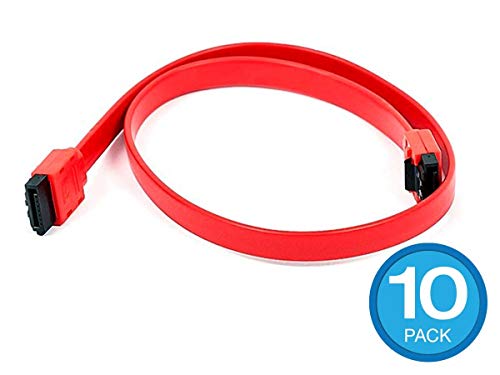
Neeyer SATA to USB 3.0, SATA III Hard Drive Adapter Cable for 3.5/2.5 Inch HDD/SSD with 12V/2A Power Adapter, 20 Inch…


Key features
- •QUICKLY ACCESS A SATA SSD OR HDD: Add drive space to your laptop by connecting to a 3.5" or 2.5"SSD or HDD using this SATA to USB cable. You can connect to an external drive to: add storage, perform backups, create disk images, implement data recoveries, and transfer content to your laptop.
- •FAST TRANSFER SPEEDS WITH UASP: The SATA to USB adapter supports USB 3.0 data transfer speeds of 5Gbps. But, you can experience transfer speeds up to 70% faster than conventional USB 3.0, when connected to a computer that also supports UASP
- •CONNECT FROM ANYWHERE: The hard drive USB adapter is a portable solution that tucks away nicely in a laptop bag with no external power required
- •SAVE TIME: The hard drive transfer cable lets you easily swap between drives with no need to install the drive inside an enclosure. It's plug-and-play and doesn't require drivers.
- •12V 2A POWER ADAPTER INCLUDED: This USB 3.0 to SATA 22 pin connector cable is equipped with a DC-Jack port, which could supply enough power. With the power supply, both 2.5" or 3.5" SATA HDD could be connected. Please be kindly noted that power supply is necessarily required if 3.5" SATA HDD is connected.
Neeyer SATA to USB 3.0, SATA III Hard Drive Adapter Cable for 3.5/2.5 Inch HDD/SSD with 12V/2A Power Adapter, 20 Inch…
List Price: $36.84$33.16DEALYou Save: $3.68 (10%)
Free shippingFree Returns – 30 daysFree Order CancellationSecure Payment2–3 Days DeliveryGet It October 26, 2026In Stock (1)No marketing spamNo account requiredFulfilment by FedEx / Amazon / UPS / ShipwirePayPal / Card Buyer Protection
Customer Reviews
Reviews sourced from verified Amazon purchasers4.6
out of 5
Based on 10 reviews
5★
80%
4★
20%
3★
0%
2★
0%
1★
0%
Super convenient
Ryan Voiselle✓ Verified Purchase•October 29, 2023
As long as you have an outlet to power it, you're good to go. Great for laptops where you don't want to void the warranty. Holds my 2.5 in ssd tight
So Far, So Good — An Inexpensive Way to Be Able to Keep Using My Seagate 8TB External Hard Drive!
Crunchy Vaccine-Injured Socialist Xennial Hippie✓ Verified Purchase•October 21, 2023
I got this Neeyer SATA to USB 3.0, SATA III Hard Drive Adapter Cable for 3.5/2.5 Inch HDD/SSD after the connection port on my Seagate 8TB Expansion Desktop External Hard Drive became loose, and neither my laptop (a mid-2012 MacBook Pro 13 inch) nor my mom's laptop (an early 2015 MacBook Air 13 inch) nor the Mac Mini (a late 2012 Intel i5) was recognizing the hard drive. "¨"¨
At first, I was worried thinking that it was the hard drive itself that was the problem, that it had failed/crashed and that the probably 5 TB worth of mostly videos, but also eBooks, music, pics and other stuff had been lost, and that, not only would I have to pay probably hundreds of dollars to try to recover that data, but worse, with so many videos & other files on that drive I would not be able to recall offhand every single thing that was saved on it. So, whatever data which was on there that I couldn't remember and was, for whatever reason not recoverable (or even just not known about!) would be lost, and it was possible, if not even quite likely that I'd never even know what was missing from whatever data WAS recovered"¦"¦"¦"¦"¦"¦but on the other hand, I was NOT convinced that it was the hard drive that was the problem, and rather, that it might be a problem with the internal part (whatever cannot be seen from the outside) of the connection port. Because the hard drive would still light up and I could hear the motors going, but the computer(s) just weren't recognizing it. Not to mention that, at least initially, whenever I'd press the Micro-USB sync/connection cord tight inside the hard drive's connection port, the computers WOULD recognize the hard drive and I could access all of the files within it "” yet, as soon as I let go of the cord that I was holding inside the connection port, the hard drive would disappear from the desktop and then, once again, I could not get any computer to recognize it.
But the very fact that the hard drive worked when I held the Micro-USB connection/sync inside the connection port, is why I was sure that the drive itself was fine, and if only I could just bypass the Seagate connection port & connect directly to the hard drive via the SATA port, I'd no longer have a problem with it showing up on/being recognized on the computer's desktop. Since there was no visible way to remove the hard drive in order to access the SATA port, I searched online and on YouTube, I found THIS video (tinyurl dot com/seagateremoval) about how to take the Seagate Expansion Desktop hard drive out of its casing. Although the title (and intention) of the aforementioned video is for the viewer to use the removed hard drive as an internal drive in their PC, first off, I don't have/use PCs anymore I have Mac, and secondly, this hard drive definitely won't fit in my Mac laptop and would probably not fit in the Mac Mini either. As such, I'm going to keep using this Seagate drive as an external hard drive, just WITHOUT its outer black plastic housing. However, by the same token, I don't want the SATA hard drive completely unprotected from accidental bumps & bangs, or even just dust, dirt, lint, or other stuff that could potentially damage it. The problem is that, I couldn't decide whether to put this Seagate drive into a singular hard drive enclosure OR in a multi-drive dock (like a RAID array) OR to just use a SATA-to-USB bridge like this Neeyer SATA to USB Hard Drive Adapter Cable .
Ultimately though, this hard drive is only 8 TB and that is just NOT enough, given that I've already used up about 5TB or so, and I still have TONS of music, eBooks, pictures/photos and other files to transfer, and HUNDREDS (if not more!) videos on VHS cassettes that I have yet to digitize. Not to mention, the dozens, even hundreds of DVDs and Blu-Rays that I want to copy or "rip" to my computer, in order to consolidate ALL of my movies & TV series on a couple (or a few!) high-capacity, multi-terabyte hard drives (and backed up preferably on the cloud and/or online storage) so that I'm not only able to access my entire collection of videos when away from home, and in areas without free Wi-Fi, or even just reliable Internet WITHOUT the added weight & space of having to carry the physical DVD & Blu-Ray discs along with me, BUT ALSO, to save the wear & tear on the physical discs themselves by watching it from the hard drive or streaming it from an online service when at home or a Wi-Fi hotspot. In other words, in the end, I'm going to need a LOT bigger hard drive (or hard drives, plural) than just 8 TB. So I decided that since I'll be needing to upgrade to a bigger drive (and likely multiple drives!) in the near future, instead of buying a singular hard drive enclosure, I'd rather just get a SATA-to-USB bridge for this single SATA drive, and then later on, when I upgrade to a 16TB, or 18 TB or even 20 TB hard drive, I'll get a multi-drive hard drive dock, like a RAID array for both this Seagate 8TB hard drive and whatever others I get in the future.......................but in the meantime, I got this Neeyer SATA to USB Hard Drive Adapter Cable and I'm VERY GLAD I did!
Because, this is a GREAT device and I have had NO problems whatsoever with my hard drive ever since I got it. Granted, I have only had this Neeyer SATA bridge for a few days, but its very easy to use and so far, it works very well. Its purpose is mostly self-explanatory. Basically, this device is designed to connect hard drives with a SATA port to the USB port of a computer, and like I said, its also pretty simple to use. Just plug the electrical cord into the power port of the adapter on one end, and electrical outlet (like a wall socket) on the other end, and then, connect the SATA plug to the SATA port on the hard drive on one end, and plug the other end of the cord into the USB port on your computer, and if it works as it should, then this Neeyer SATA bridge should start flashing with a blue light and within a few seconds or minutes, the connected hard drive will show up on your computer desktop. Or at least that's what it did with mine "” and since then, I have had ZERO problems with the hard drive disappearing from my desktop like it did CONSTANTLY when it was inside the Seagate plastic casing and connected via its Micro-USB port. Nor have I had ANY of the "Disk Not Ejected Properly" error messages that I kept gettting every time I'd let go of the cord connecting the Seagate hard drive connection port to my Mac.
Other than that there's not much else to say about this bridge. Although, for the time being, this Neeyer SATA bridge is sufficient, since I still have about 3 TB or so left on the drive, depending on how much more data can be accommodated in the remaining space, at some point in the future, I'll probably have to upgrade to a multi-drive dock (or more than one!), and one or more multi-terabyte hard drives, eventually totaling as much as 100 TB or more, to store my entire video (including TV series, movies, and family/home videos) music & eBook collections, as well as photos, documents and other files. As of now, though, I'm VERY satisfied with this Neeyer SATA bridge . For just $18 or so, its a reasonably-priced way to continue using "” and more importantly, be able to access the existing data (particularly the IRREPLACEABLE photos & videos!) on my 8 TB Seagate external hard drive despite that the original Micro-USB port connection no longer works."¨
All in all, I highly recommend this Neeyer SATA bridge , for anyone who wants to connect their SATA hard drive to the USB port of their computer easily and relatively cheaply.
âï¸âï¸âï¸âï¸âï¸ 5 STARS!!!!!!!!!!!!
At first, I was worried thinking that it was the hard drive itself that was the problem, that it had failed/crashed and that the probably 5 TB worth of mostly videos, but also eBooks, music, pics and other stuff had been lost, and that, not only would I have to pay probably hundreds of dollars to try to recover that data, but worse, with so many videos & other files on that drive I would not be able to recall offhand every single thing that was saved on it. So, whatever data which was on there that I couldn't remember and was, for whatever reason not recoverable (or even just not known about!) would be lost, and it was possible, if not even quite likely that I'd never even know what was missing from whatever data WAS recovered"¦"¦"¦"¦"¦"¦but on the other hand, I was NOT convinced that it was the hard drive that was the problem, and rather, that it might be a problem with the internal part (whatever cannot be seen from the outside) of the connection port. Because the hard drive would still light up and I could hear the motors going, but the computer(s) just weren't recognizing it. Not to mention that, at least initially, whenever I'd press the Micro-USB sync/connection cord tight inside the hard drive's connection port, the computers WOULD recognize the hard drive and I could access all of the files within it "” yet, as soon as I let go of the cord that I was holding inside the connection port, the hard drive would disappear from the desktop and then, once again, I could not get any computer to recognize it.
But the very fact that the hard drive worked when I held the Micro-USB connection/sync inside the connection port, is why I was sure that the drive itself was fine, and if only I could just bypass the Seagate connection port & connect directly to the hard drive via the SATA port, I'd no longer have a problem with it showing up on/being recognized on the computer's desktop. Since there was no visible way to remove the hard drive in order to access the SATA port, I searched online and on YouTube, I found THIS video (tinyurl dot com/seagateremoval) about how to take the Seagate Expansion Desktop hard drive out of its casing. Although the title (and intention) of the aforementioned video is for the viewer to use the removed hard drive as an internal drive in their PC, first off, I don't have/use PCs anymore I have Mac, and secondly, this hard drive definitely won't fit in my Mac laptop and would probably not fit in the Mac Mini either. As such, I'm going to keep using this Seagate drive as an external hard drive, just WITHOUT its outer black plastic housing. However, by the same token, I don't want the SATA hard drive completely unprotected from accidental bumps & bangs, or even just dust, dirt, lint, or other stuff that could potentially damage it. The problem is that, I couldn't decide whether to put this Seagate drive into a singular hard drive enclosure OR in a multi-drive dock (like a RAID array) OR to just use a SATA-to-USB bridge like this Neeyer SATA to USB Hard Drive Adapter Cable .
Ultimately though, this hard drive is only 8 TB and that is just NOT enough, given that I've already used up about 5TB or so, and I still have TONS of music, eBooks, pictures/photos and other files to transfer, and HUNDREDS (if not more!) videos on VHS cassettes that I have yet to digitize. Not to mention, the dozens, even hundreds of DVDs and Blu-Rays that I want to copy or "rip" to my computer, in order to consolidate ALL of my movies & TV series on a couple (or a few!) high-capacity, multi-terabyte hard drives (and backed up preferably on the cloud and/or online storage) so that I'm not only able to access my entire collection of videos when away from home, and in areas without free Wi-Fi, or even just reliable Internet WITHOUT the added weight & space of having to carry the physical DVD & Blu-Ray discs along with me, BUT ALSO, to save the wear & tear on the physical discs themselves by watching it from the hard drive or streaming it from an online service when at home or a Wi-Fi hotspot. In other words, in the end, I'm going to need a LOT bigger hard drive (or hard drives, plural) than just 8 TB. So I decided that since I'll be needing to upgrade to a bigger drive (and likely multiple drives!) in the near future, instead of buying a singular hard drive enclosure, I'd rather just get a SATA-to-USB bridge for this single SATA drive, and then later on, when I upgrade to a 16TB, or 18 TB or even 20 TB hard drive, I'll get a multi-drive hard drive dock, like a RAID array for both this Seagate 8TB hard drive and whatever others I get in the future.......................but in the meantime, I got this Neeyer SATA to USB Hard Drive Adapter Cable and I'm VERY GLAD I did!
Because, this is a GREAT device and I have had NO problems whatsoever with my hard drive ever since I got it. Granted, I have only had this Neeyer SATA bridge for a few days, but its very easy to use and so far, it works very well. Its purpose is mostly self-explanatory. Basically, this device is designed to connect hard drives with a SATA port to the USB port of a computer, and like I said, its also pretty simple to use. Just plug the electrical cord into the power port of the adapter on one end, and electrical outlet (like a wall socket) on the other end, and then, connect the SATA plug to the SATA port on the hard drive on one end, and plug the other end of the cord into the USB port on your computer, and if it works as it should, then this Neeyer SATA bridge should start flashing with a blue light and within a few seconds or minutes, the connected hard drive will show up on your computer desktop. Or at least that's what it did with mine "” and since then, I have had ZERO problems with the hard drive disappearing from my desktop like it did CONSTANTLY when it was inside the Seagate plastic casing and connected via its Micro-USB port. Nor have I had ANY of the "Disk Not Ejected Properly" error messages that I kept gettting every time I'd let go of the cord connecting the Seagate hard drive connection port to my Mac.
Other than that there's not much else to say about this bridge. Although, for the time being, this Neeyer SATA bridge is sufficient, since I still have about 3 TB or so left on the drive, depending on how much more data can be accommodated in the remaining space, at some point in the future, I'll probably have to upgrade to a multi-drive dock (or more than one!), and one or more multi-terabyte hard drives, eventually totaling as much as 100 TB or more, to store my entire video (including TV series, movies, and family/home videos) music & eBook collections, as well as photos, documents and other files. As of now, though, I'm VERY satisfied with this Neeyer SATA bridge . For just $18 or so, its a reasonably-priced way to continue using "” and more importantly, be able to access the existing data (particularly the IRREPLACEABLE photos & videos!) on my 8 TB Seagate external hard drive despite that the original Micro-USB port connection no longer works."¨
All in all, I highly recommend this Neeyer SATA bridge , for anyone who wants to connect their SATA hard drive to the USB port of their computer easily and relatively cheaply.
âï¸âï¸âï¸âï¸âï¸ 5 STARS!!!!!!!!!!!!
Works great
Cory✓ Verified Purchase•October 9, 2023
I've used it a couple of times now and I have no issues, its good quality as well.
Works, easy to use, but
TSm23456✓ Verified Purchase•September 24, 2023
This was very straight forward and worked very well. My only comment is it kept my 3.5 HDD active and spinning at all times. I left it plugged for a couple days and it got pretty warm. Not a big deal, just something to be aware of. I did not look into it at all, so there may be a way to allow the drive to rest, or sleep when idle. Otherwise plug and play.
As advertised
Donald✓ Verified Purchase•September 17, 2023
Used for dozens of 2.5 inch HDD and SSDs so far and it has done very well. Fast transfer speed and compatible with all recent OS.
Page 1 of 2