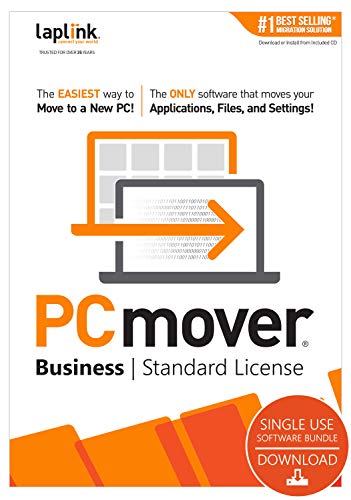
Laplink PCmover Professional | Instant Download | 2 Use | Moves Applications, Files, and Settings to Your New PC


Key features
- •Easy-to-Use - Install PCmover on both of your computers and follow the simple wizard to transfer everything you select to your new PC.
- •Set It and Forget It - You start the transfer and walk away. PCmover does the rest!
- •PCs Auto Connect - Discovers and connects PCs using the fastest method detected.
- •Optimized for Fastest Transfer - Provides maximum performance and time savings. You will quickly be using your new PC with everything ready to go.
- •Complete Selectivity - Automatically transfers all selected applications, files, folders, settings, and user profiles to your new PC.
- •Easy-to-Use – Install PCmover on both of your computers and follow the simple wizard to transfer everything you select to your new PC.
- •Set It and Forget It – You start the transfer and walk away. PCmover does the rest!
- •PCs Auto Connect – Discovers and connects PCs using the fastest method detected.
- •Optimized for Fastest Transfer – Provides maximum performance and time savings. You will quickly be using your new PC with everything ready to go.
- •Complete Selectivity – Automatically transfers all selected applications, files, folders, settings, and user profiles to your new PC.
- •USB 3.0 Support – Transfer data up to 5 Gbps with a Laplink SuperSpeed USB 3.0 cable (included in select PCmover Ultimate boxes or sold separately).
- •“Undo” Feature – Quickly reverse changes made to your new PC if you change your mind or want to re-do the transfer with different selections.
- •24/7 FREE Transfer Assistance - Simply set up your new PC with the help of a certified PC migration expert, over the phone or remotely. Free, 24 hours a day, 7 days a week.
- •Microsoft’s recommended migration solution
- •PCmover is not designed for migrations from newer operating systems to older operating systems.
- •Display screen size: N/A
- •Other (internet; browser): N/A
- •List of interface languages: English, French, German, Italian, Spanish, Chinese (Simplified), Chinese (Traditional), Czech, Dutch, Indonesian, Korean, Polish, Portuguese (Brazilian), Russian, Thai, Turkish, and Vietnamese
- •Operating System: Windows (All)
- •Processor: 32-bit and 64-bit
- •Storage: 200 MB available space
- •Additional Requirements: Active Internet account for download and installation. Active network or direct connection required between the old and the new PC.
BrandLaplink Software
CategoryPC Maintenance
Laplink PCmover Professional | Instant Download | 2 Use | Moves Applications, Files, and Settings to Your New PC
List Price: $105.85$95.27DEALYou Save: $10.58 (10%)
Free shippingFree Returns – 30 daysFree Order CancellationSecure Payment2–3 Days DeliveryGet It October 26, 2026In Stock (1)No marketing spamNo account requiredFulfilment by FedEx / Amazon / UPS / ShipwirePayPal / Card Buyer Protection
Customer Reviews
Reviews sourced from verified Amazon purchasers3.9
out of 5
Based on 10 reviews
5★
50%
4★
50%
3★
0%
2★
0%
1★
0%
Worked well for simple moves
Dave✓ Verified Purchase•February 3, 2024
Successfully moved programs from on pc to a newer pc for my spouse without difficulty. Didn't evaluate for more difficult moves.
It does work well with some caveats
George S. Radu✓ Verified Purchase•January 29, 2024
PCMover worked very well moving my data and applications to my new computer, but some planning and actions are needed before and after you run the application.
1. make sure both computers are up to date with Microsoft Windows updates. PCMover will not work if the new computer is not up to date. Note even though the computer is "new" it may not be up to date. This step took me hours to complete! {e.g. slow wifi connection.}
2. Plan your method of connection between the computers. My wi-fi connection was so slow that PCMover told me it would take 10days!! to move the data and applications. I ended up using an external drive as the method to move my data and apps. This worked very well and only took a few hours!
3. Select the data and applications you want to move to the new computer. This is a great opportunity to clean up {leave behind} a lot of junk you don't need or use.
4. Even though PCMover will move an application, there still may be problems getting it to run on the new system. You may need your license key, logon information, need to update the application, or it may just not be compatible with the new computer. Be prepared to work through the issues.
1. make sure both computers are up to date with Microsoft Windows updates. PCMover will not work if the new computer is not up to date. Note even though the computer is "new" it may not be up to date. This step took me hours to complete! {e.g. slow wifi connection.}
2. Plan your method of connection between the computers. My wi-fi connection was so slow that PCMover told me it would take 10days!! to move the data and applications. I ended up using an external drive as the method to move my data and apps. This worked very well and only took a few hours!
3. Select the data and applications you want to move to the new computer. This is a great opportunity to clean up {leave behind} a lot of junk you don't need or use.
4. Even though PCMover will move an application, there still may be problems getting it to run on the new system. You may need your license key, logon information, need to update the application, or it may just not be compatible with the new computer. Be prepared to work through the issues.
Moves your hard drive almost perfectly
Abby Cadabra✓ Verified Purchase•January 14, 2024
Highly recommended. We tried Lenovo Migrate and it didn't do the job
We've had three new computers and had to send computers for repair, needing to transfer the 'image' PC mover importantly transferred our expensive programs, as well as our data. We did have trouble with MS Office Professional Suite. Had to re-install.
New users should buy the USB cable. Using wireless takes forever, and our new computers don't have ethernet.
We've had three new computers and had to send computers for repair, needing to transfer the 'image' PC mover importantly transferred our expensive programs, as well as our data. We did have trouble with MS Office Professional Suite. Had to re-install.
New users should buy the USB cable. Using wireless takes forever, and our new computers don't have ethernet.
quality product
Ken H✓ Verified Purchase•January 2, 2024
didn't do quite everything as advertised, but overall it did ok
Easy transferring
Dennis N✓ Verified Purchase•December 29, 2023
I purchased the downloadable version so was able to quickly transfer my files and apps from old old
Pc to a new one right away. Instructions are simple to follow. Definitely recommend.
Pc to a new one right away. Instructions are simple to follow. Definitely recommend.
Page 1 of 2


![Avast Cleanup Premium 2022 | 1 PC, 1 Year [Download]](https://m.media-amazon.com/images/I/41bd04k9nfL._SL500_.jpg)
![Undupe 1.2 Free Trial [Download]](https://m.media-amazon.com/images/I/41JWl0OfBGL._SL500_.jpg)
![Smart Defrag 3 [Download]](https://m.media-amazon.com/images/I/41JW6pMQzML._SL500_.jpg)