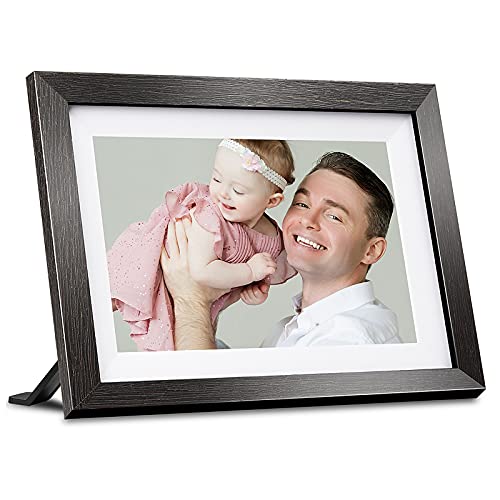
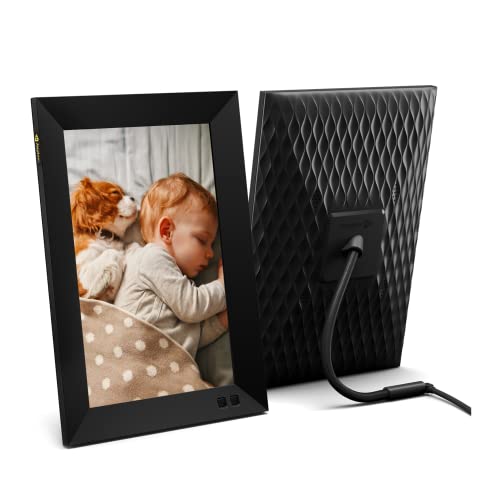
Nixplay 10.1 inch Smart Digital Photo Frame with WiFi (W10F) - Black - Share Photos and Videos Instantly via Email or App


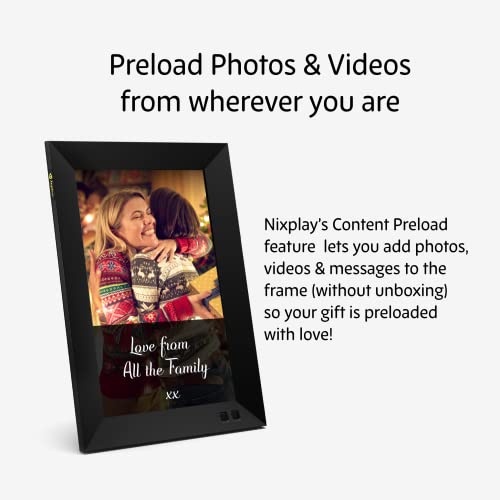
Key features
- •AMERICA'S NUMBER ONE SELLING FRAME with over 2 million units sold. Nixplay has been serving America's families for over 10 years. A great gift for new parents, grandparents, newlyweds, college kids or families separated by distance
- •SHARE PHOTOS AND VIDEO PRIVATELY, SAFELY: Share images to your loved ones' frames and invite others to share pictures to your frame; Send unique photos or playlists to separate frames and grow your private family sharing network
- •PRINT PHOTO SERVICE WITH FUJI: The Nixplay App for iOS and Android gives you full control over your frame; Connect to Google Photos to ensure your frame is always up to date; Dropbox, Facebook and Instagram also supported from website
- •A WALL-MOUNTABLE SMART FRAME THAT IS TRULY SMART: 1280x800 HD IPS display with 16:10 aspect ratio auto adjusts to portrait or landscape placement; Motion sensor turns the frame on/off automatically; Works with Amazon Alexa, Google Assistant, just ask for the playlist you want
- •FRIENDLY CUSTOMER CALL SERVICE, EMAIL OR LIVE CHAT: Get support when you need it - even during the Holidays! We have hundreds of thousands of happy customers, and we want to do everything we can to make you happy with your frame
Nixplay 10.1 inch Smart Digital Photo Frame with WiFi (W10F) - Black - Share Photos and Videos Instantly via Email or App
List Price: $204.06$183.65DEALYou Save: $20.41 (10%)
Free shippingFree Returns – 30 daysFree Order CancellationSecure Payment2–3 Days DeliveryGet It June 26, 2026In Stock (17)No marketing spamNo account requiredFulfilment by FedEx / Amazon / UPS / ShipwirePayPal / Card Buyer Protection
Customer Reviews
Reviews sourced from verified Amazon purchasers4.7
out of 5
Based on 10 reviews
5★
90%
4★
10%
3★
0%
2★
0%
1★
0%
Best picture frame if you are buying for older relatives
Bill✓ Verified Purchase•December 26, 2023
I live in another state then my parents. I've been wanting a picture frame I could give to them and upload photos of my boys remotely. This one seemed to fit the bill so I gave it a shot and glad I did.
My one suggestion is to send the frame to yourself, get it all set up, and mail it off to your relatives. This way the only thing they have to do is punch in their wifi password and its ready to go. You have full control of the frame remotely which is awesome.
Screen is IPS which means it has great viewing angles. Better than normal LCD/LED but not as good as oled. I would think Oled ones would be here in the near future, but IPS looks great. No complaints at all.
Stand is brilliantly designed. Portrait or landscape works perfect. The charger plugs in at the end of the stand.
The only slight negative is using the remote for the wifi password but you only have to do it once. My parents are not tech savvy at all but my dad managed it just fine. It just took some time. Im not going to knock it down a star because the only other option would be a touch screen and I wouldn't want that with this. Or a remote with a full size keyboard which doesn't make sense. If you can set it up for your family then it wont be an issue at all.
The app is top notch. It's not thrown together or poorly done. No hiccups, uploads are quick, everything works great. It connects to the frame instantly even being 800 miles away.
Video and photos both work and you do get sound which is awesome. If you dont pay for their plan videos are capped to 15 seconds. Anything longer and I can text it to my mom.
Honestly this frame is perfect. It does everything I want and then some.
My one suggestion is to send the frame to yourself, get it all set up, and mail it off to your relatives. This way the only thing they have to do is punch in their wifi password and its ready to go. You have full control of the frame remotely which is awesome.
Screen is IPS which means it has great viewing angles. Better than normal LCD/LED but not as good as oled. I would think Oled ones would be here in the near future, but IPS looks great. No complaints at all.
Stand is brilliantly designed. Portrait or landscape works perfect. The charger plugs in at the end of the stand.
The only slight negative is using the remote for the wifi password but you only have to do it once. My parents are not tech savvy at all but my dad managed it just fine. It just took some time. Im not going to knock it down a star because the only other option would be a touch screen and I wouldn't want that with this. Or a remote with a full size keyboard which doesn't make sense. If you can set it up for your family then it wont be an issue at all.
The app is top notch. It's not thrown together or poorly done. No hiccups, uploads are quick, everything works great. It connects to the frame instantly even being 800 miles away.
Video and photos both work and you do get sound which is awesome. If you dont pay for their plan videos are capped to 15 seconds. Anything longer and I can text it to my mom.
Honestly this frame is perfect. It does everything I want and then some.
Great frame!! So I bought 2!
Kassidy M.✓ Verified Purchase•December 17, 2023
I have a lot of photos and love having this frame in my living room to display them! I ended up gifting another to my grandmother while she was in the hospital so family could add photos from all over the country. The only con was setting up my grandmothers to work with my account was a bit annoying at times. I couldn't figure out how to tell all the emailed photos from family members to go to a specific playlist without me transferring them myself so I only use the emailed playlist for her frame now. I should have used a Google playlist instead. It also made me create an account for her when only my account will be used. I should have just not set it up as a gift. Definitely lessons learned for next time! The software is great otherwise! It has some great features.
Pros:
Crisp image
Transitions options
Landscape or portrait
Editing in app
Plenty of free storage
Can add multiple users
Email/text playlist anyone can add to
Adjustable sound for videos
Can add time/date/weather to frame
Magnetic remote
Can hang or bendable stand
Timer/schedule
Motion sensor
Connect Google playlist
Wi-Fi enabled and remembers settings after being unplugged
Was able to connect to hospital WiFi behind a page login with included remote!
Sleek design
Cons
Setting up gift frames in one account is a tad annoying the first time
Free Google playlists have a 2k limit
Bit pricey but was worth it!
No battery so if you want to hang it you'll have to deal with the cord
Pros:
Crisp image
Transitions options
Landscape or portrait
Editing in app
Plenty of free storage
Can add multiple users
Email/text playlist anyone can add to
Adjustable sound for videos
Can add time/date/weather to frame
Magnetic remote
Can hang or bendable stand
Timer/schedule
Motion sensor
Connect Google playlist
Wi-Fi enabled and remembers settings after being unplugged
Was able to connect to hospital WiFi behind a page login with included remote!
Sleek design
Cons
Setting up gift frames in one account is a tad annoying the first time
Free Google playlists have a 2k limit
Bit pricey but was worth it!
No battery so if you want to hang it you'll have to deal with the cord
Clarity
Amazon Customer✓ Verified Purchase•November 19, 2023
Great results
Sleek design, little substance. [UPDATED: Dec 11, 2020]
Nate S.✓ Verified Purchase•November 17, 2023
***UPDATE (12/11/2020): I am updating this post following an e-mail from Nixplay customer service which identified the issue I was having as being due to "a recent version of the Google Camera App". According to the Nixplay rep, they have now updated their software to fix this issue. Unfortunately, we had already returned the frames, so I cannot test this fix. However, I am changing my overall rating from 2 to 4 stars, since this "major oversight" turned out to be a minor glitch that is supposedly resolved and shouldn't be a problem for others.***
Original review continues below.
************
My wife and I purchased two of the these frames with the intent of keeping one for ourselves and gifting one to my in-laws so that we could share photos of their grandkids with them. I decided to open ours and set it up first, then set up the in-laws' frame in advance. I never got to theirs. I had a relatively poor experience with these due to their limitations, and ended up returning them both.
TL;DR VERSION:
I uploaded photos from my phone (Google Pixel 4XL) into the Nixplay app, which indicated they were successfully uploaded and showing on the frame, but the actual frame would not show my photos. Eight (8) days of back-and-forth with customer service to identify this issue. Turns out, the photos taken from my cell phone were too high of resolution for the frame to display. Their solution is to use a third-party app to reduce my photo sizes before uploading...adding an annoying step (or steps) every time I want to add photos. Not worth the price tag, in our opinion, so we returned the frames.
Unrelated to my issue, but you should also know that for anyone to share photos to your frame, they are required to create a Nixplay account through which they can send the photos. I.e., they cannot send photos via email without setting up their own account. This may not be an issue for others, but it is for me, so make your own decision there.
FULL VERSION:
First, I gave this frame 2 stars instead of just 1 because despite our issues, there are some good things about this frame, that shouldn't be overlooked. Overall, the hardware is nice. The frame itself has a very modern, sleek design and seemed to be of good quality. The pictures, when displayed, were clear. The motion sense and scheduling features were nice and functioned as-expected as well. No touch-screen or physical buttons on the device, but a remote control, which has a built-in magnet that will work on the back of the frame (though only in one spot very well), was a nice touch.
The app itself was a little less than intuitive, although not bad. Adding photos was a multi-step process (first add to album, then add album to frame). I was a little confused at first (in that I wasn't entirely sure if I did it correctly), but figured it out pretty quickly without having to consult the manual. I suspect most people would be able to handle this similarly.
Now, getting into the issues we had, and although it was mainly one thing, I consider it a big oversight on Nixplay's part.
There two main ways to upload photos. For simplicity within this review, I'll refer to these as "direct upload" (directly uploading a photo from a phone into the app/frame) and "cloud sync" (linking / syncing a cloud service, such as Google Photos, to the app/frame).
I really like the cloud sync function. I used a couple Google Photos albums with our frame and it worked great. The process to connect my Google Photos albums was quick and easy, and the photos showed up almost immediately. Assuming the link with other cloud services works as well, this is probably the best feature.
Where the cloud sync worked flawlessly, the direct upload from my phone into the Nixplay app turned out to be a terrible experience. The process to upload a photo from my phone to the app itself was actually relatively quick and easy. The app indicated that all my photos uploaded from my phone (a Google Pixel 4XL - 12.2 MP camera, 4032x3024 pixel resolution) had successfully uploaded into the app/Nixplay cloud storage, and upon assigning to our frame, also indicated that the photos were showing on the frame. A look at the frame itself proved otherwise. No matter what I did, the frame would not show photos that were direct uploaded.
I searched through the manual and online to find help for this issue. After trying/checking a few common errors and coming up short, I reached out to customer service. For their part, customer service was very friendly and patient. They also required patience on my part, as it took eight days to resolve the issue, frequently with 1-2 days between our back-and-forth e-mail conversations. It ultimately took customer service requesting my account login credentials to troubleshoot for them to identify the problem: my phone's photos were of too high resolution for the 1200 x 800 pixel display.
Now, at first this seems reasonable, but here's the problem: nearly every display (computer screen, phone, tablet, tv, etc.) that I've ever used will automatically resize a photo to fit the display screen, regardless of original size (for example, I often use my 4032x3024 pixel photos as background on my phone and computer screens, both well under that resolution). This is so common that I, and even Nixplay's own customer service, didn't think about that being an issue throughout over a week of troubleshooting.
Once the resolution size issue was identified, Nixplay's solution was to use a third-party app to resize all my photos before uploading to the Nixplay app.
The whole intent of this device is to quickly and easily share photos -- to our frame and the one to be gifted to the in-laws -- from our phone's photo album (which these days is the primary camera). If the frame can't handle standard photos from a cell phone without the need for the user to take the extra step to edit photos every time they want to upload, than what's the point? To me, this was more cumbersome than it's worth.
This issue was by far the most problematic, but an "honorable mention" for disappointing limitations is that in order for someone else (family, friend, etc.) to share photos to your frame, that person is first required to create their own Nixplay account, even if they don't have a frame themselves. They cannot just send an email to your frame (via a personalized, unique email address) without having created their own account. I assume this also means they can only send the photos by uploading them to their Nixplay account first, via the app or website. This may not be a problem for some, but to us it was a big annoyance and we would never want to ask all our family members and friends to create an account and/or download an app that they don't use themselves.
We ultimately decided to return both the purchased frames in preference for a brand which did not have the limitations of the Nixplay "Smart" frame. For the price of this frame I expected better and am happy with our decision to return these and go with an alternate brand.
Original review continues below.
************
My wife and I purchased two of the these frames with the intent of keeping one for ourselves and gifting one to my in-laws so that we could share photos of their grandkids with them. I decided to open ours and set it up first, then set up the in-laws' frame in advance. I never got to theirs. I had a relatively poor experience with these due to their limitations, and ended up returning them both.
TL;DR VERSION:
I uploaded photos from my phone (Google Pixel 4XL) into the Nixplay app, which indicated they were successfully uploaded and showing on the frame, but the actual frame would not show my photos. Eight (8) days of back-and-forth with customer service to identify this issue. Turns out, the photos taken from my cell phone were too high of resolution for the frame to display. Their solution is to use a third-party app to reduce my photo sizes before uploading...adding an annoying step (or steps) every time I want to add photos. Not worth the price tag, in our opinion, so we returned the frames.
Unrelated to my issue, but you should also know that for anyone to share photos to your frame, they are required to create a Nixplay account through which they can send the photos. I.e., they cannot send photos via email without setting up their own account. This may not be an issue for others, but it is for me, so make your own decision there.
FULL VERSION:
First, I gave this frame 2 stars instead of just 1 because despite our issues, there are some good things about this frame, that shouldn't be overlooked. Overall, the hardware is nice. The frame itself has a very modern, sleek design and seemed to be of good quality. The pictures, when displayed, were clear. The motion sense and scheduling features were nice and functioned as-expected as well. No touch-screen or physical buttons on the device, but a remote control, which has a built-in magnet that will work on the back of the frame (though only in one spot very well), was a nice touch.
The app itself was a little less than intuitive, although not bad. Adding photos was a multi-step process (first add to album, then add album to frame). I was a little confused at first (in that I wasn't entirely sure if I did it correctly), but figured it out pretty quickly without having to consult the manual. I suspect most people would be able to handle this similarly.
Now, getting into the issues we had, and although it was mainly one thing, I consider it a big oversight on Nixplay's part.
There two main ways to upload photos. For simplicity within this review, I'll refer to these as "direct upload" (directly uploading a photo from a phone into the app/frame) and "cloud sync" (linking / syncing a cloud service, such as Google Photos, to the app/frame).
I really like the cloud sync function. I used a couple Google Photos albums with our frame and it worked great. The process to connect my Google Photos albums was quick and easy, and the photos showed up almost immediately. Assuming the link with other cloud services works as well, this is probably the best feature.
Where the cloud sync worked flawlessly, the direct upload from my phone into the Nixplay app turned out to be a terrible experience. The process to upload a photo from my phone to the app itself was actually relatively quick and easy. The app indicated that all my photos uploaded from my phone (a Google Pixel 4XL - 12.2 MP camera, 4032x3024 pixel resolution) had successfully uploaded into the app/Nixplay cloud storage, and upon assigning to our frame, also indicated that the photos were showing on the frame. A look at the frame itself proved otherwise. No matter what I did, the frame would not show photos that were direct uploaded.
I searched through the manual and online to find help for this issue. After trying/checking a few common errors and coming up short, I reached out to customer service. For their part, customer service was very friendly and patient. They also required patience on my part, as it took eight days to resolve the issue, frequently with 1-2 days between our back-and-forth e-mail conversations. It ultimately took customer service requesting my account login credentials to troubleshoot for them to identify the problem: my phone's photos were of too high resolution for the 1200 x 800 pixel display.
Now, at first this seems reasonable, but here's the problem: nearly every display (computer screen, phone, tablet, tv, etc.) that I've ever used will automatically resize a photo to fit the display screen, regardless of original size (for example, I often use my 4032x3024 pixel photos as background on my phone and computer screens, both well under that resolution). This is so common that I, and even Nixplay's own customer service, didn't think about that being an issue throughout over a week of troubleshooting.
Once the resolution size issue was identified, Nixplay's solution was to use a third-party app to resize all my photos before uploading to the Nixplay app.
The whole intent of this device is to quickly and easily share photos -- to our frame and the one to be gifted to the in-laws -- from our phone's photo album (which these days is the primary camera). If the frame can't handle standard photos from a cell phone without the need for the user to take the extra step to edit photos every time they want to upload, than what's the point? To me, this was more cumbersome than it's worth.
This issue was by far the most problematic, but an "honorable mention" for disappointing limitations is that in order for someone else (family, friend, etc.) to share photos to your frame, that person is first required to create their own Nixplay account, even if they don't have a frame themselves. They cannot just send an email to your frame (via a personalized, unique email address) without having created their own account. I assume this also means they can only send the photos by uploading them to their Nixplay account first, via the app or website. This may not be a problem for some, but to us it was a big annoyance and we would never want to ask all our family members and friends to create an account and/or download an app that they don't use themselves.
We ultimately decided to return both the purchased frames in preference for a brand which did not have the limitations of the Nixplay "Smart" frame. For the price of this frame I expected better and am happy with our decision to return these and go with an alternate brand.
An Excellent Way to Show Off and Share
G. P. Kulik✓ Verified Purchase•November 1, 2023
We bought one frame so that we could share our photos with a friend in a different city who was faciing a potentially long bed rest. But, we enjoyed seeing the pictures on her frame so much that we bought a couple for different rooms in our house. Now people visiting us have a slowly-changing show of our recent pictures... and that gives us a great conversation starter!
The picture quality is spectaclar: realistic, bright, and clear. Set up is easy and we upload photos both from our phone app and from the website. Our friends appreciate the titles/descriptions we put on the photos, too!
Just a great way to share pictures and also to show them off at home.
The picture quality is spectaclar: realistic, bright, and clear. Set up is easy and we upload photos both from our phone app and from the website. Our friends appreciate the titles/descriptions we put on the photos, too!
Just a great way to share pictures and also to show them off at home.
Page 1 of 2