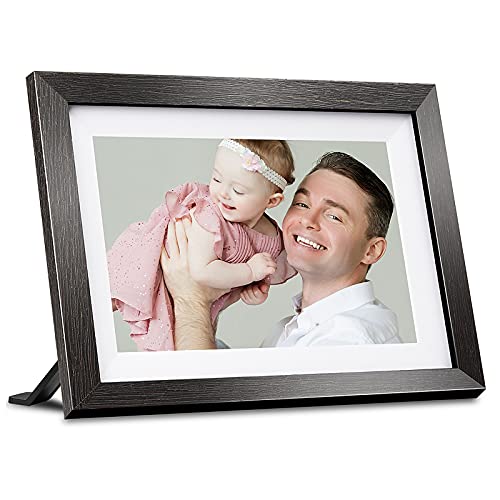
Canvia Smart Digital Canvas Display and Frame - for Fine Painting, Wall Art, NFTs, Personal Photos & Videos - Advanced HD Display, NFT Compatibility, Video Playback, Google photos, 16GB Storage


Key features
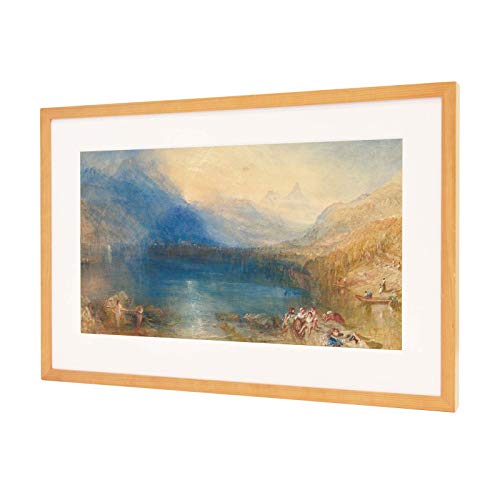
- •Realistic Art For Your Wall - Utilizing our patented ArtSense technology, the Canvia smart digital art frame displays fine art painting, photographs, and your own personal pictures and videos in exquisite, lifelike detail. The digital photo frame is equipped with sensors to adjust each image in real-time, based on ambient light, showcasing a true-to-life image with vibrant colors that appear as if they are painted on canvas.
- •Curate Your Favorite Pieces - Easily create a playlist to stream your favorite pieces of artwork and schedule them to be displayed by the hour, day or week on the smart picture frame. Each digital frame purchase includes a free one-year subscription to our art library including over 10,000 paintings and photographs from contemporary artists and classic artworks digitally streamed from the world's finest museums, Always free 500 artworks without a subscription
- •Add Your Own NFT Art, Photos, and Videos - Using the Canvia website or mobile app, you can integrate your crypto wallet and add purchased NFTs, view google photos, upload your own personal photos and videos, and showcase everything in your Canvia playlists. With 16 GB of memory, each Canvia frame can store hours of content!
- •Crystal Clear Advanced Fhd Screen - Displaying realistic images that appear to be paint or print, it has an advanced, full-HD screen with an anti-glare matte finish. The color-dynamic HD screen produces sharp images with vibrant colors that are true to the original artwork. It also senses darkness, entering a power-saving sleep mode and zoom and repositioning the image to highlight intricate details and overcome aspect ratio issue. Works with Alexa.
- •Blends With Any Decor - Available in four finishes, the Canvia digital picture frame is made with premium maple hardwood that seamlessly blends with any decor. The smart art frame can be positioned vertically or horizontally to accommodate a wide range of artworks. Vesa support.
Canvia Smart Digital Canvas Display and Frame - for Fine Painting, Wall Art, NFTs, Personal Photos & Videos - Advanced HD Display, NFT Compatibility, Video Playback, Google photos, 16GB Storage
List Price: $767.03$690.33DEALYou Save: $76.70 (10%)
Free shippingFree Returns – 30 daysFree Order CancellationSecure Payment2–3 Days DeliveryGet It October 26, 2026In Stock (1)No marketing spamNo account requiredFulfilment by FedEx / Amazon / UPS / ShipwirePayPal / Card Buyer Protection
Customer Reviews
Reviews sourced from verified Amazon purchasers3.7
out of 5
Based on 10 reviews
5★
30%
4★
70%
3★
0%
2★
0%
1★
0%
Impressive display quality & easy to install
Michelle Guzman✓ Verified Purchase•September 14, 2023
The quality of the frame is undeniable, very well made and sturdy. Installing it was a breeze. The picture quality is superb. The reason I'm giving it 4 stars is the same reason many have complained about before me. Getting personal images to display is more complicated than it should be. For the price point the app should be equipped with all the capabilities to upload photos and create albums. Instead you have to toggle between the app and the website to do so. Overall I'd say it's worth the money when it comes to video quality and design, but keep in mind it will give you a hard time if you are not good with technology.
A great way to display my photography
Jaime✓ Verified Purchase•September 4, 2023
I have had my Canvia hanging in my studio for almost three years, and it is the centerpiece of my studio. I have read many reviews and do not have any of the problems other users have mentioned. I attribute this to the use case. The use case is essential. I only use it for one thing - to display my photography in landscape mode. The Apple mobile app is more than sufficient for this use case. My workflow is pretty simple - I edit my photo in Lightroom and crop one social media version and one 16:9 version for Canvia. I export it to my phone and drop it into the app. Done. I have only one playlist - "My Best Landscapes," and I keep adding photos. The only other settings I use are auto-brightness, and turn on at XX time, and turn off at xx time.
So, for that use case, it is brilliant. I have so many amazing images, and having to professionally print all of them and then try to hang them in my studio (all red brick) is too daunting to take on. The Canvia allows me to display images I would never be able to see unless they were rotating on the device. I am considering buying another one to hang vertically to display portrait cropped images (the ones I post on IG (@Jcasap)
The bottom line is that the images are crisp and clean. They look lifelike (as if I printed them), and for my type of photography, which is night and Milkyway photos, the backlight brings the image to life, as if you are standing there. I can't speak about the UI and software features others have discussed because I use a simple workflow, which works great for that. I love it!
So, for that use case, it is brilliant. I have so many amazing images, and having to professionally print all of them and then try to hang them in my studio (all red brick) is too daunting to take on. The Canvia allows me to display images I would never be able to see unless they were rotating on the device. I am considering buying another one to hang vertically to display portrait cropped images (the ones I post on IG (@Jcasap)
The bottom line is that the images are crisp and clean. They look lifelike (as if I printed them), and for my type of photography, which is night and Milkyway photos, the backlight brings the image to life, as if you are standing there. I can't speak about the UI and software features others have discussed because I use a simple workflow, which works great for that. I love it!
GREAT Customer Service!
Sandra W.✓ Verified Purchase•July 20, 2023
This product is WONDERFUL, once it's set up. Setting up , however, takes some persistence and patience. The supporting documentation is not clear for the average user (which is in the process of being rectified, I hear from the service rep). BUT!!! Those negatives aside, if you contact the company by phone (you need to search on Google to find the phone number) you will find EXEMPLARY assistance. I was (VERY patiently) led through the process of fixing my problem, step by step, and was encouraged to call back again if I encountered even the slightest problem (which I did a month later and received the same great assistance). I recommend buying this product
Satisfied purchase
Peony Mok ✓ Verified Purchase•July 7, 2023
I was skeptical about Canvia and purchased it on Amazon for trial. To my surprise, it looks like a hidden gem and my experience was much better than many reviews I saw before the purchase.
1. Hardware quality is obvious. Maple hard wood and image quality both are really good. It was not clear how technology works or what it does, but art or even normal images look better than anything I have seen on screen.
2. For me, zoom feature was very helpful. Some of the artworks I was displaying had very complex and minute drawings, so setting those artworks under one playlist and using zoom feature allowed me to display those zoomed is very helpful. I am glad, I found this feature as it also solved some aspect ratio issues and allowed me to select the right area of the images that should be on the screen.
3. One year free premium art subscription looked generous as my other devices in this category Samsung TV or Meural both offer very few artworks free and subscription is required rightaway. Even without a subscription, there are plenty of artworks that are free. A lot of current artist artworks are there, for me some are high quality, others may be normal but there are plenty of artworks to try from current artists works. The collection from old masters looks good, but can improve further. One can see the details fo art on the screen if you want to know the details such as artist name, year , source etc. this feature makes the display of art more comprehensive.
4. To me managing the artworks in the guest room from my office room while working is very helpful. I can change , next/prev or display new artworks, all while I am away from the Canvia frame has been helpful. I think it can be managed remotely even if you are not in the same house but its a cool feature.
5. It has some features such as google photos or NFT displays that I did not tried. I did try some personal photos and those worked great when packaged in the playlist. Mobile app should have more features and this is one area that looked weak for Canvia. For me, it was fine as I went through all the documents and used a website for all my needs.
I will keep trying my Canvia and hope it keeps surprising me.
1. Hardware quality is obvious. Maple hard wood and image quality both are really good. It was not clear how technology works or what it does, but art or even normal images look better than anything I have seen on screen.
2. For me, zoom feature was very helpful. Some of the artworks I was displaying had very complex and minute drawings, so setting those artworks under one playlist and using zoom feature allowed me to display those zoomed is very helpful. I am glad, I found this feature as it also solved some aspect ratio issues and allowed me to select the right area of the images that should be on the screen.
3. One year free premium art subscription looked generous as my other devices in this category Samsung TV or Meural both offer very few artworks free and subscription is required rightaway. Even without a subscription, there are plenty of artworks that are free. A lot of current artist artworks are there, for me some are high quality, others may be normal but there are plenty of artworks to try from current artists works. The collection from old masters looks good, but can improve further. One can see the details fo art on the screen if you want to know the details such as artist name, year , source etc. this feature makes the display of art more comprehensive.
4. To me managing the artworks in the guest room from my office room while working is very helpful. I can change , next/prev or display new artworks, all while I am away from the Canvia frame has been helpful. I think it can be managed remotely even if you are not in the same house but its a cool feature.
5. It has some features such as google photos or NFT displays that I did not tried. I did try some personal photos and those worked great when packaged in the playlist. Mobile app should have more features and this is one area that looked weak for Canvia. For me, it was fine as I went through all the documents and used a website for all my needs.
I will keep trying my Canvia and hope it keeps surprising me.
Great Digital Frame beautiful addition to our home
Jim S from Henderson✓ Verified Purchase•June 29, 2023
The frame was spectacular for the time that it worked as promised. But after an extended period it just quit. Tried everything ( unplug wait, reset, try over and again) nothing. Perhaps a circuit quit. Chief concern is we had a lot of our personal photos and art work in the frame and now we can't get it to start and retrieve our personal photos and art. We contacted Amazon customer service and was directed to the manufacturer who with wonderful understanding has agreed to send a replacement. We are looking forward to receiving the new replacement and putting into service.. Jim & Kathleen Grace S.
Page 1 of 2