Avantree Orbit Bluetooth 5.0 Audio Transmitter for TV with 5.1 Surround Sound Passthrough Support, Class 1 Long Range, LED Display, Dual Link, 100% TV Compatibility Delivers No Lip sync Delay




Key features
- •[See Your Connections] The Avantree Orbit Bluetooth transmitter comes with an LED display and intuitive interface to help you easily identify which Bluetooth device you are pairing, the CODEC used, and control the volume on your connected devices
- •[Works with ALL TVs] The included Optical, AUX, and RCA input cables will connect to any smart or non-smart TV's audio output. Unique to Orbit is the Mic Input allowing the wireless transmission of any TV's audio, especially mounted TVs with hard-to-reach output jacks.
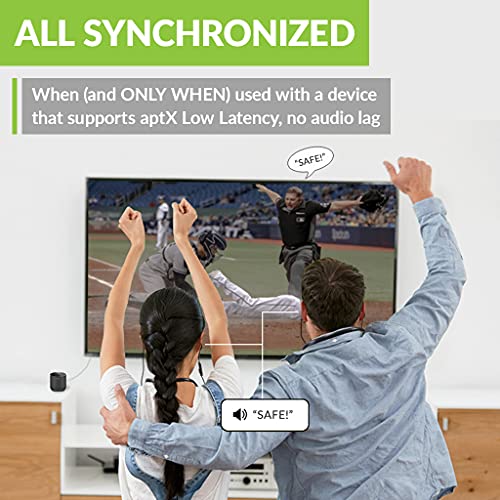
- •[Dual Link and aptX Low Latency Certified] Supports connecting two wireless headphones at once. And if those headphones support low latency, like most Avantree models, Orbit will eliminate lip-sync delay and ensure the audio and visual are aligned thanks to its Qualcomm aptX LL technology.
- •[Supports pass-through and 5.1 Surround Sound] With pass-through, audio is sent to external speakers or a soundbar and simultaneously to any paired wireless headphones. Orbit supports streaming services delivering 5.1 surround sound for the ultimate home theater experience.
- •[Stable and Long Range Signal] Need to start making dinner or grab something from the fridge? No problem because Orbit is Bluetooth 5.0 and Class 1 rated, which means its signal is reliable, stable, and can travel up to 164 feet (barring physical obstructions and other wireless interference).
BrandAvantree
CategoryReceivers
Size3.94 x 3.35 x 3.15 inches
ColorGray
WarrantyWarranty - 12 months (extend to 24 months with product registration) | Email - [email protected] | Video user guide FAQ and registration - support.avantree.com
Avantree Orbit Bluetooth 5.0 Audio Transmitter for TV with 5.1 Surround Sound Passthrough Support, Class 1 Long Range, LED Display, Dual Link, 100% TV Compatibility Delivers No Lip sync Delay
List Price: $160.04$144.04DEALYou Save: $16.00 (10%)
Free shippingFree Returns – 30 daysFree Order CancellationSecure Payment2–3 Days DeliveryGet It October 25, 2026In Stock (68)No marketing spamNo account requiredFulfilment by FedEx / Amazon / UPS / ShipwirePayPal / Card Buyer Protection
Customer Reviews
Reviews sourced from verified Amazon purchasers4.4
out of 5
Based on 10 reviews
5★
80%
4★
20%
3★
0%
2★
0%
1★
0%
Great products but does not connect to AirPods Pro 2
Gin✓ Verified Purchase•September 23, 2023
Really a well built bluetooth tv transmitter. But it will not connect to AirPods Pro 2. It will connect on to Bluetooth than when you try and connect it to your earbuds, it will last roughly a few seconds and disconnect. I tried alot of different settings, they are ended the same way. TV transmission will not be sent to the AirPod Pro set. I ended up calling Apple Support and stated that the earbuds will not connect to an Apex low compatible component.
Really sad on this one! I wanted it to work and it's the best TV transmitter I saw.
Really sad on this one! I wanted it to work and it's the best TV transmitter I saw.
Very good bluetooth transmitter.
Douglas Wygal✓ Verified Purchase•September 15, 2023
I had another transmitter that did not show connect devices. This unit does show a list of devices. This simple added feature makes a world of difference.
Just what I needed.
R. Newman✓ Verified Purchase•August 16, 2023
This prevented me from having to buy a new TV. It works great.
Great Bluetooth Transmitter
SteveH✓ Verified Purchase•July 20, 2023
Easy pairing. Excellent range. Love the fact that my earbuds can control up/down volume. No dop outs, clear sound & no noticeable lip sink audio timing issue.
This product absolutely works with AirPods Pro 2 and Airpods Pro 1
PeteTechGuy✓ Verified Purchase•July 19, 2023
I've been using this product for a few days and and I can state that it absolutely works well with both versions of Airpods Pro (1 and 2). The sound quality is excellent and if the Orbit B was the last device the Airpods connected to, then they automatically connect whenever I take the airpods out of the case. If the Orbit wasn't the last device connected to the airPods, then I need to press the Orbit's select button to connect
(note that to achieve this behavior, I have my mac, iphone, and iPad configured to automatically connect to the airPods using the " if last connected to this device" setting)
For those having problems pairing with airpods:
- open the airpods case, and keep it open
- press the search button on the Orbit,
- press and HOLD the white, barely visible button on the back of airpods case
- the airpods should appear in the orbit device list
- on the orbit, using the up and down buttons, highlight the airPods,
- press the orbit select button and you should be good
- airPods Pro version 2 has volume control via swiping up and down repeatedly and quickly on the flat portion of the airpods stem. This works well with the orbit.
Latency:
The latency is low enough so that I rarely notice any lip sync problems relative to the TV screen. You can notice a slight audio delay when you see people clap their hands on TV, but it doesn't bother me.
I bought the orbit so that I could use bluetooth earbuds simultaneously with my wired Sonos soundbar, giving me all the extra volume I need on my airpods and simultaneously keeping my family happy with their desired lower volume on the soundBar. It really accomplishes that goal.
I can occasionally notice a little bit of speaker "echo", but when my airpod volume is high (which is the goal after all), the wired speakers are normal, and the airpods have noise cancellation on, it does not, in any way, limit my ability to fully understand speech. And speech btw is much clearer on the airpods for me than it ever was with the speaker system. The bit of echo is due to the fact that airpods don't support aptX, but its really not an issue for me. The airpods excellent noise cancelation helps to minimize the sound coming through from the wired speakers. You can turn that on by pressing and hold the stem control, until you here the doink sound.
When I want to use the airpods with the TV when people are sleeping I can simply put the sonos on mute with my remote control and the airpods continue loud and clear.
The Orbit B is an excellent product.
(note that to achieve this behavior, I have my mac, iphone, and iPad configured to automatically connect to the airPods using the " if last connected to this device" setting)
For those having problems pairing with airpods:
- open the airpods case, and keep it open
- press the search button on the Orbit,
- press and HOLD the white, barely visible button on the back of airpods case
- the airpods should appear in the orbit device list
- on the orbit, using the up and down buttons, highlight the airPods,
- press the orbit select button and you should be good
- airPods Pro version 2 has volume control via swiping up and down repeatedly and quickly on the flat portion of the airpods stem. This works well with the orbit.
Latency:
The latency is low enough so that I rarely notice any lip sync problems relative to the TV screen. You can notice a slight audio delay when you see people clap their hands on TV, but it doesn't bother me.
I bought the orbit so that I could use bluetooth earbuds simultaneously with my wired Sonos soundbar, giving me all the extra volume I need on my airpods and simultaneously keeping my family happy with their desired lower volume on the soundBar. It really accomplishes that goal.
I can occasionally notice a little bit of speaker "echo", but when my airpod volume is high (which is the goal after all), the wired speakers are normal, and the airpods have noise cancellation on, it does not, in any way, limit my ability to fully understand speech. And speech btw is much clearer on the airpods for me than it ever was with the speaker system. The bit of echo is due to the fact that airpods don't support aptX, but its really not an issue for me. The airpods excellent noise cancelation helps to minimize the sound coming through from the wired speakers. You can turn that on by pressing and hold the stem control, until you here the doink sound.
When I want to use the airpods with the TV when people are sleeping I can simply put the sonos on mute with my remote control and the airpods continue loud and clear.
The Orbit B is an excellent product.
Page 1 of 2


