Avery Printable Tent Cards with Sure Feed Technology, 2" x 3.5", Matte White, 2-Pack, Total of 320 Blank Place Cards for Laser or Inkjet Printers (5812)


Key features
- •Use small, printable place cards as menu cards, dinner tent cards, display cards, for children's activities or even as folded business cards
- •2" x 3.5" white place cards are made with premium, 65lb cardstock and feature micro perforated edges for clean, easy separation and a scored center for precise folding
- •Add your own logo, graphics or unique images or use the free templates and designs on the Avery site to easily create personalized tent cards
- •Print text, color and graphics all the way to the edge for professional-looking tented place cards
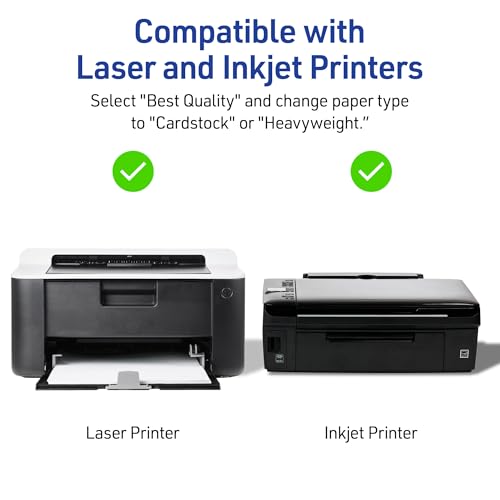
- •Get crisp, smudge-free printing on your place cards with 8.5" x 11" sheets that are optimized for laser and inkjet printers
Avery Printable Tent Cards with Sure Feed Technology, 2" x 3.5", Matte White, 2-Pack, Total of 320 Blank Place Cards for Laser or Inkjet Printers (5812)
List Price: $67.79$61.01DEALYou Save: $6.78 (10%)
Free shippingFree Returns – 30 daysFree Order CancellationSecure Payment2–3 Days DeliveryGet It October 26, 2026In Stock (26)No marketing spamNo account requiredFulfilment by FedEx / Amazon / UPS / ShipwirePayPal / Card Buyer Protection
Customer Reviews
Reviews sourced from verified Amazon purchasers4.7
out of 5
Based on 10 reviews
5★
70%
4★
30%
3★
0%
2★
0%
1★
0%
Easy and inexpensive DIY wedding escort cards
Sara✓ Verified Purchase•October 10, 2023
I bought this product to make escort/seating place cards for my wedding reception. I had already DIYed so much that I wanted something easy and cheap. These worked well for my needs.
I did these in Word using the template from Avery.com, mail merge and a spreadsheet with guest names, table numbers and entree selections. Highly recommend using Mail Merge (found a tutorial online). It meant I could format a single page and have the data populate for all my records, pulling straight from the spreadsheet.
If you do go the Mail Merge route, don't use the Avery 5302 template built into Word. The size and alignment are all off. Instead, download the official Avery template and then launch Mail Merge.
These were easy enough to print. The instructions are very clear and easy to follow. My Canon Pixma only gave me trouble with a few sheets, which isn't uncommon when printing card stock on it.
Definitely follow the guidelines on each sheet for folding and tearing on the perforated lines. Fold backwards first, then forwards. I'd you printed in full bleed color, folding forward and then tearing may "˜turn up' the white edge of the paper. I found that smoothing the edges down with a fingernail worked just fine to remedy that.
I would have rated 5 stars, but a handful of the 20 sheets I printed weren't perforated enough to separate easily after folding, leaving some extra paper (and saggy edges) which can be trimmed off with scissors.
I did these in Word using the template from Avery.com, mail merge and a spreadsheet with guest names, table numbers and entree selections. Highly recommend using Mail Merge (found a tutorial online). It meant I could format a single page and have the data populate for all my records, pulling straight from the spreadsheet.
If you do go the Mail Merge route, don't use the Avery 5302 template built into Word. The size and alignment are all off. Instead, download the official Avery template and then launch Mail Merge.
These were easy enough to print. The instructions are very clear and easy to follow. My Canon Pixma only gave me trouble with a few sheets, which isn't uncommon when printing card stock on it.
Definitely follow the guidelines on each sheet for folding and tearing on the perforated lines. Fold backwards first, then forwards. I'd you printed in full bleed color, folding forward and then tearing may "˜turn up' the white edge of the paper. I found that smoothing the edges down with a fingernail worked just fine to remedy that.
I would have rated 5 stars, but a handful of the 20 sheets I printed weren't perforated enough to separate easily after folding, leaving some extra paper (and saggy edges) which can be trimmed off with scissors.
Easy to print and use
Mads✓ Verified Purchase•October 9, 2023
I used the template in Word and printed full color onto these cards with ease. Easy to punch out, no cutting or measuring required. They were less sturdy than usual because I printed full color onto them, weakening the paper so the tents drooped a bit. They are definitely thicker than regular paper. My guests loved them!
Great for dinner parties
C. G. King✓ Verified Purchase•October 4, 2023
I was delighted to find these tent cards to use as place cards and have only one negative regarding them. Since they are a relatively new product, my MS Digital Image Pro 10 software doesn't include the template. I downloaded the template from Avery but find it is only for MS Word. It did print the cards correctly from Word, but I had to create them in my Digital Image Pro software and copy them over to Word since I didn't have as many options for customizing the cards in the Word software.
In the past, I've used business cards as place cards and have the templates to print them in the DI Pro software, but it's so much nicer to have the tent style cards for the table, I was happy to switch. I like to put a picture on the cards and a greeting as well as the person's name. The picture might be one I've taken or from ClipArt and provides a nice background to enhance the party's theme. For Thanksgiving dinner, I chose a ClipArt scene of colorful gourds as my background, then added a 'Happy Thanksgiving' banner in outlined shaped text in coordinating colors and then the person's name below. I find the DI Pro software gives me many more options and is easier to use for these activities, so although I could copy the created place card and paste it into the Word template that was a step that slowed the process. The other part of the process that annoyed me in the Word template was not being able to see the outline of the card in the template document. In DI Pro, I can see that outline and can enlarge the picture to fully cover the card surface if needed. In this case, I ended up with white space around two sides of the card.
For business meetings where the cards will be more formal and Word software options are satisfactory, the template is great, but for dinner parties I want more flexibility than Word can provide. Because of how the cards are placed on the sheet, none of the other older templates can be used.
The cards do release from the sheet perfectly with smooth edges and make a very nice table accent, so I'm pleased with them, but do wish I had more options for software creation.
In the past, I've used business cards as place cards and have the templates to print them in the DI Pro software, but it's so much nicer to have the tent style cards for the table, I was happy to switch. I like to put a picture on the cards and a greeting as well as the person's name. The picture might be one I've taken or from ClipArt and provides a nice background to enhance the party's theme. For Thanksgiving dinner, I chose a ClipArt scene of colorful gourds as my background, then added a 'Happy Thanksgiving' banner in outlined shaped text in coordinating colors and then the person's name below. I find the DI Pro software gives me many more options and is easier to use for these activities, so although I could copy the created place card and paste it into the Word template that was a step that slowed the process. The other part of the process that annoyed me in the Word template was not being able to see the outline of the card in the template document. In DI Pro, I can see that outline and can enlarge the picture to fully cover the card surface if needed. In this case, I ended up with white space around two sides of the card.
For business meetings where the cards will be more formal and Word software options are satisfactory, the template is great, but for dinner parties I want more flexibility than Word can provide. Because of how the cards are placed on the sheet, none of the other older templates can be used.
The cards do release from the sheet perfectly with smooth edges and make a very nice table accent, so I'm pleased with them, but do wish I had more options for software creation.
was able to use these to make table seating for a wedding easy to use, works great.
Steve✓ Verified Purchase•September 23, 2023
Using these Printable Small Tent Cards, we were able to make our own seating cards for our daughters wedding, along with Avery project account that's free to use, we made wonderful sturdy seating cards. We were able to update any seat and reprint any that were changed. I would recommend these over paying someone to write on the cards. we printed well over 200 cards.
loved them
Ingrid✓ Verified Purchase•August 27, 2023
These were amazing, they are sturdy, and they looked super nice on my tables with every person's name.
Page 1 of 2


