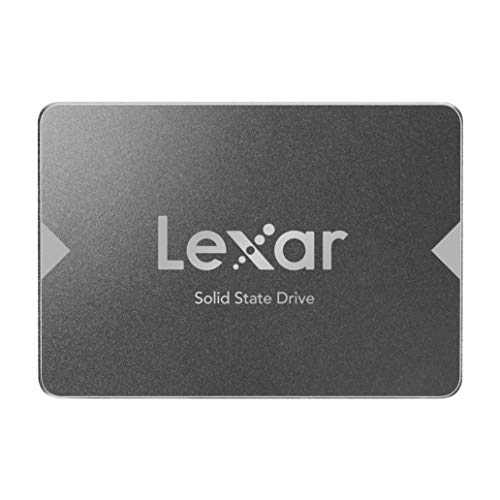
Western Digital 500GB WD Blue SA510 SATA Internal Solid State Drive SSD - SATA III 6 Gb/s, 2.5"/7mm, Up to 560 MB/s - WDS500G3B0A


Key features
- •Upgrade your creativity with a performance boost that delivers read speeds up to 560MB/s(2) (500GB(1) and 1TB(1) models).
- •Give your PC new life with capacities of up to 1TB(1) and high endurance, plus low power draw for more laptop life between charges and reduced vibrations compared to HDDs.
- •Clone your computer's entire hard drive to your WD Blue SA510 drive with the included Acronis True Image for Western Digital transfer and backup software(3) featuring cyber protection.
- •The WD Blue SA510 SATA SSD comes in 2.5" and M.2 form factors for increased compatibility, fitting right into many current PC slots as well as those of many older machines.
- •(1) 1GB = 1 billion bytes and 1TB = 1 trillion bytes. Actual user capacity may be less depending on operating environment. | (2) Based on read speed. 1 MB/s = 1 million bytes per second. Based on internal testing; performance may vary depending upon host device, usage conditions, drive capacity, and other factors. | (3) Download and installation required. Includes 5-year license for your compatible drive. Redeem within 90 days of purchase. May not be combined with other offers. Limited time offer; see Western Digital website for more details. Offer subject to change.
BrandWestern Digital
CategoryInternal Solid State Drives
Size500GB
ColorBlue
Warranty5 year limited warranty
Western Digital 500GB WD Blue SA510 SATA Internal Solid State Drive SSD - SATA III 6 Gb/s, 2.5"/7mm, Up to 560 MB/s - WDS500G3B0A
List Price: $145.49$130.94DEALYou Save: $14.55 (10%)
Free shippingFree Returns – 30 daysFree Order CancellationSecure Payment2–3 Days DeliveryGet It October 26, 2026In Stock (12)No marketing spamNo account requiredFulfilment by FedEx / Amazon / UPS / ShipwirePayPal / Card Buyer Protection
Customer Reviews
Reviews sourced from verified Amazon purchasers4.6
out of 5
Based on 10 reviews
5★
70%
4★
30%
3★
0%
2★
0%
1★
0%
Works much faster than standard Laptop drive
J✓ Verified Purchase•December 29, 2023
I'm new to SSD tech, and my laptop is about 6 years old and was terribly bogged down by Windows 11 background processes "” chiefly Windows Search Indexer. So, I thought maybe said I switch out the drives, I won't have to get an all new computer in these tough economic times.
Short story is that it worked eventually, and the drive is much quicker. When I run chkdsk on it, it does stop and say a couple of error were found, so I'm not exactly feeling totally secure in it, but it does seem to function now that I have it installed.
It wasn't till after I opened the Dell laptop that I saw that it has a slot for the other type of SSD that doesn't have this traditional shape and SATA connector "” and I read that those are even faster, the ones that look like a skinny motherboard and.plug into a slot. I would have gone with that style had I known. Oh well.
This drive comes with nothing but the drive. So, you'd need a separate USB connector if your laptop only has one drive interface. And then you also have to go to the WD website to download software to do any cloning and backup "” it's called Acronis. And it was tough to work with.
If you are trying to clone via USB, then you have to pull out the original drive and hook that up to the USB cable. And then you have to put the new SSD inside the laptop. If you have two slots none of this matters. But the new drive has to be inside of the computer for it to be made bootable on that computer. Allegedly, it will not boot up if you use any exterior cloning devices. The main problem was that it kept saying it was unable to "lock" the new drive. I tried a bunch of stuff and pulled out an ancient PC to try and get it going. I must've tried fitty "˜leven different times, but eventually I did hit the correct combination of elements. Pain in the behind, but it is possible.
Does not make up for a slow processor or display that doesn't look very good, and battery that won't hold a charge "” but it has refreshed my ability to get work done. Also, turn off Windows Search Indexer. Stupid waste of resources.
Short story is that it worked eventually, and the drive is much quicker. When I run chkdsk on it, it does stop and say a couple of error were found, so I'm not exactly feeling totally secure in it, but it does seem to function now that I have it installed.
It wasn't till after I opened the Dell laptop that I saw that it has a slot for the other type of SSD that doesn't have this traditional shape and SATA connector "” and I read that those are even faster, the ones that look like a skinny motherboard and.plug into a slot. I would have gone with that style had I known. Oh well.
This drive comes with nothing but the drive. So, you'd need a separate USB connector if your laptop only has one drive interface. And then you also have to go to the WD website to download software to do any cloning and backup "” it's called Acronis. And it was tough to work with.
If you are trying to clone via USB, then you have to pull out the original drive and hook that up to the USB cable. And then you have to put the new SSD inside the laptop. If you have two slots none of this matters. But the new drive has to be inside of the computer for it to be made bootable on that computer. Allegedly, it will not boot up if you use any exterior cloning devices. The main problem was that it kept saying it was unable to "lock" the new drive. I tried a bunch of stuff and pulled out an ancient PC to try and get it going. I must've tried fitty "˜leven different times, but eventually I did hit the correct combination of elements. Pain in the behind, but it is possible.
Does not make up for a slow processor or display that doesn't look very good, and battery that won't hold a charge "” but it has refreshed my ability to get work done. Also, turn off Windows Search Indexer. Stupid waste of resources.
Good Quality 1 TB Solid State Drive
JAD110✓ Verified Purchase•December 3, 2023
This SSD is well made and easy to install. The downloadable cloning software worked well and the performance improvements were very impressive. Data access times were so much faster than the original HDDs in both my laptop and my desktop computers that it was as if I had purchased two new high-performance computers. I highly recommend this option as an upgrade to any computer that is presently using a conventional hard drive.
Great Drive but Arconis Didn't work
Amazon Customer✓ Verified Purchase•November 26, 2023
I wanted to add a second SSD to my system as my original Samsung SSD is almost 10 years old. Black Friday sealed the deal. As my home build only had two bays and they were both in use, I bought the Corsair Dual SSD Mounting Bracket which allowed me to put the old SSD and new SSD in the same bay (they stack on top of each other). I also planned to clone the new drive as a boot drive. When I ran the Arconis program (that you download off the WD website) and waited two hours I got a warning from Windows (when I tried to boot) that the new drive was corrupted when I tried to boot from it. I made two attempts. It just wouldn't work. A YouTuber had recommended the trial version of Macrium Reflect cloning software. I downloaded that and followed along on the provided video on their website. Super easy. I did have to go into the BIOS to change the boot order as I left the Samsung in place as a backup drive. Overall the WD drive works perfect but I recommend using Macrium to clone the drive.
Great product, easy to install. Increased performance worth the effort.
David J.✓ Verified Purchase•November 25, 2023
It is a great product that delivers the performance you want at an economical price.
Great Space, Little Cost
Daniel Reith✓ Verified Purchase•October 19, 2023
Awesome cost for a the space the drive offers. No instructions to install, make sure that your computer has the appropriate SATA cables (to motherboard and to power), if the computer doesn't have any you may want to get some. I ended up having to buy BolAAzuL SATA Cable III Right Angle & Straight, 2-Pack SATA Data Cables 90 Degree + SATA 3 Cable Straight to Straight, 6Gbps Tangle-Free SATA Cable 7pin Black with Locking Latch for Hard Drive SSD. After it was in and a few moments on a YouTube video was easy to allocate and format without any issues. PS make sure you are plugging it into the appropriate SATA port.
Page 1 of 2