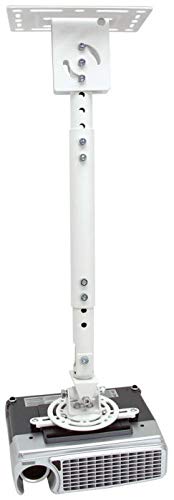
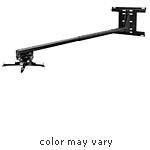
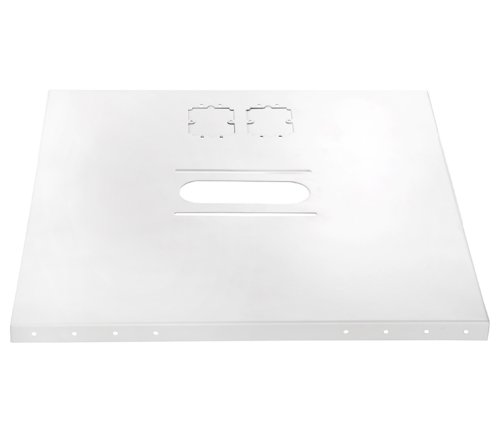
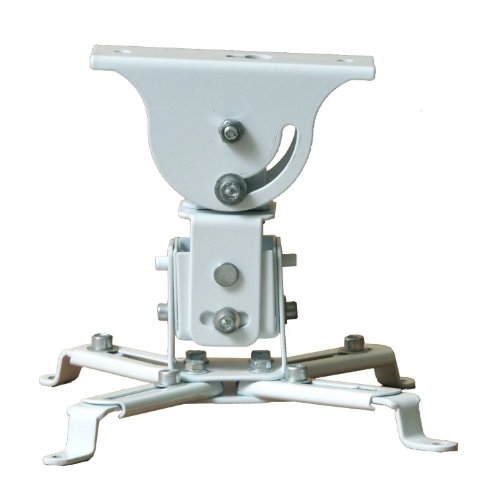
VideoSecu LCD/DLP Projector Ceiling Mount Bracket White Fits both flat or Vaulted ceiling PJ2W 1CA
Key features
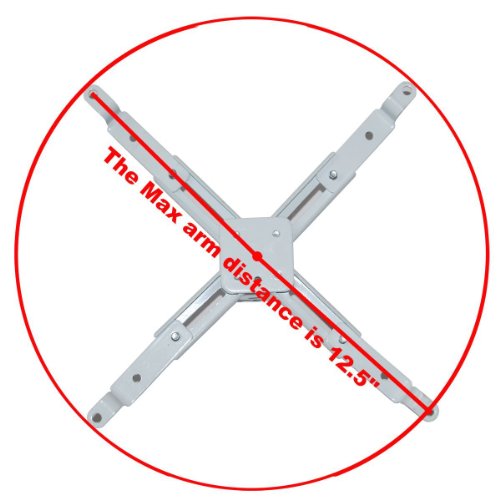
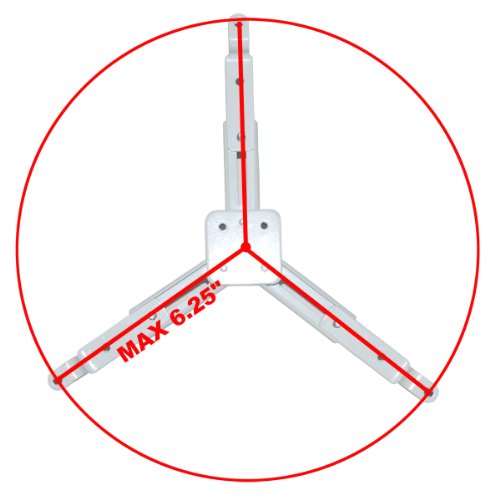
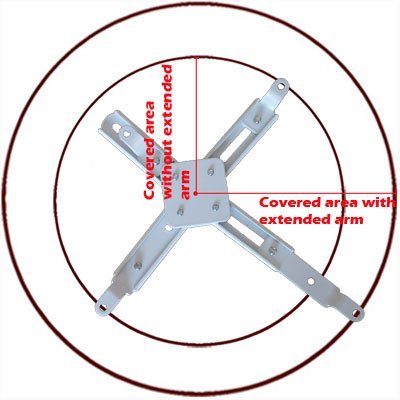
- •Mounting arms removable and extendable, 3" extra extension adaptor included
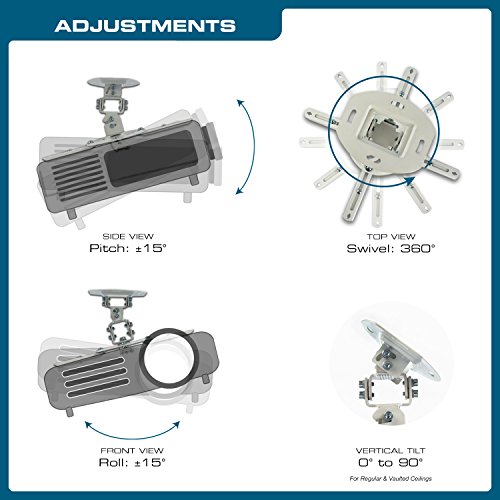
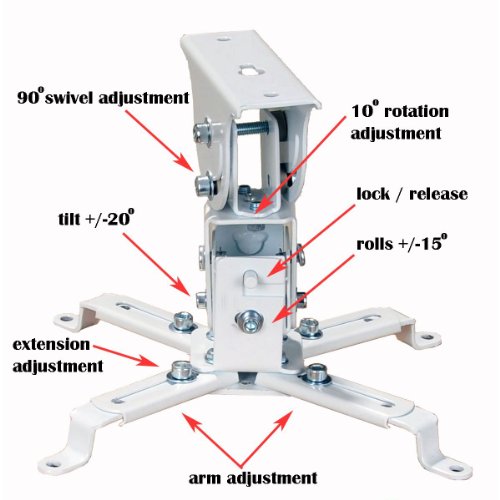
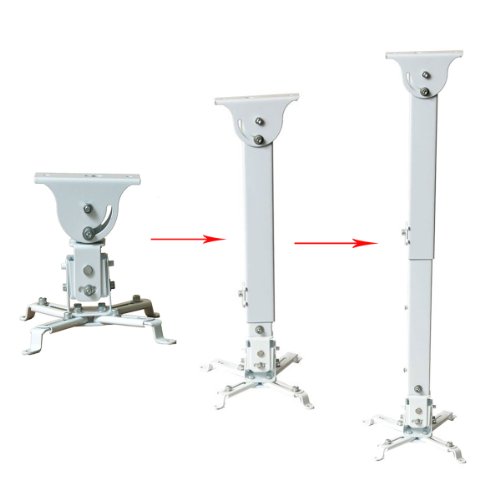
- •Without extension pole, the height is 5.9"; With extension pole, height adjust from 18.1" to 28.3" (45.9-71.8 cm); Ceiling plate adjustable 0 to 90 degree swivel
- •Heavy duty steel construction, Maximum loading 44 lbs (20 kgs); Rotate adjustment left and right 5 degrees
- •Integrated cable management; Exclusive "No-slip" adjustment system; Lock in any position; Easily release and lock
- •Standard size hardware,comprehensive installation manual included.VideoSecu brand. Please report to Amazon.com if you recieve a mount without VideoSecu logo
BrandVideoSecu
CategoryProjector Mounts
VideoSecu LCD/DLP Projector Ceiling Mount Bracket White Fits both flat or Vaulted ceiling PJ2W 1CA
List Price: $32.96$29.66DEALYou Save: $3.30 (10%)
Free shippingFree Returns – 30 daysFree Order CancellationSecure Payment2–3 Days DeliveryGet It October 25, 2026In Stock (1)No marketing spamNo account requiredFulfilment by FedEx / Amazon / UPS / ShipwirePayPal / Card Buyer Protection
Customer Reviews
Reviews sourced from verified Amazon purchasers3.7
out of 5
Based on 10 reviews
5★
10%
4★
60%
3★
20%
2★
10%
1★
0%
great for the price, a lot of adjustments, but could use some mods.
Carlos R.✓ Verified Purchase•October 16, 2017
great bang for the buck mount. it works with my 3 point projector InFocus 3118HD.
Pros, seems strong. cheap. i could have went with the cheaper unit (without the extension), but i wanted to make sure i would have it, if i needed it.
a few issues, maybe just nit picks.
1) i mounted the ceiling bracket sideways. because my beams run left to right (not back to front). i think the part marked "90 degree swivel adjustment" should be a "180 degree swivel adjustment" it seems like the projector wants to drop down a little lower, like it wants to center itself at 91 degrees. if that makes sense. think of looking at a swing set from the side. the swing naturally sits at the bottom. what if the swing was sitting forward a few degrees (as if the set was on a hill). i think projector wants to drop down to center a micro centimeter more.
i want the option of being able to move it just a bit more on that access. i may later take it down and use my drill to drill out that quarter circle of an opening just a bit more. or i might place a small spacer on one side of the mount which would offset the swivel opening so the projector can hang down and center itself a tad better.i am finding it difficult to get a perfect line up with my screen, but not sure its because this small issue.
2) the way the bracket (piece that is screwed onto your projector) connects to the mount (piece bolted to ceiling) is funky. the bracket is drastically less wide then the mount, so you have to use a spacer on one side, but it doesnt matter because the screw that goes through the "90 degree swivel" opening (i mentioned above) is short and pulls the bracket right to the mount (on 1 side). why not just make the bracket piece wider?
3) if they made it wider it could fix issue 3. there is no way to tighten the "10 degree rotation adjustment" screws. they are 2 screws in a tight spot. i was able to use my finger a bit, maybe i need a slim wrench?, if they widened the piece above the screws, and put the screws in the other direction (screwed down rather than screwed up) you would have more room to tighten them.
any tips on getting it to frame on the screen better are always welcome!
Pros, seems strong. cheap. i could have went with the cheaper unit (without the extension), but i wanted to make sure i would have it, if i needed it.
a few issues, maybe just nit picks.
1) i mounted the ceiling bracket sideways. because my beams run left to right (not back to front). i think the part marked "90 degree swivel adjustment" should be a "180 degree swivel adjustment" it seems like the projector wants to drop down a little lower, like it wants to center itself at 91 degrees. if that makes sense. think of looking at a swing set from the side. the swing naturally sits at the bottom. what if the swing was sitting forward a few degrees (as if the set was on a hill). i think projector wants to drop down to center a micro centimeter more.
i want the option of being able to move it just a bit more on that access. i may later take it down and use my drill to drill out that quarter circle of an opening just a bit more. or i might place a small spacer on one side of the mount which would offset the swivel opening so the projector can hang down and center itself a tad better.i am finding it difficult to get a perfect line up with my screen, but not sure its because this small issue.
2) the way the bracket (piece that is screwed onto your projector) connects to the mount (piece bolted to ceiling) is funky. the bracket is drastically less wide then the mount, so you have to use a spacer on one side, but it doesnt matter because the screw that goes through the "90 degree swivel" opening (i mentioned above) is short and pulls the bracket right to the mount (on 1 side). why not just make the bracket piece wider?
3) if they made it wider it could fix issue 3. there is no way to tighten the "10 degree rotation adjustment" screws. they are 2 screws in a tight spot. i was able to use my finger a bit, maybe i need a slim wrench?, if they widened the piece above the screws, and put the screws in the other direction (screwed down rather than screwed up) you would have more room to tighten them.
any tips on getting it to frame on the screen better are always welcome!
infinite flexibility if you have infinite time. For optoma hd28dse I suggest the other recommended mount
Max✓ Verified Purchase•July 28, 2017
This is not a complete solution (does not include screws for attaching to projector itself) and takes a lot of time and effort to setup. The instructions are bad. The product itself is pretty ugly, the only consideration was function. If you have large ceiling drop it is probably a good solution. And if you don't mind fiddling with it to get it to work. For me, I should have just purchased the more expensive mount but I saw that people said this worked well with the Optoma HD28DSE and this was $35 cheaper...it may work but you have to spend a lot of time configuring the arms to match the mounting posts on the projector, and then take a trip to the HW store to get the M5 screws to attach it. And there might have been other issues but I stopped trying after realizing that it would take all of this time and that for a few more $ I could get the better / faster solution.
Would work well for an older model, but required two DIY modifications to fit my Optoma HD27
A. Meyer✓ Verified Purchase•April 16, 2017
This got the job done but for my specific projector, there were some issues. I bought this for an Optoma HD27, for which there are only three mounting holes on the projector and they're all located very close together. This projector mount has four arms and instructions for how to remove one arm and move another to a "center" hole. My mount only had four holes and no center hole, so it was different than the instructions and therefore I had to angle it to fit my three-hole projector.
The second issue was with the Optoma HD27, all three holes on the projector were very close together. I could see this mount working well for projectors with holes on each corner, but the Optoma had holes about 3in apart. The extender arms on the mount were too big to fit the holes, so I had to cut through the metal to create smaller arms that would fit the projector holes and still lock into the mount.
Overall, this would likely work well for an older model projector, but it would not fit the HD27 out of the box and required two modifications.
The second issue was with the Optoma HD27, all three holes on the projector were very close together. I could see this mount working well for projectors with holes on each corner, but the Optoma had holes about 3in apart. The extender arms on the mount were too big to fit the holes, so I had to cut through the metal to create smaller arms that would fit the projector holes and still lock into the mount.
Overall, this would likely work well for an older model projector, but it would not fit the HD27 out of the box and required two modifications.
Nice projector.
Kevin✓ Verified Purchase•November 6, 2016
Works great. The hanger is still a little loose even when tightened all the way. I have everything tight so it doesn't move around the bolts, it's just around the points where the arms meet and places where parts overlap. This actually helps it in the end as it can be adjusted just by pushing it one way or another without loosening any bolts, it doesn't need this too often because it would take something shaking or a cord pulling to make it get a hair out of line. One other thing to mount some projectors you may have to get creative as I needed 3 of the short mounting g arms and it came with 2, so I had to make one of the long arms a short one by removing a half inch in length. I read a review before buying this and it said pretty much the same thing, but for the price this is not a big deal at all. Overall it is a very nice mount for the cost and keeps my projector out of harm's way.
Lots of adjustment slightly unclear instuctions easy to bump out of alignment
Steve✓ Verified Purchase•September 20, 2016
Took some noodling to get the mount "legs" set up right for my projector (acer h6510bd) they state the center of gravity of the projector should be at the down rod. This ment cleverly flipping some of the leg feet and then installing the bracketry. The assembly is confusing because the amount of parts they give you and only refer to things as m-l or m-n which means going back and referencing the first page and back and forth again and again. They don't nessisarly state the bushings need to be on both sides of certain parts but it can somewhat be infered by the diagram which isn't drawn to scale.
Word of warning as well the plate that goes on the wall/ceiling they imply is mounted the same direction of the joists in a joisted ceiling which is ok IF your screen is down joist but otherwise you'll end up with a projector facing the side wall if you follow the rest of the instructions.. so bottom line is I'd advise mocking everything up first before doing anything permanent.
My next gripe is the amount if adjustment makes it such that even if everything is tight plugging in a cable or something can knock the projector out of alignment.
Last gripe is apparently my projector fan isn't perfectly ballanced and this mount does a good job of using the cealing as a speaker which wasn't a problem before.
Past that it seems like a good mount and was reasonably priced
Word of warning as well the plate that goes on the wall/ceiling they imply is mounted the same direction of the joists in a joisted ceiling which is ok IF your screen is down joist but otherwise you'll end up with a projector facing the side wall if you follow the rest of the instructions.. so bottom line is I'd advise mocking everything up first before doing anything permanent.
My next gripe is the amount if adjustment makes it such that even if everything is tight plugging in a cable or something can knock the projector out of alignment.
Last gripe is apparently my projector fan isn't perfectly ballanced and this mount does a good job of using the cealing as a speaker which wasn't a problem before.
Past that it seems like a good mount and was reasonably priced
Page 1 of 2