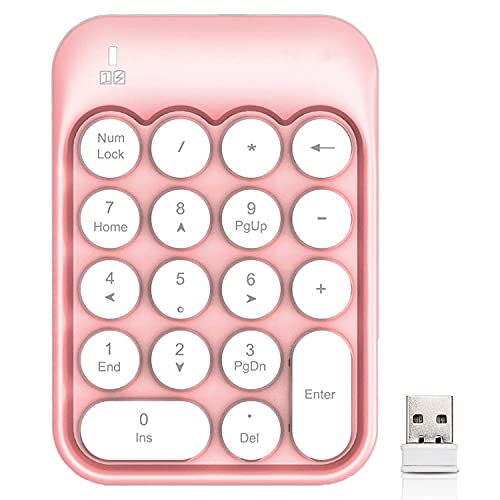
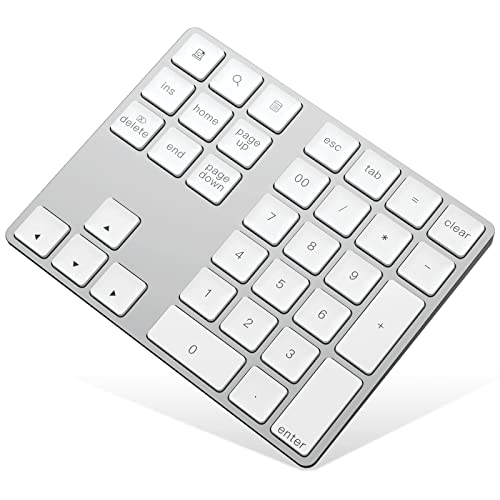
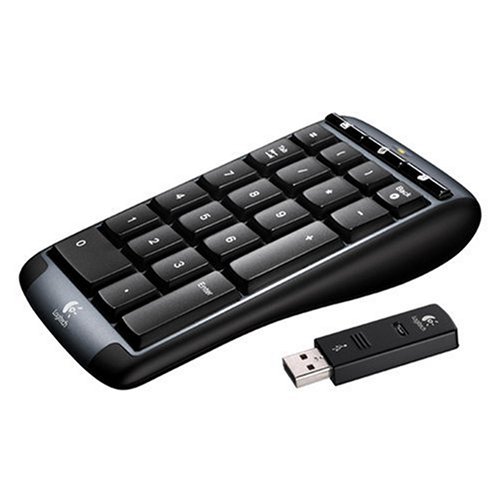
Logitech Wireless Number Pad for Notebooks


Key features
- •Sold Individually
- •System Requirements - Windows 2000, Windows XP, Windows Vista and USB port
Logitech Wireless Number Pad for Notebooks
List Price: $96.60$86.94DEALYou Save: $9.66 (10%)
Free shippingFree Returns – 30 daysFree Order CancellationSecure Payment2–3 Days DeliveryGet It October 25, 2026In Stock (4)No marketing spamNo account requiredFulfilment by FedEx / Amazon / UPS / ShipwirePayPal / Card Buyer Protection
Customer Reviews
Reviews sourced from verified Amazon purchasers3.8
out of 5
Based on 10 reviews
5★
30%
4★
40%
3★
20%
2★
0%
1★
10%
Exactly what I wanted and didn't know I needed
Yvette Yasui•October 8, 2011
Our family switched to using laptops as our computers years ago. I always hated that a number pad was not part of the keyboard. I never knew that separate number pads existed. I was missing out.
I read a few reviews before purchasing this item. Some of them said that other products had an annoying delay between pressing the numbers and the number appearing on screen. That would have been nuts. But you get what you pay for, that item was just under $10 bucks.
I have had the number pad for less than 2 weeks, but it has changed my life! I run a little web site and all of our PO's and items are identified numerically.
I just cannot believe I've waiting this long to have it. It is not just a little helpful. Now, everytime I need to enter a number, I am happy to do it instead of dreading it. Such a little task, such a little product, such a big difference in quality and quantity of work accomplished.
The number pad is well made, nicely weighted w little rubber pads, so it sits on your desk and does not slide around. When you click on the keypad, it has a satisfying click. There is a slight incline to that you can easily see it and it's not a pain for your wrist. All around a quality product.
I read a few reviews before purchasing this item. Some of them said that other products had an annoying delay between pressing the numbers and the number appearing on screen. That would have been nuts. But you get what you pay for, that item was just under $10 bucks.
I have had the number pad for less than 2 weeks, but it has changed my life! I run a little web site and all of our PO's and items are identified numerically.
I just cannot believe I've waiting this long to have it. It is not just a little helpful. Now, everytime I need to enter a number, I am happy to do it instead of dreading it. Such a little task, such a little product, such a big difference in quality and quantity of work accomplished.
The number pad is well made, nicely weighted w little rubber pads, so it sits on your desk and does not slide around. When you click on the keypad, it has a satisfying click. There is a slight incline to that you can easily see it and it's not a pain for your wrist. All around a quality product.
Attn: Accountants
SAL•January 20, 2011
if your an accountant and work on a laptop rather than a computer, well, you might have some difficulties because some of the laptops dont hav enumerical keypads on the right side of the keyboard. in my case its even worse, becuase im a 'lefty' -left hand writer- which makes it even difficult for me to use even if it exists.
having a wireless portable keypad in my hands made it easier. i use it while im sitting back, with two hands, with one hand, sometimes i get frustrated of a certain number or formula so i have to stand up, move around which makes me think better, even by doing so, the pad doesnt leave my hand. i just calculate, calcute & calculate more, i dont have to get on my chair and write down my ideas everytime i get one, then stand up again.
"however, when i bought this product, it had noticed a little scratch on the bottom right of the product"
*NOTE: This is a packaging issue not a prodct issue.
all in all, this is a reiable product because it will simplify not only your work but also your movement.
having a wireless portable keypad in my hands made it easier. i use it while im sitting back, with two hands, with one hand, sometimes i get frustrated of a certain number or formula so i have to stand up, move around which makes me think better, even by doing so, the pad doesnt leave my hand. i just calculate, calcute & calculate more, i dont have to get on my chair and write down my ideas everytime i get one, then stand up again.
"however, when i bought this product, it had noticed a little scratch on the bottom right of the product"
*NOTE: This is a packaging issue not a prodct issue.
all in all, this is a reiable product because it will simplify not only your work but also your movement.
I love wireless
Simmer•April 12, 2010
I bought this number pad in hopes it would perfectly emulate a number pad as it exist on a standard computer keyboard, but sadly it does not.
I purchased a few standalone number pads to go with my laptop that I use to remotely log into work to operate on software that utilizes the NUM LOCK key. I hoped this number pad would somehow emulate that button, but it does not, and I'm guessing there are none others out there that will, so I pretty much gave up on my search.
I wish it was more clear cut when turning this thing on and off. The way it is now it is hard to tell if you actually turned it on or not by holding the button in. I usually have to hold it in a few times before I get it steady on.
This still works well and I've been a loyal buyer of logitech products for years because they make good quality electronics.
I still use this occasionally and it works well, but I guess my best bet would have been to save my money and by using a full sized USB keyboard.
I purchased a few standalone number pads to go with my laptop that I use to remotely log into work to operate on software that utilizes the NUM LOCK key. I hoped this number pad would somehow emulate that button, but it does not, and I'm guessing there are none others out there that will, so I pretty much gave up on my search.
I wish it was more clear cut when turning this thing on and off. The way it is now it is hard to tell if you actually turned it on or not by holding the button in. I usually have to hold it in a few times before I get it steady on.
This still works well and I've been a loyal buyer of logitech products for years because they make good quality electronics.
I still use this occasionally and it works well, but I guess my best bet would have been to save my money and by using a full sized USB keyboard.
Very happy with this key pad
Admin Sara•March 13, 2010
I use an IBM think pad and typically need a number pad several times a week for payroll and other projects. I looked for a few days and other reviews were helpful to compare. Some pads had the extra/rarely used keys taking up space where the essential keys should be and this logitech had what I needed. I love that I can place it anywhere on my desk or store it away when not in use. I thought about just getting a whole keyboard, but the ease and convenience of the logitech wireless is incomparable. The grippers on the bottom are nice too so I know it won't slide around on me. Although the "9" was sticking the first week or so, I'm sure it just needed some use, I'm very happy with the product. The TAB and Back button are very useful so if you don't get this exact product, at least look for one that has those features.
Very nice keypad
A. Michelle Kunk•February 18, 2010
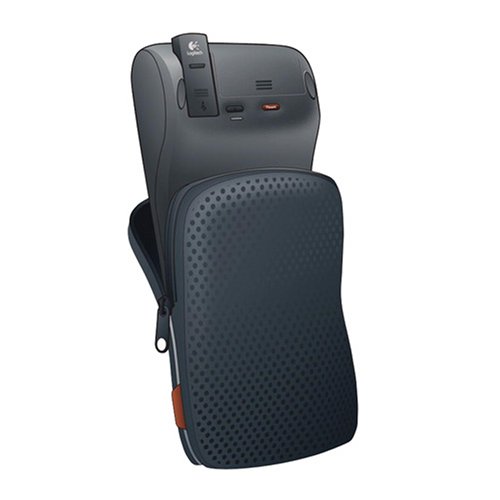
Like seemingly everybody else who reviewed this number pad, I'm an accounting student. I use a netbook for portability while I'm at school, and entering figures on the top row of the keypad is enough to make anyone pull their hair out. I throw the keypad in my backpack full of books and the netbook, and I'm good to go. The carrying pouch is a nice touch, padded, and actually surprisingly high quality; I don't worry about damaging the keypad when it's in with other stuff. The action of the keys is very nice, and the keyboard is very nicely constructed. I looked at several other products before purchasing this one, and a deciding factor was the double width 0 key. The tab button is wonderful. My biggest gripe is the fact that the number keys can't double as directional buttons. If there was a way to toggle num lock off and on, I could move around in my spreadsheets without having to shift back to the netbook keyboard. I often enter data with my right hand while holding the keypad in my left since I have some mobility issues, so having to set the pad down and move to the netbook's directional keys is a pain. Seems like that would have been pretty simple to incorporate into the keypad, but alas. One further gripe: the dongle is huge, by modern standards. It stores nicely inside the keypad when not in use, but I wish it was one of those mini dongles so I could just leave it plugged into the netbook all the time. Regardless, I'm convinced that this is about the highest quality number pad available, currently, and it's SO much better than using the top row of the keyboard.
Page 1 of 2