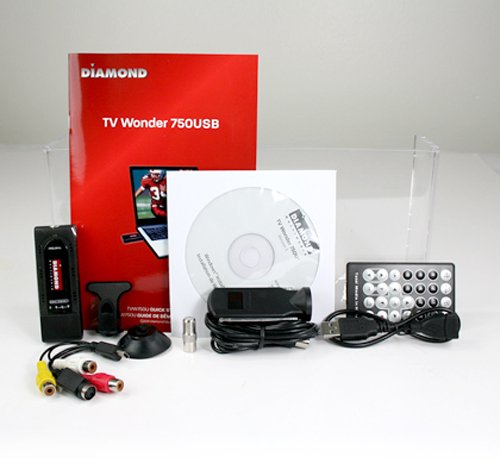
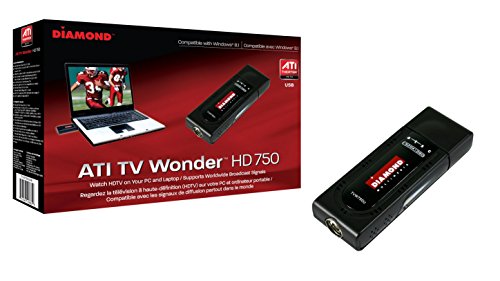
Diamond TVW750USB ATI Theater HD 750 USB TV Tuner

Key features
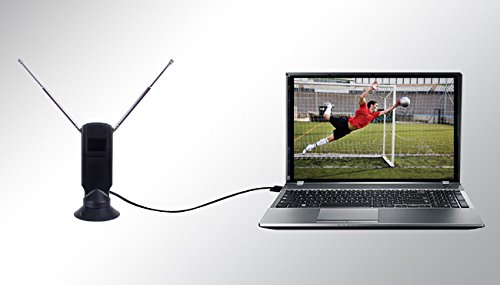
- •ATSC, DVB-T,Clear-QAM Digital TV Support (unencrypted digital TV), PAL, SECAM.
- •Intelligent Image Enhancement, Software MPEG Encoding, 12-bit Resolution Audio and Video Decoder.
- •Please refer the user manual under product details for proper usage and troubleshooting steps.
- •Must set the TV software on one channel usually 3 and then change channels manually on the set top box.
- •Serial number for the software is located on the CD sleeve.
BrandDiamond Multimedia
CategoryExternal TV Tuners
Size9.6x6.4x2.2
WarrantyComes with Manufacturer Warranty.
Diamond TVW750USB ATI Theater HD 750 USB TV Tuner
List Price: $190.59$171.53DEALYou Save: $19.06 (10%)
Free shippingFree Returns – 30 daysFree Order CancellationSecure Payment2–3 Days DeliveryGet It October 26, 2026In Stock (123)No marketing spamNo account requiredFulfilment by FedEx / Amazon / UPS / ShipwirePayPal / Card Buyer Protection
Customer Reviews
Reviews sourced from verified Amazon purchasers3.2
out of 5
Based on 10 reviews
5★
30%
4★
10%
3★
20%
2★
10%
1★
30%
and I it gave me a message like "this device will not run on Windows NT"
Guest•February 2, 2016
When I first got this, I tried installing the drivers on the CD, and I it gave me a message like "this device will not run on Windows NT",???, and I was on Windows 8. So then I tried drivers on the website, and that worked until my Toshiba Satellite with Windows 8 died 2 weeks later. Then I tried to install it on an old Sony Vaio with Vista, and nothing worked. I tried many different drivers with many different TV programs.
And then I found out Vista has a built in option that automatically blocks some exe from installation, without ever telling you its being done. You need to right click on the program installer and go to properties, then check to see if the program is "blocked", if so unblock it. after I did that. I reinstalled the entire package from the website for a 32bit Vista machine. Now it runs perfect
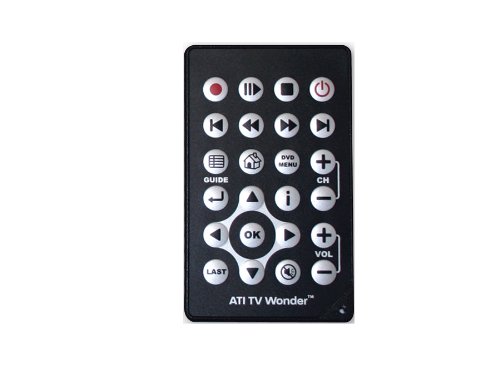
Also I want to add, many people have a problem with the remote working properly, as I did, until I found out the IR receiver is located on only one side of the device. So the remote will not work properly if its plugged into the left side of the PC. I plugged it into the USB on the right side of the PC, and the remote works perfect
And then I found out Vista has a built in option that automatically blocks some exe from installation, without ever telling you its being done. You need to right click on the program installer and go to properties, then check to see if the program is "blocked", if so unblock it. after I did that. I reinstalled the entire package from the website for a 32bit Vista machine. Now it runs perfect
Also I want to add, many people have a problem with the remote working properly, as I did, until I found out the IR receiver is located on only one side of the device. So the remote will not work properly if its plugged into the left side of the PC. I plugged it into the USB on the right side of the PC, and the remote works perfect
Not Compatible with new hardware or operating systems
ed•January 21, 2016
The HD750USB device was obviously designed about 5 or 6 years ago and does not work reliably with modern OS's like Windows 10 and modern hardware. It appears that it won't work well if plugged into USB 3.0 ports and the software ArcSoft TotalMedia 3.5 is no longer supported by ArcSoft and suffers from bugs that make it hang occasionally. It does work better with Windows Media Center but Microsoft is no longer supporting it on Windows 10 either..
I did get the tuner to work on an old HP laptop that is 6 years old with Windows 7 on it through it's USB 2.0 ports; showing that the device has not been updated to support newer hardware. I have not been successful in installing it on a Dell XPS8700 with Windows 7 on it using the ArcSoft software included and also an XPS8700 with Windows 10 on it where it does not work properly at all. There is some cryptic message about having to install drivers manually on Windows 10 on Diamond's website which I did but still no success.
Update July 7, 2016: I tried it with MediaPortal and NextPVR opensource software and both exhibit the same errors using the driver from the Diamond website. The device will malfunction when doing a channel scan and become non-responsive. I asked Diamond if they intend to fix the driver since it is marked as BETA but they said they will not. So consider this device no longer supported do not buy it.
Therefore, not recommended unless you want to replace an existing TV tuner on older hardware.
I did get the tuner to work on an old HP laptop that is 6 years old with Windows 7 on it through it's USB 2.0 ports; showing that the device has not been updated to support newer hardware. I have not been successful in installing it on a Dell XPS8700 with Windows 7 on it using the ArcSoft software included and also an XPS8700 with Windows 10 on it where it does not work properly at all. There is some cryptic message about having to install drivers manually on Windows 10 on Diamond's website which I did but still no success.
Update July 7, 2016: I tried it with MediaPortal and NextPVR opensource software and both exhibit the same errors using the driver from the Diamond website. The device will malfunction when doing a channel scan and become non-responsive. I asked Diamond if they intend to fix the driver since it is marked as BETA but they said they will not. So consider this device no longer supported do not buy it.
Therefore, not recommended unless you want to replace an existing TV tuner on older hardware.
This is a very effective little tuner. It has good sensitivity, good picture quality, and is gentle on resources.
Hoken•September 4, 2014
Performs flawlessly, and with the Win 7 Media Center it is very nicely integrated with fast, with well organized channel listings downloaded by Media Center (no subscription needed, and nothing to join). Unwanted channels are easily filtered out, and the pause feature is very handy. Tuner sensitivity is at least as good as in our HD TV, and better than in some TVs we've had. (We get broadcast signals out of Phoenix, 100 miles away, so tuner quality is readily apparent). Connected to a USB 3 port, it runs almost at room temperature, but I did notice that when I connected it to a USB 2 port it began to warm up rather quickly - might be something to watch closely if you have to connect via USB 2.
If you're using AMD graphics: Beware of driver update 14.9. I was unable to access the tuner once that update was installed ("tuner is busy"). Uninstalling components one at a time revealed that the hijacker was the Catalyst Control Center. Reinstalling ver 14.4 put everything back in order.
Using this tuner with an AMD FX-6350 CPU and AMD R9 270 graphics, the CPU load is about 9%-11%, only using a little bit of three cores at 2.1 GHz (when under load 4.2 GHz), and the GPU handles 1920x1080 TV at only 450 MHz (it snoozes @300 MHz and heavy graphics loads push it to 1150 MHz), so very light on system resources.
Bottom line - this little tuner has turned a $150 monitor into a second HDTV with excellent picture quality and built in recording capability, and unlike an internal tuner, it is easily transportable to a different computer. I can find no reason not to recommend it - it's been a nice addition for me, and free of annoyances.
If you're using AMD graphics: Beware of driver update 14.9. I was unable to access the tuner once that update was installed ("tuner is busy"). Uninstalling components one at a time revealed that the hijacker was the Catalyst Control Center. Reinstalling ver 14.4 put everything back in order.
Using this tuner with an AMD FX-6350 CPU and AMD R9 270 graphics, the CPU load is about 9%-11%, only using a little bit of three cores at 2.1 GHz (when under load 4.2 GHz), and the GPU handles 1920x1080 TV at only 450 MHz (it snoozes @300 MHz and heavy graphics loads push it to 1150 MHz), so very light on system resources.
Bottom line - this little tuner has turned a $150 monitor into a second HDTV with excellent picture quality and built in recording capability, and unlike an internal tuner, it is easily transportable to a different computer. I can find no reason not to recommend it - it's been a nice addition for me, and free of annoyances.
overheats causing malfunction but works great if you remove the plastic outer shell
Jackt•August 17, 2014
Would have given it 5 stars but mine overheats like others have mentioned causing it to disappear from Windows Media Center as an available tuner. Unplugging it from the USB port and plugging it back in would get it to work again, but only for a few minutes. I have since removed the plastic outer shell and it now operates without problems. You could probably fry an egg on it (a very small egg) but it works well and has a surprisingly good picture. I am considering attaching some sort of heat sink to the overheating chip in its board so I can put it back in its housing, but for now, I am going to leave well enough alone.
Update: downgraded it to 1 star because it doesn't work in Windows10 and Diamond was useless in offering help to get it to work without Windows Media Center.
Update: downgraded it to 1 star because it doesn't work in Windows10 and Diamond was useless in offering help to get it to work without Windows Media Center.
Worked well but began to overheat and fail after a year
Jerry K•August 5, 2014
I like this tuner because it is versatile and if anything is slightly more sensitive than an Avertv Hybrid Volar Max tuner I have running alongside it. I wanted to capture some analog recordings from tapes I made many years ago on camcorder. With the Avertv usb tuner it is difficult to get that to work. Meanwhile I had been thinking about getting a second tuner to allow simultaneous recording or viewing a second program while recording etc. This Diamond product and the Arcsoft Totalmedia software that came bundled with it worked well to capture analog video from a Sony Handycam and a VCR. Totalmedia got all hung up and stopped responding for some reason whenever I tried to burn the captured files to disk. I just burn the resulting files to disk from Windows Explorer instead and the files play nicely on a recent Samsung disk player. Another nice feature with this Diamond product is the funky remote. The remote works even when the active tuner on my system is the Avertv tuner.
I am running this on a Dell Inspiron laptop with Windows 7 and Windows Media Center. The two tuners work seamlessly together under Windows Media Center, which noticed the presence of the new Diamond tuner and popped up a dialogue to set up for dual tuners.
Edit 12/1/2015 After running this daily along with a second tuner made by Avermedia for a year, the Diamond unit began to overheat badly and fails after about an hour of recording. I have had to replace it with another AverMedia unit. I am reducing the stars from 5 to 3 because it only lasted about a year.
I am running this on a Dell Inspiron laptop with Windows 7 and Windows Media Center. The two tuners work seamlessly together under Windows Media Center, which noticed the presence of the new Diamond tuner and popped up a dialogue to set up for dual tuners.
Edit 12/1/2015 After running this daily along with a second tuner made by Avermedia for a year, the Diamond unit began to overheat badly and fails after about an hour of recording. I have had to replace it with another AverMedia unit. I am reducing the stars from 5 to 3 because it only lasted about a year.
Page 1 of 2