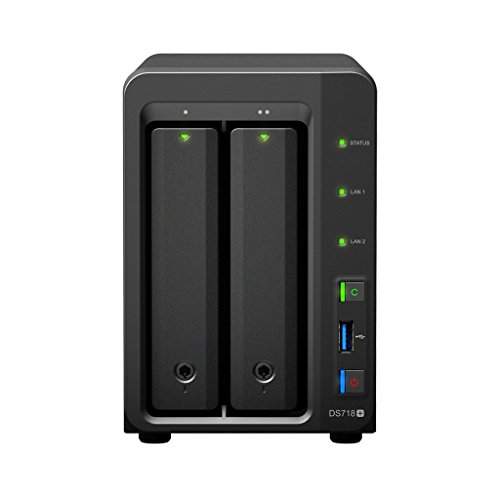
WD 4TB My Cloud Personal Network Attached Storage - NAS - WDBCTL0040HWT-NESN

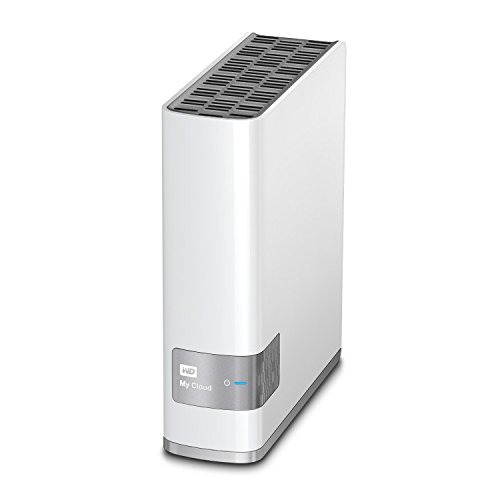
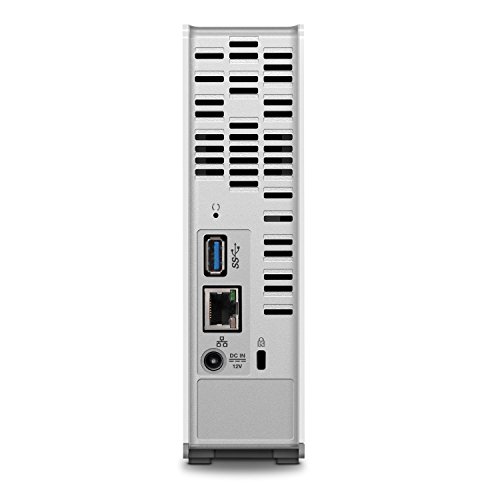

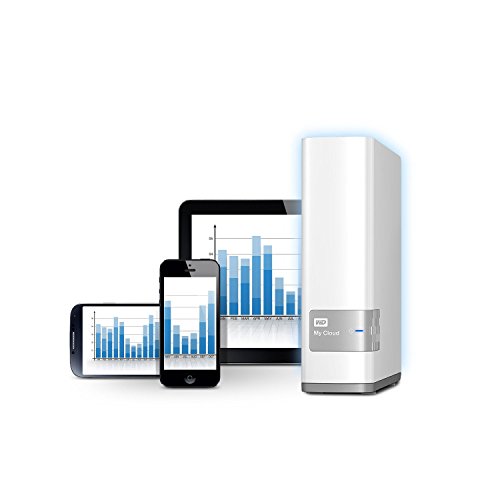
Key features
- •4TB Storage Capacity, Back up files from all your computers
- •Gigabit Ethernet and USB 3.0, Blazing-fast file transfers
- •Package Includes: Personal cloud storage, Ethernet cable, AC adapter and Quick Install Guide, DLNA 1.5 and UPnP Certified
- •Auto Network Discovery, Windows and Mac Compatible.Compatible with Windows 10, Windows 8, Windows 7, Mac OS X El Capitan,Yosemite, Mavericks, or Mountain Lion operating systems. Requires,DLNA/UPnP devices for streaming and a router with Internet connection.
- •Stream to your DLNA/UPnP-certified connected TVs, media players and gaming consoles
- •The My Cloud drive is compatible with Apple Time Machine for Mac users
WD 4TB My Cloud Personal Network Attached Storage - NAS - WDBCTL0040HWT-NESN
List Price: $531.05$477.95DEALYou Save: $53.10 (10%)
Free shippingFree Returns – 30 daysFree Order CancellationSecure Payment2–3 Days DeliveryGet It October 25, 2026In Stock (5)No marketing spamNo account requiredFulfilment by FedEx / Amazon / UPS / ShipwirePayPal / Card Buyer Protection
Customer Reviews
Reviews sourced from verified Amazon purchasers3.6
out of 5
Based on 10 reviews
5★
50%
4★
50%
3★
0%
2★
0%
1★
0%
A Nice Uncomplicated NAS
W. Oliver✓ Verified Purchase•July 22, 2017
I bought this to go along with a WD 6TB My Cloud NAS. The WD 6TB system was mirrored so I could only use 3TB. I needed some additional space and decided to go without RAID on this unit so I could access the full 4TB.
Setting up both of the units was not difficult. Plug in network cables. Plug in power. Follow some basic instructions. However, I'm only using these for Network Attached Storage on my local network so there really wasn't much to do. Digging into setting up "cloud" access to allow external access to media files and such wasn't anything I needed which probably made setup a bit easier for me.
One thing that was a bit odd was the lack of a power switch but it does provide an option to schedule times to power these units off and then on again during the week. I have a UPS with the same power down scheduling option that I use to power down my computer, router, and a few peripherals, including the 6TB NAS. I've set both NAS units shedule to power down during the night and to power backup in the morning.
So far, no glitches. I have file and data backups scheduled to run each night before shutdown with a complete image backup of Windows once a week. I'd broken something a couple of weeks ago and had to do a Windows restore and it went off without a single problem.
These units are quiet as far as I can tell. I have these in my living room on a wire rack with my computer, peripherals, and flat screen TV. Even at night when there is no outside noise I can't hear them. I don't know about power consumption but I haven't seen any spikes in electric bills. On the flip side, even though everything I now power everything down each night I haven't seen any dip in my electric bills either.
I used to use a mix of vendor storage, mostly based on price. But I'd had some bad luck with units that failed in well under 2 years and a couple that failed so quickly that I lost a significant about of data. As I've consolidated multiple NAS and USB HDD storage devices into fewer and fewer units I've pretty much stayed with WD. Of all of the mid-priced storage, I've seen the fewest failures and the longest life with WD storage.
If I haven't jinxed myself with the above statement, I'm hoping that streak continues with these new units.
Setting up both of the units was not difficult. Plug in network cables. Plug in power. Follow some basic instructions. However, I'm only using these for Network Attached Storage on my local network so there really wasn't much to do. Digging into setting up "cloud" access to allow external access to media files and such wasn't anything I needed which probably made setup a bit easier for me.
One thing that was a bit odd was the lack of a power switch but it does provide an option to schedule times to power these units off and then on again during the week. I have a UPS with the same power down scheduling option that I use to power down my computer, router, and a few peripherals, including the 6TB NAS. I've set both NAS units shedule to power down during the night and to power backup in the morning.
So far, no glitches. I have file and data backups scheduled to run each night before shutdown with a complete image backup of Windows once a week. I'd broken something a couple of weeks ago and had to do a Windows restore and it went off without a single problem.
These units are quiet as far as I can tell. I have these in my living room on a wire rack with my computer, peripherals, and flat screen TV. Even at night when there is no outside noise I can't hear them. I don't know about power consumption but I haven't seen any spikes in electric bills. On the flip side, even though everything I now power everything down each night I haven't seen any dip in my electric bills either.
I used to use a mix of vendor storage, mostly based on price. But I'd had some bad luck with units that failed in well under 2 years and a couple that failed so quickly that I lost a significant about of data. As I've consolidated multiple NAS and USB HDD storage devices into fewer and fewer units I've pretty much stayed with WD. Of all of the mid-priced storage, I've seen the fewest failures and the longest life with WD storage.
If I haven't jinxed myself with the above statement, I'm hoping that streak continues with these new units.
Happy to Play with the (Sometimes) Redundancy of Two Clouds
Trippet✓ Verified Purchase•June 16, 2017
I'm not all settled with this, yet, and I have my peeves and wants; however, compared to the Seagate PersonalCloud we have I'm liking it far better. I'm one of those IT people who's self-taught (reads Google, asks questions, and pushes buttons with utter lack of fear of consequences), as well as have on-the-job experience. I can piece things together easily enough to get by, and sometimes even do something kind of astounding. Keep in mind, though, in my pros and cons I could very well be working around myself due to all that self obtained knowledge and not Really understanding NAS, but instead being unafraid to use it. With actual schooling I could be a contender, but as it is I'm trying to learn while doing a job and am thankful a blind squirrel gets a nut once in a while!
Pros:
Speed - instantaneous compared to Seagate
Simplicity of use - plug and play
Uptime - has yet to let me down, Seagate I can Never connect to remotely (workaround is to sync to OneDrive or Google to access the files I need)
Mapping - no issue whatsoever to map to a network drive; Seagate utterly fails in that realm with SDrive trying to auto connect
Cons:
Syncing to services like OneDrive - Seagate has WD in spades here and that's a Big con; My Cloud seems to be satisfied to provide an interface and let that serve
Intuitiveness regarding Public vs Private shares - we're all able to see Public and we're all able to see each other's and I'm riddling that out
OneDrive folder just hanging out in the My Cloud - not sure what it does, it's empty, and I can't find an answer. OneDrive is connected, but not to that folder
Google is said to be fixed on the app, but we are unable to connect due to the 403 error that's said to be corrected
Sharing from phone to WD is confusing. Files went do a download folder and I'm unable to see the files on the drive. Where is that folder?! I ended up clicking on 30 files and copying them to a folder on the WD, which seems like an unnecessary step to have to take so perhaps that's a hit and a miss on my part
All-in-all I'm thinking of backing up the WD to the Seagate because the Seagate can sync with OneDrive and Google, which gets us what we need.
20170817 Update: Went with a Synology DiskStation DS216+II and I'm not looking back. I have it synced to OneDrive and Google, no failures, insta-sync (no waiting, you change a file and moments later it's updating to the other clouds). It's backing up to the Seagate and the WD, again, no problems. I had to go with FTP on the WD because SSH is stupidly complex for a non-network or helpdesk specialist (in other words, the user is going to have to have knowledge of Putty and ports and tunnels and bridges and things the even above-average user isn't going to know - I broke my router, but I fixed it while on my adventure. I learned stuff, but still failed to make it work.).
Synology has Excellent documentation where WD is skimpy and most of your "help" is going to be found on forums, or the WD employees are going to tell you to write an app to do what you want (because most of us can just whip out C+, or whatever the cool kids are using these days, to just write an app - in my days it was Basic or Pascal, you know, the black background with green text . . . .).
The DiskStation has tons of apps and the average user will be okay using it, but it has Plenty of good gui geeky stuff to play with, too. You can make it as simple or as complex as your heart desires. Because the documentation is so excellent, I might even learn about them there bridges, tunnels and ports!
Pros:
Speed - instantaneous compared to Seagate
Simplicity of use - plug and play
Uptime - has yet to let me down, Seagate I can Never connect to remotely (workaround is to sync to OneDrive or Google to access the files I need)
Mapping - no issue whatsoever to map to a network drive; Seagate utterly fails in that realm with SDrive trying to auto connect
Cons:
Syncing to services like OneDrive - Seagate has WD in spades here and that's a Big con; My Cloud seems to be satisfied to provide an interface and let that serve
Intuitiveness regarding Public vs Private shares - we're all able to see Public and we're all able to see each other's and I'm riddling that out
OneDrive folder just hanging out in the My Cloud - not sure what it does, it's empty, and I can't find an answer. OneDrive is connected, but not to that folder
Google is said to be fixed on the app, but we are unable to connect due to the 403 error that's said to be corrected
Sharing from phone to WD is confusing. Files went do a download folder and I'm unable to see the files on the drive. Where is that folder?! I ended up clicking on 30 files and copying them to a folder on the WD, which seems like an unnecessary step to have to take so perhaps that's a hit and a miss on my part
All-in-all I'm thinking of backing up the WD to the Seagate because the Seagate can sync with OneDrive and Google, which gets us what we need.
20170817 Update: Went with a Synology DiskStation DS216+II and I'm not looking back. I have it synced to OneDrive and Google, no failures, insta-sync (no waiting, you change a file and moments later it's updating to the other clouds). It's backing up to the Seagate and the WD, again, no problems. I had to go with FTP on the WD because SSH is stupidly complex for a non-network or helpdesk specialist (in other words, the user is going to have to have knowledge of Putty and ports and tunnels and bridges and things the even above-average user isn't going to know - I broke my router, but I fixed it while on my adventure. I learned stuff, but still failed to make it work.).
Synology has Excellent documentation where WD is skimpy and most of your "help" is going to be found on forums, or the WD employees are going to tell you to write an app to do what you want (because most of us can just whip out C+, or whatever the cool kids are using these days, to just write an app - in my days it was Basic or Pascal, you know, the black background with green text . . . .).
The DiskStation has tons of apps and the average user will be okay using it, but it has Plenty of good gui geeky stuff to play with, too. You can make it as simple or as complex as your heart desires. Because the documentation is so excellent, I might even learn about them there bridges, tunnels and ports!
Reliable Personal Cloud with remote capabilities. Just takes a few tweeks to set it up correctly.
Christine Mislang✓ Verified Purchase•October 21, 2016
After years of having multiple "Back-Up" external drives, I finally bit the bullet and bought the WD 4TB My Cloud. I couldn't be happier. I have been able to consolidate all my files into one place. I love that they are accessible to any one of my computers. That I can get to my files as I travel is a major plus, yes this drive has remote capabilities. This drive is simple to install for those who are computer savvy, but I can see it being a bit more difficult for those who struggle with computers.
When I received my drive, the first thing I did was unpack it and read through the documentation. Following the instructions, I set it up, install the needed software, then create the files I needed it to house. I then mapped several drives to My Cloud. Which then makes it super simple to access anything from my main computer.
When you access My Cloud Drive Properties, you can change the needed settings.
Key to this is utilizing the dashboard, then going through each setting. (I have included a few pictures of the dashboard for your viewing pleasure.)
I have mine set to a static IP, power saving off, Auto Updating and so on. One of the bonuses to this drive is you can add an additional USB drive to the back of the unit, in order to create a safe point. This will help you recover data should your drive fail. It takes an image of the drive that can be used to restore your information to your drive. Remember however that recovery is only as good as the last safe point you have created.
If you are worried about what people will see if you give them access to your Cloud, then you have no worries. You can set each folders access list. Like any large network out there you are in control of who can view which files you wish. This is especially nice when your collaborating with someone on a project.
So if your looking for a reliable personal cloud, and you are able to read instructions, you should be able to set this up with little to no effort.
When I received my drive, the first thing I did was unpack it and read through the documentation. Following the instructions, I set it up, install the needed software, then create the files I needed it to house. I then mapped several drives to My Cloud. Which then makes it super simple to access anything from my main computer.
When you access My Cloud Drive Properties, you can change the needed settings.
Key to this is utilizing the dashboard, then going through each setting. (I have included a few pictures of the dashboard for your viewing pleasure.)
I have mine set to a static IP, power saving off, Auto Updating and so on. One of the bonuses to this drive is you can add an additional USB drive to the back of the unit, in order to create a safe point. This will help you recover data should your drive fail. It takes an image of the drive that can be used to restore your information to your drive. Remember however that recovery is only as good as the last safe point you have created.
If you are worried about what people will see if you give them access to your Cloud, then you have no worries. You can set each folders access list. Like any large network out there you are in control of who can view which files you wish. This is especially nice when your collaborating with someone on a project.
So if your looking for a reliable personal cloud, and you are able to read instructions, you should be able to set this up with little to no effort.
I've gone from very frustrated and disappointed to "maybe this is going to work okay" and from 2 stars to 4
S. Law✓ Verified Purchase•September 19, 2015
I have left my original review in place but be sure and read my update below.
I have had my WD MyCloud for about 9 months now. This thing has been an exercise in frustration for me. I even have a support ticket working right now. I had really high hopes for having my own little cloud where I could retrieve photo files from anywhere, well I can as long as I plan ahead a couple hours. I thought the first one was DOA so I returned it and got a new one. Turns out it wasn't the drive, but the software. I have attempted to watch media on my TV from this but it turns out I have to have several different other programs to download and convert formats to watch ANYTHING so I have totally given up on that; It's a good thing that's not what I bought it for. The instructions say that you can upload your photos much faster to the MyCloud than you can to the Internet to places such as Dropbox. I have not found that to be true, it really seems quite slow to upload to the MyCloud. I'm using a Windows 7 64 bit computer with 16 GB of RAM. The bottom line is that I do have some files saved on my WD MyCloud but it has been so much work. I would NOT purchase one again. If you look at my other reviews you will see that almost all of them are five stars. I generally tend to find the best in everything, but I just can't do it with the My Cloud.
Oct. 7, 2015 Update: Western Digital Support has been awesome! They got back with me and spent 2 3/4 hours on the phone and remote on my computer. Sadly they were not able to fix it so they sent me out a new one and even upgraded to the next size "for your inconvenience". The new one has arrived and appears to be working great so far. I, like many others, had serious issues with the speed of uploading from my computer to the My Cloud device. I was using the My Cloud Application to do that but have learned that it goes many times faster if you open your My Cloud using Windows Explorer and then drag and drop from your source into the My Cloud in Windows Explorer. I stated in my original post that I was not able to get video to work, but that also has changed I downloaded a video in MP4 format from the internet and then put it in my Public My Videos folder and watched it on my smart TV with no problems, It did take a little fussing around in the menu, but I don't know if that's the TV's fault or the WD My Cloud's. Either way it wasn't that bad and I got it done and the video looked awesome.
I've always been a fan of Western Digital hard drives and own several of them. I hope that my troubles with this are behind me and this device lives up to my Western Digital expectations. I will update once I'm more sure of it, or if there are other problems.
I have had my WD MyCloud for about 9 months now. This thing has been an exercise in frustration for me. I even have a support ticket working right now. I had really high hopes for having my own little cloud where I could retrieve photo files from anywhere, well I can as long as I plan ahead a couple hours. I thought the first one was DOA so I returned it and got a new one. Turns out it wasn't the drive, but the software. I have attempted to watch media on my TV from this but it turns out I have to have several different other programs to download and convert formats to watch ANYTHING so I have totally given up on that; It's a good thing that's not what I bought it for. The instructions say that you can upload your photos much faster to the MyCloud than you can to the Internet to places such as Dropbox. I have not found that to be true, it really seems quite slow to upload to the MyCloud. I'm using a Windows 7 64 bit computer with 16 GB of RAM. The bottom line is that I do have some files saved on my WD MyCloud but it has been so much work. I would NOT purchase one again. If you look at my other reviews you will see that almost all of them are five stars. I generally tend to find the best in everything, but I just can't do it with the My Cloud.
Oct. 7, 2015 Update: Western Digital Support has been awesome! They got back with me and spent 2 3/4 hours on the phone and remote on my computer. Sadly they were not able to fix it so they sent me out a new one and even upgraded to the next size "for your inconvenience". The new one has arrived and appears to be working great so far. I, like many others, had serious issues with the speed of uploading from my computer to the My Cloud device. I was using the My Cloud Application to do that but have learned that it goes many times faster if you open your My Cloud using Windows Explorer and then drag and drop from your source into the My Cloud in Windows Explorer. I stated in my original post that I was not able to get video to work, but that also has changed I downloaded a video in MP4 format from the internet and then put it in my Public My Videos folder and watched it on my smart TV with no problems, It did take a little fussing around in the menu, but I don't know if that's the TV's fault or the WD My Cloud's. Either way it wasn't that bad and I got it done and the video looked awesome.
I've always been a fan of Western Digital hard drives and own several of them. I hope that my troubles with this are behind me and this device lives up to my Western Digital expectations. I will update once I'm more sure of it, or if there are other problems.
Does everything it is supposed to do.
Alan Selmanaj✓ Verified Purchase•March 21, 2015
I read all of the reviews of the drive and noticed that most of them, good and bad, were from 2013. I called WD tech support and talked with one of the tech support reps, who answered pretty quickly for a big company, and talked with him. He said that the drives would probably be very similar to the ones manufactured in 2013 but the firmware was being updated all the time. I was assured enough to order the drive as I really wanted/needed a cloud drive.
You DO want to pay attention during setup. I took my time and everything went very well and was intuitive. I set up both my computer as well as my wife's very quickly. With both computers running their initial backups at the same time, both of us using the computers during most of this, both systems backed up a total of 500 gigabytes by morning. I couldn't say if this was fast or not compared to others, but I was very pleased. I set up my iPhone with the my cloud app and it also worked as advertised and I have both uploaded and downloaded from my home drive while at work.
The drive did everything I had hoped for it to do and tech support answered very quickly. The price was right too.I give WD My Cloud good marks.
You DO want to pay attention during setup. I took my time and everything went very well and was intuitive. I set up both my computer as well as my wife's very quickly. With both computers running their initial backups at the same time, both of us using the computers during most of this, both systems backed up a total of 500 gigabytes by morning. I couldn't say if this was fast or not compared to others, but I was very pleased. I set up my iPhone with the my cloud app and it also worked as advertised and I have both uploaded and downloaded from my home drive while at work.
The drive did everything I had hoped for it to do and tech support answered very quickly. The price was right too.I give WD My Cloud good marks.
Page 1 of 2