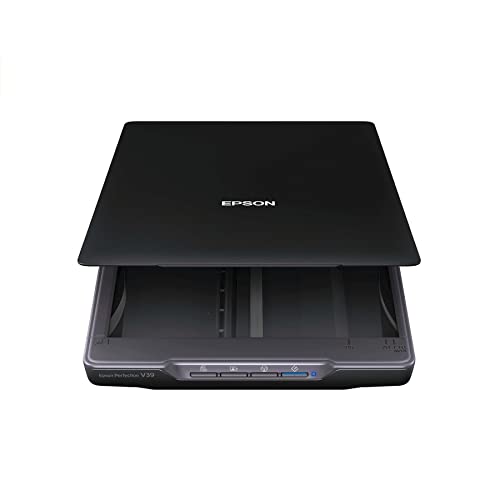
Epson Perfection V800 Photo scanner




Key features
- •Precise color and detail - get extraordinary scans with 6400 dpi resolution. Grayscale Bit Depth: 16-bits per pixel internal / external1
- •Remarkable tonal range - 4.0 Dmax for smooth gradations & fine shadow detail
- •Exclusive Dual Lens System - selects from 2 lenses for optimum results
- •Operating Systems: Windows 8.1, Windows 8, Windows 7, Windows Vista, Windows XP, Windows XP Professional x64 Edition and Mac OS X 10.6.x, 10.7.x, 10.8.x, 10.10.x
- •Refer to the PDF attached below in Technical Specification for User Manual
Epson Perfection V800 Photo scanner
List Price: $1583.04$1424.74DEALYou Save: $158.30 (10%)
Free shippingFree Returns – 30 daysFree Order CancellationSecure Payment2–3 Days DeliveryGet It October 25, 2026In Stock (1)No marketing spamNo account requiredFulfilment by FedEx / Amazon / UPS / ShipwirePayPal / Card Buyer Protection
Customer Reviews
Reviews sourced from verified Amazon purchasers4.3
out of 5
Based on 10 reviews
5★
70%
4★
30%
3★
0%
2★
0%
1★
0%
Very Good scanner. Intuitive EPSON bundled software sufficient for the amateur user/archivist.
LanceManion✓ Verified Purchase•July 24, 2023
This is my fifth scanner, having used two portable Canon scanners, a nice HP scanner, and a Canon 9000. I bought this because its slide holder holds more (12) slides than my Canon 9000 (5), which I estimated would really speed up my work. It does. My task is to scan a large family slide archive for home viewing on large (32"+) TV screens.
I've had this scanner for 15 months and have scanned several thousand slides with it. There were no issues installing and setting it up. Using Mac OS 10 and the EPSON software bundled with the scanner. For my purposes, the bundled software is very good, better and less "˜fiddly' than VueScan. I used VueScan for a few thousand slides, but switched to the EPSON software. Very intuitive and easy to use. With old (1960's) Kodachrome and Ektachrome slides, the software's color restoration feature does a great job for my purposes. I've bought an extra slide holder on Amazon to speed up my workflow... strongly recommended! I still have several thousand slides left to scan and organize, so I hope the V800 holds up.
I've had this scanner for 15 months and have scanned several thousand slides with it. There were no issues installing and setting it up. Using Mac OS 10 and the EPSON software bundled with the scanner. For my purposes, the bundled software is very good, better and less "˜fiddly' than VueScan. I used VueScan for a few thousand slides, but switched to the EPSON software. Very intuitive and easy to use. With old (1960's) Kodachrome and Ektachrome slides, the software's color restoration feature does a great job for my purposes. I've bought an extra slide holder on Amazon to speed up my workflow... strongly recommended! I still have several thousand slides left to scan and organize, so I hope the V800 holds up.
1600 scans and counting...no problems so far.....great results.
RG✓ Verified Purchase•July 15, 2023
UPDATE: a year and 10 months, 3000 + slides and photos into the project
Still liking this scanner. no issues.
one small thing to note...on the slide holder there are 4 little height adjustments in the corners.
Since you can't focus this scanner, those are there for that purpose.
it actually does make a little bit of a difference to adjust those.
not much, but some. I didn't think it was doing anything, but after scanning the same photo on each of the height settings I was able to see as I clicked through them that one setting was getting a slightly clearer image.
so...I'd check that out for the best possible result.
============ ORIGINAL below:
I got this to scan all the family photographs and slides from WAY back. First I got the Canon 9000 but returned it when I noticed a red fuzzy line that went through all the photos that were scanned on the left side of the scanner bed. Someone else had the same problem so I just figured I'd spend the extra money and get the Epson since I only want to do this project ONCE. Also, the interface software with the Canon seemed kind of clunky.
At this point....I am about 1600 photos and slides into the project with the V800 (lots more to go) and so far I really like this scanner. NO problems yet.....basically zero warm up time, lots of options for cleaning up the photos as it scans them if you want. I have not used much of that. I prefer to adjust the color and levels myself. However, when I did let it do some of that automatically, the results were totally acceptable.
Some people say the slide holder seems flimsy but I have put hundreds of slides in and out of it and it's holding up great. I can see that maybe if you were a little too quick pulling the slides out at too great an angle, the little "tines" that hold the slides in COULD conceivably break off. But I don't feel like it's going to break with "normal" use. I only had one issue when I was loading the software initially. For some reason it would not load up the link to the online manual. It's the last thing to load on install....and it just would not do it. So I just had it skip that step and then everything worked fine. Time-wise....It's about a minute per slide (at 4800 dpi no "ICE" or clean up) And roughly the same for photos at 1200 dpi (no ICE etc)
For slides, you put 12 in the holder and it does a quick preview scan, shows them all in a column and then lets you go through each one to flip or rotate or apply any one of a number of processes on each one individually. Seemed pretty handy.
One other thing....it only seems to want to go up to 999 scans in one folder. From there I had to put a different "prefix" on the names so that it would save the file in the same folder as all the other ones without writing over something. I can't remember if it DID write over something or just not save the file out since there was a naming conflict....but something weird happened when it came back around after 999 and I had to put a different prefix on the naming to continue. There are more features on this thing that I have not even touched yet. But so far (1600 photos and slides in) I really like it. Seems faithful to the photo colors too.
Still liking this scanner. no issues.
one small thing to note...on the slide holder there are 4 little height adjustments in the corners.
Since you can't focus this scanner, those are there for that purpose.
it actually does make a little bit of a difference to adjust those.
not much, but some. I didn't think it was doing anything, but after scanning the same photo on each of the height settings I was able to see as I clicked through them that one setting was getting a slightly clearer image.
so...I'd check that out for the best possible result.
============ ORIGINAL below:
I got this to scan all the family photographs and slides from WAY back. First I got the Canon 9000 but returned it when I noticed a red fuzzy line that went through all the photos that were scanned on the left side of the scanner bed. Someone else had the same problem so I just figured I'd spend the extra money and get the Epson since I only want to do this project ONCE. Also, the interface software with the Canon seemed kind of clunky.
At this point....I am about 1600 photos and slides into the project with the V800 (lots more to go) and so far I really like this scanner. NO problems yet.....basically zero warm up time, lots of options for cleaning up the photos as it scans them if you want. I have not used much of that. I prefer to adjust the color and levels myself. However, when I did let it do some of that automatically, the results were totally acceptable.
Some people say the slide holder seems flimsy but I have put hundreds of slides in and out of it and it's holding up great. I can see that maybe if you were a little too quick pulling the slides out at too great an angle, the little "tines" that hold the slides in COULD conceivably break off. But I don't feel like it's going to break with "normal" use. I only had one issue when I was loading the software initially. For some reason it would not load up the link to the online manual. It's the last thing to load on install....and it just would not do it. So I just had it skip that step and then everything worked fine. Time-wise....It's about a minute per slide (at 4800 dpi no "ICE" or clean up) And roughly the same for photos at 1200 dpi (no ICE etc)
For slides, you put 12 in the holder and it does a quick preview scan, shows them all in a column and then lets you go through each one to flip or rotate or apply any one of a number of processes on each one individually. Seemed pretty handy.
One other thing....it only seems to want to go up to 999 scans in one folder. From there I had to put a different "prefix" on the names so that it would save the file in the same folder as all the other ones without writing over something. I can't remember if it DID write over something or just not save the file out since there was a naming conflict....but something weird happened when it came back around after 999 and I had to put a different prefix on the naming to continue. There are more features on this thing that I have not even touched yet. But so far (1600 photos and slides in) I really like it. Seems faithful to the photo colors too.
Great scanner
EG1✓ Verified Purchase•June 27, 2023
I am doing a family archival project. The first set of pictures I scanned in were 8x10 silver prints from the 1940's. Some of them had major scratches and dust that could not be removed without more damage. This scanner did a great job restoring. Previous to this, I was just using my multifunction printer to get things in digital format. I had one of the higher end mfp setups from HP. This blew it away. Some things I like about it after I figured how to use the software:
I always use the professsional mode so i can adjust the settings. Since some of my pics had handwriting in the white borders, I always did a preview and adjusted the picture width to capture it all. I can save the settings for different projects like these pics, negatives, color prints, etc. Even when you pick a resolution and hit scan it will tell you how long it will take. Because of this I was able to hone in on a time vs quality that I liked. The help menus are good to walk you through scanning. I had another set of pics from the early 70's that have all about faded away and I was able to adjust contrast and color to save alot of it. if you put multiple borderless 4x6 or other size pics on the glass, you can select object outline and the scanner will know they are all separate pics. This was an unexpected perk that was not highlighted in previous reviews. I considered going with the fastfoto model just to get them in fast, but decided the quality was with the pain. Happy to see it want going to be as time consuming as I thought. Don't get me wrong, this is an expensive printer but it is the wheelhouse and worth the money if you have a serious or personal project. The pixel police will tell you there are differences between this and the old 600 series and how the 850 is sooooo much better. This perfectly fit my needs and to just say, it brought out details of clouds in pics that were slightly faded and I couldn't see. I'd totally recco and buy again. Also most of the reviews talked about the processing of negatives. i've only played around with negatives. I mainly bought this for the resolution and software for prints which it does fabulously. I have some medium format negatives I need to scan in so I'm confident with all of the positive reviews for that it will be stellar.
I always use the professsional mode so i can adjust the settings. Since some of my pics had handwriting in the white borders, I always did a preview and adjusted the picture width to capture it all. I can save the settings for different projects like these pics, negatives, color prints, etc. Even when you pick a resolution and hit scan it will tell you how long it will take. Because of this I was able to hone in on a time vs quality that I liked. The help menus are good to walk you through scanning. I had another set of pics from the early 70's that have all about faded away and I was able to adjust contrast and color to save alot of it. if you put multiple borderless 4x6 or other size pics on the glass, you can select object outline and the scanner will know they are all separate pics. This was an unexpected perk that was not highlighted in previous reviews. I considered going with the fastfoto model just to get them in fast, but decided the quality was with the pain. Happy to see it want going to be as time consuming as I thought. Don't get me wrong, this is an expensive printer but it is the wheelhouse and worth the money if you have a serious or personal project. The pixel police will tell you there are differences between this and the old 600 series and how the 850 is sooooo much better. This perfectly fit my needs and to just say, it brought out details of clouds in pics that were slightly faded and I couldn't see. I'd totally recco and buy again. Also most of the reviews talked about the processing of negatives. i've only played around with negatives. I mainly bought this for the resolution and software for prints which it does fabulously. I have some medium format negatives I need to scan in so I'm confident with all of the positive reviews for that it will be stellar.
I am very pleased with the scanner’s performance for this
NixaWalt✓ Verified Purchase•June 24, 2023
I've had the Perfection V800 Photo scanner for about six weeks now, and have held off writing this review until I had time to gain experience with it.
I do a lot of scanning for local artists, making digital record copies of paintings, and the main reason I bought the V800 was to replace an earlier Epson scanner for this task. Bottom line, I am very pleased with the scanner's performance for this, with reflective flat art and photos. Resolution, color depth, and color accuracy are superb.
I cannot, however, report the same level of happiness with transparent art and photos "“ although reviews of this machine heralded slide and negative scanning as its crowning feature. I do a lot of scanning of both 35mm slides and negatives for archival purposes, using a Nikon Super Coolscan 4000 dedicated film scanner, and I was really hoping that the Perfection v800, being able to scan 12 slides at a time, or 18 negatives at a time (using the supplied plastic film holders), would increase productivity versus the virtually one-at-time workflow of the Nikon.
And indeed, I can scan more frames quicker with the V800 than with the Nikon "“ but the quality is not the same. Problem is that when slides get old, film starts to bow, physically varying the focal point for the scanner. And some of them bow more than others. So you put 12 slides in the film holder and then adjust the manual sliders the best you can (a cumbersome process versus auto-focusing with the Nikon). Results for slides do not meet the critical standards I require, after running more than a hundred slides through both processes and comparing results side-by-side.
Results in scanning 35mm color negatives are much better, and this seems to be due to the fact that the film holders for negatives have glass on one side and a snap-down cover on the other, holding the negatives down much flatter. You still have to adjust the sliders on the film holders manually to achieve good focus, versus the auto-focus with the Nikon "“ but the resulting quality from the V800 with 35mm negatives is much better than with 35mm slides. In fact, at 6400dpi, results for negatives are almost as good as from the Nikon scanner at 4000dpi. For most users, I think they'd be just fine, but I'll stick with the Nikon anyway for my work.
Just for the record, I'm using a Mac and doing post-scan processing in Adobe Photoshop, Adobe Camera Raw, and Adobe Lightroom. Scan software is Hamrick VueScan professional, which will scan to a dng file for post processing. The included EPSON Scan software is quite good, by the way, and reasonably user-friendly even in its Professional Mode "“ but will only go to a regular tiff file and not dng.
I do a lot of scanning for local artists, making digital record copies of paintings, and the main reason I bought the V800 was to replace an earlier Epson scanner for this task. Bottom line, I am very pleased with the scanner's performance for this, with reflective flat art and photos. Resolution, color depth, and color accuracy are superb.
I cannot, however, report the same level of happiness with transparent art and photos "“ although reviews of this machine heralded slide and negative scanning as its crowning feature. I do a lot of scanning of both 35mm slides and negatives for archival purposes, using a Nikon Super Coolscan 4000 dedicated film scanner, and I was really hoping that the Perfection v800, being able to scan 12 slides at a time, or 18 negatives at a time (using the supplied plastic film holders), would increase productivity versus the virtually one-at-time workflow of the Nikon.
And indeed, I can scan more frames quicker with the V800 than with the Nikon "“ but the quality is not the same. Problem is that when slides get old, film starts to bow, physically varying the focal point for the scanner. And some of them bow more than others. So you put 12 slides in the film holder and then adjust the manual sliders the best you can (a cumbersome process versus auto-focusing with the Nikon). Results for slides do not meet the critical standards I require, after running more than a hundred slides through both processes and comparing results side-by-side.
Results in scanning 35mm color negatives are much better, and this seems to be due to the fact that the film holders for negatives have glass on one side and a snap-down cover on the other, holding the negatives down much flatter. You still have to adjust the sliders on the film holders manually to achieve good focus, versus the auto-focus with the Nikon "“ but the resulting quality from the V800 with 35mm negatives is much better than with 35mm slides. In fact, at 6400dpi, results for negatives are almost as good as from the Nikon scanner at 4000dpi. For most users, I think they'd be just fine, but I'll stick with the Nikon anyway for my work.
Just for the record, I'm using a Mac and doing post-scan processing in Adobe Photoshop, Adobe Camera Raw, and Adobe Lightroom. Scan software is Hamrick VueScan professional, which will scan to a dng file for post processing. The included EPSON Scan software is quite good, by the way, and reasonably user-friendly even in its Professional Mode "“ but will only go to a regular tiff file and not dng.
Disappointed with SilverFast software
Pete✓ Verified Purchase•June 10, 2023
I tried V800 for a few days and it works as expected. However I need to express my disappointment with SilverFast. By the way, there is no single positive review about SilverFast on Amazon. I read them all for an hour before I made decision to buy the Epson. Now I know why. First, for a couple of days I used Epson Scan. It is no brainer, simple, efficient and user friendly. It is simple as 1,2,3. Results are excellent. There is no difference comparing original photos to scanned photos or negatives. Then I decided using SilverFast. After few minutes of using it I got a message "SilverFast 8.exe has stopped working". I rebooted computer, it did not help, I still got the same message. Then I noticed that there was a new software update so I thought that was an issue. Current version was 8.0.1r45 and new version that I updated a program was 8.8.0r10. After update I rebooted computer and turned V800 on and tried to open SilverFast. I got the same message as before "SilverFast 8.exe has stopped working." Without saying more, I am going back and use The Epson Scan again.
I put "only" 4 stars because of disappointment with SilverFast software for which I had a lot of expectations.
I put "only" 4 stars because of disappointment with SilverFast software for which I had a lot of expectations.
Page 1 of 2