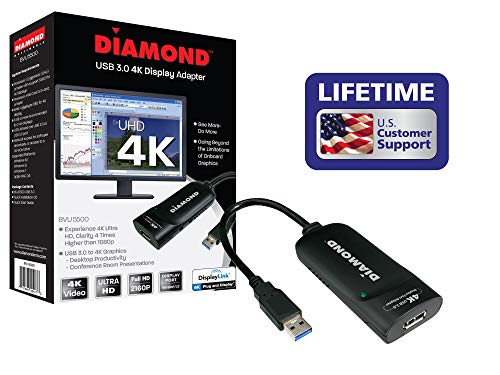
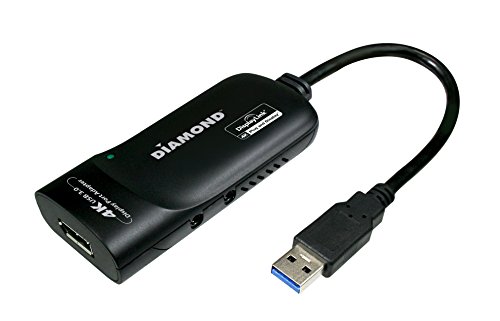
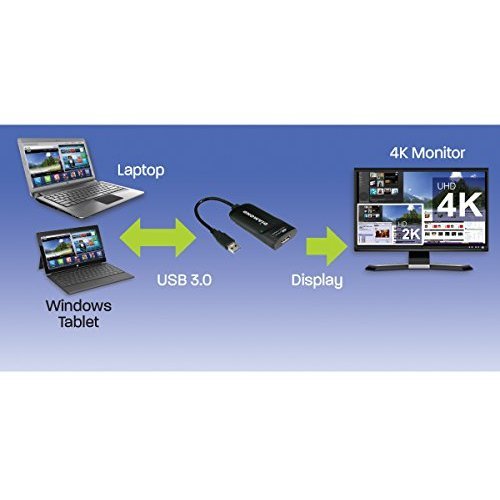
Diamond Multimedia USB 3.0 to DisplayPort 4K UHD (Ultra-High-Definition) Video Graphics Adapter for Multiple Monitors up to 3840x2160 (DisplayLink DL-5500 Chipset - Supports Windows 10, 8.1, 8, 7) (BVU5500)


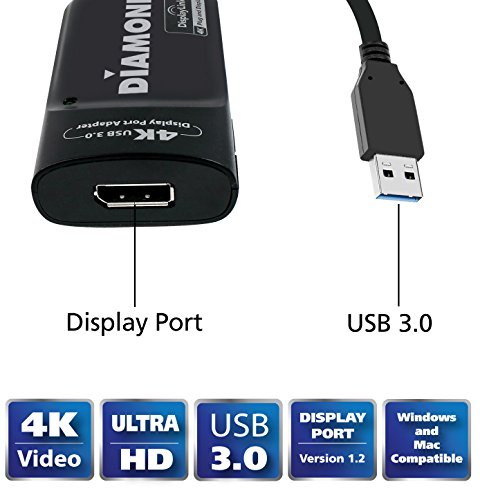
Key features
- •Standard Display Port USB 3.0 A Male
- •DisplayLink DL-5500
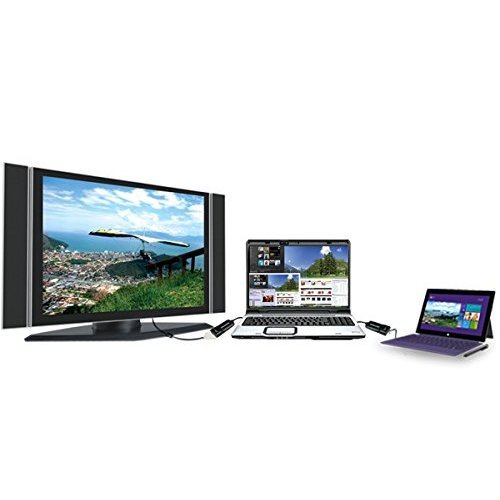
- •1 per BVU5500 adapter (Max. 6 adapters)
- •3840 x 2160
- •Protected video playback HDCP 2.0
Diamond Multimedia USB 3.0 to DisplayPort 4K UHD (Ultra-High-Definition) Video Graphics Adapter for Multiple Monitors up to 3840x2160 (DisplayLink DL-5500 Chipset - Supports Windows 10, 8.1, 8, 7) (BVU5500)
List Price: $118.80$106.92DEALYou Save: $11.88 (10%)
Free shippingFree Returns – 30 daysFree Order CancellationSecure Payment2–3 Days DeliveryGet It October 26, 2026In Stock (6)No marketing spamNo account requiredFulfilment by FedEx / Amazon / UPS / ShipwirePayPal / Card Buyer Protection
Customer Reviews
Reviews sourced from verified Amazon purchasers3.8
out of 5
Based on 10 reviews
5★
70%
4★
10%
3★
20%
2★
0%
1★
0%
Works perfect. I have a 2011 MBP (macOS High Sierra) ...
Ronald H. Detiger✓ Verified Purchase•January 24, 2018
Update : I did notice after using it now for a week, that occasionally Grey colours in the top bar of an application window are lagging a bit. Does not bother me .... just mentioning it. ( connected via USB2.0)
This is my review for the Diamond USB 3.0 4K multi-display adapter, model BVU5500H installed on Mac OS.
Works perfect. I have a 2011 MBP (macOS High Sierra) setup with two LG 32-Inch IPS monitors. One monitor via the display port ( Mini DP to DP Cable ) and the other monitor connect via the USB 2.0 port ( using the BVU5500H )
I have tested and installed the BVU5500H successfully on :
2008 iMac via USB 2.0 (OSX El Capitan)
2016 MBP via USB 3.0 (macOs Sierra)
2011 MBP via USB 2.0 (macOS High Sierra).
I have not seen any noticeable 'lagging".
Few thing to help you with the setup :
1) You need to download the latest driver as it only comes with the Windows drivers from displaylink
2) As for installing and connecting the BVU5500H on a machine running "macOS High Sierra" read a support article on Displaylink's knowledge base articles about "macos-high-sierra-video-functionality-not-enabled"
Hope this helps.
This is my review for the Diamond USB 3.0 4K multi-display adapter, model BVU5500H installed on Mac OS.
Works perfect. I have a 2011 MBP (macOS High Sierra) setup with two LG 32-Inch IPS monitors. One monitor via the display port ( Mini DP to DP Cable ) and the other monitor connect via the USB 2.0 port ( using the BVU5500H )
I have tested and installed the BVU5500H successfully on :
2008 iMac via USB 2.0 (OSX El Capitan)
2016 MBP via USB 3.0 (macOs Sierra)
2011 MBP via USB 2.0 (macOS High Sierra).
I have not seen any noticeable 'lagging".
Few thing to help you with the setup :
1) You need to download the latest driver as it only comes with the Windows drivers from displaylink
2) As for installing and connecting the BVU5500H on a machine running "macOS High Sierra" read a support article on Displaylink's knowledge base articles about "macos-high-sierra-video-functionality-not-enabled"
Hope this helps.
Works well on mid 2014 Macbook Pro for 3rd external display at 1080p
Doctor✓ Verified Purchase•November 13, 2017
This works well on my mid 2014 MBP. I use it to allow a 3rd external display, since my MBP only supports 2.
It stopped working with the recent install of High Sierra, but it seems Diamond is on-the-ball and has already released drivers for High Sierra. Installing the new driver pkg fixed it. I use it with a 1920x1080 monitor, and there is no lag or staggering at all when moving my cursor, or a window, like there was with an older Diamond BVU-165 adapter. I can even play 1080p video without a problem. I cannot speak to using this on a 4k display.
It stopped working with the recent install of High Sierra, but it seems Diamond is on-the-ball and has already released drivers for High Sierra. Installing the new driver pkg fixed it. I use it with a 1920x1080 monitor, and there is no lag or staggering at all when moving my cursor, or a window, like there was with an older Diamond BVU-165 adapter. I can even play 1080p video without a problem. I cannot speak to using this on a 4k display.
Happy Ubuntu user
HipsterDoofus✓ Verified Purchase•April 24, 2017
This review is for the Diamond USB 3.0 4K with the DisplayPort connector.
Very satisfied with the performance of this product. I am using this on an old ASUS K55A laptop running Ubuntu 16.04. Downloaded the latest drivers from the DisplayLink website. I tested this with a 2560 x 1440 monitor. It was able to render a youtube video full screen. Some things to consider...
- The adapter does get warm, but not hot.
- CPU usage averages 20-30%, but can get reach 80% every now and then.
- Interferes with a Bluetooth adapter if it is plugged in next to the Diamond adapter.
Despite these shortcomings, it worked very well and brought new life to my laptop with its limited 1920x1200 ext. resolution.
Very satisfied with the performance of this product. I am using this on an old ASUS K55A laptop running Ubuntu 16.04. Downloaded the latest drivers from the DisplayLink website. I tested this with a 2560 x 1440 monitor. It was able to render a youtube video full screen. Some things to consider...
- The adapter does get warm, but not hot.
- CPU usage averages 20-30%, but can get reach 80% every now and then.
- Interferes with a Bluetooth adapter if it is plugged in next to the Diamond adapter.
Despite these shortcomings, it worked very well and brought new life to my laptop with its limited 1920x1200 ext. resolution.
Works great, once you know what to do.
Christopher Stoneff✓ Verified Purchase•January 7, 2017
USB3 in Windows really makes this thing seem like a POS. Be sure you get the drivers from the chipset mfg; there is nothing on Diamond's website to help you out and the automatic driver that Windows downloaded was out of date. You will also find lots of links about disabling power management on the USB hubs and ports and devices. In Windows, none of that makes a long term difference. The only thing that made a difference was putting this thing on a USB2 port (yes it still drives the monitor fine at full res and I am driving a 30" monitor that runs at 2560x1600. ). It runs it quite well now that the USB problems are all sorted out.No problems with full screen video from netflix or hulu or local video. The stars were marked off because of poor driver support, lack of information on diamond's website regarding the drivers, the USB problems, etc. But if I were in the same scenario and needed do this again, now that I know what to do with this thing, I would give it 4 stars, mostly because I cannot for the life of me understand how poorly this thing works over time on a USB3 port.
HDCP did not work as advertised.
Mr. Dinken✓ Verified Purchase•December 2, 2016
It works fairly well if one doesn't need HDCP (despite what is advertised). I couldn't play blu-ray movies or VUDU HDX movies on the monitor connected to this device. For my 1920x1200 monitor, the CPU usage on a quad core i7-3610QM is about 14% where there is full screen update.
Page 1 of 2