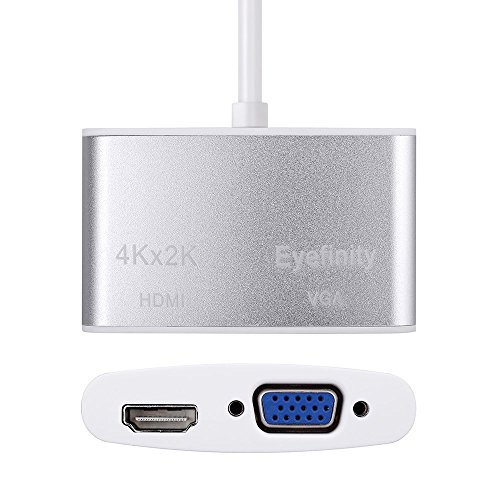
CableDeconn Aluminum shell Multi-Function Thunderbolt Mini Displayport to HDMI VGA Converter Adapter Cable for Apple Macbook Surface pro Thinkpad X1 HDMI 4K HDTV Eyefinity VGA Adapter
Key features
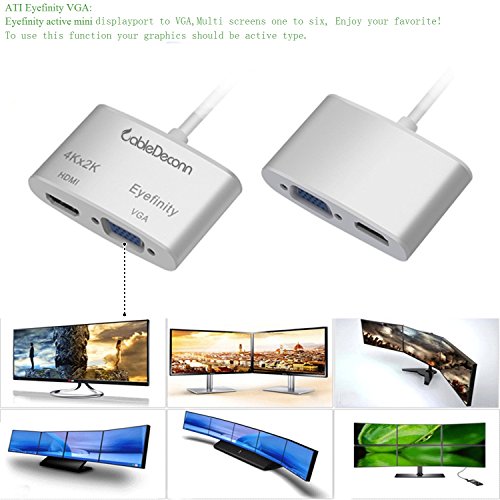
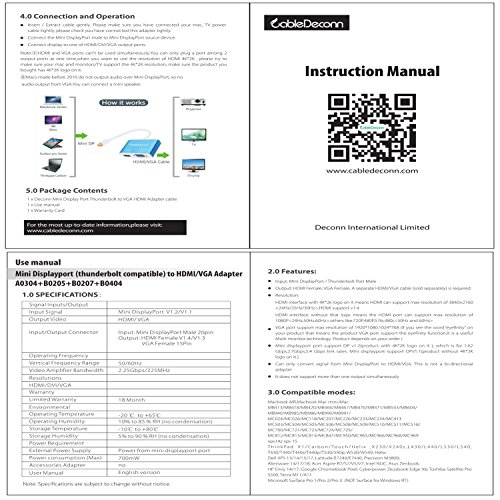
- •Given much faster transfer rate up to 5. 4Gbps per lane. It increase the video data bandwidth to 2160Mbytes/sec, providing support for emerging Display applications.
- •Enables full 4K x 2K resolution(Only HDMI Port), 3D stereo beyond full HD, Supports video resolutions up to 3840*2160 and support stereoscopic images beyond full HD, Please be aware that with an OS X Mavericks update (10. 9 and later) Apple disabled 4K output on the vast majority of previous Mac models. For a list of 4K-compatible Mac systems, please google HT202856
- •Mini DP V1. 2 Version, also support DP V1. 1, transmits both Audio and video from computer or tablet to HD display via HDMI; Macs made before 2010 are not able to output audio over Mini DisplayPort. More info and then check the model identifier field in hardware overview
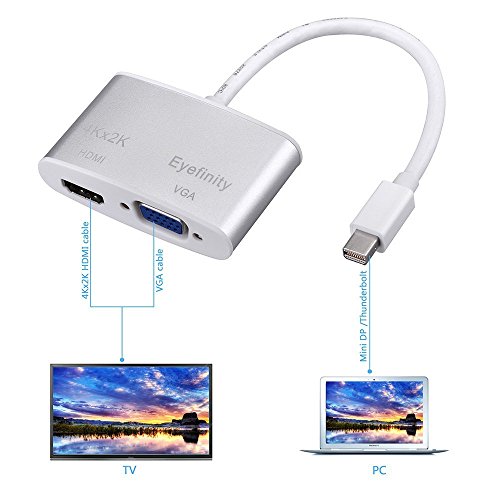
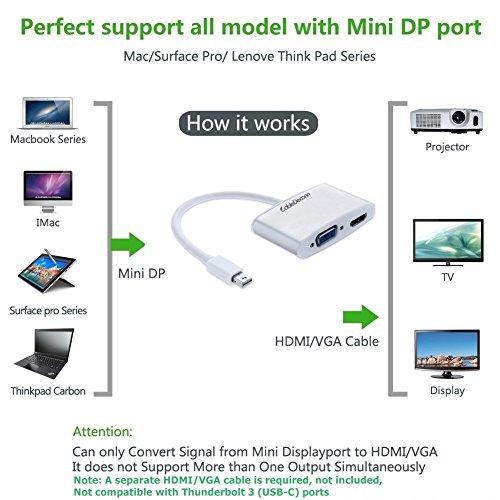
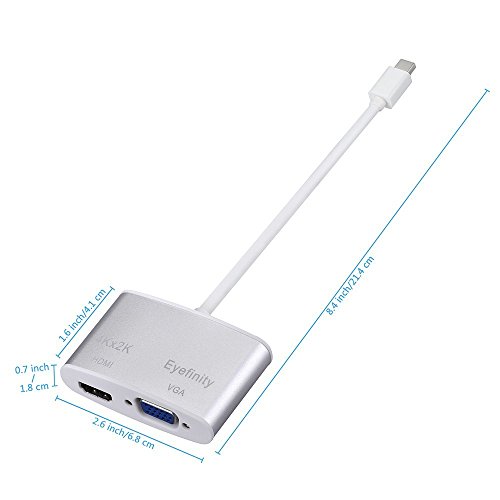
- •Lightweight and portable adapter for connecting a Mini DisplayPort (Thunderbolt port) to HDMI, monitor or projector with HDMI/VGA cable. Bi-directional adapter, a separate HDMI/VGA cable is required, Not included, Not compatible with Thunderbolt 3 (USB-C) ports
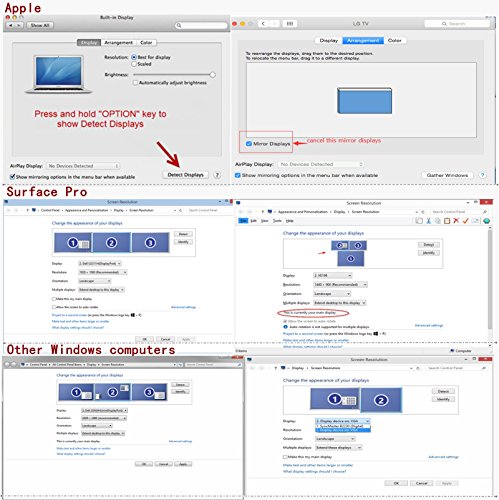
- •Compatible with Apple MacBook Pro, MacBook Air, iMac, Mac mini, Mac Pro; Microsoft Surface Pro/Pro 2/Pro 3 (NOT Surface for Windows RT); Lenovo ThinkPad X1 Carbon, X230/X240s, L430/L440/L530/L540, T430/T440/T440s/T440p/T530/540p, W530/W540, Helix, Latitude E7240/E7440, Precision M3800; Alienware 14/17/18; Acer Aspire R7/S7/V5/V7; Intel NUC; Asus ZenBook; HP Envy 14/17; Google Chromebook Pixel; CyberPower Zeus book Edge X6; Toshiba Satellite Pro S500, Tecra M11/A11
CableDeconn Aluminum shell Multi-Function Thunderbolt Mini Displayport to HDMI VGA Converter Adapter Cable for Apple Macbook Surface pro Thinkpad X1 HDMI 4K HDTV Eyefinity VGA Adapter
List Price: $21.32$19.19DEALYou Save: $2.13 (10%)
Free shippingFree Returns – 30 daysFree Order CancellationSecure Payment2–3 Days DeliveryGet It October 25, 2026In Stock (1)No marketing spamNo account requiredFulfilment by FedEx / Amazon / UPS / ShipwirePayPal / Card Buyer Protection
Customer Reviews
Reviews sourced from verified Amazon purchasers4.1
out of 5
Based on 10 reviews
5★
70%
4★
30%
3★
0%
2★
0%
1★
0%
Very cost effective solution.
Amazon Customer✓ Verified Purchase•August 22, 2023
I've been using two of these for almost a year to run dual monitors on a 2015 MacbookPro. Note, I use two, one in each integrated thunderbolt port, each adapter only runs one monitor. Recently I went to using the stock hdmi port at another location and realized that it slowed the computer significantly even for one monitor vs using this adaptor for one monitor or two for dual monitors. I found it surprising that the system ran faster with two of these running dual monitors v/s one monitor directly into the integrated hdmi port. Highly recommended as it's worked seamlessly and seems to allow the computer to run faster than when using the integrated hdmi port.
Best two-Port (HDMI 4K & VGA) to thunderbolt converter I've ...
Marky Mark✓ Verified Purchase•August 14, 2023
Best two-Port (HDMI 4K & VGA) to thunderbolt converter I've used to this day. Good build quality for a great price. Highly recommended.
It worked great directly from my Surface
Redmond Chad✓ Verified Purchase•July 25, 2023
It worked great directly from my Surface.
However, I really wanted it to work from my Surface Dock. Microsoft doesn't say in any product info, but in support forums you can find that they recommend an active adapter. This didn't work initially, so I tried two active adapters, but they didn't work either.
After a lot more messing around (mostly with the Surface Dock, but I think this adapter had some switching issues too) I finally got it to where everything works if I log in to the Surface AND turn on the monitor I want to use before plugging in.
But as long as I do this, things works great. I actually have two monitors plugged in (one HDMI and one VGA), but I only turn on one at a time and it works as desired.
However, I really wanted it to work from my Surface Dock. Microsoft doesn't say in any product info, but in support forums you can find that they recommend an active adapter. This didn't work initially, so I tried two active adapters, but they didn't work either.
After a lot more messing around (mostly with the Surface Dock, but I think this adapter had some switching issues too) I finally got it to where everything works if I log in to the Surface AND turn on the monitor I want to use before plugging in.
But as long as I do this, things works great. I actually have two monitors plugged in (one HDMI and one VGA), but I only turn on one at a time and it works as desired.
Good item for the price
Gerardo Quintana✓ Verified Purchase•July 14, 2023
I have been using this item all day for the past two-three weeks and works perfectly. Also, the image is very good.
Weekly use with no issues
vieveneuro✓ Verified Purchase•June 4, 2023
I use this on a weekly basis and it's never given me issues. I've used it for presentations in several different conference/seminar rooms too. Always useful to have on hand.
Page 1 of 2