Omars Apple MFI Certified 16GB USB Flash Drive with Lightning Connector, Space Gray (3312707)
Key features
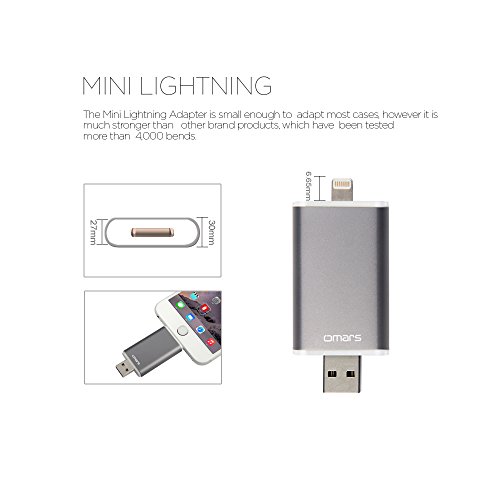
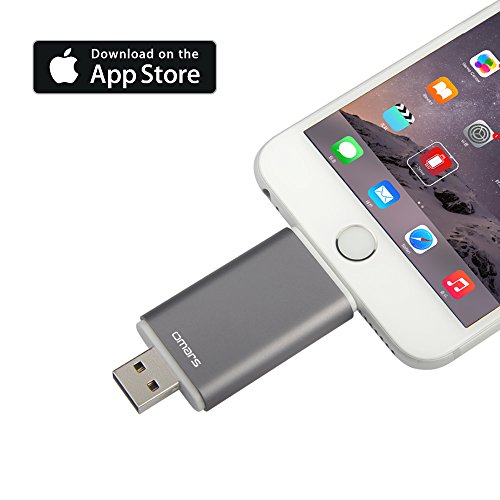
- •Apple MFI Certified [iOS9 Compatible]- the product has been tested and certified by Apple, you will not get the error warning message on your phone
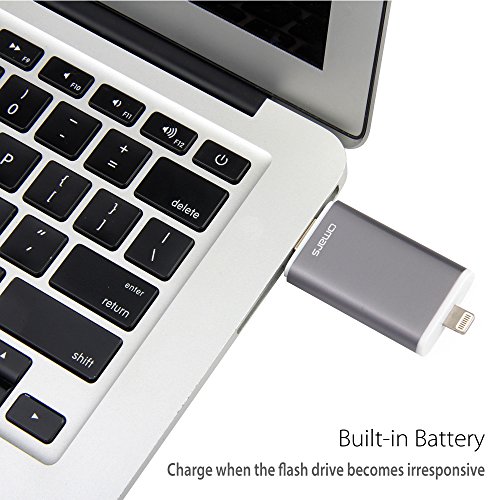
- •Good Sync and Charge Performance - high quality OFC copper offers the better data
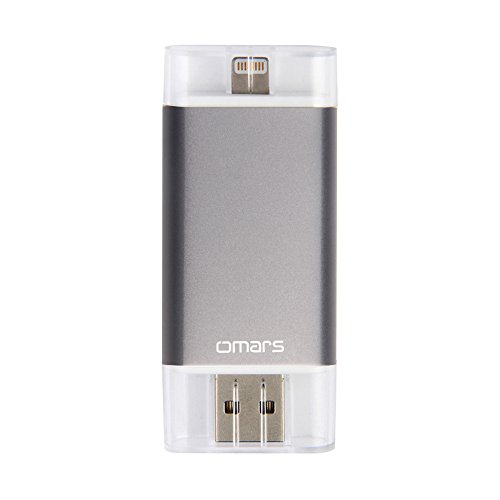
- •[Apple MFI Certified] Omars Mobile USB Flash Drive with Lightning Connector
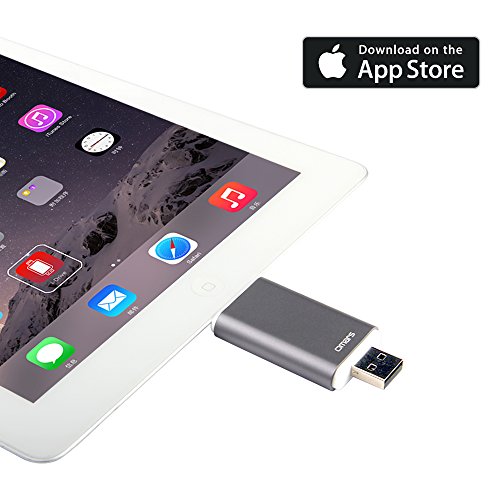
- •Compatibility - compatible with the latest iOS devices and iOS 9 system, no more annoyed warning message. Made for iPhone 5,5s,5c,6,6 Plus,6s,6s Plus, iPod touch 5,6, iPod nano 7, iPad Mini 1,2,3,4, iPad 4,Air,Air 2, iPad Pro
- •18 months warranty
Omars Apple MFI Certified 16GB USB Flash Drive with Lightning Connector, Space Gray (3312707)
List Price: $38.78$34.90DEALYou Save: $3.88 (10%)
Free shippingFree Returns – 30 daysFree Order CancellationSecure Payment2–3 Days DeliveryGet It October 26, 2026In Stock (1)No marketing spamNo account requiredFulfilment by FedEx / Amazon / UPS / ShipwirePayPal / Card Buyer Protection
Customer Reviews
Reviews sourced from verified Amazon purchasers3.7
out of 5
Based on 10 reviews
5★
10%
4★
60%
3★
10%
2★
0%
1★
20%
Not 100% intuitive but a very useful tool for transferring files from your iPhone on the go
Eric✓ Verified Purchase•December 18, 2017
If you ask 10 people about a flash drive that plugs into your iPhone, 9 of them won't have any idea something like this exists, and the other one is likely lying. These devices still aren't very common. Most people, when they want to transfer files, will use a computer as the intermediary, if they even know how to do so. One of these lighting flash drives, on the other hand, gives you a mobility of data storage and transfer that nothing else can, so far.
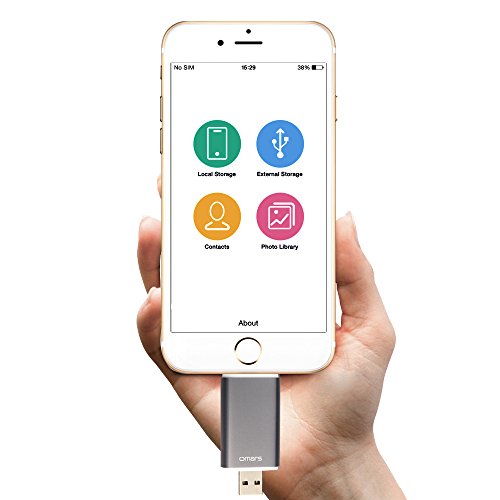
When you plug this in for the first time, it will ask you to download an app. That detection and installation process is quite intuitive. The app isn't too bad, either. (See the attached screenshot.) It's relatively easy for someone that's technically savvy to back up files or view those on the flash drive. For those used to Apple's extremely intuitive interfaces, this may be a slight disappointment, or may require some help.
Basically, you have to select the files you want to transfer (notice there's a select all option in the top right when you're looking at photos), click "copy", then go to the drive and choose "paste".
There's a backup contacts, files, and media option.
I'd like to see an auto-sync feature that always keeps the drive up-to-date. There's an "Auto-backup" tggle but I haven't been able to figure out how to get it working, yet.
Hope this helps you!
When you plug this in for the first time, it will ask you to download an app. That detection and installation process is quite intuitive. The app isn't too bad, either. (See the attached screenshot.) It's relatively easy for someone that's technically savvy to back up files or view those on the flash drive. For those used to Apple's extremely intuitive interfaces, this may be a slight disappointment, or may require some help.
Basically, you have to select the files you want to transfer (notice there's a select all option in the top right when you're looking at photos), click "copy", then go to the drive and choose "paste".
There's a backup contacts, files, and media option.
I'd like to see an auto-sync feature that always keeps the drive up-to-date. There's an "Auto-backup" tggle but I haven't been able to figure out how to get it working, yet.
Hope this helps you!
I want my money back! I feel very misled.
Pat Lorenzo✓ Verified Purchase•December 11, 2017
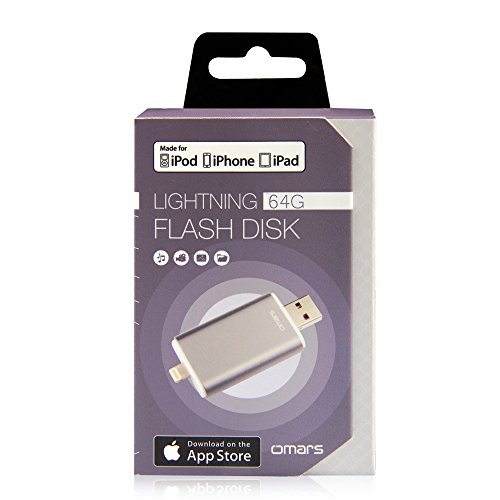
It says it is "Made for iPod, iPhone, iPad" in large letters on the box. In the user manual it says "Important Note: the default file format of flash drive 2 is FAT 32; there you are strongly recommended to format with iPhone/iPad/iPod via Witstick." This means that the default file is for a Windows product, not an Apple product, and requires downloading an app to reformat it to the products it was built for. On the outside back of the box, with sketches of all the Apple devices, and in tiny letters says "Please note that the use of this accessory with iPhone, iPad, or iPod may affect wireless performance".
Great product - I liked it so much I bought ...
A. L. Connell✓ Verified Purchase•January 17, 2017
Great product - I liked it so much I bought another as a gift for a friend. I shorted this great device by one star, as it is formatted and only works in a FAT32, which means it has a file size limit of just over 4 GB. I use the Omars Lightning Flash drive mostly to transfer movies I own to our iPads for travel. The size of some of these files can exceed the 4 GB file size limit, so we are unable to copy such files to the Omars. If the format of the Omars USB drive could be NTFS, larger files would transfer with the appropriate software, on a Mac. Other than this one drawback, I have found the Omars does exactly what it says it will and does it well. I have tried others and have just not had the same results....the others required leaving the thumb drive plugged into the Lightning slot while you use it. And as anyone who has traveled on a plan can attest, this is a dangerous move and could lead to breaking off the thumb drive when someone bumps into you. No such challenge with the Omars because you can actually transfer the files TO your iPad or iPhone. You will also need to download the WitStick app from the iTunes store to interface with the Omars. Though the WitStick app can be a bit clunky for playback of video files, it does work. Break the file size limit and I will give it 5 stars
Not as simple and easy as advertised !
Upsandowns✓ Verified Purchase•December 27, 2016
Product arrived yesterday and I found the instructions to be obtuse and of little help in doing what I wanted it to do which is providing an easy means of saving images from my wife's iPad in order to reduce the amount of memory required on her iPad. At this point, I have not been able to accomplish my objective and can only hope that my son will be able to show me the way when he returns from a holiday visit with his in-laws. I will do my best to update this review at such time, and if we can determine how to accomplish our objectives easily. Otherwise, it might well be returned.
Update:
Omars Direct was kind enough to send me a link to a video that showed how to use the device with an iPhone and I have now been able to transfer images from the iPhone and iPad to the device. However, when I plug the USB plug on the device into my iMac and open the file, it doesn't show any contents and what I really wanted the device to do was to store photos from the iPad and and iPhone in order to be able to transfer them to the iMac. At this point I am not able to accomplish this but have written them via Amazon and hope that they will be able to point me in the right direction. There is no WitStick app on the OS X App Store but I'm not at all sure that is the problem. Now I'm just waiting and hoping to get a helpful response from Omars.
I have upgraded my rating from 3 to 4 stars based upon the fact that I finally figured out how to make the drive work in the manner I had expected and am now able to take photos from my phones and iPad and either store them on the drive to increase memory space on the devices and to view them on my iMac. This "learning" came about from reading another review on Amazon's site, not from any specific assistance provided by Omars, though, it has to be said, they have been very responsive to my inquiries. If not for the fact that it required extensive effort on my part to get the device to function as advertised, I would probably rate it 5 stars, but I felt their instructions were inadequate for a non-techie like me when a very specific, 5 - 7 steps, simple operating procedure would have done the job. The other thing is that the instructions are provided in such a small font that I needed a magnifying glass to read and that was incredibly frustrating. It seems to be a good product and could be rated higher but for the issues I mentioned.
Update:
Omars Direct was kind enough to send me a link to a video that showed how to use the device with an iPhone and I have now been able to transfer images from the iPhone and iPad to the device. However, when I plug the USB plug on the device into my iMac and open the file, it doesn't show any contents and what I really wanted the device to do was to store photos from the iPad and and iPhone in order to be able to transfer them to the iMac. At this point I am not able to accomplish this but have written them via Amazon and hope that they will be able to point me in the right direction. There is no WitStick app on the OS X App Store but I'm not at all sure that is the problem. Now I'm just waiting and hoping to get a helpful response from Omars.
I have upgraded my rating from 3 to 4 stars based upon the fact that I finally figured out how to make the drive work in the manner I had expected and am now able to take photos from my phones and iPad and either store them on the drive to increase memory space on the devices and to view them on my iMac. This "learning" came about from reading another review on Amazon's site, not from any specific assistance provided by Omars, though, it has to be said, they have been very responsive to my inquiries. If not for the fact that it required extensive effort on my part to get the device to function as advertised, I would probably rate it 5 stars, but I felt their instructions were inadequate for a non-techie like me when a very specific, 5 - 7 steps, simple operating procedure would have done the job. The other thing is that the instructions are provided in such a small font that I needed a magnifying glass to read and that was incredibly frustrating. It seems to be a good product and could be rated higher but for the issues I mentioned.
Stopped working for phone
Jake C.✓ Verified Purchase•November 30, 2016
The piece that plugs into the iphone stopped working. My iphone can no longer sense the device when it's plugged in. The flash drive will only work when plugged into the computer but does not work for the phone. It worked at one point for the phone connectivity but then suddenly stopped working. I was going to return it but supposedly the last day to do that was 3 days ago...
*UPDATE* 05.09.2017
Company contacted me several times since I left this original review above, I just did not check my email. Even me responding several months late, they were still helpful and wanted to resolve my problem. I explained my issue and they sent me an email of testing and resetting I could try. After this still did not work, They sent me a new flash drive, and so far, PERFECT. Their customer service his exceptional and I would buy through them again just for their service alone.
*UPDATE* 05.09.2017
Company contacted me several times since I left this original review above, I just did not check my email. Even me responding several months late, they were still helpful and wanted to resolve my problem. I explained my issue and they sent me an email of testing and resetting I could try. After this still did not work, They sent me a new flash drive, and so far, PERFECT. Their customer service his exceptional and I would buy through them again just for their service alone.
Page 1 of 2