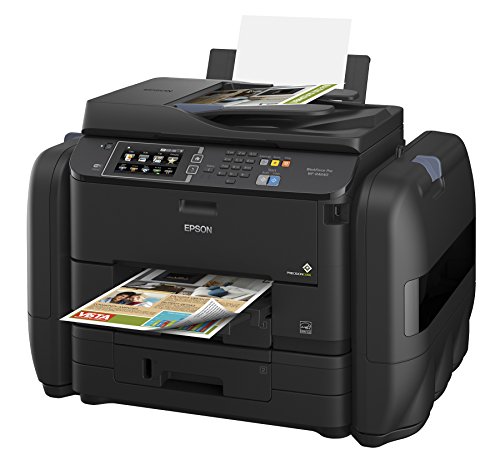
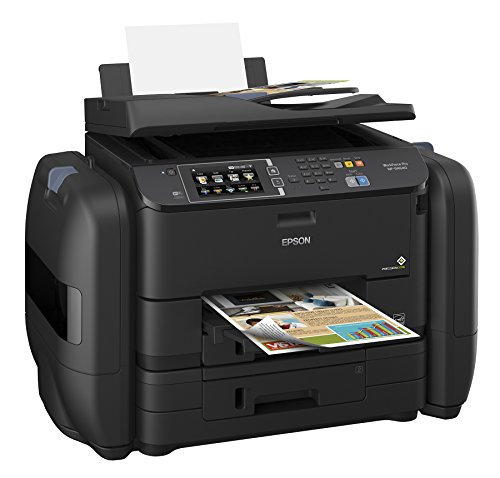
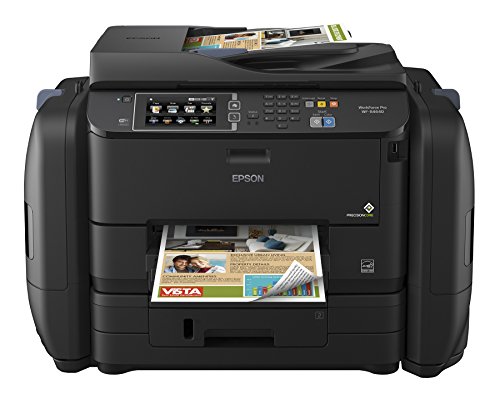
Epson WorkForce Pro WF-R4640 EcoTank Wireless Color All-in-One Supertank Printer with Scanner, Copier, Fax, Ethernet, Wi-Fi, Wi-Fi Direct, Tablet and Smartphone (iPad, iPhone, Android) Printing, Low-Cost Replacement Ink Packs, Amazon Dash Replenishment En
Key features
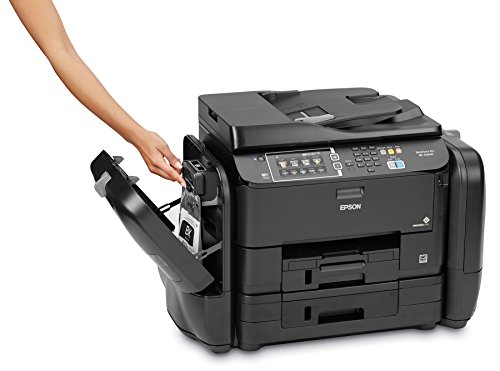
- •Cartridge-free printing - comes with up to 2 years of ink in the box (1).
- •Includes enough ink to print up to 20,000 pages black/20,000 color (2) - maximize productivity.
- •Ultra low-cost replacement ink packs - DURABrite Ultra Ink for smudge, fade and water resistant prints.
- •Get Performance Beyond Laser - the WorkForce Pro WF-R4640 EcoTank all-in-one, powered by PrecisionCore.
- •Print-shop quality - print documents and graphics in high resolution with precise dot placement.
- •Never run out of ink again - Printer features Amazon Dash Replenishment which, after activation, keeps track of your ink usage and orders more from Amazon when you are running low.
Epson WorkForce Pro WF-R4640 EcoTank Wireless Color All-in-One Supertank Printer with Scanner, Copier, Fax, Ethernet, Wi-Fi, Wi-Fi Direct, Tablet and Smartphone (iPad, iPhone, Android) Printing, Low-Cost Replacement Ink Packs, Amazon Dash Replenishment En
List Price: $2719.22$2447.30DEALYou Save: $271.92 (10%)
Free shippingFree Returns – 30 daysFree Order CancellationSecure Payment2–3 Days DeliveryGet It October 26, 2026In Stock (1)No marketing spamNo account requiredFulfilment by FedEx / Amazon / UPS / ShipwirePayPal / Card Buyer Protection
Customer Reviews
Reviews sourced from verified Amazon purchasers3.6
out of 5
Based on 10 reviews
5★
30%
4★
10%
3★
0%
2★
0%
1★
60%
Very good quality, impressive speeed
Jim F.✓ Verified Purchase•November 13, 2017
Our company has used several Epson WF printers over the last 5 or 6 year and been pleased with the quality. I purchased the Epson WF-R4640 to get relief from the frequent purchase of costly ink cartridges. I am optimistic that longer ink life of the R4640 will justify its higher price -- I'll know more in 6 or 8 months. Initially, I was surprised that Epson enclosed the ink bags with a clear panel: Why does a client need to see those bags? But now I know. Every time I glance at my printer, the sight of those massive bags relieves my subconscious: "Lots of ink here!"
I print a moderate amount of CAD drawings as well as office text and spreadsheets. The print quality is very good in all these categories. But I expected that. What has surprised me is the R4640s speed. Impressive in black and in color.
Overall: what more could you ask for? Highly recommended!
I print a moderate amount of CAD drawings as well as office text and spreadsheets. The print quality is very good in all these categories. But I expected that. What has surprised me is the R4640s speed. Impressive in black and in color.
Overall: what more could you ask for? Highly recommended!
Problem with the printer, but handled by Epson customer service
S. Harn✓ Verified Purchase•October 18, 2017
We've had this printer for over 18 months now. Printed great to start -- fast, clear pages. After about 6 months we would get a blurred line about every 3 inches down each page. We could print on "high quality" but it was much slower. Eventually even high quality wouldn't eliminate the problem. We performed the various maintenance items requested many times (clean prints heads, etc.) to no avail. Tried just using it for our proofreading pages but eventually couldn't use it for that either. There are two reasons I'm still giving it four stars: 1) it is a high quality printer when it functions correctly; and 2) Epson has a two-year warranty and good customer service for high-end printers and a replacement printer is on the way after I called them. It took about 15 minutes on the phone to run the maintenance and alignment procedures again for them, then a few more minutes to confirm shipping/billing/serial #, etc. The replacement printer will arrive postage paid with a box to return the defective unit postage paid. Be advised you can send the printer back and wait for a replacement. The other option is for them to send a replacement immediately but they will ask for a credit card to charge half the price of the printer if you fail to return the damaged unit within 7 days of receiving the new one. If you are having the same issue with your unit and it is within the two-year warranty window you should call them. I sent them an email and received a response within 20 minutes with the number to call tech support. That number is (562) 276-4382 for US customers. Hope this helps. I will provide an update when the replacement arrives.
is crap. Colors are terrible
iamthehunter✓ Verified Purchase•July 29, 2017
My business and home currently uses only Epson. This printer, unfortunately, is crap. Colors are terrible. I didn't expect the vivid printing of my retired 1400 but this printer fails to produce anything close. I can live with that however because of the "ink" in bags which will last a long time....
Then...it suddenly prints garbage. No amount of cleaning or realigning helps. About every five lines are printed unintelligiably, some text in italics. I was skeptical of the high initial cost vs. long term ink. You may think me an Epson hater...but I currently employ three Epson WorkForce printers, and two others that are +6 years old. Also two wireless Epson printers at home.
This WF-R4640 is used by "me" only in my personal office. I need it to print 100 to 150 pages approximately four to five times a year for special project work; and day-to-day printing for regular projects. I had hoped to come into the office on a Saturday or Sunday and not be greeted by the low ink message while trying to complete a project. The good news is I don't run out of ink...but the printer has now become a huge paperweight. I have resorted to network printing to another Epson WorkForce (lower tier). Had expected better from Epson. They were the first to exploit the $$-to-ink savings...I will never run out of ink cause I don't use the printer anymore:)
Then...it suddenly prints garbage. No amount of cleaning or realigning helps. About every five lines are printed unintelligiably, some text in italics. I was skeptical of the high initial cost vs. long term ink. You may think me an Epson hater...but I currently employ three Epson WorkForce printers, and two others that are +6 years old. Also two wireless Epson printers at home.
This WF-R4640 is used by "me" only in my personal office. I need it to print 100 to 150 pages approximately four to five times a year for special project work; and day-to-day printing for regular projects. I had hoped to come into the office on a Saturday or Sunday and not be greeted by the low ink message while trying to complete a project. The good news is I don't run out of ink...but the printer has now become a huge paperweight. I have resorted to network printing to another Epson WorkForce (lower tier). Had expected better from Epson. They were the first to exploit the $$-to-ink savings...I will never run out of ink cause I don't use the printer anymore:)
Aweful 2 week experience with this printer!
M. Kojonen✓ Verified Purchase•June 6, 2017
I purchased this for my business and spent more time on the phone with Epson than actually using this printer. The printing is VERY slow if you are printing from a scanned pdf file. If you print a file from a created pdf - it prints fine and normal, but if you scanned in any files (which I do for my business) and then try to print later - it takes 30-60 seconds a page - seriously. Also, you can scan to a pdf on the flash drive input, but it will not print from a flash drive if it is in a pdf version. The marketing on this printer states that it can be done but it can't. Epson thought that we had a defective printer since we couldn't use this option so I had to put a $700 deposit for them to send me another printer until they received mine back. I get the new printer, and you still can't print a pdf from the flash drive. Then they tell me that we were the first customer to find out that this feature isn't available even though it is advertised to do so. My Brother multi-function laser that is less than half of the cost does everything that this can not do. Also, the new printer was just as slow as the first one. I spent literally over 24 hours of phone calls, updates, uninstalling and reinstalling the software to try to figure how to get this printer to work right, but to no avail. I returned the 2nd one and ordered a new Brother multi-function for less than half of the price and it works great - fast and can do more things than this Epson printer can. What a waste of time buying this Epson. Also, Epson's customer service is not good - not very competent reps.
I wish this existed 10 years ago!
Ludvik Jerabek✓ Verified Purchase•May 4, 2017
I've owned 3 laser printers over the past years and they were all around $500 dollars. The reality is the quality of laser prints with regards to color correctness is not that good. Probably the best color laser printer I owned was a brother HL2700CN with no fax and scanning. The colors were bright and lines were ultra clear. Since then we've owned laser MFC printers. The buy in cost is always around $500-600 dollars, but the kicker is the cost of the prints. You pretty much can buy a new printer for the price of toner replacement. This is nothing short of robbery and in my case we use the printer for my job and for the kids. This printer is pricy but you get 2 years worth of ink and the cost of ink is cheap in comparison to any laser printer out there. As far af the prints they are gorgeous! They are also very water resistant compared to a standard inkjet. At the end of the day if you want the smudge proof prints of a laser go with a laser but if you want to save some money and have beautiful prints that you don't read in the rain this is the best option.
Page 1 of 2