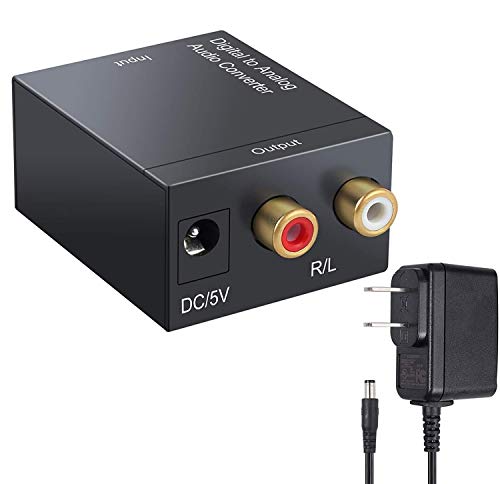
Musou Digital Optical Coax to Analog RCA Audio Converter Adapter
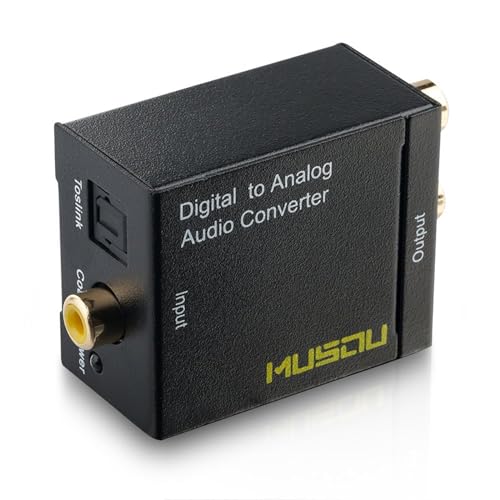


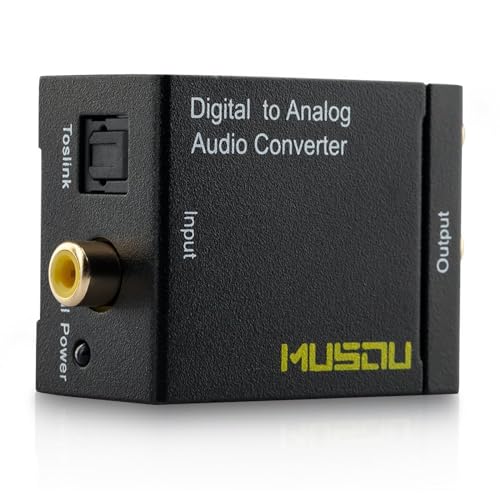
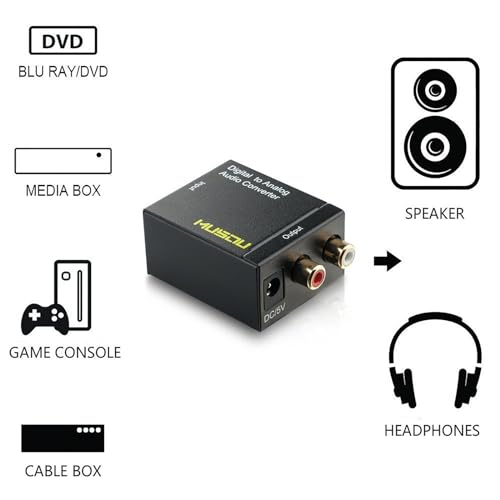
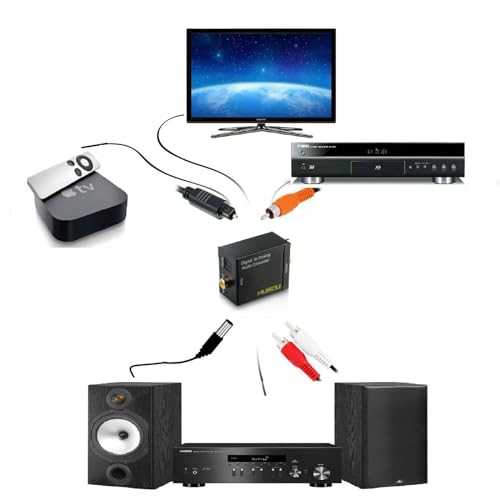

Key features
- •Converts Coaxial or Toslink digital audio signals to analog L/R audio
- •Supports sampling rate at 32, 44.1, 48 and 96 KHz
- •24-bit S/PDIF incoming bit stream on left and right channels
- •Easy to install and simple to operate
- •Provides electromagnetic-noise-free transmission.Do not support Dolby,need set PCM audio when using
Musou Digital Optical Coax to Analog RCA Audio Converter Adapter
List Price: $25.20$22.68DEALYou Save: $2.52 (10%)
Free shippingFree Returns – 30 daysFree Order CancellationSecure Payment2–3 Days DeliveryGet It October 25, 2026In Stock (1)No marketing spamNo account requiredFulfilment by FedEx / Amazon / UPS / ShipwirePayPal / Card Buyer Protection
Customer Reviews
Reviews sourced from verified Amazon purchasers4.2
out of 5
Based on 10 reviews
5★
80%
4★
10%
3★
10%
2★
0%
1★
0%
A good product.
Jonathan✓ Verified Purchase•September 8, 2017
We have a surround sound system that only takes red and white component cord in, so when our new TV only supported digital optical out we ordered this as a solution.
PROS:. WORKS GREAT, is a very sturdy feel, comes with a digital optical cord.
CONS: The red status light doesn't shut off, not a huge issue but for some people it might be, and if the audio out (on our TV) is set to TV and surround sound, there might be an annoying ringing, not all the time only on Netflix and Hulu, DVDs do fine with TV and surround sound.
In conclusion, I would recommend this as a good solution when an adapter is needed.
PROS:. WORKS GREAT, is a very sturdy feel, comes with a digital optical cord.
CONS: The red status light doesn't shut off, not a huge issue but for some people it might be, and if the audio out (on our TV) is set to TV and surround sound, there might be an annoying ringing, not all the time only on Netflix and Hulu, DVDs do fine with TV and surround sound.
In conclusion, I would recommend this as a good solution when an adapter is needed.
Great for getting some more use out of older RCA only input devices.
Todd✓ Verified Purchase•June 14, 2017
So far this has been working great, I used to on an older Bose Cinemate system that only had RCA inputs. This way I could run an optical out from my TV that all my HDMI devices connect to and eliminate a much larger/older receiver/amplifier setup. Which was much cheaper than buying an $100 updated control unit from Bose that would accept optical in. If the sound has been compromised in anyway I haven't noticed it.
TV audio to earphones problem solved
Mike Paxton✓ Verified Purchase•February 5, 2017
It solved my TV audio problem. I needed a digital optic device to be able to also accommodate two RCA plug on my wireless head phones. This device plugs into a digital optic receptacle on the back of my flat screen TV and converts the audio signal to RCA plugs on the wireless earphones.
This worked great, it's small so it fits anywhere, and has it's own power supply. Note; Be sure to remove the protective caps at each end of the included optical cable.
This worked great, it's small so it fits anywhere, and has it's own power supply. Note; Be sure to remove the protective caps at each end of the included optical cable.
WORKS FOR 2016 SAMSUNG UHD KS8000! Use PCM setting for Audio Format...
Peterson✓ Verified Purchase•November 20, 2016
Yes this works to hook up a stereo receiver with only RCA input to a 2016 Samsung KS 8000 UHD TV. which doesn't have RCA cable output! Those were the exact words I was looking for when I was trying to figure out which converter to buy out of the dozens of choices and untold apparent issues regarding whether it can decode 5.1 audio or Dolby Digitial output down to a 2-channel receiver. OMG. Well guess what, this unit can through the Optical port. But the overall issue of what works with which TV is very confusing to for a layperson! So this TV does have Dolby digital 5.1 output. And the Optical Output option will work: Maybe that port doesn't send a Dolby signal? I don't know.
It's quite simple: the optical output port with the optical cables attach to the TV side of the converter and the RCA cables from receiver attach to the opposite side of the converter. I had to fool around with the TV settings and that's probably the tricky part: Here's what worked: Go into Settings----Sound----Select Speaker= "Audio Out/Optical" ---then -- Expert Setting -- HDMI Audio Format= "Bitstream" --- Audio Format = "PCM".
That should do it!
It's a small unit of good quality. And they offer a 30 day return and 24 hour customer service (which I didn't need). Mainly,though, it works and I don't have to go out and buy a Soundbar or bluetooth speakers, so I'm happy!
It's quite simple: the optical output port with the optical cables attach to the TV side of the converter and the RCA cables from receiver attach to the opposite side of the converter. I had to fool around with the TV settings and that's probably the tricky part: Here's what worked: Go into Settings----Sound----Select Speaker= "Audio Out/Optical" ---then -- Expert Setting -- HDMI Audio Format= "Bitstream" --- Audio Format = "PCM".
That should do it!
It's a small unit of good quality. And they offer a 30 day return and 24 hour customer service (which I didn't need). Mainly,though, it works and I don't have to go out and buy a Soundbar or bluetooth speakers, so I'm happy!
Sturdy little unit
Frank Tuttle✓ Verified Purchase•November 20, 2016
Sturdy little unit, nice build, easily durable enough to last. If you get nothing but static when you first hook it up, go into your player's audio settings -- you have to set it for PCM (turn off all the fancy sound processing) before it will work. Once that's done, you're good. I used this to convert my new Blu-ray player's audio out into old-school RCS audio for my older Sony STRD-1011 receiver. Works like a charm, great price! Just know that you may need to go into the source unit's audio settings and select PCM as the output format.
Page 1 of 2