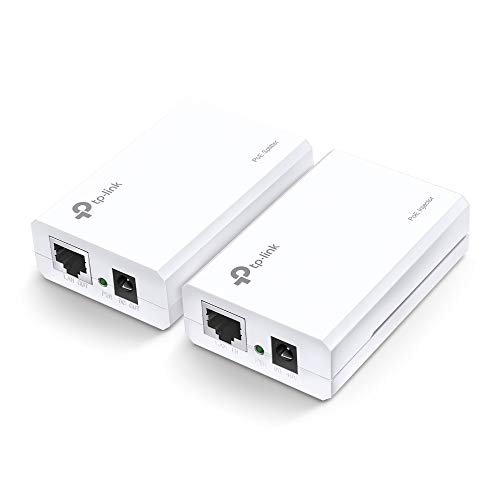
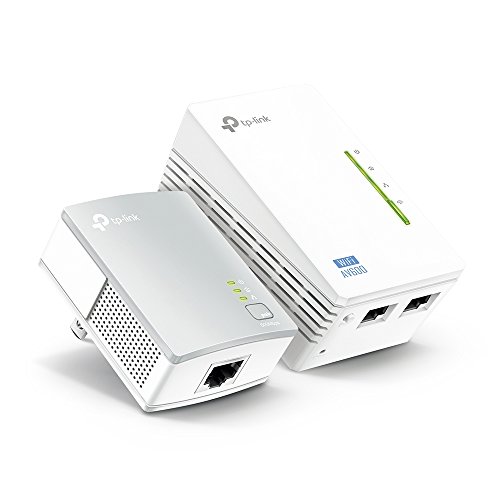
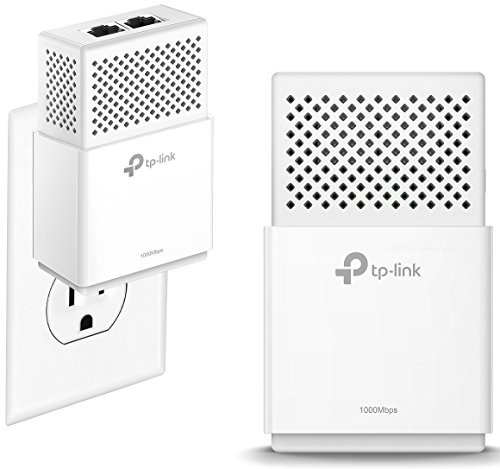
TP-Link AV1000 2-Ports Gigabit Powerline ethernet Adapter kit, Powerline speeds up to 1000 Mbps (TL-PA7020 KIT_V2)

Key features
- •Next Generation Powerline: Super fast speeds-Powerline speeds up to 1000 Mbps
- •Gigabit port: 2x Gigabit Ethernet port connects devices like smart TVs, game consoles, and PCs to your network
- •Latest Technology: Gigabit speeds through your electrical outlets for improved coverage; Connect multiple adapters to expand your wired network reliably; Patented Power-Saving Mode automatically reduces power consumption by up to 85%
- •Industry Leading Support: 2-year warranty and free 24/7 technical support; J.D. Power Ranked TP-Link "Highest in Customer Satisfaction for Wireless Routers in 2017"
- •Plug-and-play: Set up in minutes, no need to configure or install software. System Requirements: Windows 2000/XP/2003/Vista, Windows 7/8/8.1, Mac, Linux
TP-Link AV1000 2-Ports Gigabit Powerline ethernet Adapter kit, Powerline speeds up to 1000 Mbps (TL-PA7020 KIT_V2)
List Price: $142.58$128.32DEALYou Save: $14.26 (10%)
Free shippingFree Returns – 30 daysFree Order CancellationSecure Payment2–3 Days DeliveryGet It October 24, 2026In Stock (5)No marketing spamNo account requiredFulfilment by FedEx / Amazon / UPS / ShipwirePayPal / Card Buyer Protection
Customer Reviews
Reviews sourced from verified Amazon purchasers4.3
out of 5
Based on 10 reviews
5★
70%
4★
30%
3★
0%
2★
0%
1★
0%
Working great
tara✓ Verified Purchase•September 29, 2023
Just plugged it all in today. I work remotely and prefer to plug the modem into my pcu. This is allowing me to have my desk upstairs and the router downstairs.
Prior to this I had a huge long cord under carpet and running up the stairs to the office.
Only possible issue - had to push both units at the same tome to connect. Not sure how to do it without a helper.
It set up easily and let me be "wired " into the router. So happy.
Prior to this I had a huge long cord under carpet and running up the stairs to the office.
Only possible issue - had to push both units at the same tome to connect. Not sure how to do it without a helper.
It set up easily and let me be "wired " into the router. So happy.
Make sure the power plug is a foot from the floor.
Jeanie✓ Verified Purchase•September 24, 2023
Wanted to connect directly to TV. Was easy to connect and works great. The problem is my power connection near the TV is on the baseboard for which this power adapter is to long for. So had to go further away and run a wire to TV. Still happy with it would buy again.
Good news, bad news.
George Abihider✓ Verified Purchase•August 29, 2023
First of all, the units work. They connect and you get a good ethernet connection. I can consistently get 55 Mbs to 60 Mbs download speed through an online speedtest site. I was happy with that but I kept getting intermittent disconnections from the internet that would last from a few seconds to a couple of minutes.
Just recently my internet provider upgraded my internet speed to 100 Mbs download. Nice! When I tested my connection I was still at the 55 Mbs to 60 Mbs download speed. After talking with my internet provider I decided to do some testing.
I connected my laptop directly to the modem. Wow! 100 Mbs download speed. Then I ran a long ethernet cable to my desktop. A whopping 120 Mbs download speed. Connecting the TP-Link I once again got 55 Mbs to 60 Mbs download speed.
So, not sure if the TP-Link is limited or if it has something to do with my power and any interference that might be coming across the power line. What I do know is connecting direct via ethernet doubles my download speed.
I'm still happy with the TP-Link, but now I know what is possible. Maybe I need to thank about how to run an ethernet cable so I can connect directly.
Just recently my internet provider upgraded my internet speed to 100 Mbs download. Nice! When I tested my connection I was still at the 55 Mbs to 60 Mbs download speed. After talking with my internet provider I decided to do some testing.
I connected my laptop directly to the modem. Wow! 100 Mbs download speed. Then I ran a long ethernet cable to my desktop. A whopping 120 Mbs download speed. Connecting the TP-Link I once again got 55 Mbs to 60 Mbs download speed.
So, not sure if the TP-Link is limited or if it has something to do with my power and any interference that might be coming across the power line. What I do know is connecting direct via ethernet doubles my download speed.
I'm still happy with the TP-Link, but now I know what is possible. Maybe I need to thank about how to run an ethernet cable so I can connect directly.
No cabling required!
Patrick Ferree✓ Verified Purchase•July 25, 2023
This is a review of a free product received from TP-LINK as part of the review program.
I was surprised at just how easy it was to set these up. All I had to do was simply plug one into the wall, and then connect it to my router using one of the included cat-5e cables, and then take the other one to where I needed a wired connection on the other end of the house, and do the same. Within 10 seconds, the units powered up, quickly found each other, and I had a network connection without having to cut into any walls, drill any holes, crawl around in the attic or anything.
Once I had it connected, I connected it to a computer to test throughput, and my computer reported a link speed of 1.0Gbps as expected. Using iperf3 to test the real-world performance, I found that they settle in right around 75-85Mbps transfer rate, all the way on the other side of my house. Still pretty impressive, but not quite the huge numbers stated on the box. One day maybe I'll test the adapters in the same room/on the same circuit to see if it improves transfer rates any.
My primary use for this will be to plug in an access point on the far end of my house to fill in the gap of coverage that my router just doesn't quite reach. I had been meaning to have my brother in law get up in the attic for quite some time now to help me run a drop for the AP, but this is much more convenient, and I can take it with me if I ever decide to move out of the house.
I will admit that I was suspicious at first that these wouldn't be reliable, or would be a pain to set up, but I have had absolutely 0 issues with these since installing the new access point. Next time, I would probably opt for the version that has a pass-through power plug on it, because losing access to one of the two plugs on an outlet is inconvenient, and worth the extra $10.
Overall, these are working great for me and I couldn't recommend them enough to someone needing to add an extra wired drop somewhere in their house where WiFi is unreliable or just doesn't reach. Or even to connect a device that does not have built-in wifi such as a blu-ray player, cable box, etc...
I was surprised at just how easy it was to set these up. All I had to do was simply plug one into the wall, and then connect it to my router using one of the included cat-5e cables, and then take the other one to where I needed a wired connection on the other end of the house, and do the same. Within 10 seconds, the units powered up, quickly found each other, and I had a network connection without having to cut into any walls, drill any holes, crawl around in the attic or anything.
Once I had it connected, I connected it to a computer to test throughput, and my computer reported a link speed of 1.0Gbps as expected. Using iperf3 to test the real-world performance, I found that they settle in right around 75-85Mbps transfer rate, all the way on the other side of my house. Still pretty impressive, but not quite the huge numbers stated on the box. One day maybe I'll test the adapters in the same room/on the same circuit to see if it improves transfer rates any.
My primary use for this will be to plug in an access point on the far end of my house to fill in the gap of coverage that my router just doesn't quite reach. I had been meaning to have my brother in law get up in the attic for quite some time now to help me run a drop for the AP, but this is much more convenient, and I can take it with me if I ever decide to move out of the house.
I will admit that I was suspicious at first that these wouldn't be reliable, or would be a pain to set up, but I have had absolutely 0 issues with these since installing the new access point. Next time, I would probably opt for the version that has a pass-through power plug on it, because losing access to one of the two plugs on an outlet is inconvenient, and worth the extra $10.
Overall, these are working great for me and I couldn't recommend them enough to someone needing to add an extra wired drop somewhere in their house where WiFi is unreliable or just doesn't reach. Or even to connect a device that does not have built-in wifi such as a blu-ray player, cable box, etc...
TP-Link AV1000 2-Ports Gigabit was a great investment !!
Cindy✓ Verified Purchase•July 14, 2023
I started playing Apex Legends on PS4 on February 4, 2019 using Wi-Fi. My connection was always shaky so it was difficult to really enjoy the game or play at a high level. My room is downstairs and the office / router in my house is upstairs pretty far away so it wasn't feasible to run a cable from the router to my PS4. The AV1000 2-port has provided both my PS4 & MacBook Pro a smooth, stable and consistent hardwired connection since I bought it for $59.99 on July 1, 2019.. 5 months after Apex Legends came out. Now, on October 17, 2023.. 4+ years later... I'm finally writing a review to say THANK YOU for such a great product that has given me peace of mind when it comes to my connection for gaming on PS4. I've had a smooth, stable and consistent connection EVER SINCE purchasing this product. It has held up great for the last 4 years and given my PS4 and MacBook Pro a dependable hardwired connection. Thinking about purchasing again soon just to have a backup pair for future use if needed. It costs double now 4 years later at $120.96... but still WELL WORTH that price from my experience using it for a few years now. Definitely grateful to have discovered a LONG TERM and RELIABLE solution to my problem. Appreciate y'all !
Page 1 of 2