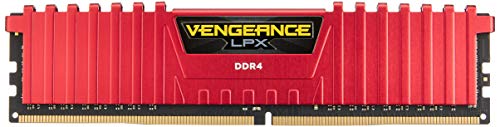
G.SKILL Trident Z RGB Series DDR4 RAM (XMP) 32GB (2x16GB) 3200MT/s CL16-18-18-38 1.35V Intel AMD Desktop Computer Memory U-DIMM (F4-3200C16D-32GTZR)


Key features
- •DDR4 3200 (PC4 25600)
- •Timing 16-18-18-38
- •Cas Latency 16
- •Voltage 1.35V
G.SKILL Trident Z RGB Series DDR4 RAM (XMP) 32GB (2x16GB) 3200MT/s CL16-18-18-38 1.35V Intel AMD Desktop Computer Memory U-DIMM (F4-3200C16D-32GTZR)
List Price: $363.74$327.37DEALYou Save: $36.37 (10%)
Free shippingFree Returns – 30 daysFree Order CancellationSecure Payment2–3 Days DeliveryGet It June 25, 2026In Stock (1)No marketing spamNo account requiredFulfilment by FedEx / Amazon / UPS / ShipwirePayPal / Card Buyer Protection
Customer Reviews
Reviews sourced from verified Amazon purchasers4.8
out of 5
Based on 10 reviews
5★
70%
4★
30%
3★
0%
2★
0%
1★
0%
My rig has double the memory.
Boomer50✓ Verified Purchase•August 26, 2023
My computer rig had 32 gigs of memory but sometimes bogged down while rendering & editing videos. I bought these sticks to double the memory to 64 gigs. I used the buy again feature to buy the same memory as before. I know you're not supposed to mix memory from 2 separate buys,but I had successfully done this on past builds. Well it did take some fiddling around in the BIOS and several reboots but now all 4 sticks run at rated speeds. I've used G.Skill many times and they have yet to let me down. Great buy. Great product.
2023: YES you can install this on an hp omen now!! just update the bios!!
Tacos are great✓ Verified Purchase•August 17, 2023
There were issues before about installing non HP ram into an HP omen 25L, 30L or 40L but HP has heard us! in q3 2022, they released a bios update that allows you to install your own memory. that being said, i bought this gskill 32gb ram and it works perfectly at 2933mhz - just like the hyperx fury ram the system came with. step 1- update your omen bios to the latest version, whichever that is. step 2- install your new ram. step 3 - press escape or f10 to enter bios and, step 4 -under custom settings, select memory and then XMP PROFILE 1, save and reboot. log into windows to confirm ;) merry christmas ya filthy animal!!
La Mejor RAM DDR4
Carlos Andres Leon Ayala✓ Verified Purchase•July 11, 2023
The media could not be loaded. IncreÃble rendimiento, de verdad el software permite una personalización muy buena y variada, cada slot de memoria tiene 4 capas de led y todas pueden tener un color diferente. Vale la pena invertirle a Gskil, realmente esto es calidad precio en este momento. El perfil XMP se activo solo.
Great
Collin Heavlow✓ Verified Purchase•July 9, 2023
No problems
Upgrading to new Ram at a higher speed? CHECK YOUR MOTHERBOARD RAM SPEEDS BEFORE YOU BUY!
Jay Xi✓ Verified Purchase•June 23, 2023
When I got this product I was very excited to install it. Switching out RAM is one of the easiest things when it comes to upgrading. However, after doing a much more in-depth research about upgrading to brand new ram, the thing people forget to mention is that all motherboards support certain RAM speeds until a SPECIFIC LIMIT. For me, I have an AsRock Z390 Pro4 motherboard. Looking at this motherboard, it lists that it can support memory speeds up to 4300mhz. BUT, after looking more closely at the motherboard information, specifically after the listed 2666mhz speed, the faster speeds start to show an "OC" (Overclocking) by them; for example: 2800(OC), 2933(OC), 3200(OC), and etc. Meaning that for my motherboard specifically, trying to run any RAM faster than 2666mhz is considered Overclocking.
For higher end motherboards, most start to display their "OC" after 3200mhz. Thus, these motherboards will very likely be stable with their RAM speeds until after 3200mhz. Thus, if you plug in these Trident Z Sticks into a higher end motherboard it should allow you to run them at the RAM advertised speed of 3200mhz with XMP enabled.
However, for my motherboard I was only able to run these Trident Z RAM sticks to a maximum speed of 2933mhz before my PC would give me an error because again, my motherboard considers any RAM speed faster than 2666mhz to be Overclocking and therefore it starts to be unstable. Yes, you can tweak the voltages and whatnot to make the motherboard more stable, but let's be honest here: if your not really tech savvy or know what you are doing, you probably shouldn't mess with this. So, if you are having trouble getting your RAM speed to be 3200mhz in the bios, check to see when your motherboard starts to consider certain RAM speeds as "OC" or Overclocking. Then work from there to hopefully get to the advertised speed of 3200mhz or just any speed faster than your old Ram sticks.
For higher end motherboards, most start to display their "OC" after 3200mhz. Thus, these motherboards will very likely be stable with their RAM speeds until after 3200mhz. Thus, if you plug in these Trident Z Sticks into a higher end motherboard it should allow you to run them at the RAM advertised speed of 3200mhz with XMP enabled.
However, for my motherboard I was only able to run these Trident Z RAM sticks to a maximum speed of 2933mhz before my PC would give me an error because again, my motherboard considers any RAM speed faster than 2666mhz to be Overclocking and therefore it starts to be unstable. Yes, you can tweak the voltages and whatnot to make the motherboard more stable, but let's be honest here: if your not really tech savvy or know what you are doing, you probably shouldn't mess with this. So, if you are having trouble getting your RAM speed to be 3200mhz in the bios, check to see when your motherboard starts to consider certain RAM speeds as "OC" or Overclocking. Then work from there to hopefully get to the advertised speed of 3200mhz or just any speed faster than your old Ram sticks.
Page 1 of 2