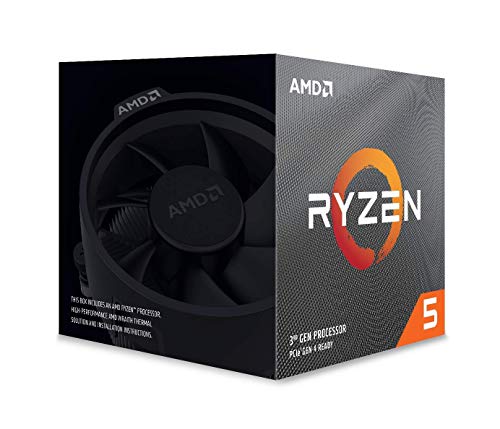
AMD YD299XAZAFWOF Ryzen Threadripper 2990WX Processor


Key features
- •World's First 32-core, 64-thread Desktop Processor
- •4.2 GHz Max Boost , Max Temperature -68 degree Celsius
- •80MB of Cache Memory
- •Quad-Channel DDR4
- •250W TDP, CPU Cooler Not Included
AMD YD299XAZAFWOF Ryzen Threadripper 2990WX Processor
List Price: $2473.50$2226.15DEALYou Save: $247.35 (10%)
Free shippingFree Returns – 30 daysFree Order CancellationSecure Payment2–3 Days DeliveryGet It October 24, 2026In Stock (2)No marketing spamNo account requiredFulfilment by FedEx / Amazon / UPS / ShipwirePayPal / Card Buyer Protection
Customer Reviews
Reviews sourced from verified Amazon purchasers3.9
out of 5
Based on 10 reviews
5★
70%
4★
30%
3★
0%
2★
0%
1★
0%
Perfect workhorse for scientists (my groups mini cluster)
Will F✓ Verified Purchase•July 27, 2023
Pros
*33% reduction in turnover time for my particular workload compared to the 16 core 1950x
*Can be air cooled, currently using noctua tr4 specific cooler (nhu 14 sp3) and thermals allow boost to reach 4.1+ GHz.
*8 slots for ram in most motherboard allowing all 4 lanes to be filled and later double memory by filling the next 4.
*Ecc ram support without any trouble.
*Bios flashes made crazy easy for previous generation motherboards to be compatible. (I have the asrock x399 taichi but all boards should have a similar process as mandated by AMD)
Cons
* TDP and therefore wattage high even at idle. This thing will be on 24/7 for me and so will chew through power bill.
* Waiting for wraith ripper to hopefully have quieter fans and slightly higher all turbo. Should have come out at same time as cpu.
[Update: 45 second benchmark I use for my work now runs in 25 seconds using Precision Boost Overdrive on air cooling. 40%+ reduction in turnaround time compared to my 1950x, also note this is a highly parallel scientific workflow
*33% reduction in turnover time for my particular workload compared to the 16 core 1950x
*Can be air cooled, currently using noctua tr4 specific cooler (nhu 14 sp3) and thermals allow boost to reach 4.1+ GHz.
*8 slots for ram in most motherboard allowing all 4 lanes to be filled and later double memory by filling the next 4.
*Ecc ram support without any trouble.
*Bios flashes made crazy easy for previous generation motherboards to be compatible. (I have the asrock x399 taichi but all boards should have a similar process as mandated by AMD)
Cons
* TDP and therefore wattage high even at idle. This thing will be on 24/7 for me and so will chew through power bill.
* Waiting for wraith ripper to hopefully have quieter fans and slightly higher all turbo. Should have come out at same time as cpu.
[Update: 45 second benchmark I use for my work now runs in 25 seconds using Precision Boost Overdrive on air cooling. 40%+ reduction in turnaround time compared to my 1950x, also note this is a highly parallel scientific workflow
Wish I'd gotten the Intel
Michael Kujawa✓ Verified Purchase•July 22, 2023
I was trying to build a monster compile box. In the end, I think I would rather have gone with a more standard, lower core count Intel i9. Very few workloads actually benefit from the large number of cores, and some even crash because of it. To get the fastest compile times, I needed to limit the number of compile threads. Much less selection of motherboards and such for the AMD part. (Mine has never quite worked 100%... I think it's probably the motherboard. My boss thinks it's the PSU. But without any spares, it's impossible for me to diagnose.) In the end, I don't compile any faster than my co-worker's new Intel laptop.
But all the features of the CPU do work as advertised. I'm able to use https://www.amazon.com/ASUS-Hyper-M-2-Card-Socket/dp/B07PCKTL1J/ for example, which is very nice.
But all the features of the CPU do work as advertised. I'm able to use https://www.amazon.com/ASUS-Hyper-M-2-Card-Socket/dp/B07PCKTL1J/ for example, which is very nice.
Totally worth it
Rebecca H.✓ Verified Purchase•July 17, 2023
Huge CPU, had no issues installing it. Make sure you get more than enough thermal paste for this thing because it is really big. Installed it on the ASUS ROG Zenith Extreme mobo with the Cooler Master Wraith Ripper and it's been smooth sailing ever since. Put it under extreme loads and CPU usage barely goes up. My friends joke and say I have a NASA computer now, but they are kind of right in that I can do a lot of various tasks and it doesn't put any strain on my CPU. Now to get my VR gaming set up!
Currently the world's best single CPU for rendering, and some other compute-heavy tasks
A.H.✓ Verified Purchase•June 25, 2023
Currently, this CPU is hands down objectively the best at 3D rendering in a single socket (by the metric of time taken to render 3D scenes).
In blender cycles, I've had this CPU outpace my dual 1080ti at rendering, 950 vs 693 seconds in a scene I've been using to benchmark.
I also do a lot of data processing.
Encoding (ffmpeg): depending on the codec used, it can be pretty good, or pretty meh, in the worst cases getting slightly outpaced by the 18 core i9 7980XE in h265. h264 I found was not quite as favorable for the intel cpus though, but something to note is that neither of those codecs actually fully loaded the cpu, 2 of the dies were typically idle, thus the cpu was being treated like a 16-core, and one of the dies was barely loaded, resulting in severe under utilization for the AMD cpu that pushed its boost clocks down, while the intel cpu was able to make use of much higher boosts, since at least the number of threads was much closer to its actual core count. Parallel encoding however swings things back in the favor of the 2990WX though, where it can now fully utilize all the cores. Occasionally some under utilization would happen due to memory bandwidth constraints in some portions of my reference task.
NLP Text Preprocessing (Proprietary w/ Python, Numpy): This particular bit of code is unfortunately a custom piece written for my job, so not necessarily directly translatable to what other people may be doing, but running 64 instances of the program in parallel didnt scale how I expected... because my nvme drives couldn't keep up with the IO demands, resulting in CPU under utilization, so not the CPU's fault. I'll need to set up a larger scratch disk array to properly test this.
AVX2 deep learning: ok, the 1080tis win out for this workload, but against other cpus the 2990WX can still hold its own... until you bring in the question of AVX512, which is an interesting topic. Sure, AVX512 might be a bit easier to code for than CUDA... in theory, since its still all on the CPU. However AVX512 is not at all easy to code for, or even getting the stuff to compile right. Its also less mature and less supported than CUDA, making.. coding for CUDA arguably actually easier overall. For all the hammering away at some of the problems I was facing, I could only get around half the benchmarks to run on AVX512 intel cpus without crashing. Some of them still produced unexpected outputs. Anyways, verdict is that, while GPUs and dedicated hardware still easily outpace CPUs here, the 2990WX isnt half bad at it either if you cant otherwise use GPUs.
Games: it manages a solid 60fps at 4k using dual 1080tis. Cant ask for much more than that. I'm an artist and programmer who games on the side, I like high resolutions, and I dont really play anything that greatly benefits from high fps - it just makes it nicer to watch but provides no tangible benefits for what I play.
If you have workloads that benefit from this CPU, you or at least your business probably makes enough money to get this CPU, and in the arena that this CPU fights in, where its battling parts that range from $500 to $10000, its one of the best values there is for workloads its best at.
If you also want to game on it, well, its perfectly fine if you just want 60hz or even 90hz (vr), with dynamic local mode bringing it closer to where the 2950X and 2700X sit. Its never going to be a top tier champ of the high refresh rate gaming arena, but thats not what its value proposition is for anyways, theres cpus better at that for much cheaper (2700X, 8700K, and just forget the 9900K even exists since the 8700K is just a few percent slower while not running into the same power/thermal issues as the 9900K - which by the way, actually can use more power (I've seen people reporting up to 265W on the package) than even the 2990WX (peak power draw I've observed is 248W) does at stock settings on a good board under all-core loads, since MCE is a stock setting enabled by default on a lot of those boards that can actually supply it enough power without the VRMs throttling or overheating).
In blender cycles, I've had this CPU outpace my dual 1080ti at rendering, 950 vs 693 seconds in a scene I've been using to benchmark.
I also do a lot of data processing.
Encoding (ffmpeg): depending on the codec used, it can be pretty good, or pretty meh, in the worst cases getting slightly outpaced by the 18 core i9 7980XE in h265. h264 I found was not quite as favorable for the intel cpus though, but something to note is that neither of those codecs actually fully loaded the cpu, 2 of the dies were typically idle, thus the cpu was being treated like a 16-core, and one of the dies was barely loaded, resulting in severe under utilization for the AMD cpu that pushed its boost clocks down, while the intel cpu was able to make use of much higher boosts, since at least the number of threads was much closer to its actual core count. Parallel encoding however swings things back in the favor of the 2990WX though, where it can now fully utilize all the cores. Occasionally some under utilization would happen due to memory bandwidth constraints in some portions of my reference task.
NLP Text Preprocessing (Proprietary w/ Python, Numpy): This particular bit of code is unfortunately a custom piece written for my job, so not necessarily directly translatable to what other people may be doing, but running 64 instances of the program in parallel didnt scale how I expected... because my nvme drives couldn't keep up with the IO demands, resulting in CPU under utilization, so not the CPU's fault. I'll need to set up a larger scratch disk array to properly test this.
AVX2 deep learning: ok, the 1080tis win out for this workload, but against other cpus the 2990WX can still hold its own... until you bring in the question of AVX512, which is an interesting topic. Sure, AVX512 might be a bit easier to code for than CUDA... in theory, since its still all on the CPU. However AVX512 is not at all easy to code for, or even getting the stuff to compile right. Its also less mature and less supported than CUDA, making.. coding for CUDA arguably actually easier overall. For all the hammering away at some of the problems I was facing, I could only get around half the benchmarks to run on AVX512 intel cpus without crashing. Some of them still produced unexpected outputs. Anyways, verdict is that, while GPUs and dedicated hardware still easily outpace CPUs here, the 2990WX isnt half bad at it either if you cant otherwise use GPUs.
Games: it manages a solid 60fps at 4k using dual 1080tis. Cant ask for much more than that. I'm an artist and programmer who games on the side, I like high resolutions, and I dont really play anything that greatly benefits from high fps - it just makes it nicer to watch but provides no tangible benefits for what I play.
If you have workloads that benefit from this CPU, you or at least your business probably makes enough money to get this CPU, and in the arena that this CPU fights in, where its battling parts that range from $500 to $10000, its one of the best values there is for workloads its best at.
If you also want to game on it, well, its perfectly fine if you just want 60hz or even 90hz (vr), with dynamic local mode bringing it closer to where the 2950X and 2700X sit. Its never going to be a top tier champ of the high refresh rate gaming arena, but thats not what its value proposition is for anyways, theres cpus better at that for much cheaper (2700X, 8700K, and just forget the 9900K even exists since the 8700K is just a few percent slower while not running into the same power/thermal issues as the 9900K - which by the way, actually can use more power (I've seen people reporting up to 265W on the package) than even the 2990WX (peak power draw I've observed is 248W) does at stock settings on a good board under all-core loads, since MCE is a stock setting enabled by default on a lot of those boards that can actually supply it enough power without the VRMs throttling or overheating).
She thicccc
Rinat Lavi ✓ Verified Purchase•June 24, 2023
The specs speak for itself. My only complaints are that most AIOs don't completely cover the surface area of the CPU, but it's also HUGE so I guess that makes sense (just spend the extra $10 for new thermal paste and reapply). Biggest complaint is that for these processors the only way to get an accurate temp reading is through the AMD Ryzen app, otherwise everything, including your utility manager, will say it's idle at around 60 celsius (which is untrue, it's sitting idle at around 35 for me). This also makes any temp display AIOs pointless since their temps will be wrong. The T4 socket mount for AIOs is in the box for the Threadripper, as well as a torque screwdriver tool you should use so you know you tightened the screws the correct amount (watch mounting videos online). Awesome CPU in any case.
Page 1 of 2