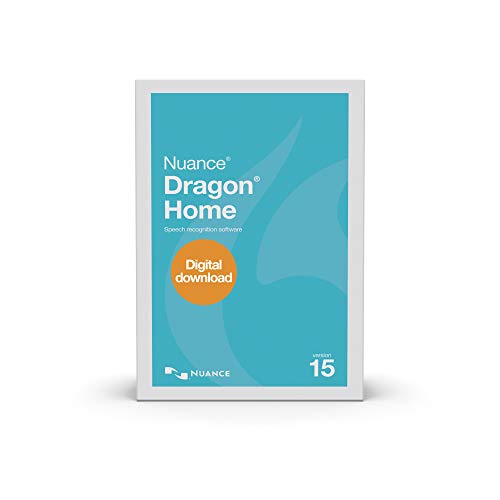
Dragon Home 15


Key features
- •Transform your ideas into text at the speed of thought; don't let typing, touch screen PCs, spelling, or fear of the blank page slow you down
- •Create documents, get through your "to-do" list, send email or surf and search the Web- faster and more intelligently than ever before
- •Use with popular Windows applications; dictate documents with Full Text Control, send email, search the Web, post to Facebook or Twitter and more - all by voice
- •Enjoy using a simplified Dragon bar and streamlined interface that eliminates complex menus and options, so you can quickly select the options you need and start turning your voice into text using Dragon right away
- •Helps prevent repetitive stress injuries by using your PC in a comfortable, ergonomic way without being tied to your keyboard and mouse
- •Supported OS: Windows 10 Windows 7 Windows 8 Windows 8.1
- •Processor Format: 32 bit
- •RAM: 4 GB
- •Hard Disk: 8 GB
- •Additional Requirements: Must have a built-in microphone or can purchase our Dragon USB Headset under ASIN: B00NW2ZJB8
BrandNuance Dragon
CategoryDocument Management
Dragon Home 15
List Price: $291.00$261.90DEALYou Save: $29.10 (10%)
Free shippingFree Returns – 30 daysFree Order CancellationSecure Payment2–3 Days DeliveryGet It October 25, 2026In Stock (1)No marketing spamNo account requiredFulfilment by FedEx / Amazon / UPS / ShipwirePayPal / Card Buyer Protection
Customer Reviews
Reviews sourced from verified Amazon purchasers3.8
out of 5
Based on 10 reviews
5★
40%
4★
60%
3★
0%
2★
0%
1★
0%
Saves me hours. Improves my chart notes
J. Woods✓ Verified Purchase•January 13, 2024
I had a bit of a problem with the initial installation. I did not receive a serial number from Amazon so I couldn't finish the download. The activation key and serial number are different. A couple of phone calls later, Amazon Rep talking Tom Nuance Rep. Still a few issues. A week later the Nuance Rep emailed me and fro. There it was clear sailing.
I watched a few YouTube videos and the Dragon tutorials and have cut at least an hour from my charting each day.
I am a physician and Ketamine Therapist so my chart notes are long and filled with technical jargo, both medical and psychotherapeutic. I get great results, and if I put in a bit more time it would be even better. But the results have been so good with minimal training I haven't bothered.
It dictates to my electronic charts,(SimplePracrice), to Word, to Adobe cloud for dictating pdf filesdirectly.
I use the mike on my Lenovo Yoga 730, (Windows 10 OS), and have not needed a separate microphone.
I worked in a rural clinic that used Medical Drago and it was great. The Home Edition15 is just as good.
The company says that it won't dictate onto an EMR, but it does onto my psychotherapy EMR, and if I had a different system I would just dictate to Word and cut/paste.
I work one day a week for a busy psychiatric clinic and I simply dictate onto gmail and mail each nite to the transcription it's. It is faster and better than simply talking into a re order because I see the finished product before mailing. The transcriotionist brings me snacks now on the dayiwork at that office!
Highly recommend.
I watched a few YouTube videos and the Dragon tutorials and have cut at least an hour from my charting each day.
I am a physician and Ketamine Therapist so my chart notes are long and filled with technical jargo, both medical and psychotherapeutic. I get great results, and if I put in a bit more time it would be even better. But the results have been so good with minimal training I haven't bothered.
It dictates to my electronic charts,(SimplePracrice), to Word, to Adobe cloud for dictating pdf filesdirectly.
I use the mike on my Lenovo Yoga 730, (Windows 10 OS), and have not needed a separate microphone.
I worked in a rural clinic that used Medical Drago and it was great. The Home Edition15 is just as good.
The company says that it won't dictate onto an EMR, but it does onto my psychotherapy EMR, and if I had a different system I would just dictate to Word and cut/paste.
I work one day a week for a busy psychiatric clinic and I simply dictate onto gmail and mail each nite to the transcription it's. It is faster and better than simply talking into a re order because I see the finished product before mailing. The transcriotionist brings me snacks now on the dayiwork at that office!
Highly recommend.
In order to Fly, Speak Clearly/When in doubt, get Dragon Professional
Nicholas✓ Verified Purchase•December 27, 2023
Installation was easy, getting things set up took all of thirty minutes. If you need help, Nuance customer support is on point.
Let me preface this next part by saying... I haven't been using Dragon for more than a week. But, even on the first day, if I spoke clearly, Dragon understood me. If you've used Google Text to Speech but needed better commands and a way to input your own language, then Dragon is for you. I could even speak at my normal talking speed, making for very fast transcriptions.
Why the 4 stars for Home then?
I did not have (too) many issues with the programming miss hearing me as it was easy to correct small mistakes by teaching dragon a new word. However, being able to add new commands is a really nifty feature that does NOT come with dragon home. It is a part of the program I think that both versions should have. If you want to add a new command, like say "Drop Line," is the same thing as "New Line," (that has been killing me) then you will need to get Dragon Professional. Or let's say that you want Dragon to have a very specific "tab" option because you are a writer and you need it to manually input four spaces at a new paragraph, then saying "Tab" doesn't help you at all and you'll need the Professional version of Dragon to add new indentation options. (By the way Nuance, "Tab" is less common than "Indent" ;)
If you don't need new commands and you are transcribing easier stuff, (not a full length novel you've written by hand), then you'll be happy to know that Dragon Home 15 is very handy and the commands are easy to learn. Anyone saying that this is complicated program and are worried about not having tech support in the future... they may not be very good with computer programs (you can read 'may not be' as 'are not'). It took me all of one day to get used to the command lines. (Except for that God-Dang drop line thing, did no one tell Nuance that drop line is a more common saying than "New Line?")
TLDR:
Dragon Home 15 is great for getting average dictations right and improving over time, but Dragon Home is missing a very key feature that Dragon Professional has and I think a lot of people will want ("add new command").
Let me preface this next part by saying... I haven't been using Dragon for more than a week. But, even on the first day, if I spoke clearly, Dragon understood me. If you've used Google Text to Speech but needed better commands and a way to input your own language, then Dragon is for you. I could even speak at my normal talking speed, making for very fast transcriptions.
Why the 4 stars for Home then?
I did not have (too) many issues with the programming miss hearing me as it was easy to correct small mistakes by teaching dragon a new word. However, being able to add new commands is a really nifty feature that does NOT come with dragon home. It is a part of the program I think that both versions should have. If you want to add a new command, like say "Drop Line," is the same thing as "New Line," (that has been killing me) then you will need to get Dragon Professional. Or let's say that you want Dragon to have a very specific "tab" option because you are a writer and you need it to manually input four spaces at a new paragraph, then saying "Tab" doesn't help you at all and you'll need the Professional version of Dragon to add new indentation options. (By the way Nuance, "Tab" is less common than "Indent" ;)
If you don't need new commands and you are transcribing easier stuff, (not a full length novel you've written by hand), then you'll be happy to know that Dragon Home 15 is very handy and the commands are easy to learn. Anyone saying that this is complicated program and are worried about not having tech support in the future... they may not be very good with computer programs (you can read 'may not be' as 'are not'). It took me all of one day to get used to the command lines. (Except for that God-Dang drop line thing, did no one tell Nuance that drop line is a more common saying than "New Line?")
TLDR:
Dragon Home 15 is great for getting average dictations right and improving over time, but Dragon Home is missing a very key feature that Dragon Professional has and I think a lot of people will want ("add new command").
Dragon Home is Mostly Helpful
GnN✓ Verified Purchase•December 5, 2023
dragon home version is useful.
I had carpel in my wrist so mouse movement was horrible
Software works 80 to 85% of the time
Definitely helpful in writing patches and paragraphs of texts
I use it on Google docs, email, but not much on social media
downtick is accuracy could be better
most importantly the shut down time min
it's at 5 minutes you cannot put it to 1,2 or 3 minutes - this is a pain
so when you're done using it if you forget to turn it off you talk to yourself or something like that and then all of a sudden the software starts opening and closing windows all by itself lol
it is a good 4-stars
I had carpel in my wrist so mouse movement was horrible
Software works 80 to 85% of the time
Definitely helpful in writing patches and paragraphs of texts
I use it on Google docs, email, but not much on social media
downtick is accuracy could be better
most importantly the shut down time min
it's at 5 minutes you cannot put it to 1,2 or 3 minutes - this is a pain
so when you're done using it if you forget to turn it off you talk to yourself or something like that and then all of a sudden the software starts opening and closing windows all by itself lol
it is a good 4-stars
Dragon 15 works for me
Rick✓ Verified Purchase•November 30, 2023
Ordered the retail box version, with the headset. What was delivered was the headset only, and the software order was changed to 'Download software'. No possibility of return if the software did not meet my needs. Fortunately, it works well. However, the downloaded software contained no installation instructions. Had to dig about on the Nuance website for help. Important note: The 'Home' version accommodates ONE user. The quickstart guide and tutorials were helpful in coming up to speed. I expected more help getting the product installed. At least a 'readme' file.
Impressed with this update
S.✓ Verified Purchase•November 6, 2023
First, a bit of a warning: when I first installed the product, it would stay stuck at splash screen and not launch at all. Turns out that I had to go to Windows settings for apps that launch at system start, and turn off there "common software manager - flexera" - so that it wouldn't start automatically at startup, and that fixed the issue, and now the program is launching just fine.
Now, I have to say that I used previews versions of Dragon some years ago, and I didn't have the best memory of it. It was rather frustrating most times. Upon starting up this new version, I wasn't sure what to expect, but my hopes weren't that high. However, I was very pleasantly surprised, because "right out of the box", it is already performing a lot better than my previous versions did. I am of course dictating this review using the program, and so far I've had nothing to correct.
I will update this review once I have used the program more, but as of now it is very promising. I just didn't want to wait any longer to leave my review in case somebody else was having for start up issue that I described above and needed a solution for it.
EDIT: some years later, still using Dragon, still having a good time with it
Now, I have to say that I used previews versions of Dragon some years ago, and I didn't have the best memory of it. It was rather frustrating most times. Upon starting up this new version, I wasn't sure what to expect, but my hopes weren't that high. However, I was very pleasantly surprised, because "right out of the box", it is already performing a lot better than my previous versions did. I am of course dictating this review using the program, and so far I've had nothing to correct.
I will update this review once I have used the program more, but as of now it is very promising. I just didn't want to wait any longer to leave my review in case somebody else was having for start up issue that I described above and needed a solution for it.
EDIT: some years later, still using Dragon, still having a good time with it
Page 1 of 2
![[Old Version] Corel WordPerfect Office 2020 Standard Upgrade | Word Processor, Spreadsheets, Presentations | Newsletters, Labels, Envelopes, Reports, Fillable PDF Forms, eBooks [PC Download]](https://m.media-amazon.com/images/I/41nLuPuYePL._SL500_.jpg)
![Corel WinZip 26 | Zip Compression, Encryption & File Manager Software [PC Download] [Old Version]](https://m.media-amazon.com/images/I/41Z9hTtndWL._SL500_.jpg)
![Corel WinZip 26 Pro | Zip Compression, Encryption, File Manager & Backup Software [PC Download] [Old Version]](https://m.media-amazon.com/images/I/41ZEtcf-INL._SL500_.jpg)

![[Old Version] Corel WordPerfect Office 2020 Home & Student | Word Processor, Spreadsheets, Presentations | Newsletters, Labels, Envelopes, Reports, eBooks [PC Download]](https://m.media-amazon.com/images/I/41Mr99mgcEL._SL500_.jpg)
![Icecream PDF Converter PRO [Download]](https://m.media-amazon.com/images/I/41Mbv7S71CL._SL500_.png)

