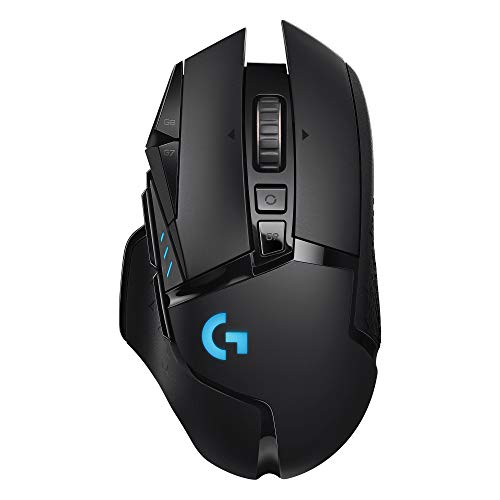
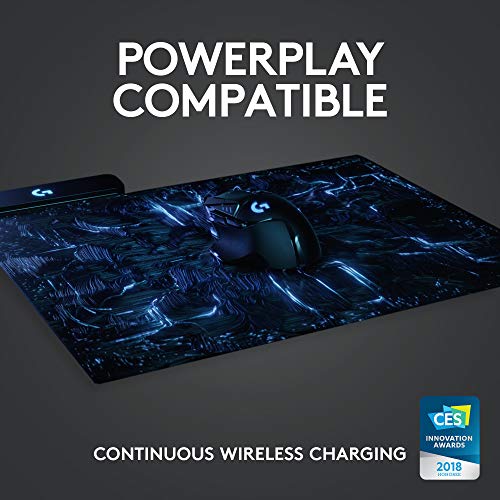
Logitech G502 Lightspeed Wireless Gaming Mouse, 25K Hero Gaming Sensor, 25600 DPI, RGB, Ultra-Light, 11 Programmable Buttons, Long Life Battery, PowerPlay-Compatible, PC - Black


Key features
- •High Performance Design: The iconic shape that has pushed the limits of PC-based optical equipment has evolved for better wireless performance; an extra-thin 1.2 mm shell and internal endoskeleton structure reduce weight for a more ergonomic grip
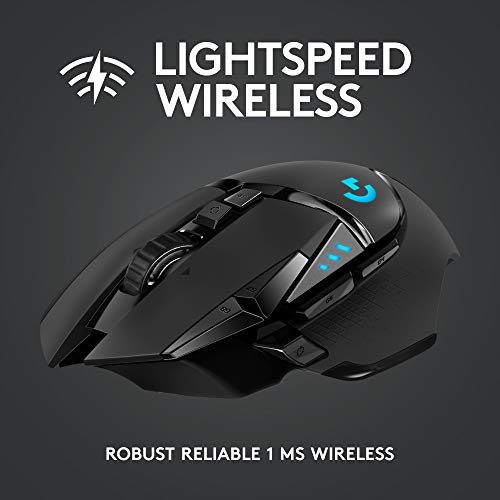
- •LIGHTSPEED Wireless Wireless Technology: eSports professionals trust the LIGHTSPEED ecosystem of wireless technologies to deliver enterprise-grade, lightning-fast and reliable gaming performance
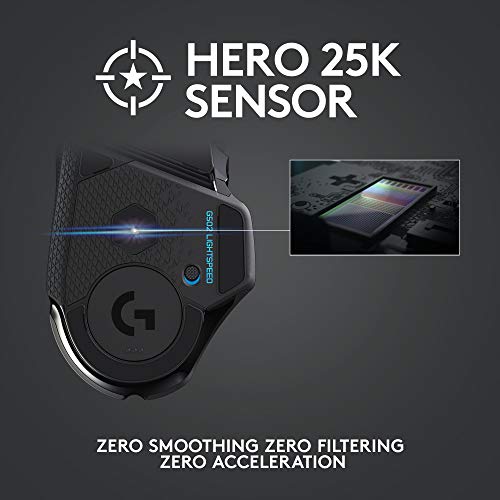
- •HERO 25K Sensor: The HERO sensor delivers the best performance in its class to achieve up to 25,600 DPI, for pixel-perfect gaming performance with zero smoothing, filtering or acceleration
- •11 Buttons and Ultra-Fast Scroll Wheel: The main buttons offer tension with metal springs for quick and accurate activation. Customize keystrokes and macros for every game and app. Super-fast scrolling wheel lets you quickly navigate long documents and web pages
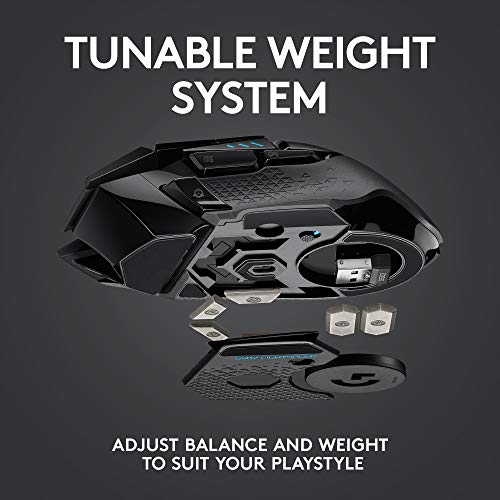
- •Fully Customizable Weights and Colors: Customize the weight and balance of your RGB mouse with the six adjustable weights included for tracking, pixel-optimized targeting, and ergonomic handling and choose from 16.8 million LIGHTSYNC RGB colors for total immersion
- •Next-generation sensor: able to detect motion to the nearest sub-micron and track motion to less than one millionth of a meter with exceptional accuracy
Logitech G502 Lightspeed Wireless Gaming Mouse, 25K Hero Gaming Sensor, 25600 DPI, RGB, Ultra-Light, 11 Programmable Buttons, Long Life Battery, PowerPlay-Compatible, PC - Black
List Price: $174.59$157.13DEALYou Save: $17.46 (10%)
Free shippingFree Returns – 30 daysFree Order CancellationSecure Payment2–3 Days DeliveryGet It October 24, 2026In Stock (8)No marketing spamNo account requiredFulfilment by FedEx / Amazon / UPS / ShipwirePayPal / Card Buyer Protection
Customer Reviews
Reviews sourced from verified Amazon purchasers4.5
out of 5
Based on 10 reviews
5★
40%
4★
60%
3★
0%
2★
0%
1★
0%
G502
Joel Guerrero✓ Verified Purchase•October 10, 2023
Excelente mouse, excelente dpi, le doy un 10
Best mouse ever tbh
BlackHydro✓ Verified Purchase•September 20, 2023
I've had so many different mouses and I always go back to this one. It's just the most comfortable mouse and it has so many good features that no mouse has nowadays. I don't get the lightweight trend; those mouses are ugly, uncomfortable, and get hella dirty.
Plastic scrollwheel, colors a bit different than pictured, otherwise a solid mouse
Casey✓ Verified Purchase•September 10, 2023
I am purchasing to replace my Corsair M65 Pro mouse. I like the M65, but the mouse started double-clicking and I had issues with middle click not working at one point in time. The M65 has a wider frame, while this G502 is much thinner. Generally, I prefer the wider frame.
Pros:
* Logitech
- Mice tend to last a long time
- Good key mapping and customizability in the driver/software
* Molds well to the hand (nice indentation for the thumb), and has nice textured grips on the side.
* Scroll wheel can be toggled between free-scroll and individual clicks
* Good quality sensor (I'm not picky)
* Mouse cord has a good length and width
Cons:
* Colors are different than pictured - the scroll wheel looks like a grey spray paint, and the Special Edition lines are colored a very bright and plastic white.
* Scroll wheel is plastic and looks cheap (feels like a good Logitech mouse, however).
* No buttons on pinky/ring finger location. G7/G8/G9 buttons are also a bit awkward to reach.
Notes:
* There is a wireless version available.
* G Hub has a cool audio visualizer mode, but there's not many lights on the mouse, and the colors and settings don't "wow" me. Fun gimmick.
* There is a sensitivity changing button that can be configured for anything. By default it is set to a "sniper" mode (hold it down to decrease DPI). I like this as a middle click alternative. It rests at the end of my thumb (not as nice as Corsair M65 under the thumb, but still in a good location). Pro: you shouldn't accidentally click it while picking up the mouse to move it (I never had this issue with M65).
My background:
This is probably my fifth or sixth unique Logitech mouse. I have also owned a Corsair mouse. My favorite two are probably the Corsair M65 Pro and the Logitech MX Master, which both have a wider footprint.
On this mouse, I miss the buttons on the right side of the G900, the metal scroll wheel from the MX Master, the wider frame of the MX Master and Corsair M65 Pro, and the long battery life of the Marathon mouse (I chose not to get the wireless version because of the battery life being measured in days as opposed to months). However, I am very happy with the mouse so far.
Pros:
* Logitech
- Mice tend to last a long time
- Good key mapping and customizability in the driver/software
* Molds well to the hand (nice indentation for the thumb), and has nice textured grips on the side.
* Scroll wheel can be toggled between free-scroll and individual clicks
* Good quality sensor (I'm not picky)
* Mouse cord has a good length and width
Cons:
* Colors are different than pictured - the scroll wheel looks like a grey spray paint, and the Special Edition lines are colored a very bright and plastic white.
* Scroll wheel is plastic and looks cheap (feels like a good Logitech mouse, however).
* No buttons on pinky/ring finger location. G7/G8/G9 buttons are also a bit awkward to reach.
Notes:
* There is a wireless version available.
* G Hub has a cool audio visualizer mode, but there's not many lights on the mouse, and the colors and settings don't "wow" me. Fun gimmick.
* There is a sensitivity changing button that can be configured for anything. By default it is set to a "sniper" mode (hold it down to decrease DPI). I like this as a middle click alternative. It rests at the end of my thumb (not as nice as Corsair M65 under the thumb, but still in a good location). Pro: you shouldn't accidentally click it while picking up the mouse to move it (I never had this issue with M65).
My background:
This is probably my fifth or sixth unique Logitech mouse. I have also owned a Corsair mouse. My favorite two are probably the Corsair M65 Pro and the Logitech MX Master, which both have a wider footprint.
On this mouse, I miss the buttons on the right side of the G900, the metal scroll wheel from the MX Master, the wider frame of the MX Master and Corsair M65 Pro, and the long battery life of the Marathon mouse (I chose not to get the wireless version because of the battery life being measured in days as opposed to months). However, I am very happy with the mouse so far.
I am OBSESSED
Allie✓ Verified Purchase•August 29, 2023
I love this mouse!! I had the regular Logitech 502X and it was alright. It didn't come with weights and felt weird. I love how my hand sits on this mouse and the fact there's weights. It's amazing for FPS games especially for the price.
No creo que lo vuelva a comprar
Andrés Santiago RodrÃguez Prada✓ Verified Purchase•August 19, 2023
Me presento alguno problemas con el programa Substance Painter, ya que ahà se usa demasiado el boton 3 del mouse (el de oprimir la rueda) y este a veces se desactiva ya que la rueda tiene dos botones mas, a la derecha e izquierda. Entonces tuve que desactivar estos botones en el panel de Logitech cuando uso Substance. Aún no le encuentro uso a estos dos botones. Es un mouse muy pesado (sin colocarle las pesas)
Llego en perfectas condiciones y con todos sus componentes, aun que falto el stickers que Logitech suele colocar en sus productos.
Llego en perfectas condiciones y con todos sus componentes, aun que falto el stickers que Logitech suele colocar en sus productos.
Page 1 of 2