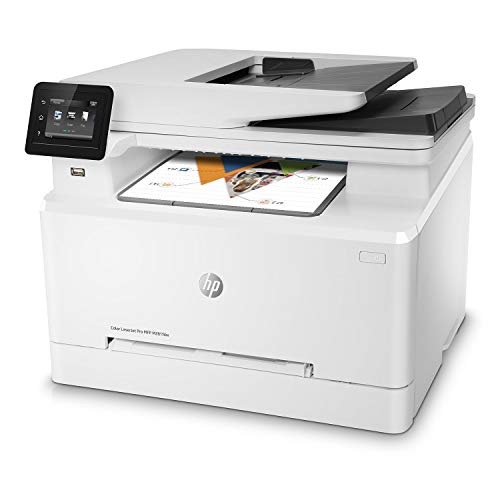
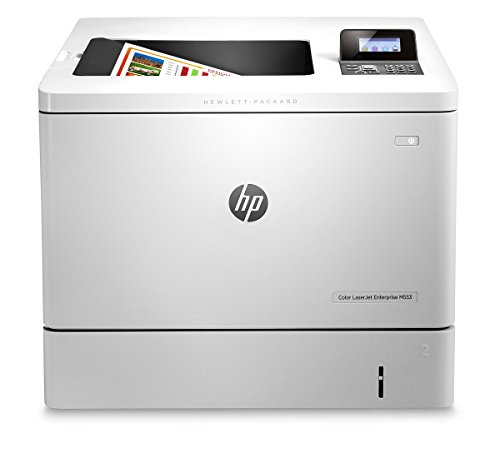
HP Color LaserJet Pro M454dn Printer, Double-Sided Printing & Built-in Ethernet (W1Y44A) White




Key features
- •BUILT TO KEEP YOUR BUSINESS MOVING FORWARD ? Print consistently high-quality documents and vivid graphics with the HP Color LaserJet Pro M454dn, a color laser printer designed to let you focus on growing your business
- •BEST-IN-CLASS SECURITY ? A suite of embedded security features, like instant threat notifications and optional PIN/Pull printing, help protect your color laser printer from being an entry point for attacks and help ensure the safety of your sensitive data
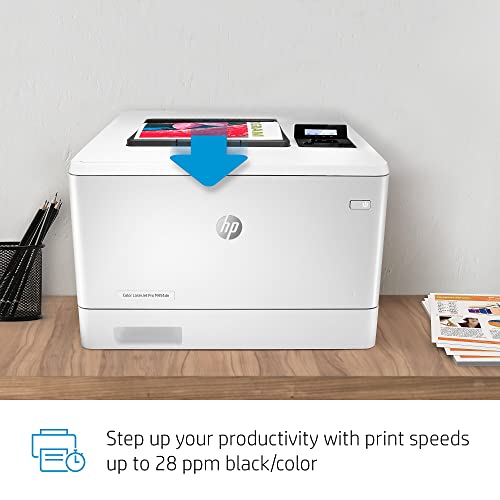
- •MANAGE TASKS QUICKLY AND EASILY ? Take control of your projects with this double-sided laser printer's 250-sheet input tray and print speeds of up to 28 pages a minute
- •SHARE RESOURCES ON YOUR NETWORK ? Easily access, print, and share resources with built-in Ethernet capabilities. Maximum input capacity (sheets)- Up to 850 sheets (with Optional 550-sheet tray). Standard input capacity (envelopes) - Up to 15. Standard output capacity (envelopes) - Up to 20 envelopes
- •ENHANCED ENERGY EFFICIENCY ? Designed with the environment in mind, HP Color LaserJet Pro M454dn saves up to 11% energy over prior products, with technologies that help reduce paper waste
- •COMPACT SIZE ? Make the most of your office space with a compact printer that conveniently fits into your shared work area
HP Color LaserJet Pro M454dn Printer, Double-Sided Printing & Built-in Ethernet (W1Y44A) White
List Price: $705.66$635.09DEALYou Save: $70.57 (10%)
Free shippingFree Returns – 30 daysFree Order CancellationSecure Payment2–3 Days DeliveryGet It October 26, 2026In Stock (1)No marketing spamNo account requiredFulfilment by FedEx / Amazon / UPS / ShipwirePayPal / Card Buyer Protection
Customer Reviews
Reviews sourced from verified Amazon purchasers4.0
out of 5
Based on 10 reviews
5★
50%
4★
50%
3★
0%
2★
0%
1★
0%
Nontrivial setup, but working fine now
Jim✓ Verified Purchase•February 9, 2024
Delivery was very fast - the next day! The box got wet, but the contents were fine. It's a heavy printer. I downloaded the initial firmware to a Mac, and connected the Mac to the printer with a USB cable (using the USB-B port on the printer), but the installer couldn't find a connection to the printer. (The printer was out of range of the WiFi, and too heavy to move conveniently.) But the old diagnosis was right - "the problem is probably with the connector" - and a different USB cable worked fine. Then I connected it via Ethernet to a router. Assigning a static IP address could have been simpler. That done, the Mac was able to print - color and double-sided and fast!
However, the main machine for this printer runs Linux. I installed it with CUPS "Defaults: job-sheets=none, none media=na_letter_8.5x11in sides=two-sided-long-edge", but it insisted on printing single-sided -- using evince with "page setup = two sided, long edge", or acroread or atril with the same. Or "lp -o sides=two-sided-long-edge". Eventually I visited the printer's own web page, and on the "Print" tab, under "Duplex Settings", I found "Duplex Disable". I changed that to "Enable", and the Linux apps could print double-sided. I don't understand how the Mac succeeded, or how duplex printing got disabled, but I'm glad it's working now.
However, the main machine for this printer runs Linux. I installed it with CUPS "Defaults: job-sheets=none, none media=na_letter_8.5x11in sides=two-sided-long-edge", but it insisted on printing single-sided -- using evince with "page setup = two sided, long edge", or acroread or atril with the same. Or "lp -o sides=two-sided-long-edge". Eventually I visited the printer's own web page, and on the "Print" tab, under "Duplex Settings", I found "Duplex Disable". I changed that to "Enable", and the Linux apps could print double-sided. I don't understand how the Mac succeeded, or how duplex printing got disabled, but I'm glad it's working now.
HP 4201 dn
J. David Kerr✓ Verified Purchase•January 3, 2024
Printer is great. Had a problem after installing because the printer was stuck in some kind of loop and I was unable to enter product support. After leaving the printer overnight, it told me it needed to update. I followed the instructions. It is updated and now is working as it should.
Printer wonderful! Product support can stand significant improvement!
Printer wonderful! Product support can stand significant improvement!
Great printer
RO✓ Verified Purchase•December 24, 2023
I love this printer - it is so fast and quite that I almost forget that something has printed. The only thing I don't like is the knob on the right hand side of the printer - I think that HP would have been better off just using button as the knob is somewhat confusing.
Great all around printer for home and small office use
Mike F.✓ Verified Purchase•December 21, 2023
I set this up on a local network. The install and configure process was quick and easy. All you need to do is download the driver and follow the process.
Print quality is good. Power saving mode works well. Operations fairly quiet.
Print quality is good. Power saving mode works well. Operations fairly quiet.
Nice color printer
Bacbldr✓ Verified Purchase•November 22, 2023
I bought this as a color printer for a smaller office. It is not the main printer and I probably would't use it or buy it for that. Not because of the printer or quality, but the cost of the cartridges. If you use genuine HP ones, they are expensive, a full set costs twice what the printer did.
Page 1 of 2