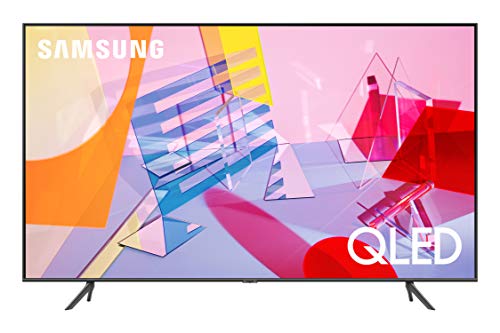
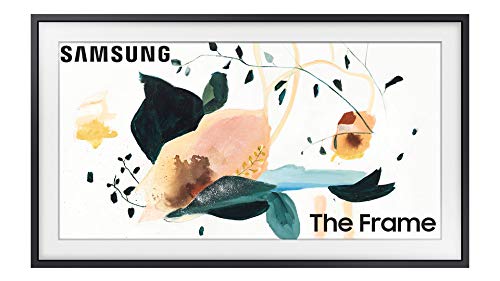
SAMSUNG 32-inch Class FRAME QLED LS03 Series - FHD Dual LED Quantum HDR Smart TV with Alexa Built-in (QN32LS03TBFXZA, 2020 Model)


Key features
- •100% COLOR VOLUME WITH QUANTUM DOT: Quantum dots produce over a billion shades of color that stay true-to-life even in bright scenes.
- •ART MODE: The Frame transforms into a beautiful work of art when you're not watching TV. Activate the built-in motion sensor so whenever you walk into the room, your TV displays one of your favorite selections.
- •ART STORE: Buy individual pieces or subscribe to an ever-increasing library of established and emerging artists' work.
- •CUSTOMIZABLE FRAME: Elevate your space and make The Frame your own by enhancing it with a frame in black, white, beige or walnut.
- •ALEXA BUILT-IN: Ask more from your TV. Just ask Alexa to open apps, change the channel, search for movies and shows, play music, control your smart home devices and more. To talk to Alexa, press and hold the mic button on your remote.
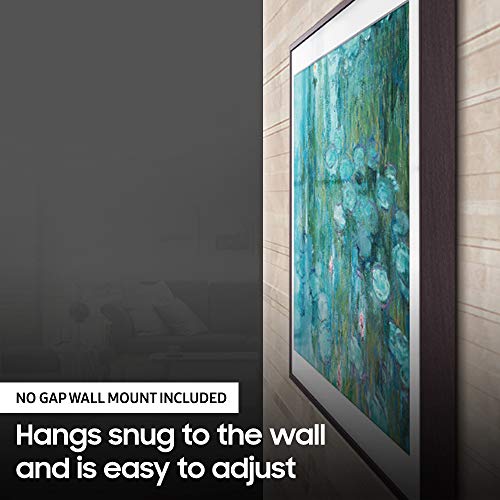
- •INCLUDED ACCESSORIES: SAMSUNG OneRemote (TM-2050A), No Gap Wall Mount, One Connect Box, One Invisible Connection Cable 5m | For a gapless mount wall must be flat and with no sockets or outlets
SAMSUNG 32-inch Class FRAME QLED LS03 Series - FHD Dual LED Quantum HDR Smart TV with Alexa Built-in (QN32LS03TBFXZA, 2020 Model)
List Price: $709.97$638.97DEALYou Save: $71.00 (10%)
Free shippingFree Returns – 30 daysFree Order CancellationSecure Payment2–3 Days DeliveryGet It October 26, 2026In Stock (3)No marketing spamNo account requiredFulfilment by FedEx / Amazon / UPS / ShipwirePayPal / Card Buyer Protection
Customer Reviews
Reviews sourced from verified Amazon purchasers4.4
out of 5
Based on 10 reviews
5★
50%
4★
50%
3★
0%
2★
0%
1★
0%
Good but not great
Jessie Xie✓ Verified Purchase•August 5, 2023
Really love the art display function. The light sensor to turn on or off the picture display does not work perfectly. Sometime when sun light goes through window creates shadows near the sensor location it would turn off picture showing on the TV, I guess. As I noticed couples of times my TV turned on and off picture showing in front of me in a sunny day I am confused it caused by product defects or bad design? As a TV the sound is not very good. We could not figure out how to connect the TV to our House sound system via DENON. The TV set up is not easy. It took us a lot time and efforts to hang this 85inch TV on wall. So basically it is impossible to take it down and return. I won't recommend it to who watch TV a lot.
I LOVE this tv!
K. Davis✓ Verified Purchase•July 29, 2023
I had a 17 year old 42" Panasonic flat screen television that I had been threatening to replace for years, so when this set went on sale on Prime day, I jumped on it. I was not aware of the "Frame TV" concept, even though it had been out for years, but I admit that it was the biggest selling point for buying this set. Who wouldn't want a TV that turned into wall art when it was turned off?
My old TV was hung above the fireplace, so I had a limited amount of space available for the new set. I decided on the 50 inch, and now, in hindsight, I probably could have gone a little bigger, but I didn't want the new tv to overwhelm the room. We removed the old set (which weighed a ton, and took two people) and took down the old bracket so we had a clean wall to work with. All of the old wires to the Panasonic were hidden inside the wall, and I was hoping we could use the same pathway for the new tv. We couldn't. The cord going from the One Box (which powers the tv) to the set has rather large connectors on each end which would not fit inside the conduit inside the wall. So, our wires would have to be run in a wire mold (my only dislike). The hanging bracket for the tv is split, which is kind of a pain, but there is a template you can use and if you are lucky, you can hit a stud on each side. Not that you would need it, because this tv is so light that you can use toggle bolts to hang it and it would be just fine. Once the brackets are on the wall, and you install two clips on the back side of the set, you lift if up and "hang" it just like a picture. Easy peasy.
The set itself looks just like a very large picture frame when the tv is off. It comes pre-loaded with a few pieces of artwork, and the offer to buy into a Samsung app that gives you access to lots more artwork. You also have the option to load your own photos onto the One Box, which is what I did. I have loaded over 100 photos so far, they all look stunning on the tv. You can also choose to individualize each photo's mat size and color, and set up either a solitary photo or a slide show with several different time intervals.
Now, for the tv picture. Did I say "stunning"? Yes, I did. The new 4K has amazing color and picture clarity. It looks pretty darn close to 3D, if you ask me. My husband walks into the room when I am watching tv, stands there for a moment watching, and always says, "What a great picture"! I couldn't agree more.
All in all, I have almost no complaints about this television. My only one is that I still need my DirecTV remote to access certain features that you can't control with the Samsung remote, but that's just being picky. Can you tell I really LOVE this television? Yes, I think you can.
My old TV was hung above the fireplace, so I had a limited amount of space available for the new set. I decided on the 50 inch, and now, in hindsight, I probably could have gone a little bigger, but I didn't want the new tv to overwhelm the room. We removed the old set (which weighed a ton, and took two people) and took down the old bracket so we had a clean wall to work with. All of the old wires to the Panasonic were hidden inside the wall, and I was hoping we could use the same pathway for the new tv. We couldn't. The cord going from the One Box (which powers the tv) to the set has rather large connectors on each end which would not fit inside the conduit inside the wall. So, our wires would have to be run in a wire mold (my only dislike). The hanging bracket for the tv is split, which is kind of a pain, but there is a template you can use and if you are lucky, you can hit a stud on each side. Not that you would need it, because this tv is so light that you can use toggle bolts to hang it and it would be just fine. Once the brackets are on the wall, and you install two clips on the back side of the set, you lift if up and "hang" it just like a picture. Easy peasy.
The set itself looks just like a very large picture frame when the tv is off. It comes pre-loaded with a few pieces of artwork, and the offer to buy into a Samsung app that gives you access to lots more artwork. You also have the option to load your own photos onto the One Box, which is what I did. I have loaded over 100 photos so far, they all look stunning on the tv. You can also choose to individualize each photo's mat size and color, and set up either a solitary photo or a slide show with several different time intervals.
Now, for the tv picture. Did I say "stunning"? Yes, I did. The new 4K has amazing color and picture clarity. It looks pretty darn close to 3D, if you ask me. My husband walks into the room when I am watching tv, stands there for a moment watching, and always says, "What a great picture"! I couldn't agree more.
All in all, I have almost no complaints about this television. My only one is that I still need my DirecTV remote to access certain features that you can't control with the Samsung remote, but that's just being picky. Can you tell I really LOVE this television? Yes, I think you can.
The TV itself is very nice, but several things to be aware of ...
Mike WNY✓ Verified Purchase•July 20, 2023
1. To echo other reviewers, this TV is a huge pain in the ass to mount on the wall and the design of the mount (43" size) is not amenable to getting more than one screw in a stud. I had to mount it a few inches off of where I planned to even do that.
Furthermore, the mounting "instructions," as others have noted are useless. Not only that, they made it look like I needed some other pieces that were not included. I tried looking for online photos and videos that might help, but everything was for the larger sizes, which apparently have a different mount (although it sounds like both size mounts are equally frustrating). The only video I could find for the 43" was in an Indian language I don't speak, but at least allowed me to confirm that my guess of how the plates went on the wall was correct and that I did not need parts I did not have.
Once you get the brackets on the wall and the pins on the TV, it is very difficult to get the TV into the brackets, because it is impossible to see what you are doing. I ENDED UP PUTTING MASKING TAPE ON BOTH THE WALL AND THE SIDES OF THE TV IN PLACES WHERE I COULD REMOVE IT AFTERWARDS, SO I AT LEAST KNEW WHERE THE TV WOULD LINE UP WITH THE BRACKETS.
In my case, it was even more problematic because I ran the wire through the wall instead of below the TV on the wall, so I had to hope I did not crimp it when I could not see it.
2. The downloadable manual is not very helpful either. It apparently applies to several different TV models. It tells you all kinds of information about features you are unlikely to use, including at least one not available in the US or Canada, but leaves out many of the most basic things, which you end up needing to figure out via trial and error.
3. The "art mode" is a lovely feature, but after spending the better part of several days looking online for images to use as backgrounds and, in some cases, cropping them in a photo editing app to fit the screen better, I ended up usually just turning the TV all the way off most of the time and not using it because I put it in a bedroom, not a living room, and I didn't want it to turn back on from sleep mode every time I walked in the room for 20 seconds to get a pair of socks.
Both the art mode and the "home" menus are set up to try to encourage people to buy images from Samsung or subscribe to a service, but I can't imagine why anyone would when there are millions of images available online for free.
Also note: It is easy to load images onto the TV with a USB drive, but you can't name them or organize them in any useful way, except to mark some as favorites.
The thing seems to be programmed such that if you use one of their images you usually get more "mat" options than with your own image, but the ones you get are sufficient (except that the available mat colors are an odd choice, though you can generally find one that works).
Although there is a "slide show" option, the shortest time option is 5 minutes, and it has options like once a day! Not what I would call a slide show!
4. If my experience is typical, forget about using the Google Assistant that is built in. I got it set up and it worked for a few days, then stopped working, and no matter how many times I deleted it, signed out and tried resigning in, I got nowhere. The screen with the necessary code would disappear after about a second or less.
Furthermore, during the brief period of time it was working, I did not find it useful. It is NOT the same as a regular Google Assistant. It seemed to be just a way to look for shows to watch, although maybe if I kept working I might have found other ways for it to be useful???
Furthermore, the mounting "instructions," as others have noted are useless. Not only that, they made it look like I needed some other pieces that were not included. I tried looking for online photos and videos that might help, but everything was for the larger sizes, which apparently have a different mount (although it sounds like both size mounts are equally frustrating). The only video I could find for the 43" was in an Indian language I don't speak, but at least allowed me to confirm that my guess of how the plates went on the wall was correct and that I did not need parts I did not have.
Once you get the brackets on the wall and the pins on the TV, it is very difficult to get the TV into the brackets, because it is impossible to see what you are doing. I ENDED UP PUTTING MASKING TAPE ON BOTH THE WALL AND THE SIDES OF THE TV IN PLACES WHERE I COULD REMOVE IT AFTERWARDS, SO I AT LEAST KNEW WHERE THE TV WOULD LINE UP WITH THE BRACKETS.
In my case, it was even more problematic because I ran the wire through the wall instead of below the TV on the wall, so I had to hope I did not crimp it when I could not see it.
2. The downloadable manual is not very helpful either. It apparently applies to several different TV models. It tells you all kinds of information about features you are unlikely to use, including at least one not available in the US or Canada, but leaves out many of the most basic things, which you end up needing to figure out via trial and error.
3. The "art mode" is a lovely feature, but after spending the better part of several days looking online for images to use as backgrounds and, in some cases, cropping them in a photo editing app to fit the screen better, I ended up usually just turning the TV all the way off most of the time and not using it because I put it in a bedroom, not a living room, and I didn't want it to turn back on from sleep mode every time I walked in the room for 20 seconds to get a pair of socks.
Both the art mode and the "home" menus are set up to try to encourage people to buy images from Samsung or subscribe to a service, but I can't imagine why anyone would when there are millions of images available online for free.
Also note: It is easy to load images onto the TV with a USB drive, but you can't name them or organize them in any useful way, except to mark some as favorites.
The thing seems to be programmed such that if you use one of their images you usually get more "mat" options than with your own image, but the ones you get are sufficient (except that the available mat colors are an odd choice, though you can generally find one that works).
Although there is a "slide show" option, the shortest time option is 5 minutes, and it has options like once a day! Not what I would call a slide show!
4. If my experience is typical, forget about using the Google Assistant that is built in. I got it set up and it worked for a few days, then stopped working, and no matter how many times I deleted it, signed out and tried resigning in, I got nowhere. The screen with the necessary code would disappear after about a second or less.
Furthermore, during the brief period of time it was working, I did not find it useful. It is NOT the same as a regular Google Assistant. It seemed to be just a way to look for shows to watch, although maybe if I kept working I might have found other ways for it to be useful???
So happy we got this!
Rose✓ Verified Purchase•July 15, 2023
I really love the frame TVs. My husband was able to install this on his own. We did purchase an adapter to hide the wire behind the wall but the wire isn't very visible and is designed to lay flat regardless. You really do need a good frame to get the full experience so it's a big investment. I hope it lasts a long long time. We've had it about a year now and no issues so far☺ï¸
Nice TV, great art mode, horrible mount design
L. Olsen✓ Verified Purchase•June 25, 2023
I pre-ordered this TV and before it arrived, the first reviews started coming in and most of them mentioned the horrible mount design on this version. "How bad could it be?" I thought. Once I got the TV, I opened the mount box and carefully read through the "instructions" (more like hieroglyphics, really -- hardly any text to be found) and thought it seemed straightforward enough. It wasn't until I almost got ready to hang the TV that I realized how truly dumb the mount design is.
There's a reason basically every TV mount is a single bracket, and that's so it's wide enough to span two studs and need just 4 screws. Well, Samsung decided to split the bracket into two pieces. At first you might think that this makes it flexible since you can move each piece independently. Wrong. The most asinine part of the design is that the two brackets are NOT flexible in their positioning, they in fact have to be precisely spaced according to the spacing of the hooks that attach to the TV, which varies based on model size. Furthermore, you HAVE TO put screws in the holes between the part where the hook attaches (marked with a '*' on the instructions). The required spacing has no relation to common stud spacing or anything -- on the 65" version, the spacing is 37.25". Therefore, there is NO WAY you will hit a stud with both brackets where the TV is hanging. Because of that and the stupid split bracket, you need to put 8 HOLES in your wall to mount this thing (or at least 6). Four per bracket -- two that hit a stud, and additional drywall anchors or toggle bolts to make sure you hit the '*' holes. Oh, and Samsung does NOT include those extra screws you will need, they only include stud screws. I mounted this thing over a week ago and I'm still annoyed at it.
And after all that, mine isn't even hanging flat. Hopefully someone will make a Youtube video showing how to get it to "snap" into the bracket. I'm too hesitant to push on the TV in the wrong place so I've left it hanging slightly forward.
Other than the awful mounting design, the TV itself is meeting our expectations.
- We primarily bought it for the art mode to fill a large wall with artwork, and for that purpose it works well.
- The Intelligent mode works well in our room setting for modulating the art mode brightness and turning off at night. Basically it has been a "set it & forget it" experience so far. I was a little worried I'd be tweaking settings a lot more.
- You can transfer your own artwork to the TV wirelessly using the Smart Things app, which makes it pretty easy to load it up.
- As an actual TV, it's perfectly fine. The Tizen interface isn't my favorite, but the app store has most of the things I need and it works well enough.
On the Con side:
- The TV panel itself leaves something to be desired, eg. the off-angle viewing looks a little washed out, not ideal when your black mat looks gray-ish.
- The interface is sluggish when changing artwork.
- Very little built-in artwork.
- Skimpy options for your own artwork, which makes it feel like it's trying to discourage that and drive you to use the subscription service. For example: you have to manually crop the pictures to 16:9 yourself before transferring if you want to have a uniform mat border. There are only two mat options, versus the 5-6 for built-in artwork. There doesn't seem to be a way to remove the mat to have it display fullscreen (though some pictures I've transferred do display fullscreen); overall feels inconsistent and a little buggy.
There's a reason basically every TV mount is a single bracket, and that's so it's wide enough to span two studs and need just 4 screws. Well, Samsung decided to split the bracket into two pieces. At first you might think that this makes it flexible since you can move each piece independently. Wrong. The most asinine part of the design is that the two brackets are NOT flexible in their positioning, they in fact have to be precisely spaced according to the spacing of the hooks that attach to the TV, which varies based on model size. Furthermore, you HAVE TO put screws in the holes between the part where the hook attaches (marked with a '*' on the instructions). The required spacing has no relation to common stud spacing or anything -- on the 65" version, the spacing is 37.25". Therefore, there is NO WAY you will hit a stud with both brackets where the TV is hanging. Because of that and the stupid split bracket, you need to put 8 HOLES in your wall to mount this thing (or at least 6). Four per bracket -- two that hit a stud, and additional drywall anchors or toggle bolts to make sure you hit the '*' holes. Oh, and Samsung does NOT include those extra screws you will need, they only include stud screws. I mounted this thing over a week ago and I'm still annoyed at it.
And after all that, mine isn't even hanging flat. Hopefully someone will make a Youtube video showing how to get it to "snap" into the bracket. I'm too hesitant to push on the TV in the wrong place so I've left it hanging slightly forward.
Other than the awful mounting design, the TV itself is meeting our expectations.
- We primarily bought it for the art mode to fill a large wall with artwork, and for that purpose it works well.
- The Intelligent mode works well in our room setting for modulating the art mode brightness and turning off at night. Basically it has been a "set it & forget it" experience so far. I was a little worried I'd be tweaking settings a lot more.
- You can transfer your own artwork to the TV wirelessly using the Smart Things app, which makes it pretty easy to load it up.
- As an actual TV, it's perfectly fine. The Tizen interface isn't my favorite, but the app store has most of the things I need and it works well enough.
On the Con side:
- The TV panel itself leaves something to be desired, eg. the off-angle viewing looks a little washed out, not ideal when your black mat looks gray-ish.
- The interface is sluggish when changing artwork.
- Very little built-in artwork.
- Skimpy options for your own artwork, which makes it feel like it's trying to discourage that and drive you to use the subscription service. For example: you have to manually crop the pictures to 16:9 yourself before transferring if you want to have a uniform mat border. There are only two mat options, versus the 5-6 for built-in artwork. There doesn't seem to be a way to remove the mat to have it display fullscreen (though some pictures I've transferred do display fullscreen); overall feels inconsistent and a little buggy.
Page 1 of 2