Kensington Orbit Wireless Trackball with Scroll Ring - Space Gray (K72675WW),Black/Grey





Key features
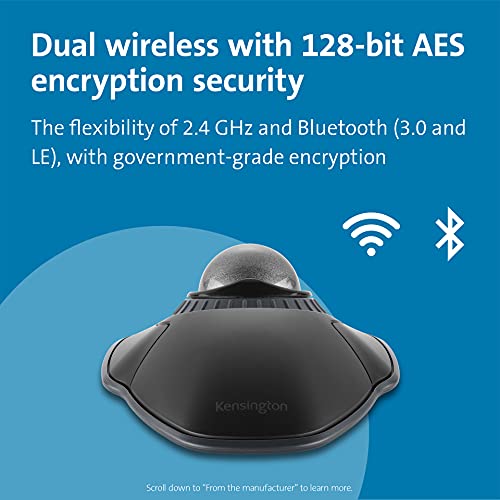
- •Dual wireless connectivity offers the flexibility of 2.4 GHz and Bluetooth (3.0 and LE), with 128-bit AES government-grade encryption security
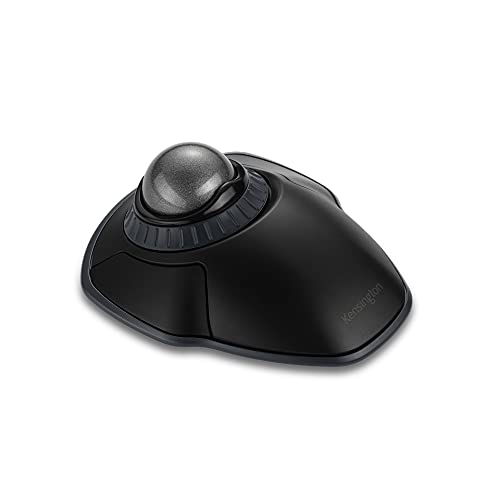
- •The scroll ring lets you spin the dial to move up and down web pages or documents with complete ease. And the 40mm ball's hard surface is specially designed as a perfect sphere for precise tracking and control
- •Four DPI settings let you easily adjust the cursor speed to fit your needs by selecting the appropriate level (400, 800, 1,200, or 1,600) — lower DPI for precision editing, and higher DPI for word processing or casual browsing
- •Ambidextrous design works equally well for right-handed and left-handed users. Trackball reduces wrist and hand movement to ease repetitive-stress injuries
- •Free KensingtonWorks downloadable software provides a personalized experience, giving you the ability to assign a variety of functions (including shortcuts) to the buttons, and adjust cursor and scrolling speed
- •Optical tracking technology delivers precise cursor movement for superior accuracy, so you can get where you want on the screen quickly with less hand movement, improving productivity and efficiency
Kensington Orbit Wireless Trackball with Scroll Ring - Space Gray (K72675WW),Black/Grey
List Price: $80.48$72.43DEALYou Save: $8.05 (10%)
Free shippingFree Returns – 30 daysFree Order CancellationSecure Payment2–3 Days DeliveryGet It October 24, 2026In Stock (10)No marketing spamNo account requiredFulfilment by FedEx / Amazon / UPS / ShipwirePayPal / Card Buyer Protection
Customer Reviews
Reviews sourced from verified Amazon purchasers4.4
out of 5
Based on 10 reviews
5★
50%
4★
50%
3★
0%
2★
0%
1★
0%
Fast shipping, easy to use!
Merry Gardner✓ Verified Purchase•November 11, 2023
This is a very nice trackball and was very easy to set up. USB connection. Works great!
Really good overall layout
John✓ Verified Purchase•November 5, 2023
I bought this as an ultimate replacement for the Logitech Optical Marble Mouse, now discontinued and selling upwards of $200.00. Overall, I love the shape of it, and the scroll ring works well in my opinion. The only thing I don't like about it and chose to give it a 4 stars instead of 5 is the stiffness of the buttons. They take considerably more force to click than the Logitech Marble Mouse. I hope this is something that Kensington addresses. Perhaps this is related to the reports of it making a loud clicking noise, which actually doesn't bother me.
A good, but not GREAT, substitute for your dead symmetrical Logitech Marble Trackball
A.J.✓ Verified Purchase•October 5, 2023
My loyal Logitech Marble trackball - a real wrist-saver, and the first truly ambidextrous product which allowed me to work with my left hand as easily as my right - took to it like a duck to water - finally gave up working in 2023, and used/refurbs were at least $150 (!) Time for a new HID/pointing device. Before comparing apples and oranges, a few words about this Kensington model: It's definitely made for people whose hands are on the large side -- if my giant, misshapen hooves were even a tiny bit smaller, I would not be able to operate this. So I'm a little lucky. It's very w-i-d-e. Unlike the Logitech, my fingers are not resting atop the buttons naturally. Always have to do a little lift-and-shift of my hand. For all that size, the palm-rest is very low. I miss the way my palm could just rest on the rise built into the base of the old Logitech. Not so here. You'll be holding your hand in the air a lot with this Kensington, so a gel wrist-rest is an absolute must if you want to use this comfortably and safely. The included "wrist rest" which wraps around the bottom of the device is in the "close, but no cigar" Another ergonomic downside is that the buttons require just a little too much force to bring down and click. I expect I will become accustomed to the amount of force I have to bring down, but it really should be a lighter touch than it is. I'm comparing it to pointing devices in general, not just the Logitech. Big pro: the scrollwheel. I never used scrollwheels until I encountered a Radiology reading workstation product which absolutely required scrollwheel functionality and did not have any keyboard "cheat codes" built in to work around that. Making the "collar" of the Kensington marble a scrollwheel is a great idea, and keeps this product strongly in the ambidextrous-friendly column.
So to sum up, it's no Logitech Marbleman trackball (but then, what is?) It's probably too wide and too low for most people to use. The rigid button-action is also an ergonomic black mark.
Ambidextrous use: 5/5
Ergonomics: 3/5, needs some rethinking.
So to sum up, it's no Logitech Marbleman trackball (but then, what is?) It's probably too wide and too low for most people to use. The rigid button-action is also an ergonomic black mark.
Ambidextrous use: 5/5
Ergonomics: 3/5, needs some rethinking.
Very happy
LilMelody✓ Verified Purchase•October 4, 2023
Old Logitech of more than 12 years finally gave out. Got this one and super happy with it. I like the scroll ring.
Great wireless trackball option, but would benefit from some minor improvements in design.
Geoff✓ Verified Purchase•September 6, 2023
I am coming from a Logitech Marble Mouse, with over 15 years of usage on it. The Marble Mouse has finally hit end of life and it was time for a replacement. I was able to briefly try some of the Elecom mice, that a friend had purchased.. and I was overall disappointed with those. The form factor was either way too tall and short length wise, or the ball was just way too big/heavy (maybe they will figure out a good design eventually). I did use an old school Kensington blue trackball mouse back in the day, so I am familiar with this general mouse shape. I have used this new Kensington for a few months now, including gaming.
So anyways onto the Kensington mouse:
Ergonomics/comfort: 7/10 It's plenty acceptable, but as some other reviewer said, the button placement relative to how you control the ball, is a bit "off". I don't understand why the buttons are not shifted back, at least a tiny bit further on the device (with exception to internal design restrictions). If you set up your hand on the mouse, and press the center of the buttons, it places the ball more towards the palm of my hand, than the finger tips, which isn't ideal. I sort of rotate the mouse and so on to make it work. I do not use the wrist rest it comes with.
Scroll wheel: 10/10 Excellent idea, finally able to have a scroll wheel with a trackball, as the Logitech always lacked this feature. I find it very comfortable and satisfying to use.
Ball Accuracy/Smoothness: 10/10 Everything is solid in this area, precision of the ball relative to mouse cursor is so good (night and day over the old Logitech). The DPI adjustments are fine but I don't use them often.
Button/Switches: 6/10 Honestly wish the switches had a lighter feel and were more quiet. They are rather slow in actuation and a bit stiff. This makes it more fatiguing on the hand as well. I guess we'll see how they feel after a good period of usage. I would like to see a change in this for sure (I doubt it but one could hope).
Wireless: 10/10 Using the 2.4Ghz, I have no complaints, no lag or anything either.
Gaming: 7.5/10 Honestly it works just fine for me, having the extra resolution ball sensor makes everything so much better, wish I had this a long time ago. Sometimes I hit the scroll wheel by accident. Depending on the game and in general, the slower/stiffer/longer travel switches make for a more fatiguing experience than on the old Logitech; or basically what you'd get on most laser/optical mice on the market.
Build/Material Quality: 9/10 Of course this could change, but initially the build quality seems perfectly fine. I couldn't find any defects. The body feels durable and generally the same as any other good mouse. I like the amount of padded feet it has, and it stays put.
Overall I'm satisfied with this as a good wireless upgrade/replacement of the Logitech Marble Mouse, though I'll say the shape of the Logitech was a little more comfortable in the palm area. I'll update if anything goes wrong.
So anyways onto the Kensington mouse:
Ergonomics/comfort: 7/10 It's plenty acceptable, but as some other reviewer said, the button placement relative to how you control the ball, is a bit "off". I don't understand why the buttons are not shifted back, at least a tiny bit further on the device (with exception to internal design restrictions). If you set up your hand on the mouse, and press the center of the buttons, it places the ball more towards the palm of my hand, than the finger tips, which isn't ideal. I sort of rotate the mouse and so on to make it work. I do not use the wrist rest it comes with.
Scroll wheel: 10/10 Excellent idea, finally able to have a scroll wheel with a trackball, as the Logitech always lacked this feature. I find it very comfortable and satisfying to use.
Ball Accuracy/Smoothness: 10/10 Everything is solid in this area, precision of the ball relative to mouse cursor is so good (night and day over the old Logitech). The DPI adjustments are fine but I don't use them often.
Button/Switches: 6/10 Honestly wish the switches had a lighter feel and were more quiet. They are rather slow in actuation and a bit stiff. This makes it more fatiguing on the hand as well. I guess we'll see how they feel after a good period of usage. I would like to see a change in this for sure (I doubt it but one could hope).
Wireless: 10/10 Using the 2.4Ghz, I have no complaints, no lag or anything either.
Gaming: 7.5/10 Honestly it works just fine for me, having the extra resolution ball sensor makes everything so much better, wish I had this a long time ago. Sometimes I hit the scroll wheel by accident. Depending on the game and in general, the slower/stiffer/longer travel switches make for a more fatiguing experience than on the old Logitech; or basically what you'd get on most laser/optical mice on the market.
Build/Material Quality: 9/10 Of course this could change, but initially the build quality seems perfectly fine. I couldn't find any defects. The body feels durable and generally the same as any other good mouse. I like the amount of padded feet it has, and it stays put.
Overall I'm satisfied with this as a good wireless upgrade/replacement of the Logitech Marble Mouse, though I'll say the shape of the Logitech was a little more comfortable in the palm area. I'll update if anything goes wrong.
Page 1 of 2


