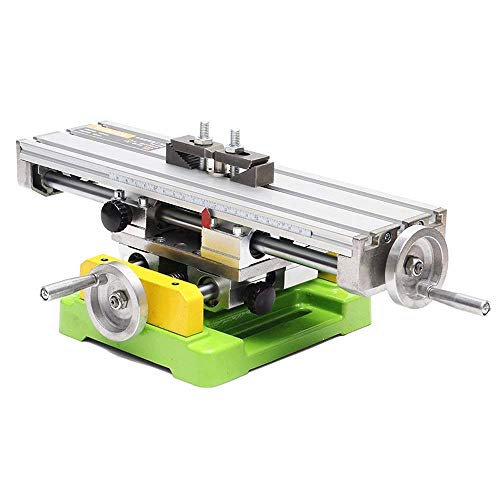
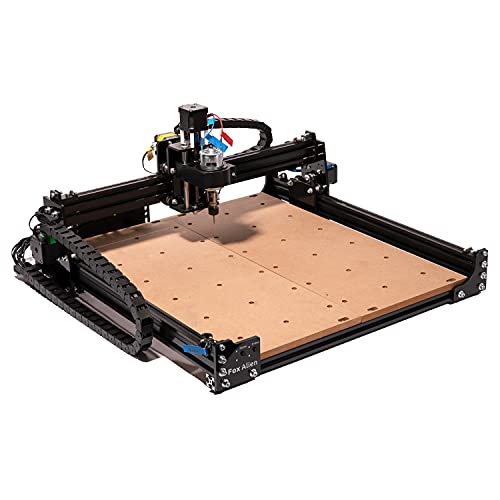
LUNYEE 3018 Pro CNC Machine 3 Axis Wood Router Kit GRBL Control with ER11 Collet for Engraver Woodworking PCB PVC Milling Engraving Carving, Working Area 300x180x40mm


Key features
- •Easy to Install: 3018 Pro is Very Easy to Install. It Comes with an English User Manual. There is No Need to Position Components, Which Reduces The Difficulty of Assembly and is Very Suitable for Beginners.
- •High Performance: Using 775 Spindle Motor, It Can Reach 10,000 Rpm at 24V; The Chuck Specification is ER11; Nema17 42 Stepper Motor, 1.3A/0.25N.m.
- •Upgraded 32-bit Grbl1.1 Control Board: Process G-code Faster, Reduce Delays, Provide Smooth Mechanical Movement, and Adapt to More Complex Engraving and Cutting Tasks. The GRBL1.1 Control Board Has Been Upgraded to Support 12V and 24V Lasers.
- •GRBL Control Software: Using GRBL Control Software, It is Simple and Easy to Use. It Uses Candle Software and Provides Rich Support and Resources. The Package Comes With a 4G Usb Flash Drive, Built-in Software and Test Files.
- •Suitable for Multiple Materials: It Can Engrave Plastic, Wood, Acrylic, Pvc, Pcb and Other Soft Metals, as Well as Cut Kraft Paper, Leather, and Other Materials.
BrandLUNYEE
CategoryMilling Machines
LUNYEE 3018 Pro CNC Machine 3 Axis Wood Router Kit GRBL Control with ER11 Collet for Engraver Woodworking PCB PVC Milling Engraving Carving, Working Area 300x180x40mm
List Price: $231.35$208.22DEALYou Save: $23.13 (10%)
Free shippingFree Returns – 30 daysFree Order CancellationSecure Payment2–3 Days DeliveryGet It October 26, 2026In Stock (1)No marketing spamNo account requiredFulfilment by FedEx / Amazon / UPS / ShipwirePayPal / Card Buyer Protection
Customer Reviews
Reviews sourced from verified Amazon purchasers4.4
out of 5
Based on 10 reviews
5★
70%
4★
30%
3★
0%
2★
0%
1★
0%
Easy to assemble with great support
Amazon Customer✓ Verified Purchase•December 27, 2023
Unlike some other 3018 machines I looked at, the LUNYEE comes close to 75% built, which makes the assembly very easy. The company also provides videos that go into detail on how to dress the wires and prepare the device for cutting. I had a couple of questions about the free software and while the apps provided on a jump drive are not written by LUNYEE, the service/support answering my questions about how they work was fast and accurate. Nice quality and so far, so good.
Solid Build! Outstanding Customer Service!
Dennis S. Edwards✓ Verified Purchase•December 20, 2023
This unit is a solidly built unit for a tabletop CNC machine. What can make a tabletop unit like this even better? Customer service! The on/off switch on the controller board was "hanging up" in the on position, which wasn't horrible, just inconvenient. 1 email to Lunyee (manufacturer) to let them know and had a response within hours letting me know they were replacing the board and also the power supply. Replacement parts were at my door in less than 1 week! Way To Go!
Thank You!
Thank You!
Mechanically a solid little machine
Kindle Customer✓ Verified Purchase•December 15, 2023
Received the router and put it together. It assembles easily and is fairly intuitive. There are no wiring instructions in the box but it's pretty easy to figure out if you have built other machines such as 3D printers.
Mechanically it is built well. The X axis has linear ways which I think will help the rigidity for milling aluminium. I wish it had linear ways on the Y axis as well.
The control board that came with my unit was bad. The Z axis didn't work. I contacted the supplier and they were very responsive and sent me a new board. On the new board, the Z axis worked but the USB would not connect to my computer. The supplier was helpful and sent me an additional board. This board works. The offline controller isn't that great. In fact, I think it's pretty useless.
I have used used the machine to make me a spoiler board. The machine runs good. For the price it does a good job.
Mechanically it is built well. The X axis has linear ways which I think will help the rigidity for milling aluminium. I wish it had linear ways on the Y axis as well.
The control board that came with my unit was bad. The Z axis didn't work. I contacted the supplier and they were very responsive and sent me a new board. On the new board, the Z axis worked but the USB would not connect to my computer. The supplier was helpful and sent me an additional board. This board works. The offline controller isn't that great. In fact, I think it's pretty useless.
I have used used the machine to make me a spoiler board. The machine runs good. For the price it does a good job.
Great hobby, easy to get started with this well built router.
Abcdefg✓ Verified Purchase•December 10, 2023
I needed a hobby for the winter and this is it. I have worked around manufacturing for most of my life so I am familiar with machining but this was my first jump into something like this. My journey has just started but I wanted to share a few things that I like about this router and a few things that I learned on the way.
Equipment itself
- Overall it is heavier than I was expecting - very solid and well built. The components are easily replaceable for any future upgrades or maintenance needed.
- The mechanical assembly was very easy. Most of the pieces are prebuilt so it is just attaching the gantry, hang the power supply and screw on the circuit board. One tip is to use a square/right angle to make sure the gantry is perfectly square to the base.
- There were no wiring instructions but I went onto YouTube and there are a few videos that show it well. All total it didn't take much time at all to assemble and the wire paths look nice compared to pictures of other similar routers.
- Software - There was a thumb drive that came with it but I personally could not get anything to work from it. I went online and downloaded EASEL (Drawing program) and UGS (Sends the program to the router). There is also Candle software (Sends the program to the router) that also seemed to work as well. Two things you need to know is your COM port and your version of windows (64bit vs 32bit). These are all free software, very intuitive and have good videos on YouTube to get started.
- Spindle/solid z axis. I'm glad I went with this unit that already has the larger 500W spindle for the extra power. I was comparing this unit to other competitor products and this had the upgrades that you would do anyway. The z axis is solid and has plenty of travel for what I need. I'm mostly cutting 6" wide by 1/2" thick boards but you could do 2" thick material pretty easily. The cutting motion is very solid and smooth. This type of machining is not jerky like a 3D printer.
- Customer service. I did have one component that needed to be replaced. I saw it online for $9 but sent an email to Lunyee and they responded the next day and had me running very quickly. Most of the components on this machine can be replaced pretty easily but it is nice to know that there is great customer service available if there is an issue I can't resolve myself.
Lessons learned:
- The first thing I recommend is to cut a piece of scrap plywood and attach it to the aluminum table. I used the clamps that came with it on a couple projects and the screws scratched the table (Nothing bad but I didn't want to continue it for very long). The plywood allows me to cut out shapes and can be replaced easily.
- Learn the masking tape/glue method to hold your wood to the table. This is cheap and it works. No more holes and rough spots on the bed. This made everything work so much better than the clamps.
- Dust control. When vacuuming the dust, be careful of the limit switches. They work well and I have set them off mistakenly when trying to clean up during a run. Having to restart a program is a mess so be careful. I don't see the need to invest in a hose attachment or side shields right away. I just use my shop vac every once in a while and that seems to work just fine for this level of work.
- Find a supply of flat wood. This is probably the hardest part of the whole process. The wood in the big box stores is mostly bent so you have to be selective. I think that the masking tape/glue process to hold the material helps but a good straight board is important.
- Cutting tools. This surprised me but you don't need as much here as I thought. I bought a cheap set that included endmills, ball nose mills and some vcut/engraving bits. I thought I would be breaking them all the time but they have held up well. The only one I broke was dropped on the floor. You don't need to overstock on these as long as you don't start crashing into clamps or mess with the cutting settings (I have lots of time).
Pictures:
I attached a few pictures to show some of my wins and learning:
- Queen of Spades - I worked hard on this one and almost finished before it went bad. I was using a vcut bit to do the outer edge all the way through the wood but the bit was too short. The spindle hit the wood and broke the material free from the clamps. As you can see, it went a little crazy and cut a path right through it. This was my first project with a lot of detail and really enjoyed it.
- Cow - this is one of my favorites. I pulled the picture off of a black and white clip art image. I really like how the deep images look with the carving tool.
- Einstein - I wanted to try to carve a face and pulled the first black and white picture that came up. It looks great when held at different angles.
- Heart sign. This was my last carving using the Easel software. The free pro license only lasts 30 days and then they charge $30/month. I really like how easy Easel was to use so it may be worth the cost. I'm going to transition to the VCarve software which is a one time fee and looks to have quite a bit of additional features for added challenges. You can do a lot with the free software but if you want to carve the fancier projects, plan to spend a little money to get the good software.
- Pictures of the wood bed with clamps and tape/glue method. You don't have to worry about hitting a clamp with a spindle with the tape method and you can use the whole surface.
I'm having a blast with this router and could go on and on. I'm not going to become a millionaire (Or even dollaraire) from this hobby, but it is fun to make a little projects when it is not nice enough to do much else. Good luck on your adventures.
Equipment itself
- Overall it is heavier than I was expecting - very solid and well built. The components are easily replaceable for any future upgrades or maintenance needed.
- The mechanical assembly was very easy. Most of the pieces are prebuilt so it is just attaching the gantry, hang the power supply and screw on the circuit board. One tip is to use a square/right angle to make sure the gantry is perfectly square to the base.
- There were no wiring instructions but I went onto YouTube and there are a few videos that show it well. All total it didn't take much time at all to assemble and the wire paths look nice compared to pictures of other similar routers.
- Software - There was a thumb drive that came with it but I personally could not get anything to work from it. I went online and downloaded EASEL (Drawing program) and UGS (Sends the program to the router). There is also Candle software (Sends the program to the router) that also seemed to work as well. Two things you need to know is your COM port and your version of windows (64bit vs 32bit). These are all free software, very intuitive and have good videos on YouTube to get started.
- Spindle/solid z axis. I'm glad I went with this unit that already has the larger 500W spindle for the extra power. I was comparing this unit to other competitor products and this had the upgrades that you would do anyway. The z axis is solid and has plenty of travel for what I need. I'm mostly cutting 6" wide by 1/2" thick boards but you could do 2" thick material pretty easily. The cutting motion is very solid and smooth. This type of machining is not jerky like a 3D printer.
- Customer service. I did have one component that needed to be replaced. I saw it online for $9 but sent an email to Lunyee and they responded the next day and had me running very quickly. Most of the components on this machine can be replaced pretty easily but it is nice to know that there is great customer service available if there is an issue I can't resolve myself.
Lessons learned:
- The first thing I recommend is to cut a piece of scrap plywood and attach it to the aluminum table. I used the clamps that came with it on a couple projects and the screws scratched the table (Nothing bad but I didn't want to continue it for very long). The plywood allows me to cut out shapes and can be replaced easily.
- Learn the masking tape/glue method to hold your wood to the table. This is cheap and it works. No more holes and rough spots on the bed. This made everything work so much better than the clamps.
- Dust control. When vacuuming the dust, be careful of the limit switches. They work well and I have set them off mistakenly when trying to clean up during a run. Having to restart a program is a mess so be careful. I don't see the need to invest in a hose attachment or side shields right away. I just use my shop vac every once in a while and that seems to work just fine for this level of work.
- Find a supply of flat wood. This is probably the hardest part of the whole process. The wood in the big box stores is mostly bent so you have to be selective. I think that the masking tape/glue process to hold the material helps but a good straight board is important.
- Cutting tools. This surprised me but you don't need as much here as I thought. I bought a cheap set that included endmills, ball nose mills and some vcut/engraving bits. I thought I would be breaking them all the time but they have held up well. The only one I broke was dropped on the floor. You don't need to overstock on these as long as you don't start crashing into clamps or mess with the cutting settings (I have lots of time).
Pictures:
I attached a few pictures to show some of my wins and learning:
- Queen of Spades - I worked hard on this one and almost finished before it went bad. I was using a vcut bit to do the outer edge all the way through the wood but the bit was too short. The spindle hit the wood and broke the material free from the clamps. As you can see, it went a little crazy and cut a path right through it. This was my first project with a lot of detail and really enjoyed it.
- Cow - this is one of my favorites. I pulled the picture off of a black and white clip art image. I really like how the deep images look with the carving tool.
- Einstein - I wanted to try to carve a face and pulled the first black and white picture that came up. It looks great when held at different angles.
- Heart sign. This was my last carving using the Easel software. The free pro license only lasts 30 days and then they charge $30/month. I really like how easy Easel was to use so it may be worth the cost. I'm going to transition to the VCarve software which is a one time fee and looks to have quite a bit of additional features for added challenges. You can do a lot with the free software but if you want to carve the fancier projects, plan to spend a little money to get the good software.
- Pictures of the wood bed with clamps and tape/glue method. You don't have to worry about hitting a clamp with a spindle with the tape method and you can use the whole surface.
I'm having a blast with this router and could go on and on. I'm not going to become a millionaire (Or even dollaraire) from this hobby, but it is fun to make a little projects when it is not nice enough to do much else. Good luck on your adventures.
Straightforward assembly, feels solid. I will update once I run it.
Kittendor95✓ Verified Purchase•November 10, 2023
Initial Impressions:
The machine was packaged wonderfully and came with all of the assembly tools you would need and more. A small metal ruler, a small screwdriver (amazing they included this since it's only needed for the power and spindle terminals on the board), all the hex keys and more. The spindle collet wrenches, a generous amount of lubricant for bearings. It also comes with one of those little zeroing plates and clamps.
The assembly instructions were more than adequate to install the gantry, spindle and end stops quickly and easily.
The wiring doesn't have much in-depth instruction but it is quite literally paint by numbers. The instructions have a simple but effective diagram to show where each wire plugs into and each wire is pre-cut to length, finished with nice connectors and labeled. The board itself is also labeled to make it even clearer. You'll figure it out pretty quickly. They didn't explicitly give you explain like I'm 5 instructions, but my god use your brain for a minute.
You could probably get this fully assembled in an hour or less, but I went to harbor freight and bought a roll of 1/2" wire sheathing (it's like the stuff they use to cover desktop power supply cables) that I used to cover the wires around the machine and make it look a bit cleaner. If you don't do that, there's stark contrast between the precise, pretty metal machine and an "I built my first 3D printer/gaming PC" level of wire organization. the kit does come with a small amount of wire sheathing I assume for the spindle wires but I didn't find it until after and you'll need more anyways.
I used medium strength (Loctite blue) threadlocker on the gantry bolts and spindle bolts to help prevent loosening since they do not come with lock washers like are applied to the pre-installed bolts on the machine.
I was surprised by the thickness of the aluminum end brackets that make up the machine. I chose this 3018 because it was actually All-metal, unlike many similar products that use those black plastic end brackets to cut costs. Once assembled I couldn't detect any noticeable movement or flexing anywhere. It feels more than solid enough to deliver consistent, accurate performance.
I was looking for an all-metal desktop style CNC router that was as small as possible because I believe that makes it as rigid as possible. I think this will deliver on that.
Complaints (minor):
I cannot find a readily available compatible spoil-board to use on this machine from the manufacturer or elsewhere, so I have to make one myself (cutting MDF to 300x180mm, using a drill press to drill all the holes) You will need longer threaded rods to use the hold downs depending on your MDF thickness so it can reach the threaded holes below. I cut the tops off a pair of 70mm M6 screws.
No lock washers for the 12x bolts used to attach the gantry to the frame like the other bolts on the machine have pre-installed, they have washers but no lock washers.
Not enough cable sheathing/protector to cover all the wires with it. (not needed, but helps make the machine look nicer once finished)
Only one ER11 collet
Complaint (significant)
The manual tells you to connect the spindle wires to the other half of the spindle wire that connects to the spindle power on the board with a temporary style push connector of some kind. It has levers on each side and I believe the intention is to make the spindle wires easier to disconnect so you could use the optional laser attachment.
The ends of the wires are stripped and tinned about 1/4". They do not lock into this connector properly which may cause intermittent spindle power loss while moving at best and at worst come loose and make contact with the all-metal frame, shorting or potentially energizing the frame or another metal component if it were to to disconnect and fall onto something with an exposed end.
That connector is a reliability/safety hazard and I recommend soldering the ends and shrink wrapping them or installing a permanent connector of some kind. These two wires should instead come with a pre-installed connector that can positively and securely plug into the other end instead of this odd push terminal and bare wires.
Operation:
[Will update once I run it]
Accuracy:
[Will update once I run it]
Conclusion:
[Will update once I run it]
The machine was packaged wonderfully and came with all of the assembly tools you would need and more. A small metal ruler, a small screwdriver (amazing they included this since it's only needed for the power and spindle terminals on the board), all the hex keys and more. The spindle collet wrenches, a generous amount of lubricant for bearings. It also comes with one of those little zeroing plates and clamps.
The assembly instructions were more than adequate to install the gantry, spindle and end stops quickly and easily.
The wiring doesn't have much in-depth instruction but it is quite literally paint by numbers. The instructions have a simple but effective diagram to show where each wire plugs into and each wire is pre-cut to length, finished with nice connectors and labeled. The board itself is also labeled to make it even clearer. You'll figure it out pretty quickly. They didn't explicitly give you explain like I'm 5 instructions, but my god use your brain for a minute.
You could probably get this fully assembled in an hour or less, but I went to harbor freight and bought a roll of 1/2" wire sheathing (it's like the stuff they use to cover desktop power supply cables) that I used to cover the wires around the machine and make it look a bit cleaner. If you don't do that, there's stark contrast between the precise, pretty metal machine and an "I built my first 3D printer/gaming PC" level of wire organization. the kit does come with a small amount of wire sheathing I assume for the spindle wires but I didn't find it until after and you'll need more anyways.
I used medium strength (Loctite blue) threadlocker on the gantry bolts and spindle bolts to help prevent loosening since they do not come with lock washers like are applied to the pre-installed bolts on the machine.
I was surprised by the thickness of the aluminum end brackets that make up the machine. I chose this 3018 because it was actually All-metal, unlike many similar products that use those black plastic end brackets to cut costs. Once assembled I couldn't detect any noticeable movement or flexing anywhere. It feels more than solid enough to deliver consistent, accurate performance.
I was looking for an all-metal desktop style CNC router that was as small as possible because I believe that makes it as rigid as possible. I think this will deliver on that.
Complaints (minor):
I cannot find a readily available compatible spoil-board to use on this machine from the manufacturer or elsewhere, so I have to make one myself (cutting MDF to 300x180mm, using a drill press to drill all the holes) You will need longer threaded rods to use the hold downs depending on your MDF thickness so it can reach the threaded holes below. I cut the tops off a pair of 70mm M6 screws.
No lock washers for the 12x bolts used to attach the gantry to the frame like the other bolts on the machine have pre-installed, they have washers but no lock washers.
Not enough cable sheathing/protector to cover all the wires with it. (not needed, but helps make the machine look nicer once finished)
Only one ER11 collet
Complaint (significant)
The manual tells you to connect the spindle wires to the other half of the spindle wire that connects to the spindle power on the board with a temporary style push connector of some kind. It has levers on each side and I believe the intention is to make the spindle wires easier to disconnect so you could use the optional laser attachment.
The ends of the wires are stripped and tinned about 1/4". They do not lock into this connector properly which may cause intermittent spindle power loss while moving at best and at worst come loose and make contact with the all-metal frame, shorting or potentially energizing the frame or another metal component if it were to to disconnect and fall onto something with an exposed end.
That connector is a reliability/safety hazard and I recommend soldering the ends and shrink wrapping them or installing a permanent connector of some kind. These two wires should instead come with a pre-installed connector that can positively and securely plug into the other end instead of this odd push terminal and bare wires.
Operation:
[Will update once I run it]
Accuracy:
[Will update once I run it]
Conclusion:
[Will update once I run it]
Page 1 of 2
![RIEDHOFF X-Axis Power Milling Machine, [450 LB Torque ] Power Feed Table Mill,110V, 0-200PRM Adjustable Rotate Speed for Bridgeport and Similar Knee Type Milling Machines](https://m.media-amazon.com/images/I/41UHXMx+9XL._SL500_.jpg)